
1. Pengenalan
This manual provides comprehensive instructions for the safe and effective use of the Mastech MS 6520B Infrared Thermometer. This non-contact device is designed for accurate temperature measurement across various applications. Please read this manual thoroughly before operating the device.

Rajah 1: Depan view of the Mastech MS 6520B Infrared Thermometer, showing the display and control buttons.
2. Maklumat Keselamatan
To ensure safe operation and prevent damage to the device, observe the following precautions:
- Keselamatan Laser: Do not point the laser directly at eyes or indirectly off reflective surfaces. The laser is for targeting purposes only.
- Keadaan Persekitaran: Do not use the device in environments with explosive gas, steam, or dust. Avoid extreme temperatures and high humidity.
- Medan Elektromagnetik: Keep the device away from strong electromagnetic fields, which may affect accuracy.
- Rendaman air: Do not immerse the device in water or other liquids. It is not waterproof.
- Penyelenggaraan: Rujuk bahagian penyelenggaraan untuk pembersihan dan penjagaan yang betul.
3. Ciri dan Komponen Produk
The Mastech MS 6520B is a handheld infrared thermometer featuring a clear LCD display and intuitive controls.
Ciri-ciri Utama:
- Pengukuran suhu inframerah tanpa sentuhan
- Wide temperature range: -20°C to 500°C (-4°F to 932°F)
- Selectable °C/°F units
- Built-in laser pointer for accurate targeting
- Backlight display for low-light conditions
- Fungsi Pegangan Data
- MAX/MIN/AVG temperature display modes
- Petunjuk bateri rendah
Pengenalan Komponen:
- Penderia Inframerah
- Laser Pointer Aperture
- Paparan LCD
- Pencetus Pengukuran
- Butang Mod (M)
- Unit Selection Button (°F/°C)
- Butang Lampu Latar
- Butang Hidup/Mati Laser
- Petak Bateri

Rajah 2: Terperinci view of the MS 6520B display and control buttons.
4. Persediaan
4.1 Pemasangan Bateri
The Mastech MS 6520B requires one 9V 6F22 battery for operation.
- Locate the battery compartment cover at the bottom of the handle.
- Gently slide or open the battery compartment cover.
- Connect a new 9V 6F22 battery to the battery connector, ensuring correct polarity.
- Letakkan bateri ke dalam petak dan tutup penutupnya dengan ketat.

Figure 3: The battery compartment of the MS 6520B, showing the 9V battery connection.
5. Arahan Operasi
5.1 Mengambil Pengukuran
- Point the infrared sensor towards the target object.
- Press and hold the measurement trigger. The display will show the real-time temperature reading.
- Release the trigger to hold the last measured temperature on the display (Data Hold). The device will automatically power off after a period of inactivity to conserve battery.
5.2 Nisbah Jarak ke Titik (D:S)
The MS 6520B has a Distance to Spot Ratio (D:S) of 10:1. This means that at a distance of 10 units from the target, the measurement spot diameter will be 1 unit. For accurate readings, ensure the target area is larger than the measurement spot size.
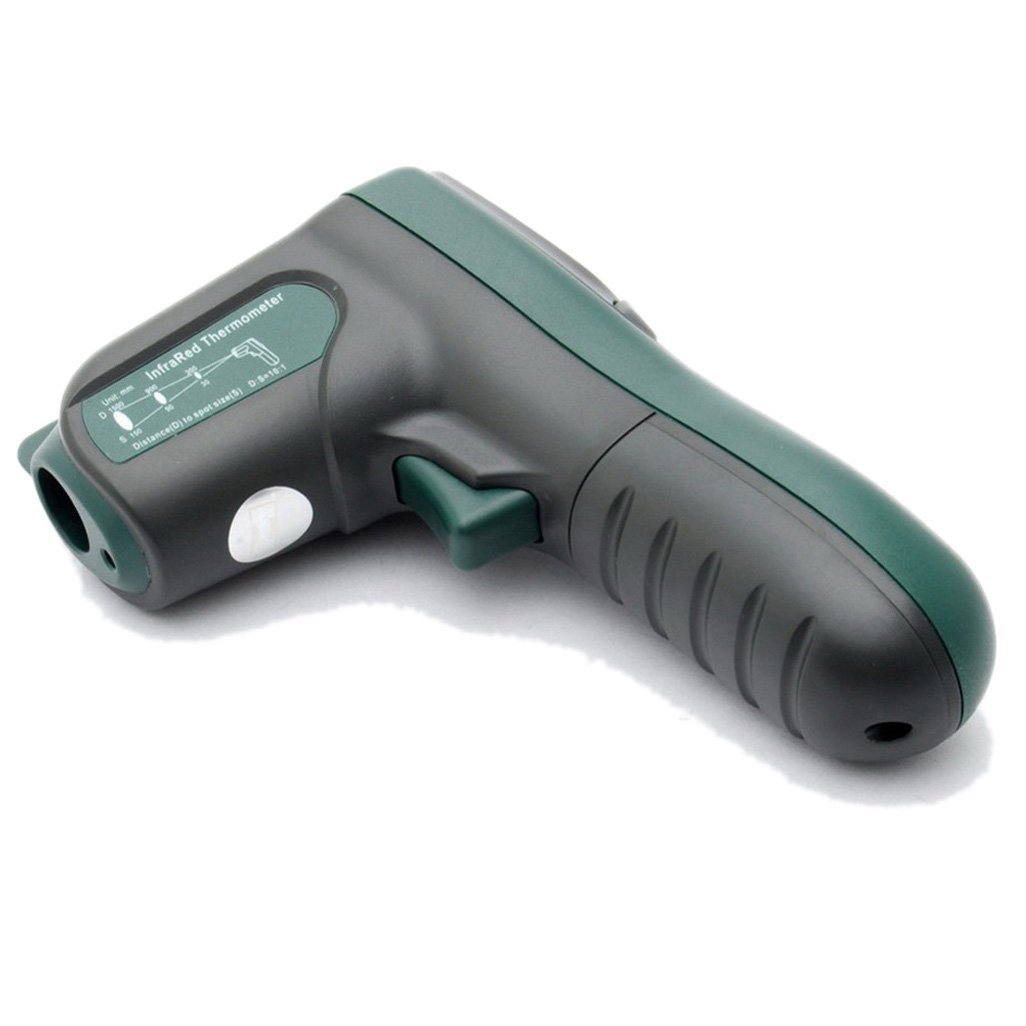
Rajah 4: Sisi view illustrating the 10:1 Distance to Spot Ratio for the infrared thermometer.
5.3 Emisiviti
The device has a fixed emissivity setting of 0.95, which is suitable for most organic materials, painted surfaces, and many non-metallic objects. For highly reflective surfaces, readings may be less accurate.
5.4 Pemilihan Unit (°C/°F)
Tekan ke °F/°C button to toggle between Celsius and Fahrenheit temperature units.
5.5 Lampu Latar
Tekan ke Lampu latar button to turn the display backlight on or off. This feature is useful in dimly lit environments.
5.6 Penunjuk Laser
Tekan ke Laser button to activate or deactivate the laser pointer. The laser helps in precisely identifying the measurement target.
5.7 Mod MAKSIMUM/MINIT/PURA
Tekan ke M (Mode) button to cycle through different display modes while the trigger is held down:
- MAKS: Memaparkan suhu maksimum yang direkodkan semasa sesi pengukuran semasa.
- MIN: Memaparkan suhu minimum yang direkodkan semasa sesi pengukuran semasa.
- AVG: Memaparkan purata suhu yang direkodkan semasa sesi pengukuran semasa.
6. Penyelenggaraan
6.1 Pembersihan
- Bersihkan peranti casing dengan lembut, damp kain. Jangan gunakan pembersih atau pelarut yang melelas.
- Carefully clean the infrared lens with a soft cloth or cotton swab, slightly moistened with water or rubbing alcohol. Avoid scratching the lens.
6.2 Penyimpanan
When not in use, store the thermometer in a dry, cool place, away from direct sunlight and extreme temperatures. If storing for an extended period, remove the battery to prevent leakage.
6.3 Penggantian Bateri
Replace the 9V battery when the low battery indicator appears on the display to ensure accurate readings and proper device function. Refer to Section 4.1 for battery installation instructions.
7. Penyelesaian masalah
If you encounter issues with your Mastech MS 6520B, refer to the following common problems and solutions:
| Masalah | Kemungkinan Punca | Penyelesaian |
|---|---|---|
| Peranti tidak dihidupkan | Bateri mati atau tidak dipasang dengan betul | Replace the 9V battery or ensure it is correctly installed. |
| Bacaan tidak tepat |
|
|
| Display shows "ERR" | Temperature outside measurement range | Ensure the target temperature is within -20°C to 500°C. |
8. Spesifikasi
The following table outlines the technical specifications for the Mastech MS 6520B Infrared Thermometer:
| Parameter | Spesifikasi |
|---|---|
| Julat Suhu | -20°C hingga 500°C (-4°F hingga 932°F) |
| Ketepatan | ±(1.5% + 2°C) or ±(1.5% + 4°F) |
| Resolusi Suhu | 0.1°C / 0.1°F |
| Kebolehulangan | ±1°C |
| Nisbah Jarak ke Titik (D:S) | 10:1 |
| Emisiviti | 0.95 (Tetap) |
| Masa Tindak Balas | 500 milisaat |
| Bekalan Kuasa | 1x Bateri 9V 6F22 |
| Saiz Produk | 142mm x 92mm x 47mm (5.6 "x 3.6" x 1.85 ") |
| Berat Produk | 231 g (0.31 lb) |
| Pensijilan | CE, RoHS |

Figure 5: Detailed specifications table for the Mastech MS 6520B.
9. Waranti dan Sokongan
For warranty information, technical assistance, or customer support regarding your Mastech MS 6520B Infrared Thermometer, please refer to the official Mastech webtapak atau hubungi pengedar tempatan anda. Simpan resit pembelian anda sebagai bukti pembelian.