
Maklumat Keselamatan Penting
Please read these instructions carefully before using the shredder. Keep this manual for future reference.
- Jauhkan kanak-kanak dan haiwan peliharaan dari mesin pencincang.
- Keep loose clothing, jewelry, hair, and other foreign objects away from the shredder opening.
- Do not insert fingers or hands into the shredder opening.
- Cabut plag mesin pencincang apabila tidak digunakan atau sebelum dibersihkan.
- Do not shred metal objects, large paper clips, or hard plastic (except credit cards as specified).
- Do not use aerosol products, petroleum-based lubricants, or other flammable products on or near the shredder.
- Jangan kendalikan mesin pencincang jika kord kuasa rosak.
- The shredder is equipped with overheat protection. If it overheats, it will automatically shut off. Allow it to cool down before resuming operation.
Kandungan Pakej
Pastikan semua barang ada:
- Amazon Basics AS665C Paper Shredder Unit
- Tong Sampah
- Manual Arahan (dokumen ini)
Persediaan
- Buka Pencincang: Keluarkan semua komponen dari pembungkusan dengan berhati-hati.
-
Position the Waste Bin: Place the shredder head securely on top of the provided waste bin. Ensure it is properly seated.
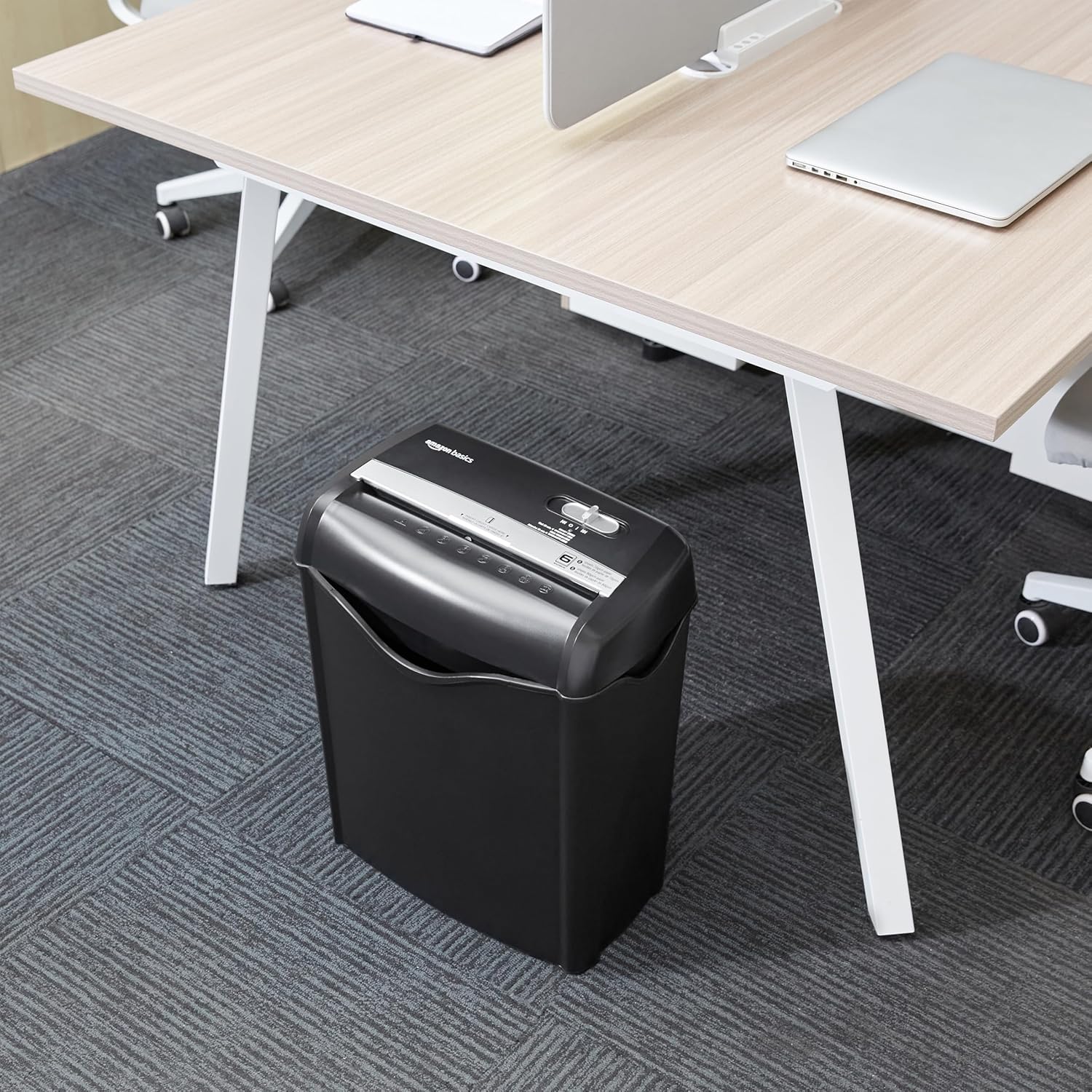
Image: The Amazon Basics AS665C Paper Shredder positioned under a desk, demonstrating its compact size and ease of placement in an office or home environment.
- Sambungkan Kuasa: Palamkan kord kuasa ke soket elektrik standard.
Arahan Operasi
Suis Kawalan
The shredder features a slide switch with three positions:
- AUTO (I): The shredder will automatically start when paper is inserted and stop when shredding is complete.
- MATI (O): Mesin pencincang dimatikan.
- REV (<<): Activates the reverse function to clear paper jams.

Imej: A terperinci view of the shredder's control switch, showing the "AUTO", "OFF", and "REV" settings, along with the "READY" (green) and "OVERHEAT" (red) indicator lights.
Carik Dokumen
- Pilih Mod: Tetapkan suis kawalan ke AUTO (I) position. The "READY" indicator light (green) will illuminate.
-
Masukkan Kertas: Insert up to 6 sheets of 70gsm paper (or 5 sheets of 80gsm paper) straight into the paper entry slot. The shredder will automatically start and stop.
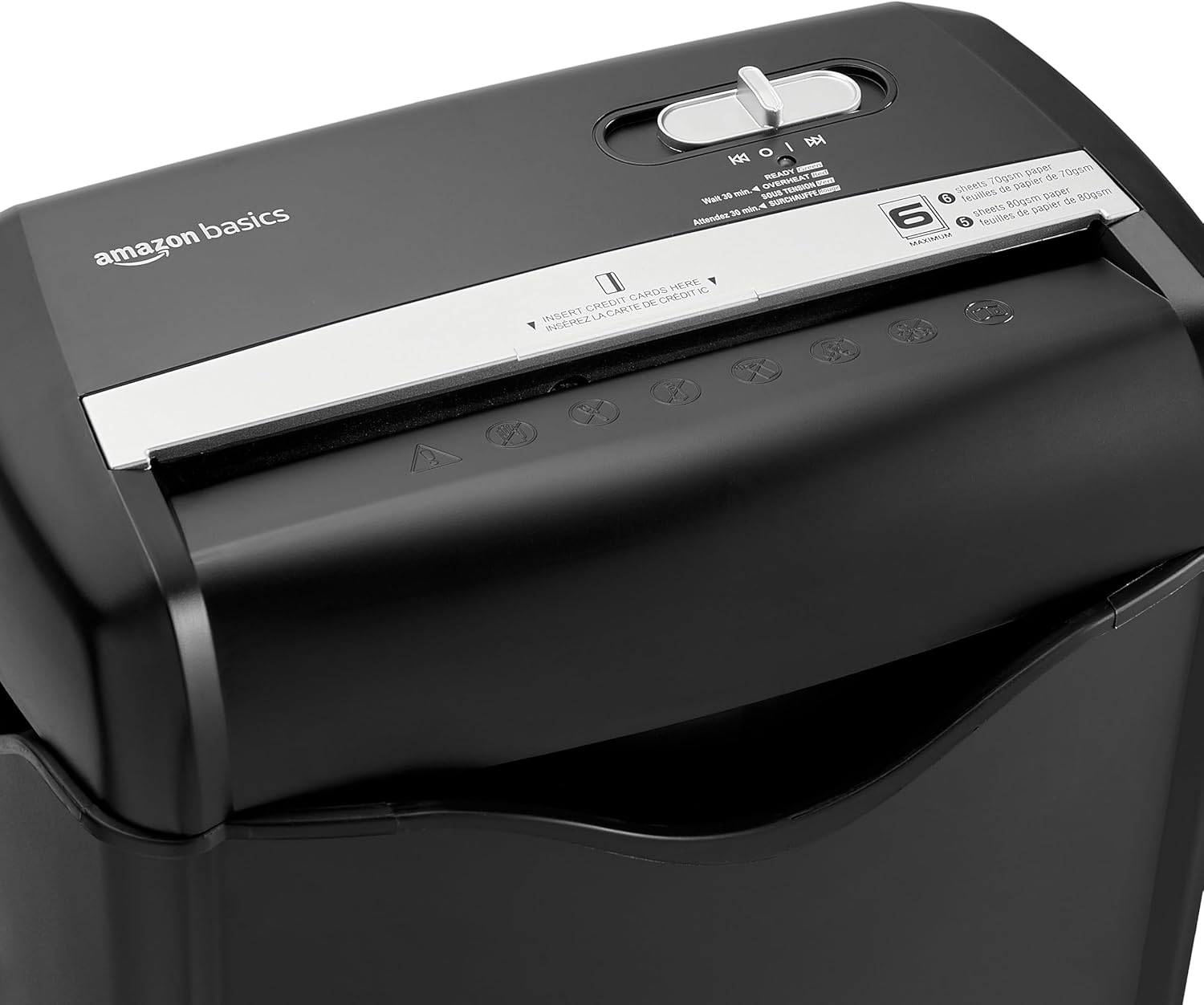
Imej: Atas view of the shredder, highlighting the paper entry slot, the control switch, and the "MAXIMUM" sheet capacity label.

Image: A close-up of the shredder's label indicating the maximum sheet capacity: 6 sheets of 70gsm paper or 5 sheets of 80gsm paper.
-
Menghancurkan Kad Kredit: Insert one credit card at a time into the dedicated credit card slot.

Imej: Dari dekat view of the shredder's dedicated slot for inserting credit cards, clearly labeled "INSERT CREDIT CARDS HERE".
- Perlindungan Terlalu Panas: The shredder will automatically shut off if it runs continuously for too long or if the motor overheats. The "OVERHEAT" indicator light (red) will illuminate. Allow the shredder to cool down for approximately 30 minutes before resuming operation.

Image: A pile of cross-cut shredded paper, demonstrating the small particle size for enhanced security. A quarter coin is placed next to it for scale.
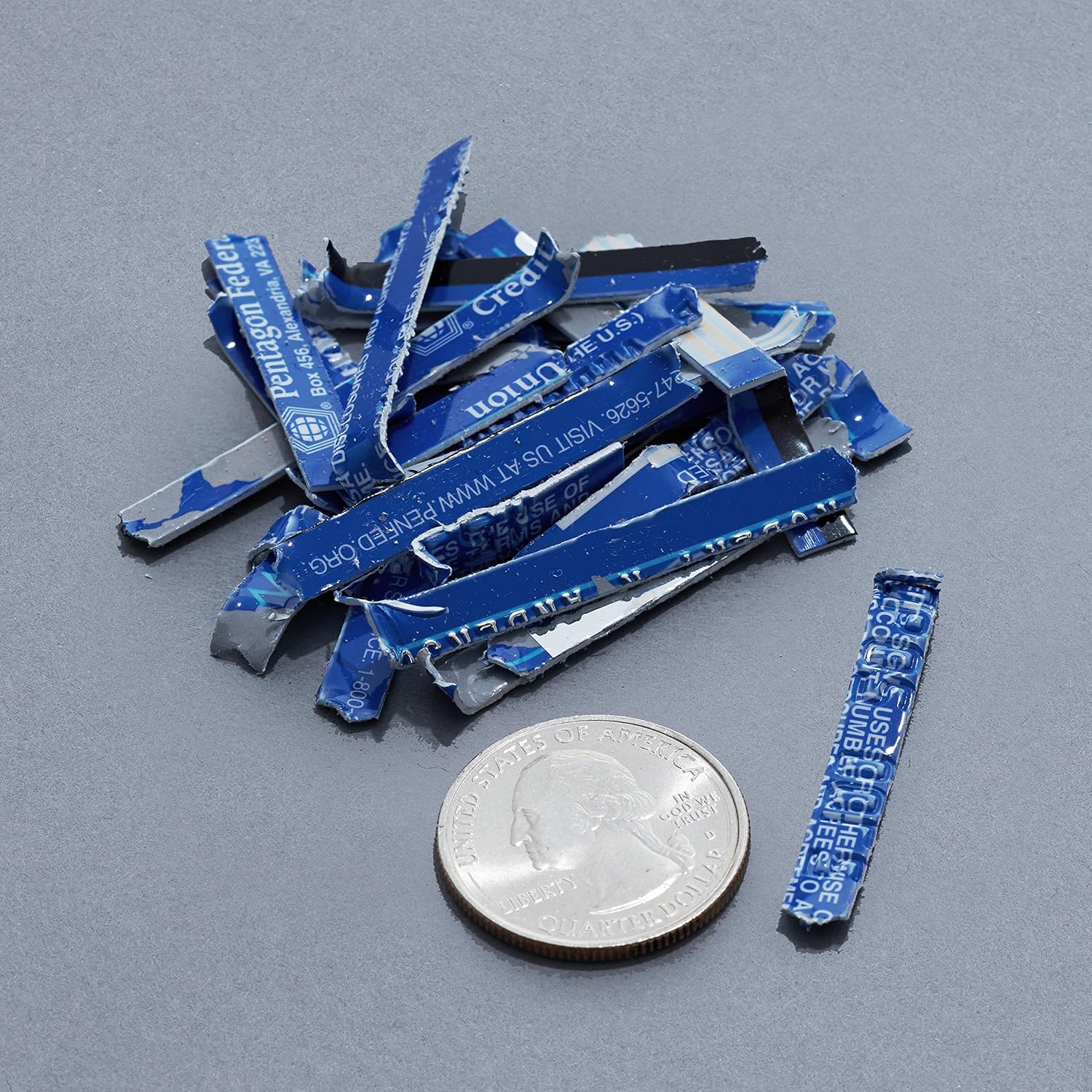
Image: A collection of shredded credit card pieces, illustrating the secure destruction of plastic cards. A quarter coin is included for size reference.
Penyelenggaraan
Mengosongkan Tong Sampah
Regularly empty the waste bin to prevent paper jams and ensure optimal performance. Unplug the shredder before removing the head to empty the bin.
Pembersihan
- Unplug the shredder before cleaning.
- Wipe the exterior of the shredder with a soft, dry cloth.
- Jangan gunakan pembersih atau pelarut yang melelas.
- For optimal performance, periodically oil the shredder blades with shredder oil sheets or liquid shredder oil. Follow the oil product's instructions.
Menyelesaikan masalah
| Masalah | Kemungkinan Punca | Penyelesaian |
|---|---|---|
| Mesin pencincang tidak bermula. |
|
|
| Kertas jem. |
|
|
| Mesin penghancur berhenti semasa operasi. |
|
|
Spesifikasi
| Ciri | Perincian |
|---|---|
| Jenama | Asas Amazon |
| Nombor Model | AS665C (Manufacturer Model: AS662C-EU) |
| Jenis Carik | Potong silang |
| Kapasiti Helaian | 6 sheets (70gsm paper) / 5 sheets (80gsm paper) |
| Cincang | Kertas, Kad Kredit |
| Sumber Kuasa | Elektrik Bertali |
| Ciri Khas | Portable, Overheat Protection, Manual Reverse |
| Dimensi Produk (L x W x H) | 30.7 x 19.6 x 38.1 cm (12.1 x 7.7 x 15 inci) |
| Berat Produk | 3.72 kg (8.2 lbs) |
| bahan | Plastik dan Logam |
Waranti dan Sokongan
For warranty information and customer support, please refer to the Amazon Basics weblaman web atau hubungi khidmat pelanggan Amazon secara langsung. Simpan resit pembelian anda untuk tuntutan jaminan.