
Nerf A9314
Nerf Bigshot Blaster Instruction Manual
Model: A9314
pengenalan
The Nerf Bigshot blaster is a compact, single-shot dart blaster designed for recreational play. It is part of the Nerf N-Strike Mega series, known for its larger darts and powerful performance. This manual provides essential information for assembly, operation, and care to ensure a safe and enjoyable experience.
Maklumat Keselamatan
WARNING: Do not aim at eyes or face. TO AVOID INJURY: Use only darts designed for this product. Do not modify darts or dart blaster.
- Always wear eye protection when using this product (eye protection not included).
- Keep fingers and other body parts clear of the dart launch area.
- Jangan ubah suai blaster atau dart dalam apa jua cara, kerana ini boleh menjejaskan prestasi dan keselamatan.
- Ensure the play area is clear of obstacles and other people before firing.
- This product is recommended for ages 8 and up. Adult supervision is recommended for younger users.
Apa yang ada dalam Kotak
Setelah membuka pembungkusan, sila sahkan bahawa semua komponen ada:
- 1 x Nerf Bigshot Blaster (Model A9314)
- 2 x Nerf Mega Darts

Image: The Nerf Bigshot blaster as it appears in its retail packaging, clearly displaying the blaster and the included Mega darts.
Persediaan
The Nerf Bigshot blaster requires minimal setup before use.
Memuatkan Dart
- Locate the dart loading port at the front of the blaster barrel.
- Insert one Nerf Mega dart into the loading port, pushing it firmly until it is fully seated.

Image: The Nerf Bigshot blaster shown alongside a single Mega dart, illustrating the dart type used with this blaster.
Arahan Operasi
Follow these steps to operate your Nerf Bigshot blaster:
- Load a Dart: As described in the Setup section, insert one Nerf Mega dart into the barrel.
- Prime the Blaster: Pull the priming handle located at the bottom front of the blaster downwards until it clicks into place. This action prepares the blaster to fire.
- Matlamat: Point the blaster safely away from eyes and face, towards your intended target.
- kebakaran: Tekan picu untuk melancarkan anak panah.
- Tambah nilai: After firing, the blaster is ready to be reloaded with another dart for the next shot.

Image: A user holding the Nerf Bigshot blaster, illustrating the typical grip and stance for operation.
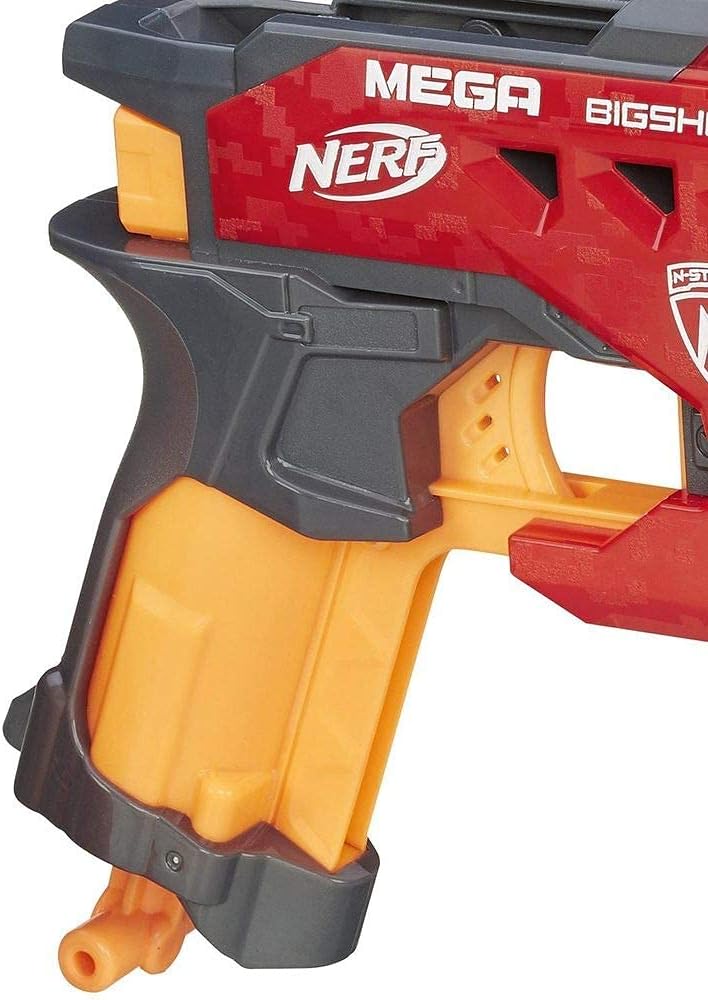
Imej: A terperinci view of the blaster's handle and the priming mechanism located at the bottom, showing its ergonomic design.
Penyelenggaraan
Proper care will extend the life and performance of your Nerf Bigshot blaster.
- Pembersihan: Wipe the blaster with a clean, damp kain untuk menghilangkan habuk dan kotoran. Jangan rendam blaster di dalam air atau gunakan bahan kimia yang keras.
- Storan: Store the blaster in a cool, dry place away from direct sunlight and extreme temperatures.
- dart: Use only official Nerf Mega darts. Inspect darts regularly for damage; replace bent or torn darts to ensure optimal performance and prevent jamming.
Menyelesaikan masalah
If you encounter issues with your Nerf Bigshot blaster, try these solutions:
| Masalah | Kemungkinan Punca | Penyelesaian |
|---|---|---|
| Dart tidak menembak atau menembak dengan lemah. | Blaster not fully primed. Dart not fully inserted. Damaged dart. | Ensure priming handle is pulled back until it clicks. Push dart fully into barrel. Replace damaged darts. |
| Priming handle is stuck. | Dart jammed in barrel. Mechanism obstructed. | Check barrel for jammed darts and carefully remove. Ensure no foreign objects are obstructing the priming mechanism. |
Spesifikasi
- Nombor Model: A9314
- Dimensi Produk: 2.01 x 7.24 x 7.52 inci (5.1 x 18.4 x 19.1 cm)
- Berat Barang: 5.6 auns (158.7 gram)
- Umur Disyorkan: 8 tahun dan ke atas
- Dart Type: Nerf Mega Darts
- Pengeluar: Hasbro
- Tarikh Keluaran: 5 April 2018
Waranti dan Sokongan
For warranty information or customer support regarding your Nerf Bigshot blaster, please contact Hasbro Consumer Care. Details can typically be found on the product packaging or the official Hasbro webtapak.
Hasbro Official Webtapak: www.hasbro.com
Sila simpan resit pembelian anda sebagai bukti pembelian untuk sebarang tuntutan waranti.
Ask a question about this manual
Ask about setup, troubleshooting, compatibility, parts, safety, or missing instructions. Manuals+ will review the question and use this page’s manual context to help answer it.