
1. Pengenalan
The Cooler Master CM Storm QuickFire Rapid-i is a mechanical gaming keyboard designed for performance and durability. It features full LED backlighting with ActivLite Technology, allowing for dynamic lighting effects and per-key customization. This keyboard is equipped with a 32-bit ARM processor for advanced lighting control without the need for software. Its tenkeyless form factor provides a compact design, ideal for gaming setups and travel.
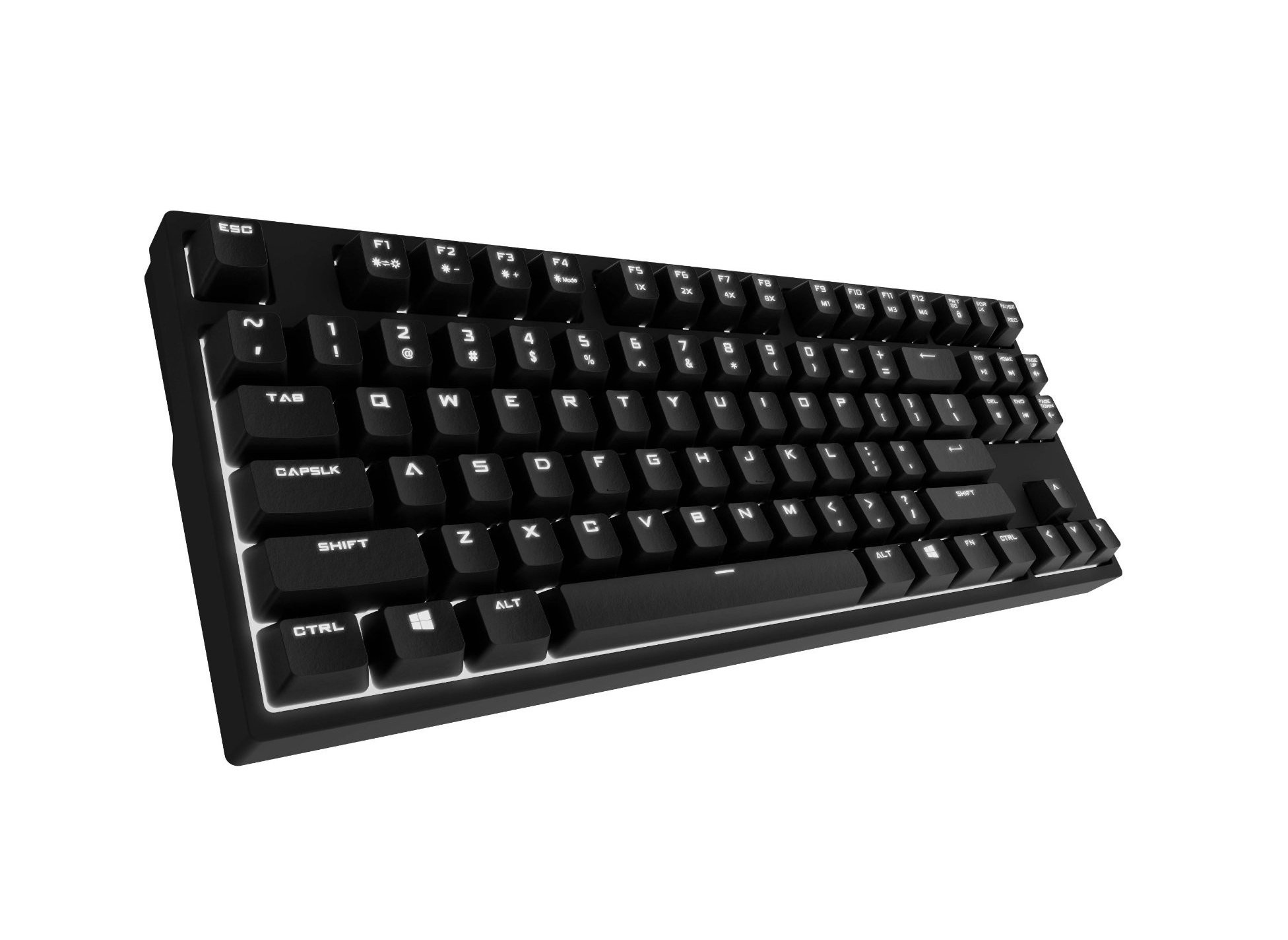
Image 1.1: Cooler Master CM Storm QuickFire Rapid-i Mechanical Gaming Keyboard.
2. Kandungan Pakej
Sahkan bahawa semua item terdapat dalam pakej anda:
- Cooler Master CM Storm QuickFire Rapid-i Keyboard
- 1.8m Detachable Braided USB Cable
- Manual Pengguna (dokumen ini)
3. Ciri-ciri Produk
- Fully Mechanical CHERRY MX Brown Keyswitches: Provides tactile feedback with low noise, optimized for gaming.
- Faktor Bentuk Tanpa Kunci: Compact and ergonomic design for portability and improved mouse positioning.
- Fully White LED Backlit: Ensures visibility in low-light environments.
- ActivLite Technology: Features instant response and trailing light effects, powered by a 32-bit ARM processor.
- Individual Key Lighting: Allows saving up to 4 different lighting profiles untuk pelbagai aplikasi atau permainan.
- 1.8m Detachable Braided Cable: Durable and convenient for transport.
- Pergantian Kunci N: Registers an unlimited number of simultaneous keypresses, preventing ghosting.
4. Persediaan
4.1 Menyambung Papan Kekunci
- Locate the detachable 1.8m braided USB cable.
- Connect the micro-USB end of the cable to the port on the back of the QuickFire Rapid-i keyboard.
- Sambungkan hujung kabel USB-A standard ke port USB yang tersedia pada komputer anda.
- The keyboard is plug-and-play compatible with Windows operating systems and should be recognized automatically.

Image 4.1: Connecting the detachable USB cable to the keyboard.
5. Arahan Operasi
5.1 Fungsi Papan Kekunci Asas
The QuickFire Rapid-i functions as a standard QWERTY keyboard. All keys perform their labeled actions. Special functions are typically accessed via the Function (Fn) key combined with other keys.
5.2 ActivLite Technology and LED Backlighting
The keyboard features fully white LED backlighting with ActivLite Technology, offering various lighting modes and effects. These effects are controlled directly from the keyboard using key combinations, without requiring software.
- Respons Segera: Keys light up immediately upon press.
- Trailing Effect: Keys remain lit for a short duration after being pressed, creating a trailing light effect.
- Pelarasan Kecerahan: guna Fn + F1 (kurangkan kecerahan) dan Fn + F2 (increase brightness) to adjust the LED intensity.
- Mod Pencahayaan: Cycle through various pre-programmed lighting modes using Fn + F3 kepada Fn + F8. Refer to the keyboard's keycap legends for specific mode indicators.

Imej 5.1: Cthample of LED backlighting on the QuickFire Rapid-i.
5.3 Per-Key Lighting and Profiles
The QuickFire Rapid-i allows users to customize individual key lighting and save up to 4 different profiles directly on the keyboard's onboard memory.
- Entering Customization Mode: Tekan Fn + F9 to enter the per-key lighting customization mode. The keyboard LEDs may flash to indicate this mode.
- Selecting Keys: Press any key you wish to toggle its LED on or off.
- Saving a Profile: Once your desired lighting pattern is set, press Fn + F10, Fn + F11, Fn + F12, atau Fn + Print Screen to save the current lighting pattern to one of the four available profiles. The keyboard will confirm the save.
- Memuatkan Profile: To load a saved profile, hanya tekan Fn + F10, Fn + F11, Fn + F12, atau Fn + Print Screen corresponding to the desired profile.
- Exiting Customization Mode: Tekan Fn + F9 again to exit customization mode.

Image 5.2: Customizing individual key lighting for a personalized profile.
5.4 Penggulingan N-Key (NKRO)
The QuickFire Rapid-i supports N-Key Rollover, meaning every single keypress is registered accurately, regardless of how many keys are pressed simultaneously. This feature is crucial for fast-paced gaming where multiple commands might be executed at once.
6. Penyelenggaraan
6.1 Membersihkan Papan Kekunci
- Putuskan sambungan papan kekunci daripada komputer anda sebelum membersihkan.
- Gunakan kain lembut dan tidak berbulu sedikit dampdisapu dengan air atau larutan pembersih lembut untuk mengelap penutup kekunci dan casis.
- Elakkan menyembur cecair terus ke papan kekunci.
- Untuk habuk dan serpihan di antara kunci, gunakan udara termampat.
- Do not use harsh chemicals, abrasives, or solvents as they may damage the keyboard's finish or keycap legends.
6.2 Penjagaan Kabel
- Avoid sharp bends or kinks in the detachable braided cable.
- When disconnecting, pull from the connector head, not the cable itself.
7. Penyelesaian masalah
7.1 Papan Kekunci Tidak Bertindak Balas
- Pastikan kabel USB disambungkan dengan selamat ke kedua-dua papan kekunci dan komputer.
- Cuba sambungkan papan kekunci ke port USB lain pada komputer anda.
- Uji papan kekunci pada komputer lain untuk menolak isu khusus sistem.
- Mulakan semula komputer anda.
7.2 LED Backlighting Not Working or Flickering
- Check if the brightness is set to minimum using Fn + F1. Increase brightness with Fn + F2.
- Kitar semula mod pencahayaan menggunakan Fn + F3 kepada Fn + F8 untuk melihat sama ada mod lain berfungsi.
- Ensure you are not in a custom profile with all LEDs turned off. Try loading a different profile or resetting the lighting.
- Putuskan sambungan dan sambung semula papan kekunci.
7.3 Keys Not Registering Correctly (Ghosting)
- The QuickFire Rapid-i features N-Key Rollover, which should prevent ghosting. If you experience this, ensure the keyboard is connected directly to a USB port on your computer, not through a hub.
- Bersihkan kekunci yang terjejas seperti yang diterangkan dalam bahagian Penyelenggaraan.
- If the issue persists, contact Cooler Master support.
8. Spesifikasi
| Jenama | Guru yang lebih sejuk |
| Nama Model | SGK-4040-GKCB1 (CHERRY MX Brown switch) |
| Nombor Model | SGK-4040-GKCM1-US |
| Jenis Suis | CHERRY MX Brown (Tactile) |
| Teknologi Ketersambungan | Wired (Detachable USB Cable) |
| Susun atur papan kekunci | QWERTY, Tenkeyless Form Factor |
| Pencahayaan latar | Fully White LED, ActivLite Technology, Per-Key Lighting |
| Pemproses | 32-bit ARM Processor |
| N-Key Rollover | Disokong |
| Panjang Kabel | 1.8 meters (Braided, Detachable) |
| Sistem Operasi yang Serasi | Windows |
| Dimensi Produk (L x W x H) | 14.13" x 5.43" x 1.54" (35.89cm x 13.79cm x 3.91cm) |
| Berat Barang | 2.05 paun (0.93 kg) |
| Bahan Kepungan | plastik |
9. Waranti dan Sokongan
9.1 Maklumat Waranti
The Cooler Master CM Storm QuickFire Rapid-i Mechanical Gaming Keyboard comes with a Waranti 12 bulan dari tarikh pembelian. Waranti ini meliputi kecacatan pembuatan dan isu yang timbul daripada penggunaan biasa. Ia tidak melindungi kerosakan yang disebabkan oleh penyalahgunaan, kemalangan, pengubahsuaian tanpa kebenaran, atau penyelenggaraan yang tidak betul.
Sila simpan bukti pembelian anda untuk tuntutan waranti.
9.2 Sokongan Teknikal
For technical assistance, troubleshooting beyond this manual, or warranty inquiries, please visit the official Cooler Master support website or contact their customer service department. Contact information can typically be found on the Cooler Master official webtapak.
Note: Product specifications and warranty terms are subject to change without prior notice.