
pengenalan
Welcome and thank you for choosing the AUNA CM280 USB Condenser Microphone. This manual provides essential information for setting up, operating, and maintaining your microphone. Please read it thoroughly to ensure proper use and to maximize your recording experience.
The AUNA CM280 is a high-quality USB studio microphone designed for recording, podcasting, and other audio applications. It features a 32mm electric membrane, a cardioid polar pattern, and a direct monitoring headphone output. Its plug-and-play compatibility with Windows and macOS ensures easy setup without the need for manual driver installation.
Maklumat Keselamatan
To prevent damage and ensure safe operation, please observe the following safety precautions:
- Do not expose the microphone to water, moisture, or extreme temperatures.
- Elakkan daripada menjatuhkan atau mendedahkan mikrofon kepada hentaman yang kuat.
- Do not attempt to open or modify the microphone. Refer all servicing to qualified personnel.
- Use only the provided USB cable for connection and power.
- Jauhkan mikrofon daripada medan magnet yang kuat.
- Clean the microphone with a soft, dry cloth. Do not use liquid cleaners.
Kandungan Pakej
Carefully unpack your AUNA CM280 microphone and ensure all items are present:
- AUNA CM280 Microphone Unit
- Tripod Meja
- Kabel USB
- Transport Pouch
- User Manual (German and English)

Image: The AUNA CM280 microphone shown with its table tripod, USB connection cable, and a soft blue transport pouch.
Produk Selesaiview
Familiarize yourself with the main components and features of your AUNA CM280 microphone:
- 32mm Electric Membrane: High-quality condenser capsule for clear audio capture.
- Corak Kutub Kardioid: Primarily picks up sound from the front, reducing unwanted noise from the sides and rear.
- Port USB: For connecting to your computer and receiving power.
- Output Fon Kepala 3.5mm: For direct, latency-free monitoring of your audio.
- Kawalan Kelantangan Fon Kepala: Adjust the monitoring level directly on the microphone.
- Mute Circuit: Quickly mute the microphone output.
- LED Status: Indicates microphone status (ready, mute, overdrive).
- Integrated Wind Protection: Helps reduce plosives and breath noise.
- 5/8" Tripod Thread: For mounting on the included table tripod or other compatible stands.
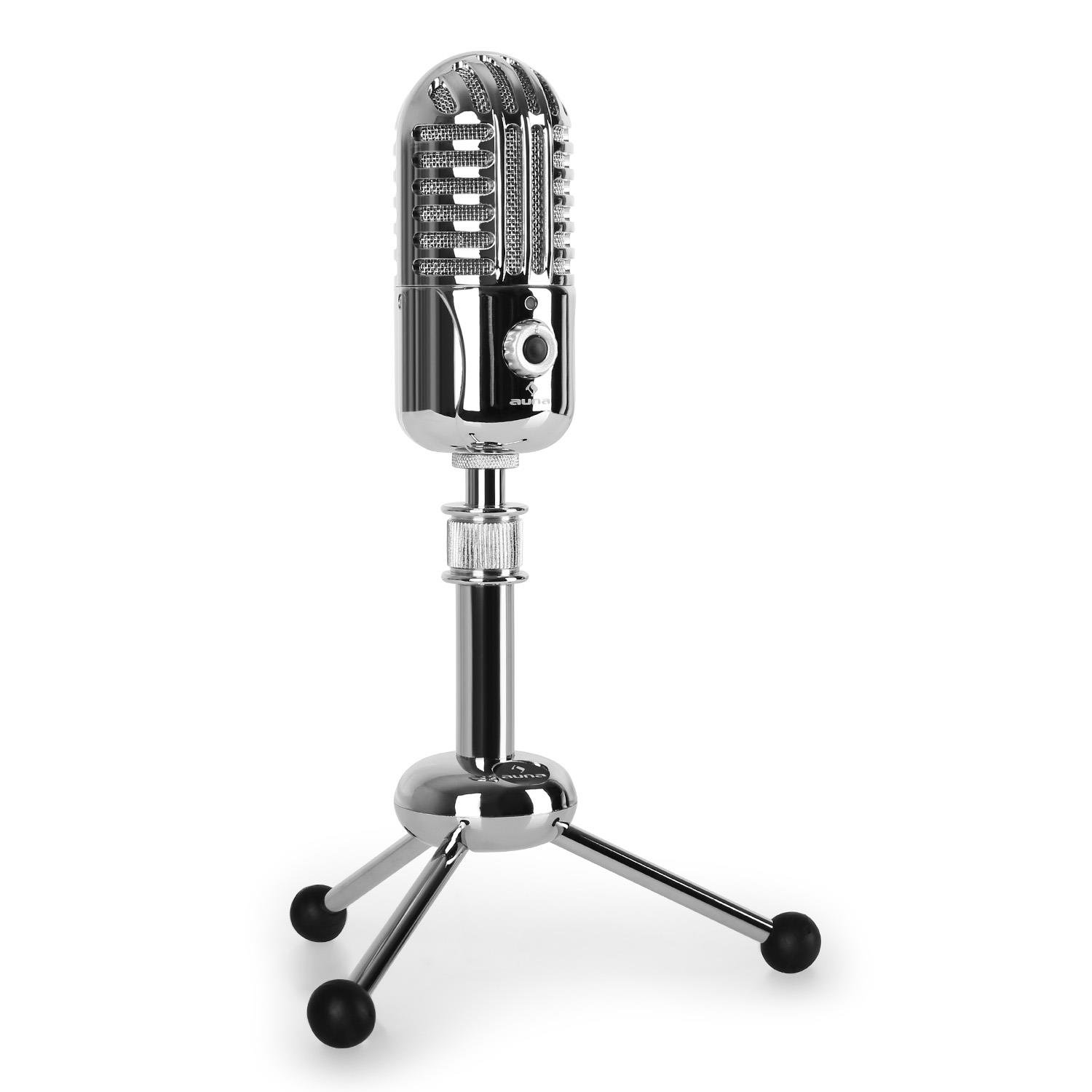
Imej: Depan view of the AUNA CM280 microphone on its stand.

Imej: Belakang view of the AUNA CM280 microphone, highlighting the USB connection port and the 3.5mm headphone output for direct monitoring.
Persediaan dan Pemasangan
1. Menyambung ke Komputer Anda
- Place the AUNA CM280 microphone on a stable surface using the included table tripod.
- Connect one end of the supplied USB cable to the USB port on the back of the microphone.
- Connect the other end of the USB cable to an available USB port on your computer (Windows PC or Mac).
2. Pemasangan Pemandu
The AUNA CM280 is a Plug & Play device. Your operating system (Windows or macOS) will automatically detect and install the necessary drivers upon connection. No manual driver installation is required.
3. Initial Configuration (Windows/macOS)
After connecting, you may need to select the AUNA CM280 as your default audio input and output device in your system settings and recording software.
- Windows: Go to Control Panel > Sound > Recording tab. Select "AUNA CM280" as the default device. In the Playback tab, you can also select it for headphone monitoring.
- macOS: Go to System Preferences > Sound > Input tab. Select "AUNA CM280". Do the same in the Output tab for headphone monitoring.
Ensure your recording software (e.g., Audacity, GarageBand, OBS) is also configured to use the AUNA CM280 as its audio input device.
Arahan Operasi
Penempatan Mikrofon
For optimal sound quality, position the microphone directly in front of the sound source (e.g., your mouth) within a few inches. The cardioid polar pattern means it is most sensitive to sounds coming from the front.
Pemantauan Fon Kepala
Connect your headphones to the 3.5mm jack on the back of the microphone. Use the headphone volume control knob on the microphone to adjust your monitoring level. This provides direct, latency-free monitoring of your audio.
Fungsi Redam
The microphone features a mute circuit. Press the dedicated button (if available, or refer to the specific control on your model) to mute or unmute the microphone. This is useful for temporary pauses during recording or calls.
Penunjuk LED Status
The microphone's status LED provides visual feedback:
- Biru: Microphone is ready for use.
- Kuning: Mikrofon diredamkan.
- merah: Indicates an overdrive or clipping signal. Adjust your input gain or move further from the microphone to prevent distortion.
Petua Merakam
- Akustik Bilik: Rakam dalam persekitaran yang tenang untuk meminimumkan bunyi latar belakang.
- Penapis Pop: Consider using an external pop filter to further reduce plosive sounds (P, B) and protect the microphone capsule.
- Keuntungan Staging: Set your input gain in your software to a level where the signal is strong but does not peak into the red (overdrive).
Penyelenggaraan dan Penjagaan
Proper care will extend the life of your AUNA CM280 microphone:
- Pembersihan: Wipe the microphone body with a soft, dry, lint-free cloth. Do not use abrasive cleaners, solvents, or chemical sprays.
- Storan: When not in use, store the microphone in its transport pouch to protect it from dust and scratches. Keep it in a cool, dry place.
- Pengendalian: Always handle the microphone with care. Avoid touching the microphone grille directly.
Menyelesaikan masalah
If you encounter issues with your AUNA CM280 microphone, try the following solutions:
- Tiada Bunyi/Mikrofon Tidak Dikesan:
- Pastikan kabel USB disambungkan dengan selamat ke kedua-dua mikrofon dan komputer anda.
- Cuba port USB lain pada komputer anda.
- Mulakan semula komputer anda.
- Verify that the AUNA CM280 is selected as the default input device in your operating system's sound settings and your recording software.
- Kualiti Bunyi/Herotan yang Buruk:
- Check the status LED. If it's red, the signal is overdriving. Reduce the input gain in your software or move further from the microphone.
- Ensure the microphone is positioned correctly and not too close to the sound source.
- Check for environmental noise or vibrations that might be picked up.
- Isu Pemantauan Fon Kepala:
- Pastikan fon kepala dipasang sepenuhnya ke dalam bicu 3.5mm.
- Laraskan tombol kelantangan fon kepala pada mikrofon.
- Verify that the AUNA CM280 is selected as the output device for monitoring in your system's sound settings or recording software.
Spesifikasi Teknikal
| Ciri | Spesifikasi |
|---|---|
| Sambungan | USB port, 3.5 mm headphone jack |
| Pemasangan Pemandu | Automatic (Plug & Play) |
| Respons Kekerapan | 20 Hz – 20 KHz |
| Tekanan Bunyi Maksimum | 120 dB |
| Nisbah Isyarat-ke-Bunyi | 96 dB |
| D/A-A/D Converter | 44.1/48 kHz, 16 bit |
| Kelantangan Fon Kepala | Boleh laras |
| Litar Bisu | ya |
| Benang Tripod | 5/8 inci |
| LED Status | Three colors (Blue: Ready, Yellow: Mute, Red: Overdrive) |
| Bekalan Kuasa | Melalui USB |
| bahan | Logam, Polikarbonat |
| Berat badan | 300 Gram |
| Dimensi (L x W x H) | 50 x 50 x 110 milimeter |
| Corak Kutub | Tidak arah (Cardioid) |
| Peranti Serasi | Komputer Peribadi, Komputer Riba |
Waranti dan Sokongan
AUNA products are designed for reliability and performance. For information regarding warranty coverage, technical support, or service, please refer to the warranty card included with your product or visit the official AUNA webtapak. Simpan bukti pembelian anda untuk tuntutan waranti.