
1. Pengenalan
Terima kasih kerana membeliasing the DBPOWER RD-806 HD Home Theater Projector. This manual provides essential information for setting up, operating, and maintaining your projector. Please read these instructions carefully before use to ensure optimal performance and longevity of your device. Keep this manual for future reference.
2. Produk Lebihview
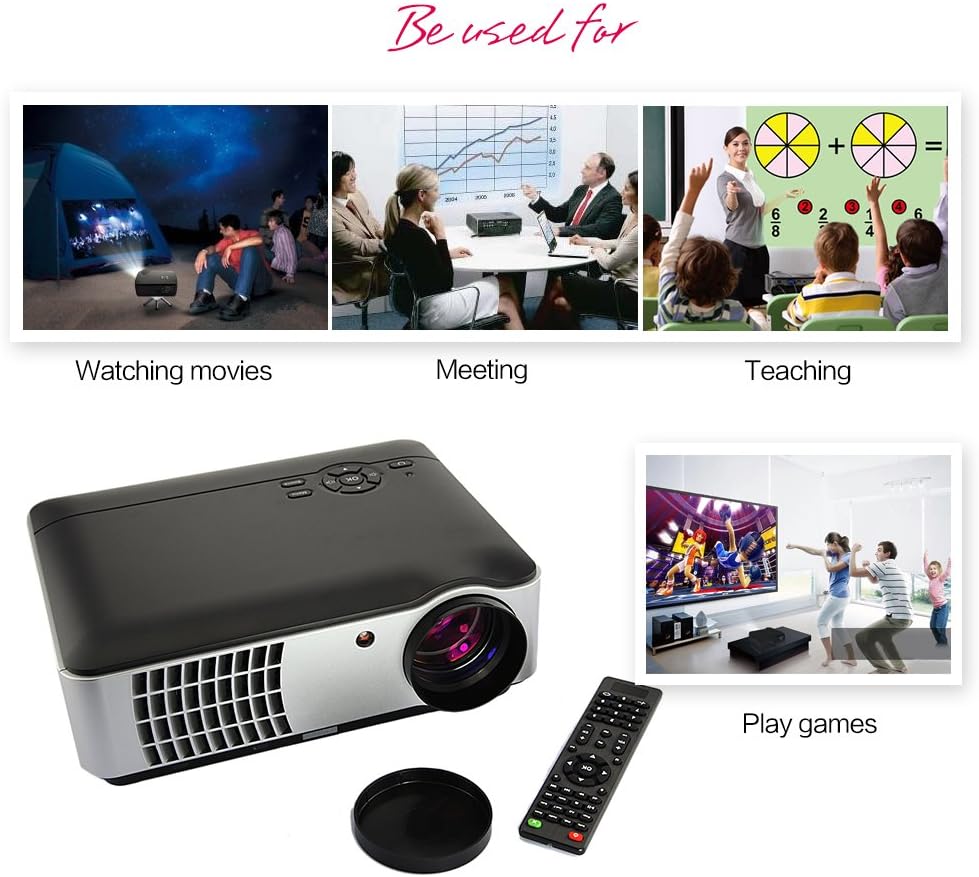
The DBPOWER RD-806 is a high-definition home theater projector designed for a versatile viewing experience. It features a native resolution of 1280x800, supporting 1080P input, and offers 2800 lumens brightness for clear images. Its LED lamp has an impressive lifespan of 50,000 hours. The projector includes multiple input options and built-in speakers, making it suitable for movies, gaming, and presentations.
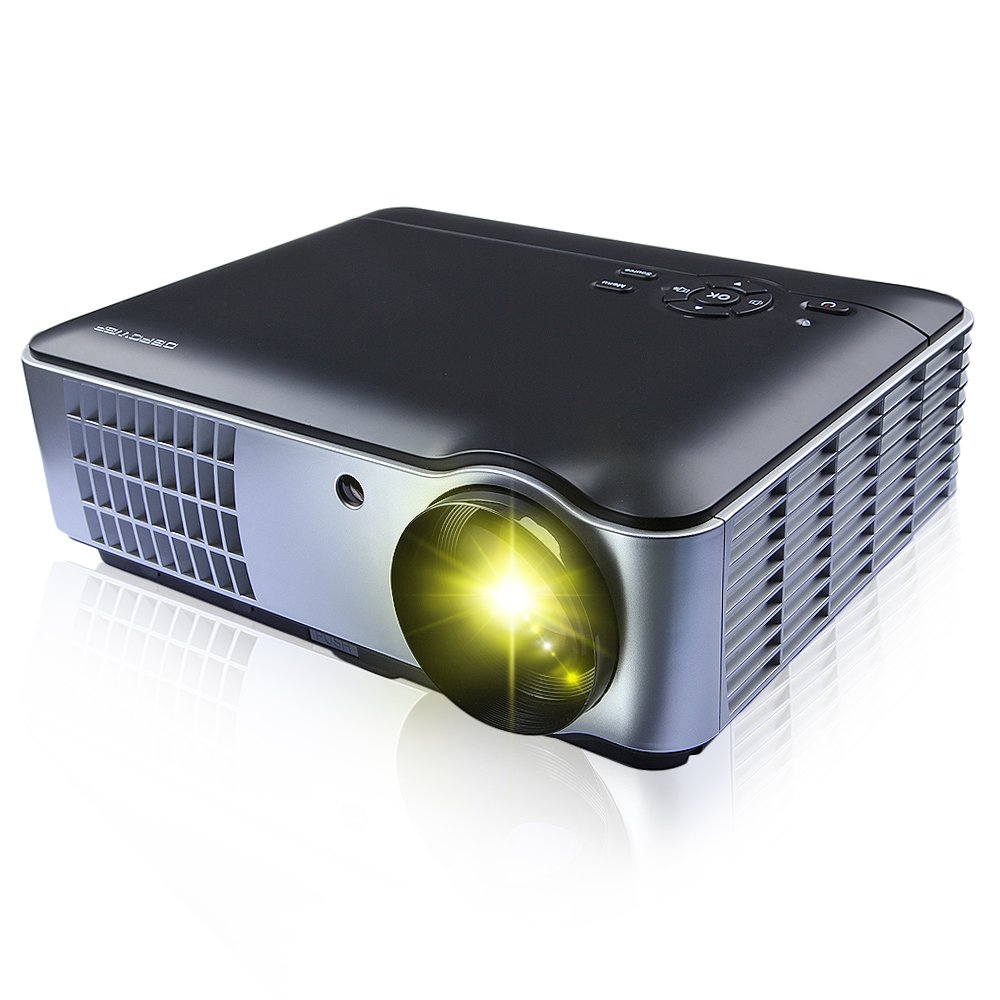
Rajah 2.1: Front, side, and bottom view of the DBPOWER RD-806 projector, showing its dimensions (33.6cm length, 26.3cm width, 11.8cm height) and the included remote control.
3. Kandungan Pakej
Sila pastikan semua barang ada dan dalam keadaan baik semasa membuka bungkusan:
- 1 x DBPOWER RD-806 Projector
- 1 x Alat Kawalan Jauh
- 1 x Kabel VGA
- 1 x AV Cable
- 1 x Kuasa Kuasa
- 1 x Penutup Lensa
- 1 x Manual Pengguna (dokumen ini)
4. Persediaan
4.1 Penempatan
Position the projector on a stable, flat surface or mount it to the ceiling. Ensure there is adequate ventilation around the projector to prevent overheating. The projection distance should be between 1.85 and 5.8 meters for an optimal screen size of 50 to 200 inches.

Rajah 4.1: The projector can be placed on a table or mounted to the ceiling using a compatible bracket.
4.2 Sambungan Kuasa
- Sambungkan kord kuasa ke port input kuasa projektor.
- Plug the other end of the power cord into a standard AC 110-240V, 50/60Hz electrical outlet.
4.3 Menyambung Peranti
The RD-806 projector offers multiple input options for various devices:

Rajah 4.2: Rear panel connections including USB, AV, VGA, HDMI, and power input.
- HDMI: Connect Blu-ray players, gaming consoles, laptops, or streaming devices using an HDMI cable to either HDMI1 or HDMI2 port.
- USB: Insert a USB flash drive into USB1 or USB2 port to play multimedia files secara langsung.
- VGA: Connect a computer or laptop using a VGA cable to the VGA port.
- DARI: Use the provided AV cable to connect older devices like DVD players or VCRs to the AV input.
- Component/TV: Additional input options are available for specific devices.
5. Arahan Operasi
5.1 Menghidupkan/Mematikan
- Press the power button on the projector or the remote control to turn the unit on. The power indicator light will illuminate.
- To turn off, press the power button again. Allow the projector to cool down before unplugging it.
5.2 Pelarasan Fokus
To achieve a clear image, adjust the focus ring located around the projector lens.

Rajah 5.1: Rotate the lens ring to adjust image focus.
5.3 Pembetulan Keystone
If the projected image appears trapezoidal (wider at the top or bottom), use the keystone correction dial to adjust the image geometry. This corrects the distortion when the projector is not perfectly perpendicular to the screen.
Rajah 5.2: Adjust the keystone dial to correct image distortion.
5.4 Pemilihan Sumber Input
After connecting your devices, select the appropriate input source using the projector's control panel or the remote control.

Rajah 5.3: Projector control panel. Use the 'Source' button to cycle through input options.
- Press the 'Source' button on the control panel or remote.
- Navigate through the input options (HDMI1, HDMI2, USB1, USB2, AV, VGA, TV) using the arrow keys.
- Press 'OK' or 'Enter' to confirm your selection.
5.5 Penggunaan Alat Kawalan Jauh
The included remote control allows for convenient operation of the projector from a distance. It provides access to power, menu, source selection, volume, and navigation functions.
6. Penyelenggaraan
Penyelenggaraan yang betul memastikan jangka hayat dan prestasi projektor anda.
- Membersihkan Lensa: Gunakan kain lembut dan bebas lin yang direka khusus untuk kanta optik. Jangan gunakan pembersih yang melelas atau kain yang boleh mencalarkan kanta.
- Membersihkan Badan Projektor: Wipe the exterior with a soft, dry cloth. For stubborn dirt, a slightly damp cloth can be used, followed by a dry cloth. Avoid using harsh chemicals.
- Pengudaraan: Pastikan bukaan pengudaraan projektor bebas daripada habuk dan halangan untuk mengelakkan pemanasan melampau.
- Lamp kehidupan: The LED light source has an estimated lifespan of 50,000 hours, requiring no regular lamp replacement under normal use.
7. Penyelesaian masalah
Jika anda menghadapi masalah dengan projektor anda, rujuk kepada masalah dan penyelesaian biasa berikut:
- Tiada Kuasa:
- Check if the power cord is securely connected to both the projector and the power outlet.
- Pastikan salur keluar kuasa berfungsi.
- Tiada gambar:
- Verify that the correct input source is selected (e.g., HDMI1, USB).
- Periksa kabel sambungan antara projektor dan peranti sumber.
- Pastikan peranti sumber dihidupkan dan mengeluarkan isyarat.
- Imej Kabur:
- Laraskan gelang fokus pada lensa projektor.
- Pastikan jarak unjuran berada dalam julat yang disyorkan (1.85-5.8m).
- Imej Trapezoid:
- Adjust the keystone correction dial on the projector.
- Tiada Bunyi:
- Periksa tetapan kelantangan pada kedua-dua projektor dan peranti sumber.
- Pastikan kabel audio disambungkan dengan betul jika menggunakan pembesar suara luaran.
8. Spesifikasi
| Ciri | Spesifikasi |
|---|---|
| Model | RD-806 |
| Sistem Unjuran | Single 5.8-inch LCD |
| Resolusi Asli | 1280 x 800 (supports 1080P) |
| Kecerahan | 2800 Lumen |
| Nisbah Kontras | 1500:1 |
| Kaedah Unjuran | Front / Rear / Hanging Cast |
| Kanta Tayangan | Fokus Manual |
| Nisbah Aspek | 16:9 / 4:3 |
| Pembesar Suara Terbina dalam | 5W x 2 |
| Jarak Unjuran | 1.85 - 5.8 meter |
| Sumber Cahaya | LED150W |
| Kehidupan Sumber Cahaya | 50,000 jam |
| Saiz Unjuran | 50 - 200 inci |
| Pembetulan Batu Kunci | ± 15 darjah |
| Tahap Kebisingan | <25 dB |
| Bekalan Kuasa | AC110-240V / 50-60Hz |
| Port Input | HDMI1, HDMI2, USB1, USB2, Video, Computer (VGA), Component, TV |
| Dimensi Produk | 33.6 x 26.3 x 11.8 cm |
| Berat Produk | 4.15 kg |
9. Waranti dan Sokongan
The DBPOWER RD-806 projector comes with a standard manufacturer's warranty. Please refer to the warranty card included in your package for specific terms and conditions. For technical support, troubleshooting assistance beyond this manual, or warranty claims, please contact DBPOWER customer service through their official webtapak atau peruncit tempat produk itu dibeli.