
pengenalan
The StarTech.com SDOCKU33HB is a USB 3.0 SATA Hard Drive Docking Station designed for quick and easy access to 2.5-inch or 3.5-inch SATA solid-state drives (SSDs) and hard disk drives (HDDs). It features a built-in USB Fast Charge hub and supports UASP (USB Attached SCSI Protocol) for enhanced performance with SATA 6Gbps drives. This manual provides instructions for setup, operation, and maintenance of your docking station.
Produk Selesaiview
Familiarize yourself with the components and features of your docking station.
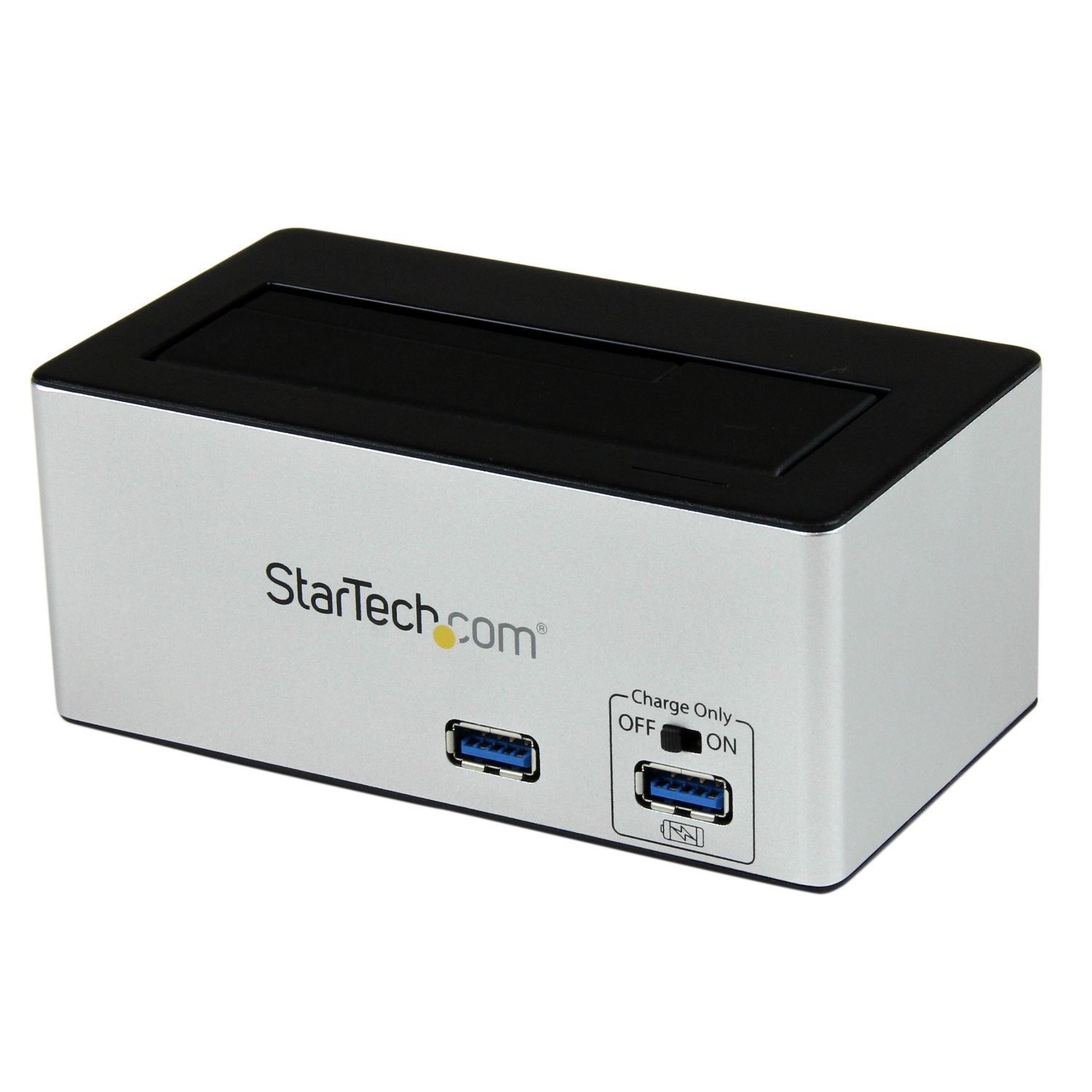
Imej: The StarTech.com SDOCKU33HB docking station, showing the top-loading drive bay and front panel.
Ciri Panel Depan
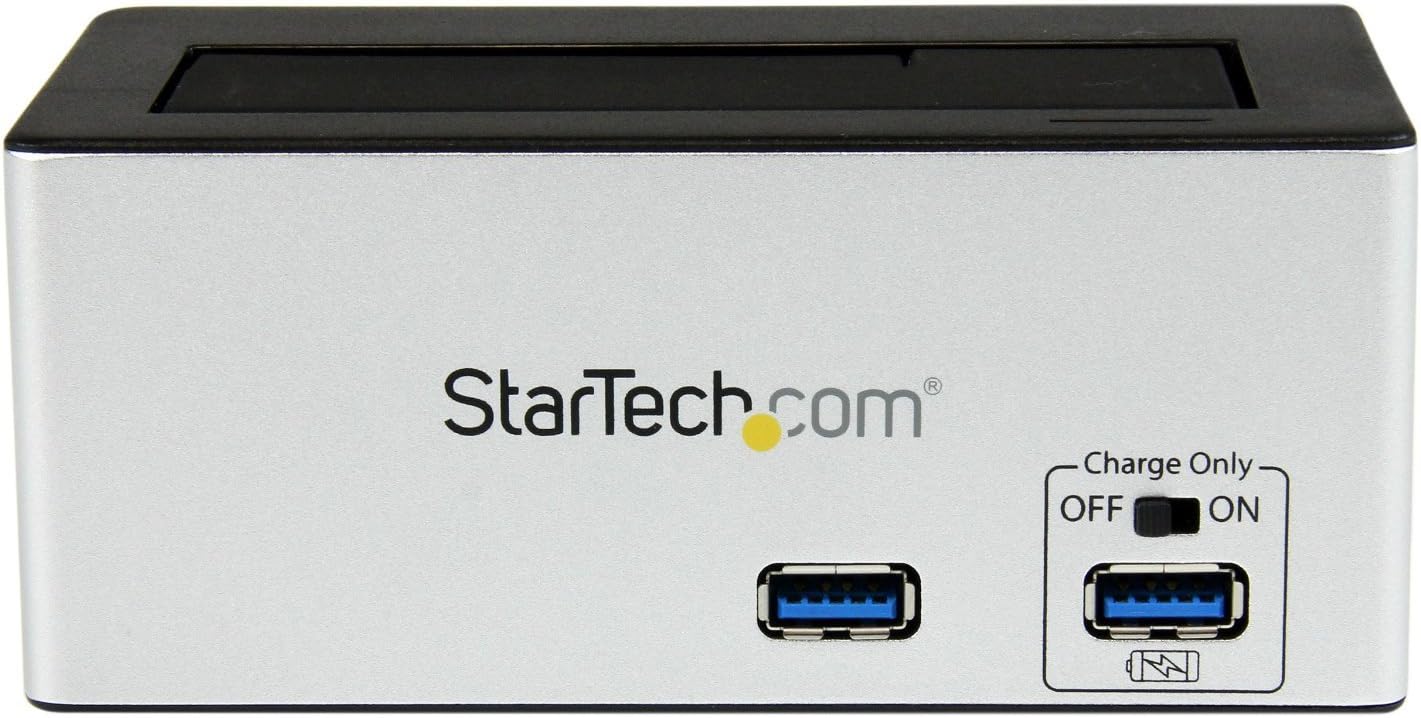
Imej: Depan view of the docking station, highlighting the USB 3.0 data port and the USB Fast Charge port with its ON/OFF switch.
- USB 3.0 Data Port: Menyambung ke komputer anda untuk pemindahan data.
- USB Fast Charge Port: Provides accelerated charging for mobile devices. Features an ON/OFF switch for activation.
Ciri Panel Belakang

Imej: belakang view of the docking station, showing the power switch, DC-IN port, USB 3.0 host connection, and the OFF/Sleep switch.
- Suis kuasa: Turns the docking station ON or OFF.
- Port DC-IN: Menyambung kepada penyesuai kuasa yang disertakan.
- Port Hos USB 3.0: Connects the docking station to your computer's USB 3.0 port.
- OFF/Sleep Switch: Controls the sleep mode functionality of the docking station.
Kandungan Pakej
Verify that all components are present in your package.
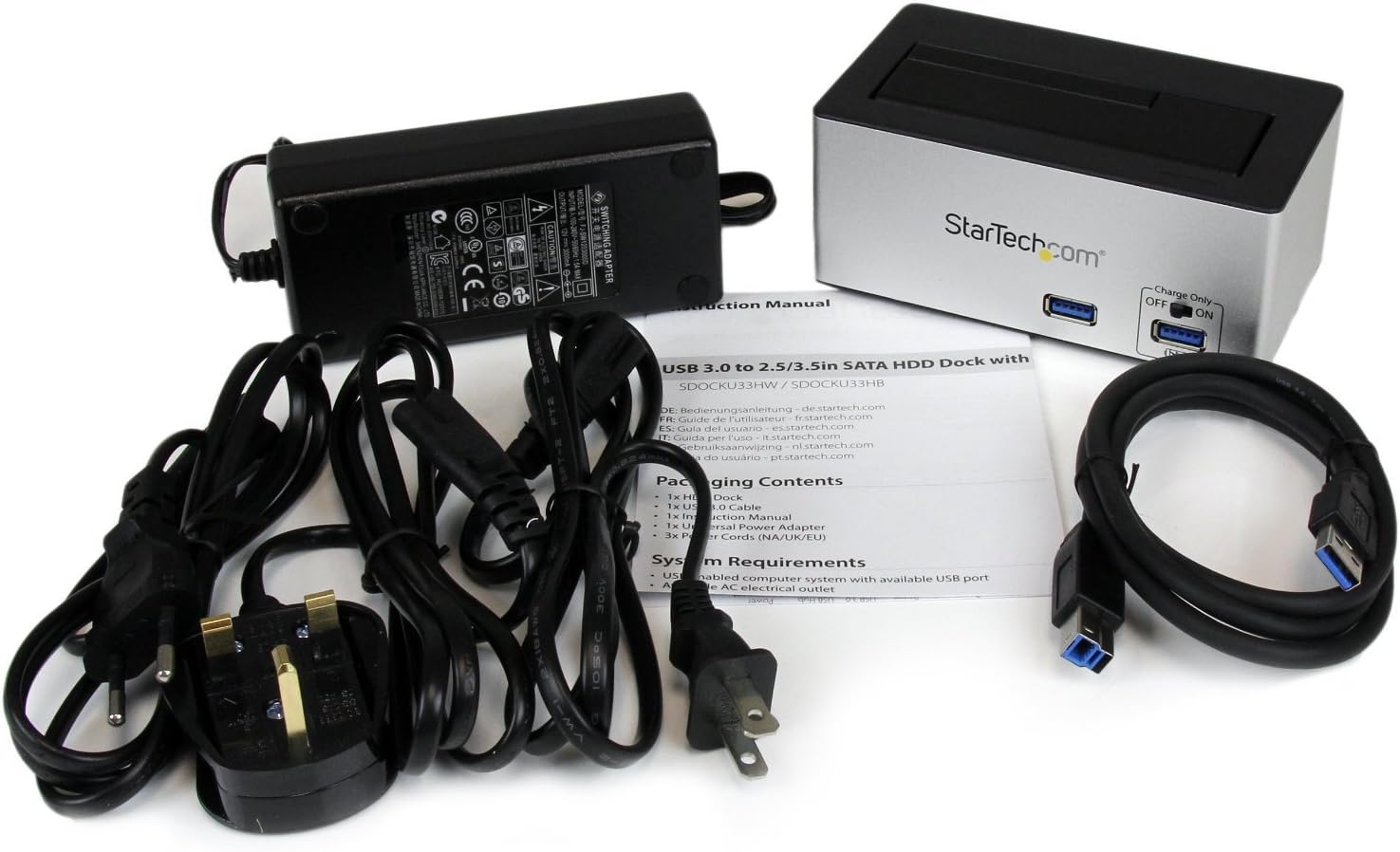
Imej: The complete package contents, including the docking station, power adapter, USB 3.0 cable, and instruction manual.
- 1x USB 3.0 SATA Hard Drive Docking Station (SDOCKU33HB)
- 1x Universal Power Adapter
- 1x Kabel USB 3.0
- 1x Manual Arahan
Keperluan Sistem
Ensure your system meets the following requirements for optimal performance.
- Computer with an available USB 3.0 port (USB 2.0/1.1 backward compatible)
- 2.5-inch or 3.5-inch SATA I/II/III SSD/HDD
- Saluran kuasa AC yang ada
- Operating System: Windows XP/Vista/7/8/10/11, macOS 10.x and later, Linux
Arahan Persediaan
- Sambungkan Kuasa: Connect the universal power adapter to the DC-IN port on the rear of the docking station, then plug the adapter into an AC power outlet.
- Sambung ke Komputer: Connect one end of the included USB 3.0 cable to the USB 3.0 Host Port on the rear of the docking station, and the other end to an available USB 3.0 port on your computer.
- Sisipkan Drive: Gently slide your 2.5-inch or 3.5-inch SATA SSD/HDD into the top-loading drive bay until it is securely seated. Ensure the drive's SATA connector aligns with the docking station's connector.
- Hidupkan kuasa: Flip the Power Switch on the rear of the docking station to the 'ON' position. The power LED (if present) should illuminate.
- Pemasangan Pemandu: Your operating system should automatically detect and install the necessary drivers. No manual driver installation is typically required.
- Access Drive: Once detected, the drive will appear as a removable storage device in your operating system's file explorer or disk management utility. You may need to initialize and format new drives before use.
Arahan Operasi
Using the Hard Drive Dock
- Pemindahan Data: Once the drive is recognized by your computer, you can drag and drop files to and from the drive as you would with any other storage device.
- Pertukaran Panas: The docking station supports hot-swapping. To safely remove a drive, ensure all data transfer operations are complete, then use your operating system's "Safely Remove Hardware" or "Eject" function before pulling the drive out of the bay.
- Sokongan UASP: For systems supporting UASP, the docking station will leverage this protocol to achieve faster data transfer speeds, especially with SATA 6Gbps drives.
Using the USB Fast Charge Port
- Activate Fast Charge: Flip the "Charge Only" switch on the front panel to the 'ON' position.
- Sambungkan Peranti: Connect your mobile device (e.g., smartphone, tablet) to the USB Fast Charge port using its charging cable.
- mengecas: The port will provide enhanced power output for faster charging compared to standard USB ports.
Fungsi Mod Tidur
- The "OFF/Sleep" switch on the rear panel controls the docking station's sleep mode behavior. Consult the full product manual for detailed information on sleep mode settings and compatibility.
Penyelenggaraan
- Pembersihan: Use a soft, dry cloth to clean the exterior of the docking station. Do not use liquid cleaners or solvents.
- Storan: Apabila tidak digunakan, simpan stesen dok di tempat yang sejuk dan kering, jauh daripada cahaya matahari langsung dan suhu yang melampau.
- Pengendalian Pemacu: Always handle hard drives with care. Avoid dropping or subjecting them to physical shock.
Menyelesaikan masalah
- Issue: Drive not detected by computer.
- Ensure the docking station is powered on and the power adapter is securely connected.
- Verify the USB 3.0 cable is firmly connected to both the docking station and your computer.
- Cuba port USB lain pada komputer anda.
- Ensure the SATA drive is correctly seated in the docking bay.
- Check your computer's Disk Management (Windows) or Disk Utility (macOS) to see if the drive is recognized but uninitialized or unformatted. New drives require initialization and formatting.
- Test with a different SATA drive to rule out a drive issue.
- Isu: Kelajuan pemindahan data perlahan.
- Pastikan anda disambungkan ke port USB 3.0 pada komputer anda. Port USB 2.0 akan menyebabkan kelajuan lebih perlahan.
- Verify your operating system and drivers support UASP for optimal performance with SATA 6Gbps drives.
- The performance of the drive itself can affect transfer speeds.
- Issue: Fast Charge port not working.
- Ensure the "Charge Only" switch on the front panel is in the 'ON' position.
- Verify the docking station is powered on.
- Try a different charging cable or device to confirm the issue is not with the device or cable.
Spesifikasi
| Ciri | Spesifikasi |
|---|---|
| Model | SDOCKU33HB |
| Antara muka | USB 3.0 (backward compatible with USB 2.0/1.1) |
| Jenis Pemacu yang Serasi | 2.5" and 3.5" SATA I/II/III HDDs/SSDs |
| Kadar Pemindahan Data | Sehingga 5 Gbps (USB 3.0) |
| Sokongan UASP | ya |
| Fast Charge Port | ya |
| Dimensi (L x W x H) | 3.6" x 3.6" x 6.8" (9.14cm x 9.14cm x 17.27cm) |
| Berat badan | 1.4 paun (0.64 kg) |
| warna | Hitam |
| Bekalan Kuasa | Universal AC Adapter (Input: 100-240V AC, Output: 12V DC) |
Waranti dan Sokongan Teknikal
This StarTech.com product is backed by a Waranti 2 tahun.
For the most up-to-date information on warranty, technical support, and product documentation, please visit the official StarTech.com website or the product page:
You can also find additional resources and contact information for technical assistance on the StarTech.com webtapak.


