
pengenalan
Thank you for choosing the Inventum MK350 Milk Frother. This appliance is designed to quickly and efficiently froth milk for various beverages or heat milk to your desired temperature. Please read this manual carefully before using the appliance to ensure safe and optimal operation. Keep this manual for future reference.
Arahan Keselamatan Penting
- Baca semua arahan sebelum digunakan.
- Do not immerse the frother unit or power base in water or other liquids.
- Pastikan voltage yang ditunjukkan pada perkakas sesuai dengan sumber listrik tempatan andatage sebelum menyambung.
- Perkakas ini adalah untuk kegunaan isi rumah sahaja. Jangan gunakan di luar rumah.
- Sentiasa letakkan perkakas pada permukaan yang stabil, rata dan tahan panas.
- Jangan kendalikan perkakas dengan kord atau palam yang rosak, atau selepas perkakas tidak berfungsi atau rosak dalam apa jua cara.
- Jauhkan perkakas dan kordnya daripada jangkauan kanak-kanak.
- Jangan sentuh permukaan panas. Gunakan pemegang atau tombol.
- Cabut plag dari alur keluar apabila tidak digunakan dan sebelum membersihkan. Biarkan sejuk sebelum memakai atau menanggalkan bahagian, dan sebelum membersihkan perkakas.
- Jangan gunakan lampiran yang tidak disyorkan oleh pengilang.
Produk Selesaiview
Familiarize yourself with the components of your Inventum MK350 Milk Frother.

Rajah 1: This image displays the Inventum MK350 Milk Frother from the front, showcasing its stainless steel upper body, black base, handle, and the control panel with indicator lights and power button.
Rajah 2: Satu sisi view of the Inventum MK350 Milk Frother, emphasizing the ergonomic handle and the pouring spout integrated into the stainless steel jug.
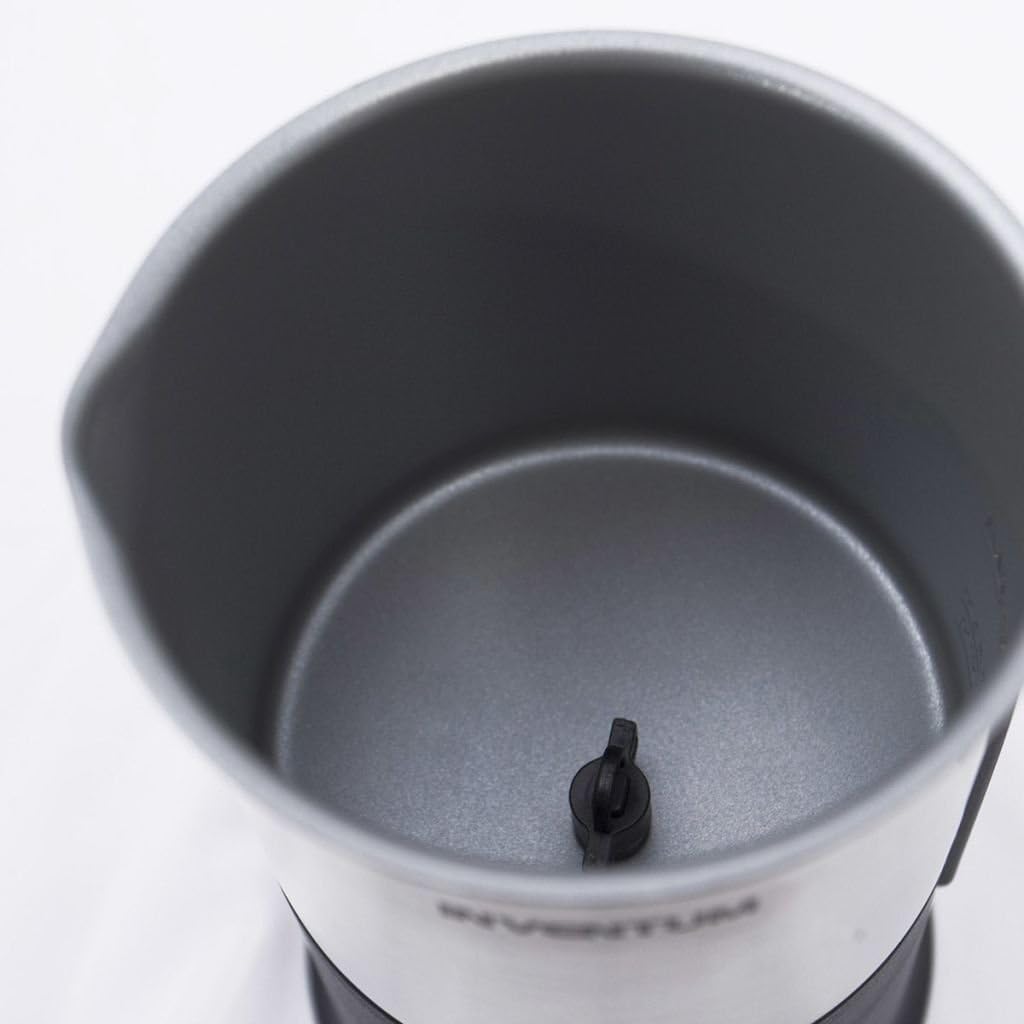
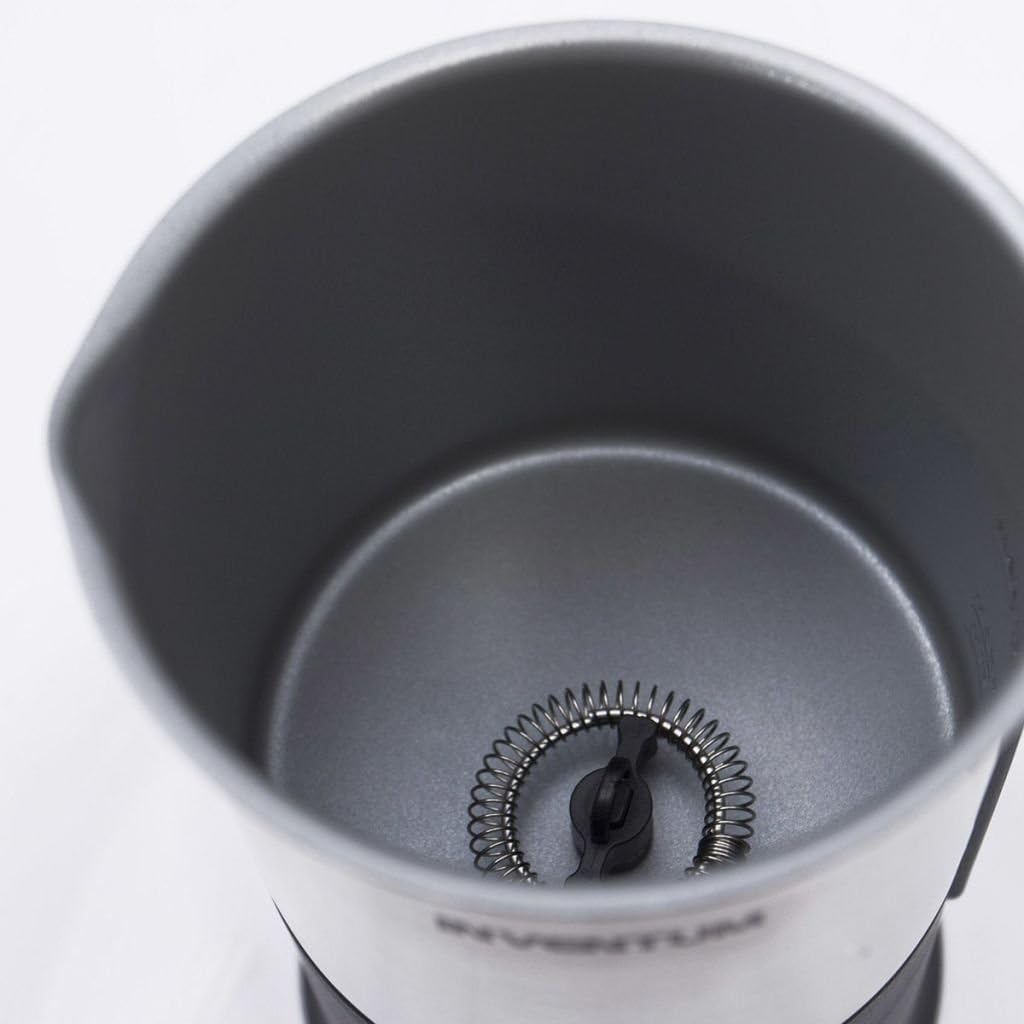
Rajah 3: A view into the interior of the milk frother, highlighting the non-stick coating and the small central pin where the frothing whisk is attached.

Rajah 4: A close-up image of the small, detachable whisk with a spring coil, designed for creating milk foam. This whisk attaches to the central pin inside the frother.

Rajah 5: The separate power base for the milk frother, featuring a central connector for the frother unit and a power cord.
Komponen:
- Frother Jug: Stainless steel jug with non-stick interior.
- pemegang: Ergonomic handle for safe pouring.
- Tudung: Transparent lid (not explicitly shown but implied for frother).
- Pemukul Berbuih: Detachable whisk with spring coil for frothing.
- Pemukul Pemanas: (If applicable, otherwise use frothing whisk for heating too). The input suggests one whisk for frothing.
- Panel Kawalan: Power button and indicator lights for different functions.
- Pangkalan Kuasa: Cordless 360-degree rotating base with power cord.
Persediaan
- Membongkar: Tanggalkan semua bahan pembungkusan dengan berhati-hati. Simpan pembungkusan untuk penyimpanan atau pengangkutan pada masa hadapan.
- Pembersihan Awal: Before first use, clean the frother jug and whisk according to the 'Maintenance and Cleaning' section. Wipe the exterior of the power base with a damp kain.
- penempatan: Place the power base on a dry, stable, and level surface away from water sources and heat.
- Pukul Lampiran: Insert the frothing whisk onto the central pin inside the frother jug. Ensure it is securely seated.
Arahan Operasi
The Inventum MK350 offers options for hot frothing, cold frothing, and heating milk.
- Prepare the Frother: Ensure the frothing whisk is correctly installed inside the jug.
- Tambah susu: Pour cold milk into the frother jug. Observe the internal markings for maximum fill levels:
- Untuk berbuih (hot or cold): Do not exceed the 115 ml tanda.
- Untuk pemanasan sahaja (without frothing): Do not exceed the 240 ml tanda.
Note: Using full-fat milk typically yields the best frothing results.
- Letakkan di Pangkalan Kuasa: Position the frother jug onto the power base.
- Pilih Fungsi:
- Untuk hot frothing or memanaskan susu: Press the power button once. The red indicator light will illuminate, and the frother will begin operation.
- Untuk berbuih sejuk: Press and hold the power button for approximately 2 seconds. The blue indicator light will illuminate, and the frother will begin cold frothing.
- Operasi: The frother will operate for approximately 90 seconds for frothing, or until the milk reaches the optimal temperature for heating, then automatically switch off. The indicator light will turn off.
- Hidangkan: Carefully remove the frother jug from the power base and pour the frothed or heated milk into your beverage.
- Sejukkan Diri: Allow the frother to cool down for a few minutes between uses to ensure optimal performance and prevent overheating.
Penyelenggaraan dan Pembersihan
Regular cleaning ensures the longevity and hygiene of your milk frother. Always unplug the appliance before cleaning.
- Cabut dan Sejukkan: Disconnect the power base from the mains outlet and allow the frother jug to cool down completely after use.
- Keluarkan Whisk: Carefully remove the frothing whisk from the central pin inside the jug.
- Clean Frother Jug: The frother jug is Cuci Tangan Sahaja. Wash the interior of the jug with warm, soapy water and a soft sponge or cloth. The non-stick coating facilitates easy cleaning. Rinse thoroughly and dry immediately. Do not use abrasive cleaners or scouring pads, as these can damage the non-stick surface.
- Pemukul Bersih: Wash the frothing whisk with warm, soapy water. Use a small brush if necessary to clean the spring coil. Rinse and dry thoroughly.
- Luaran Bersih: Lap bahagian luar jag pembuih dan tapak kuasa dengan iklanamp kain. Jangan rendam tapak kuasa di dalam air.
- Storan: Once clean and dry, store the frother with the whisk inside the jug, or in a safe place.
Menyelesaikan masalah
If you encounter issues with your Inventum MK350 Milk Frother, refer to the following common problems and solutions:
- Frother does not start:
- Ensure the power base is securely plugged into a working electrical outlet.
- Verify the frother jug is correctly placed on the power base.
- Tekan butang kuasa dengan kuat.
- Milk is not frothing or frothing poorly:
- Check that the frothing whisk is properly installed on the central pin.
- Ensure the milk level does not exceed the maximum fill line for frothing (115 ml).
- Use cold, fresh milk. Full-fat milk generally froths better than low-fat or skim milk.
- Clean the whisk and the interior of the jug thoroughly, as residue can affect performance.
- Susu tidak dipanaskan:
- Ensure the milk level does not exceed the maximum fill line for heating (240 ml).
- Confirm the correct function (hot frothing/heating) was selected.
- Allow the appliance to cool down if it has been used multiple times in quick succession, as an overheating protection mechanism might be active.
- Indicator lights are not working:
- Check power connection and ensure the frother is operating. If the frother is working but lights are off, contact customer support.
If the problem persists after attempting these solutions, please contact Inventum customer support or your retailer.
Spesifikasi
| Ciri | Spesifikasi |
|---|---|
| Jenama | Inventum |
| Nombor Model | INVMK350-UK |
| Nama Model | MK350 |
| warna | Zilver (Silver) |
| Dimensi Produk | 13 x 10 x 18.5 cm |
| Berat Barang | 775 g |
| Kapasiti (Berbuih) | 115 mililiter |
| Kapasiti (Pemanasan) | 240 mililiter |
| Kuasa / Wattage | 500 watt |
| Voltage | 230 Volt |
| bahan | Keluli Tahan Karat |
| Ciri Khas | Automatikan |
| Arahan Penjagaan Produk | Cuci Tangan Sahaja |
Waranti dan Sokongan
For information regarding the warranty period and conditions for your Inventum MK350 Milk Frother, please refer to the warranty card included with your purchase or consult the retailer from whom you purchased the product. For technical support, spare parts, or service inquiries, please contact Inventum customer service directly or visit their official weblaman web untuk maklumat hubungan.