
1. Arahan Keselamatan Penting
Please read these instructions carefully before using the appliance and keep them for future reference. Incorrect use may lead to injury or damage.
- Perlindungan Terlalu Panas: The heater is equipped with an overheat protection system that automatically shuts off the unit if it becomes too hot. If this occurs, unplug the heater, allow it to cool down for 30 minutes, and then plug it back in. Ensure there are no obstructions blocking the air inlets or outlets.
- Perlindungan tip-over: For your safety, this heater includes a tip-over switch that will automatically turn off the unit if it is accidentally knocked over. Place the heater on a firm, level surface to prevent accidental tipping.
- Always ensure the heater is placed on a stable, flat surface.
- Jangan tutup pemanas. Menutup pemanas boleh menyebabkan terlalu panas dan kebakaran.
- Keep flammable materials (curtains, furniture, bedding) at least 1 meter (3 feet) away from the heater.
- Jangan gunakan pemanas di bilik mandi, kawasan dobi atau lokasi dalaman yang serupa di mana ia mungkin bersentuhan dengan air.
- Cabut pemanas semasa tidak digunakan.
- Do not insert any objects into the heater's openings.
- Perkakas ini adalah untuk kegunaan dalaman sahaja.

Imej: Depan view of the Tristar KA-5038 heater, showing the "DO NOT COVER" warning light above the grille. This indicates a critical safety instruction to prevent overheating.
2. Produk Lebihview
The Tristar KA-5038 is a compact and efficient ceramic electric heater designed for indoor use, particularly suitable for offices or small rooms. It features forced air heating, two speed settings, and safety features like tip-over and overheat protection.
2.1 Ciri-ciri Utama
- Elemen Pemanas Seramik: Memberikan haba yang cekap dan konsisten.
- Dua Tetapan Haba: Allows for adjustable heating power.
- Termostat Boleh Laras: Untuk kawalan suhu yang tepat.
- Fungsi ayunan: Mengagihkan haba secara merata di kawasan yang lebih luas.
- Pemegang Bersepadu: Untuk mudah dibawa.
- Ciri-ciri Keselamatan: Includes tip-over protection and overheat protection.
2.2 Komponen
- Heat Outlet Grille
- Control Dials (Thermostat and Power/Mode)
- Butang Ayunan
- Pemegang Bawa Bersepadu
- Kord Kuasa
- Air Inlet (rear)

Imej: Depan view of the Tristar KA-5038 heater, showcasing reka bentuknya yang padat dan gril hadapannya.

Imej: Sisi view of the Tristar KA-5038 heater, highlighting its slim profile and integrated handle.

Image: Diagram showing the dimensions of the Tristar KA-5038 heater: 29cm height, 20.6cm width, and 16.1cm depth.
2.3 Video Produk
360 Darjah View
Video: 360 darjah view of the Tristar KA-5038 heater, demonstrating its design from all angles.
Video Demonstrasi Produk
Video: A demonstration of the Tristar KA-5038 heater in use, showcasing ciri dan operasinya.
3. Persediaan
- Buka bungkus Pemanas: Tanggalkan pemanas dari pembungkusannya dengan berhati-hati. Simpan pembungkusan untuk penyimpanan atau pengangkutan pada masa hadapan.
- Pilih Lokasi: Place the heater on a firm, level, and stable surface. Ensure there is at least 1 meter (3 feet) of clear space around the heater from any walls, furniture, curtains, or other flammable materials. Do not place it directly under a power outlet.
- Sambungan Kuasa: Ensure the heater is switched off (both dials set to '0' or 'OFF') before plugging it into a suitable 230V electrical outlet. The power cord should be fully uncoiled and not run under carpets or in high-traffic areas where it could be a tripping hazard.
4. Arahan Operasi
Familiarize yourself with the control dials on the top of the heater.
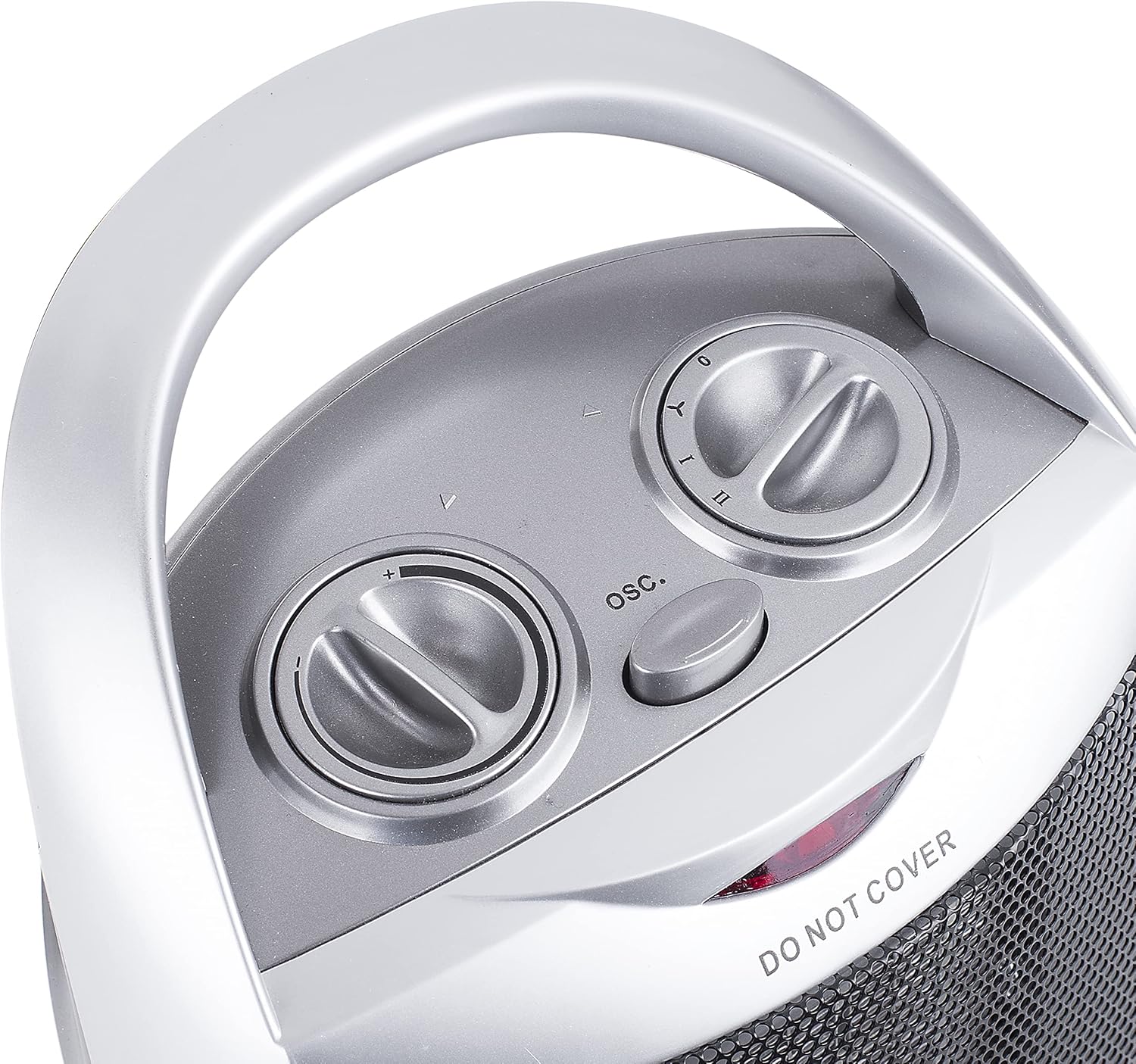
Imej: Atas view of the Tristar KA-5038 heater, showing the two control dials and the oscillation button.
4.1 Power and Mode Control
The right dial controls the power and operating mode:

Image: Close-up of the right control dial, indicating settings for Off (0), Fan Only (Y), Low Heat (I), and High Heat (II).
- 0 (Mati): Mematikan pemanas.
- Y (Fan Only): Operates the fan without heat, useful for air circulation.
- I (Haba Rendah): Provides heat at a lower power setting (e.g., 750W).
- II (Haba Tinggi): Provides heat at the maximum power setting (e.g., 1500W).
4.2 Kawalan Termostat
The left dial controls the thermostat, allowing you to set the desired room temperature.
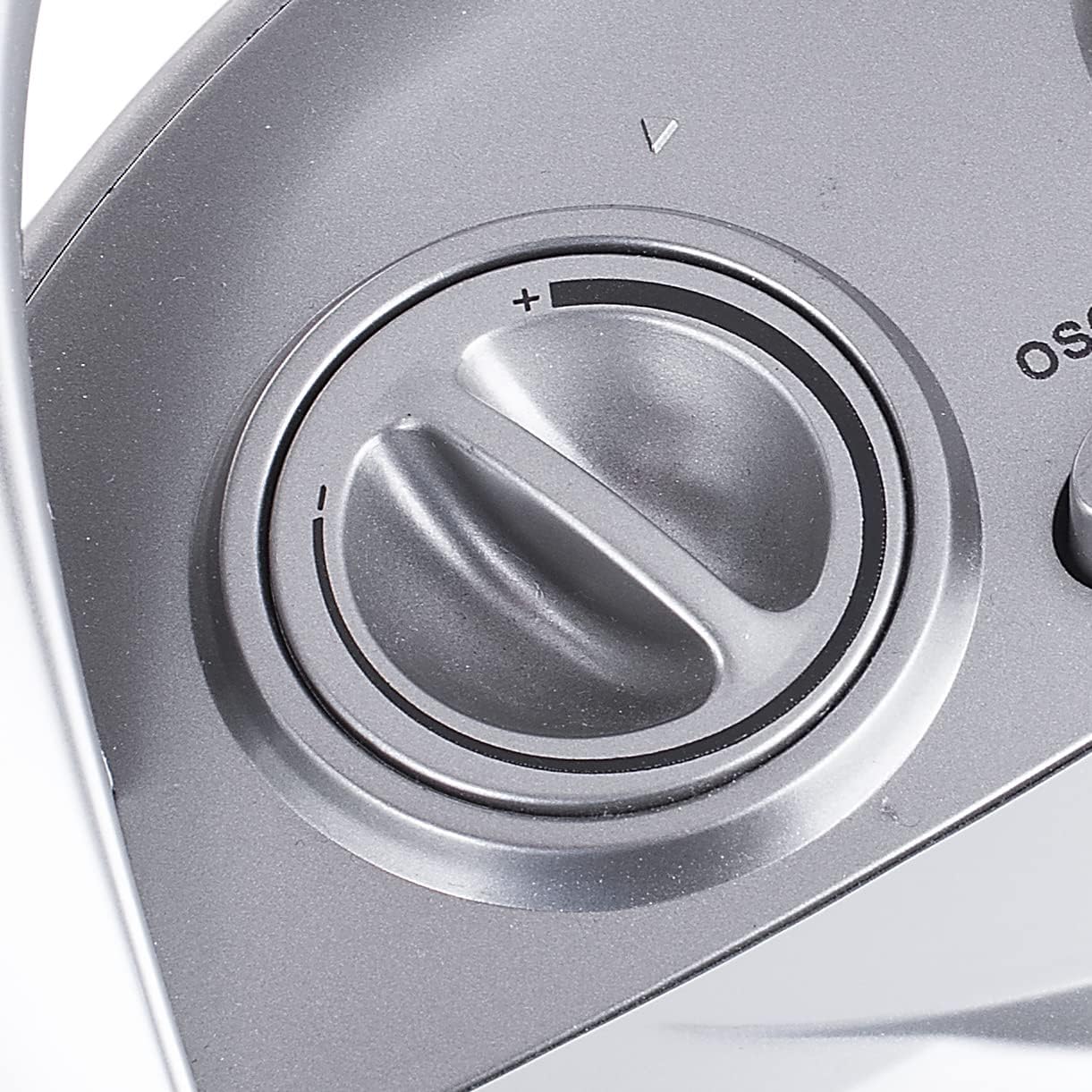
Image: Close-up of the left control dial, used to adjust the thermostat setting from minimum (-) to maximum (+).
- Turn the thermostat dial clockwise to increase the desired temperature, and counter-clockwise to decrease it.
- Pemanas akan menghidupkan dan mematikan kitaran untuk mengekalkan suhu yang ditetapkan.
4.3 Fungsi Ayunan
Press the "OSC." button located between the two dials to activate or deactivate the oscillation function. When active, the heater will rotate from side to side to distribute heat more broadly.
5. Penyelenggaraan
Pembersihan yang kerap dan penyimpanan yang betul akan memastikan jangka hayat dan operasi pemanas anda yang cekap.
- Pembersihan:
- Sentiasa cabut plag pemanas dan biarkan ia sejuk sepenuhnya sebelum dibersihkan.
- Lap permukaan luar dengan lembut, damp kain. Jangan gunakan pembersih atau pelarut yang melelas.
- Gunakan pembersih vakum dengan alat tambahan berus untuk menghilangkan habuk dari saluran masuk dan keluar udara.
- Jangan sekali-kali merendam pemanas di dalam air atau sebarang cecair lain.
- Storan:
- Jika menyimpan pemanas untuk tempoh yang lama, bersihkan dengan teliti.
- Simpan pemanas di dalam pembungkusan asalnya di tempat yang sejuk dan kering.
6. Penyelesaian masalah
| Masalah | Kemungkinan Punca | Penyelesaian |
|---|---|---|
| Pemanas tidak dihidupkan. |
|
|
| Heater produces no heat in heat mode. |
|
|
| Pemanas tiba-tiba berhenti berfungsi. |
|
|
7. Spesifikasi Teknikal
| Ciri | Spesifikasi |
|---|---|
| Nombor Model | KA-5038 |
| Jenama | Tristar |
| Kaedah Pemanasan | Forced Air, Ceramic Element |
| Keluaran Haba | 1500 Watt (Maksimum) |
| Bilangan Kelajuan | 2 (Low Heat, High Heat) + Fan Only |
| Voltage | 230V |
| Ciri Khas | Tip-over Protection, Overheat Protection, Oscillation |
| warna | Perak |
| Dimensi Produk (D x W x H) | 16.1D x 20.6W x 29H sentimeter |
| Berat Barang | 1.56 Kilogram |
| Penggunaan yang Disyorkan | Indoor, Office |
8. Waranti dan Sokongan
For information regarding warranty terms and conditions, please refer to the documentation provided with your purchase or contact Tristar customer support directly. Keep your proof of purchase for any warranty claims.
For technical support or service inquiries, please visit the official Tristar website or contact their customer service department. Contact details can typically be found in the product packaging or on the manufacturer's webtapak.