
1. Pengenalan
This manual provides detailed instructions for the proper use and maintenance of your LAUNCH X431 Creader VII+ V2.0 Car Code Reader. This diagnostic tool is designed to assist in identifying and resolving issues across various vehicle systems, offering comprehensive diagnostic capabilities and essential reset functions. Please read this manual thoroughly before operating the device.

Image 1.1: The LAUNCH X431 Creader VII+ V2.0 device with its packaging and included accessories.
2. Ciri-ciri Utama
The LAUNCH X431 Creader VII+ V2.0 offers a range of diagnostic and maintenance functionalities:
- Four System Diagnostics: Capable of testing Engine, Transmission, Anti-lock Braking System (ABS), and Supplemental Restraint System (SRS/Airbag) to read and clear diagnostic trouble codes (DTCs), display data streams, and retrieve vehicle information.
- Three Reset Functions: Includes Oil Service Reset, Throttle Relearn (Adaptation), and Steering Angle Sensor (SAS) Reset for common maintenance tasks.
- Fungsi OBDII Penuh: Supports all 10 OBDII test modes, including I/M readiness, O2 sensor tests, live PCM data stream (graphical format), freeze frame data, EVAP system tests, and DTC lookup.
- Grafik Data Langsung: Provides real-time data display in graphical format for intuitive analysis of vehicle performance.
- Data Recording and Playback: Allows for storage and review of dynamic data streams.
- Liputan Kenderaan Luas: Compatible with most OBDII & CAN compliant vehicles manufactured from 1996 (US-based), 2002 (EU-based), and 2005 (Asian-based) or newer. Note: ABS/SRS/Transmission system testing supports cars from 2006 and newer.
- Sokongan berbilang bahasa: Operates in English, Spanish, French, German, Italian, Russian, Japanese, Portuguese, Polish, and Chinese.
- Kemas Kini Percuma Sepanjang Hayat: Ensures the device remains current with the latest vehicle data and software enhancements.
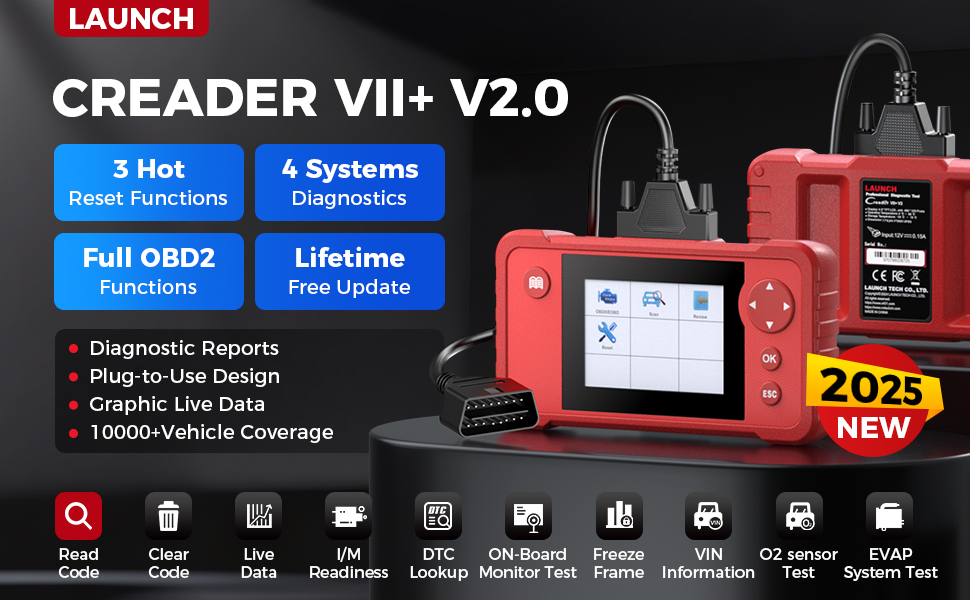
Imej 2.1: Tamatview highlighting the key features of the LAUNCH Creader VII+ V2.0, such as reset functions, system diagnostics, and update policy.
3. Persediaan dan Penggunaan Pertama
Follow these steps to set up and begin using your LAUNCH X431 Creader VII+ V2.0:
- Buka bungkusan Peranti: Carefully remove the Creader VII+ V2.0 unit, OBDII cable, USB cable, TF card, TF card reader, and user manual from the packaging.
- Masukkan Kad TF: Ensure the TF card is correctly inserted into the device's TF card slot.
- Hidupkan kuasa: The device powers on automatically when connected to a vehicle's OBDII port or a computer via USB.
- Pemilihan Bahasa: Upon first power-on, you may be prompted to select your preferred language. Navigate using the directional buttons and confirm with the 'OK' button.
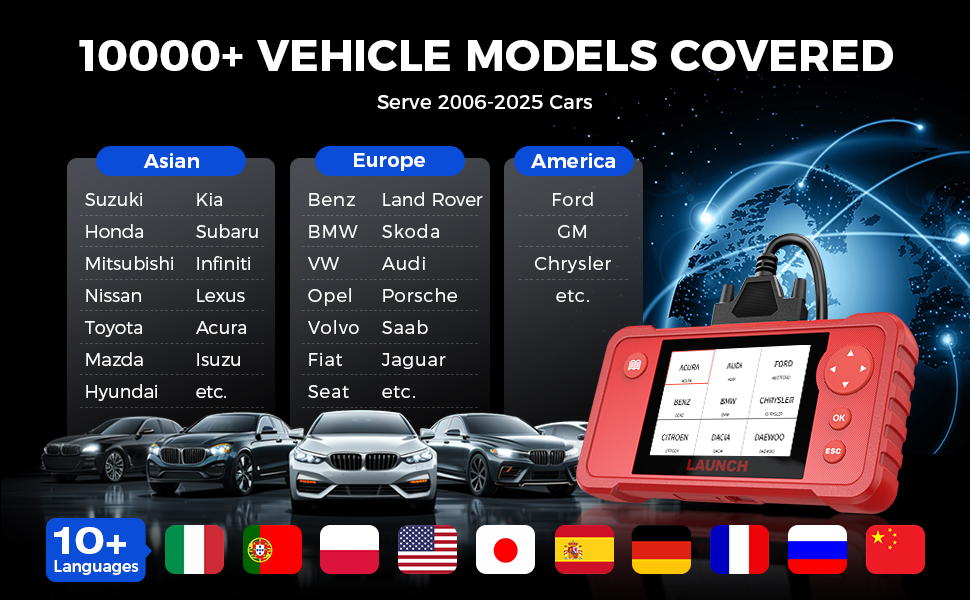
Image 3.1: Visual guide demonstrating the simple plug-and-play setup process for the diagnostic tool.
4. Arahan Operasi
4.1 Menyambung ke Kenderaan
- Locate the vehicle's 16-pin OBDII Data Link Connector (DLC), usually found under the dashboard on the driver's side.
- Plug the OBDII cable from the Creader VII+ V2.0 into the vehicle's DLC.
- Turn the vehicle's ignition to the 'ON' position (engine off). The device will power on automatically.
4.2 Melakukan Diagnostik
From the main menu, select 'Diagnose' to access the diagnostic functions:
- Pemilihan Sistem: Choose the system you wish to diagnose (Engine, Transmission, ABS, SRS).
- Baca Kod: Displays current, pending, and permanent diagnostic trouble codes.
- Kosongkan Kod: Erases DTCs from the vehicle's computer. Ensure the underlying issue is resolved before clearing codes.
- Strim Data Langsung: View real-time operational parameters of the selected system. Data can be displayed numerically or graphically.
- Pegunkan Data Bingkai: Captures a snapshot of vehicle conditions at the moment a fault code was set.
- Kesediaan Saya / M: Menyemak status monitor berkaitan pelepasan.
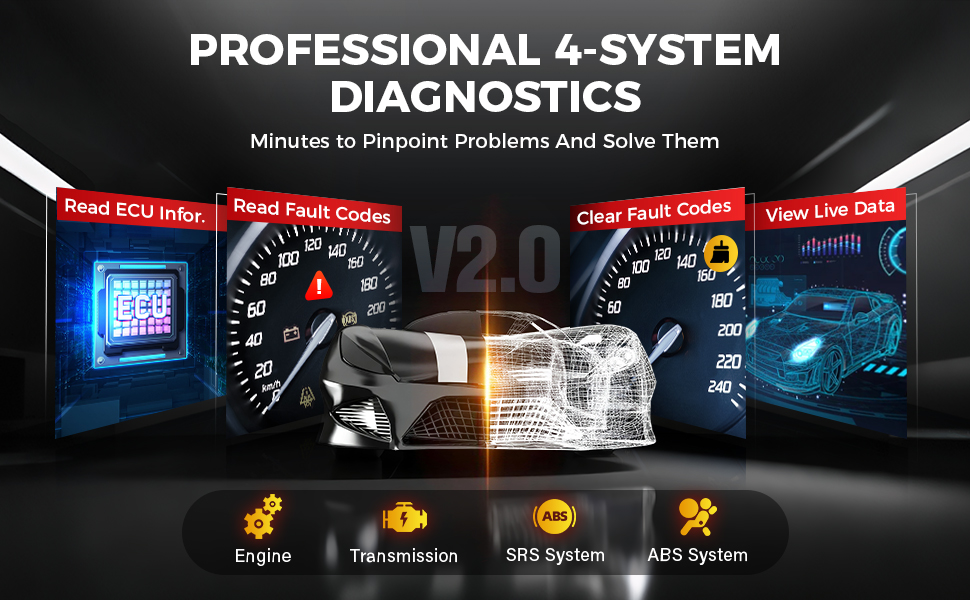
Image 4.1: Depiction of the diagnostic process for the four main vehicle systems.
4.3 Performing Reset Functions
From the main menu, select 'Reset' to access the service functions:
- Set Semula Minyak: Menetapkan semula lampu servis minyak selepas penukaran minyak.
- Penyesuaian Pendikit: Relearns the throttle body's position after cleaning or replacement.
- Set Semula SAS: Calibrates the Steering Angle Sensor after steering system repairs or alignment.
Note: Availability and specific procedures for reset functions may vary by vehicle make, model, and year. Always refer to the vehicle's service manual for specific instructions.
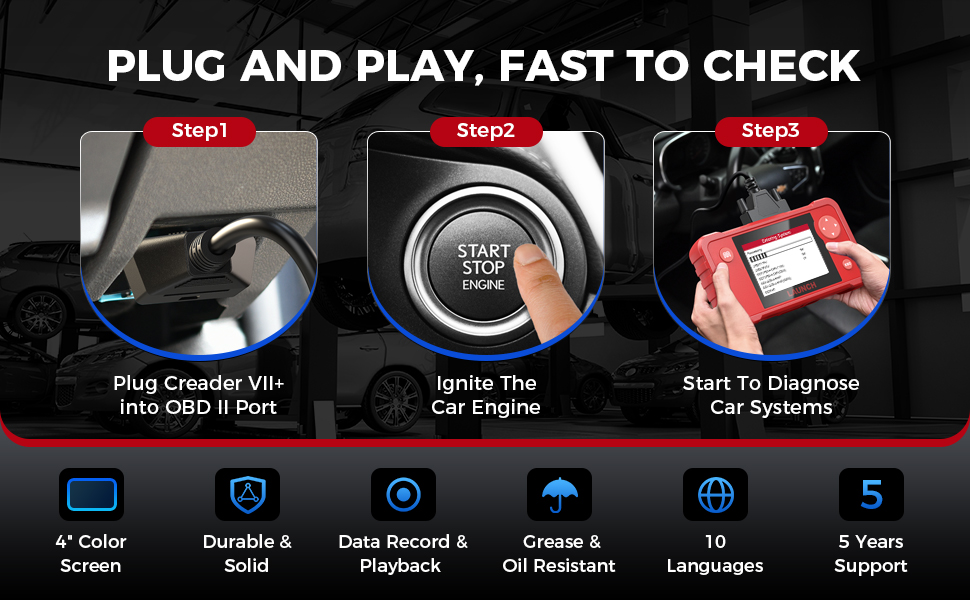
Image 4.2: Visual representation of the three primary reset functions available on the device.
5. Penyelenggaraan dan Kemas Kini
5.1 Penjagaan Peranti
- Pastikan peranti bersih dan bebas daripada habuk dan lembapan.
- Elakkan daripada menjatuhkan peranti atau terkena impak yang kuat.
- Store the device in its protective case when not in use.
5.2 Kemas Kini Perisian
The LAUNCH X431 Creader VII+ V2.0 offers lifetime free software updates to ensure compatibility with new vehicle models and improved functionalities. Follow these steps to update your device:
- Visit the official LAUNCH download webtapak (en.cnlaunch.com/download/).
- Download and install the 'DIY Integration Upgrade Tool' on your computer.
- Power on the Creader VII+ V2.0 and navigate to 'Help' -> 'Tool Information' to retrieve the device's Serial Number and Register Code.
- Remove the TF card from the device and insert it into the TF card reader, then connect the reader to your computer.
- Launch the installed upgrade tool. You will need to register an account if it's your first time. Enter the Serial Number and Register Code when prompted.
- Select the desired software updates and click 'Download' to begin the update process to the TF card.
- Once the download is complete, safely eject the TF card from your computer and reinsert it into the Creader VII+ V2.0.
- Power on the device. It will prompt you to perform the system upgrade. Confirm to proceed.

Image 5.1: Step-by-step instructions for updating the device software.
6. Penyelesaian masalah
- Peranti tidak dihidupkan: Ensure the OBDII cable is securely connected to the vehicle's DLC and the ignition is in the 'ON' position. If using USB, ensure the USB cable is connected to a powered port.
- Ralat komunikasi dengan kenderaan: Verify the vehicle is OBDII compliant. Check for loose connections. Ensure the vehicle's battery has sufficient charge. Try diagnosing a different vehicle if possible to rule out device issues.
- Update process fails or is difficult: Ensure a stable internet connection. Double-check the Serial Number and Register Code. If using a TF card reader, ensure it is functioning correctly. Some users have reported issues with RAR file formats for update software; consider using a tool like 7-Zip for extraction.
- Incorrect or no data displayed: Confirm the correct vehicle system is selected for diagnosis. Ensure the vehicle's ignition is on.
- Reset function not working: Verify that the specific reset function is supported for your vehicle's make, model, and year. Follow the on-screen prompts carefully.
7. Spesifikasi
| Ciri | Spesifikasi |
|---|---|
| Jenama | PELANCARAN |
| Model | Creader VII+ V2.0 |
| Dimensi Produk | 7.68"L x 4.17"W x 1.26"H |
| Berat Barang | 1.32 paun |
| Sistem Operasi | Windows (for update software) |
| Voltage | 12 Volt |
| Paparan | Skrin Warna 4 inci |
| Ingatan | Kad TF 16GB |
| Ketersambungan | OBDII, USB |
| Bahasa yang Disokong | English, Spanish, French, German, Italian, Russian, Japanese, Portuguese, Polish, Chinese |
| Liputan Kenderaan | 1996 US-based, 2002 EU-based, 2005 Asian-based or newer OBD II & CAN vehicles (ABS/SRS/Transmission from 2006+) |
8. Waranti dan Sokongan
Your LAUNCH X431 Creader VII+ V2.0 comes with a Waranti 5 tahun against quality problems. For technical assistance, warranty claims, or any operational questions, please contact LAUNCH customer service. Details for contacting support are typically found in the included Quick Start Guide or on the official LAUNCH webtapak.
Termasuk dalam Kotak:
- LAUNCH Creader VII+ V2.0 Unit
- Main Test Cable (OBDII Cable)
- Manual Pengguna
- Kad TF
- Pembaca Kad TF
- Kabel USB
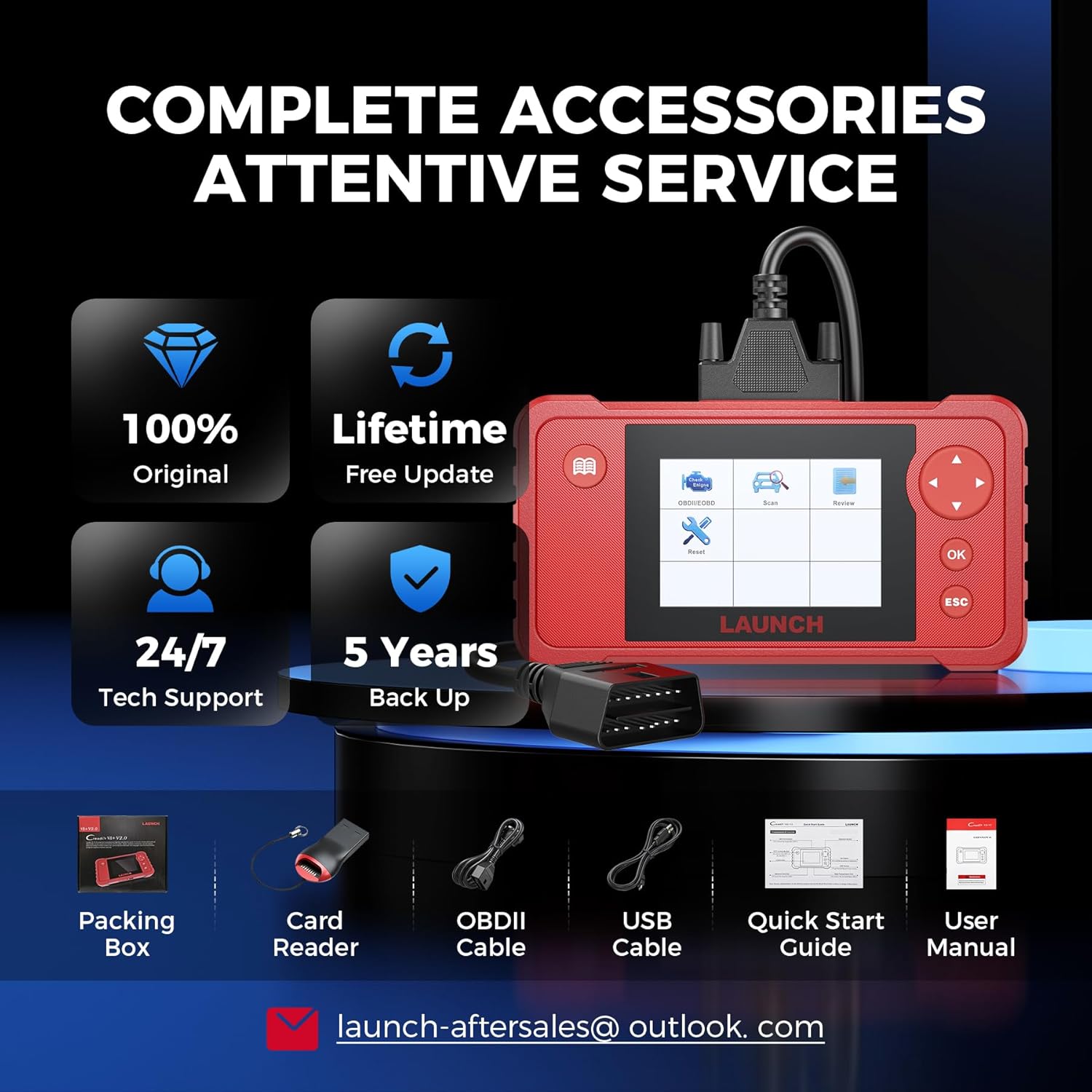
Imej 8.1: Kandungan pakej produk.
Note: No official product videos with 'creator_type: Seller' were found in the provided data to embed in this manual.