
pengenalan
Thank you for choosing the Casio TQ-362-4ADF Analog Alarm Clock. This manual provides detailed instructions for the proper setup, operation, and maintenance of your new alarm clock. Please read this manual thoroughly before use to ensure optimal performance and longevity of the product.
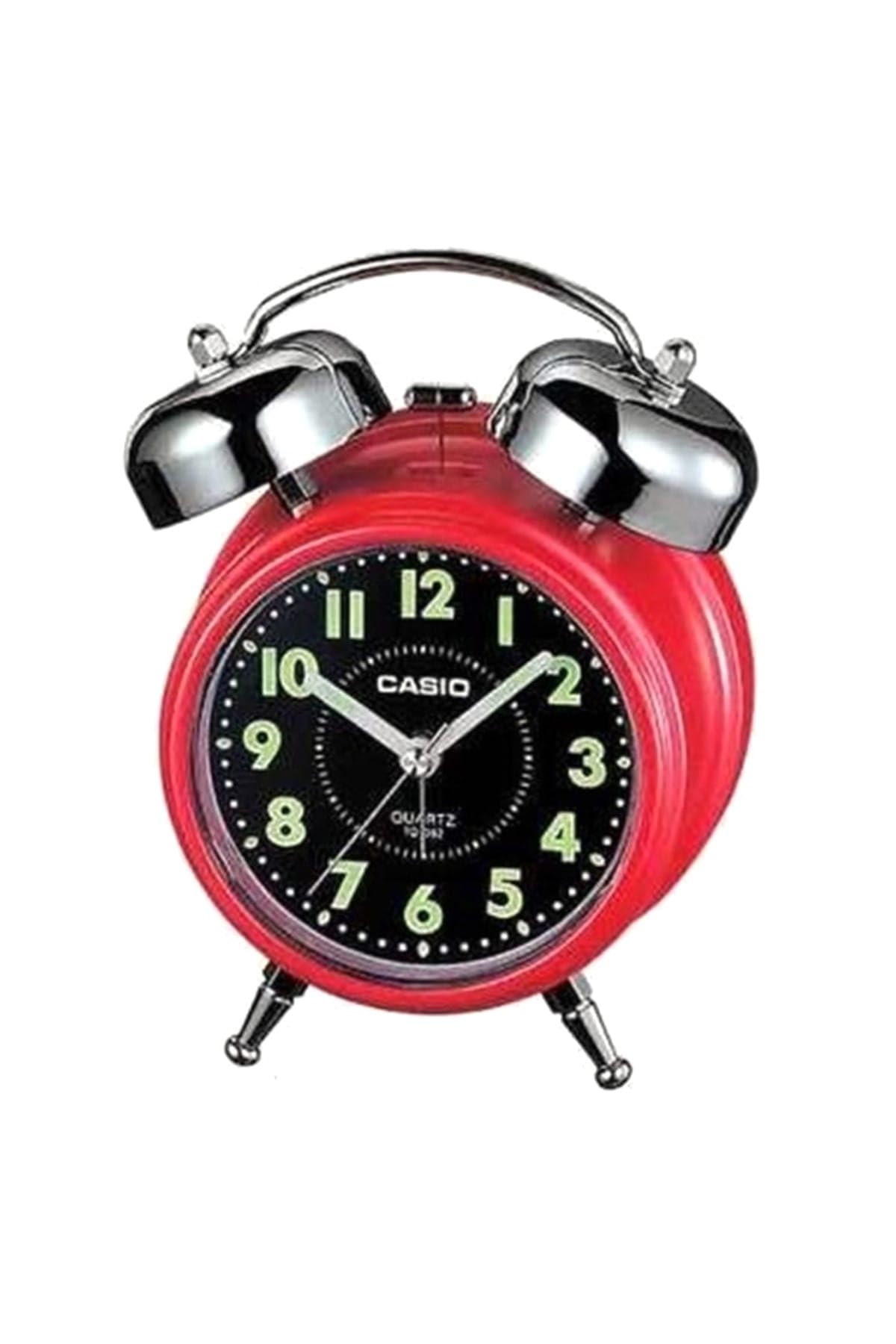
Imej: Depan view of the Casio TQ-362-4ADF Analog Alarm Clock, featuring a red casing, black dial with green luminous numbers, and silver bells and feet.
Persediaan
1. Pemasangan Bateri
- Buka penutup petak bateri yang terletak di bahagian belakang jam loceng.
- Masukkan dua (2) bateri AA, pastikan kekutuban (+ dan -) yang betul seperti yang ditunjukkan di dalam petak.
- Tutup penutup petak bateri dengan selamat.
2. Menetapkan Masa
- Cari tombol tetapan masa di bahagian belakang jam.
- Putar tombol ke mana-mana arah untuk menggerakkan jarum jam dan minit ke masa semasa.
- For best accuracy, set the time slightly ahead and then rotate backward to the exact time.
Arahan Operasi
1. Menetapkan Masa Penggera
- Cari tombol tetapan penggera di bahagian belakang jam.
- Rotate this knob to move the small alarm hand to your desired alarm time.
- Ensure the alarm ON/OFF switch (usually a small lever or button) is in the 'ON' position.
2. Mengaktifkan/Menyahaktifkan Penggera
- To activate the alarm, slide the alarm ON/OFF switch to the 'ON' position.
- To deactivate the alarm, slide the alarm ON/OFF switch to the 'OFF' position.
3. Fungsi Tunda
- When the alarm sounds, press the snooze button (typically located on the top of the clock).
- The alarm will temporarily stop and sound again after a few minutes (duration may vary by model).
- To fully stop the alarm, slide the alarm ON/OFF switch to the 'OFF' position.
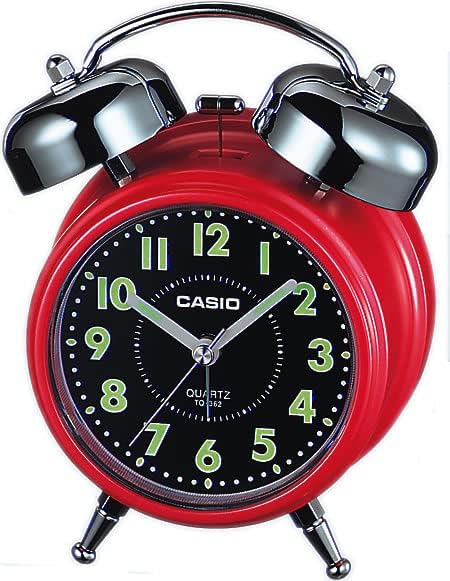
Imej: Belakang view of the Casio TQ-362-4ADF Analog Alarm Clock, illustrating the time setting knob, alarm setting knob, and alarm ON/OFF switch.
Penyelenggaraan
Pembersihan
- Lap jam dengan kain lembut dan kering.
- Do not use abrasive cleaners, solvents, or chemical sprays, as these may damage the casing atau komponen dalaman.
Penggantian Bateri
- Replace batteries when the clock starts to lose time or the alarm sound weakens.
- Always replace both batteries at the same time with new, identical AA batteries.
- Buang bateri terpakai mengikut peraturan tempatan.
Menyelesaikan masalah
| Masalah | Penyelesaian |
|---|---|
| Clock is not running or losing time. | Check battery installation. Replace with fresh AA batteries. |
| Penggera tidak berbunyi. | Ensure the alarm ON/OFF switch is in the 'ON' position. Verify alarm time is set correctly. Check battery strength. |
| Alarm is too quiet. | Replace batteries with fresh ones. The alarm volume is fixed and cannot be adjusted. |
Spesifikasi
| Ciri | Perincian |
|---|---|
| Nombor Model | TQ-362-4ADF |
| taip | Jam Penggera Analog |
| bahan | Resin (Plastic) |
| warna | merah |
| Dimensi (L x W x H) | 6 x 3.81 x 13.6 cm |
| Berat badan | 147.83 gram |
| Bateri Diperlukan | 2 bateri AA |
| Komponen yang Disertakan | Battery, strap, operating instructions (Note: 'strap' likely refers to packaging or a small component, not a wearable strap for this type of clock) |
Waranti dan Sokongan
Casio products are manufactured to high-quality standards. For information regarding warranty coverage, service, or technical support, please refer to the warranty card included with your product or visit the official Casio webtapak. Simpan resit pembelian anda sebagai bukti pembelian untuk sebarang tuntutan waranti.
Untuk bantuan lanjut, anda boleh menghubungi khidmat pelanggan Casio melalui saluran rasmi mereka.