
pengenalan
This manual provides instructions for the proper setup, operation, and maintenance of your Black Box USB to Serial Cable, model IC199A-R3. This cable is designed to facilitate communication between devices with a DB9 serial port and computers equipped with a USB Type-A port. Please read this manual thoroughly before using the product to ensure optimal performance and longevity.
Produk Selesaiview
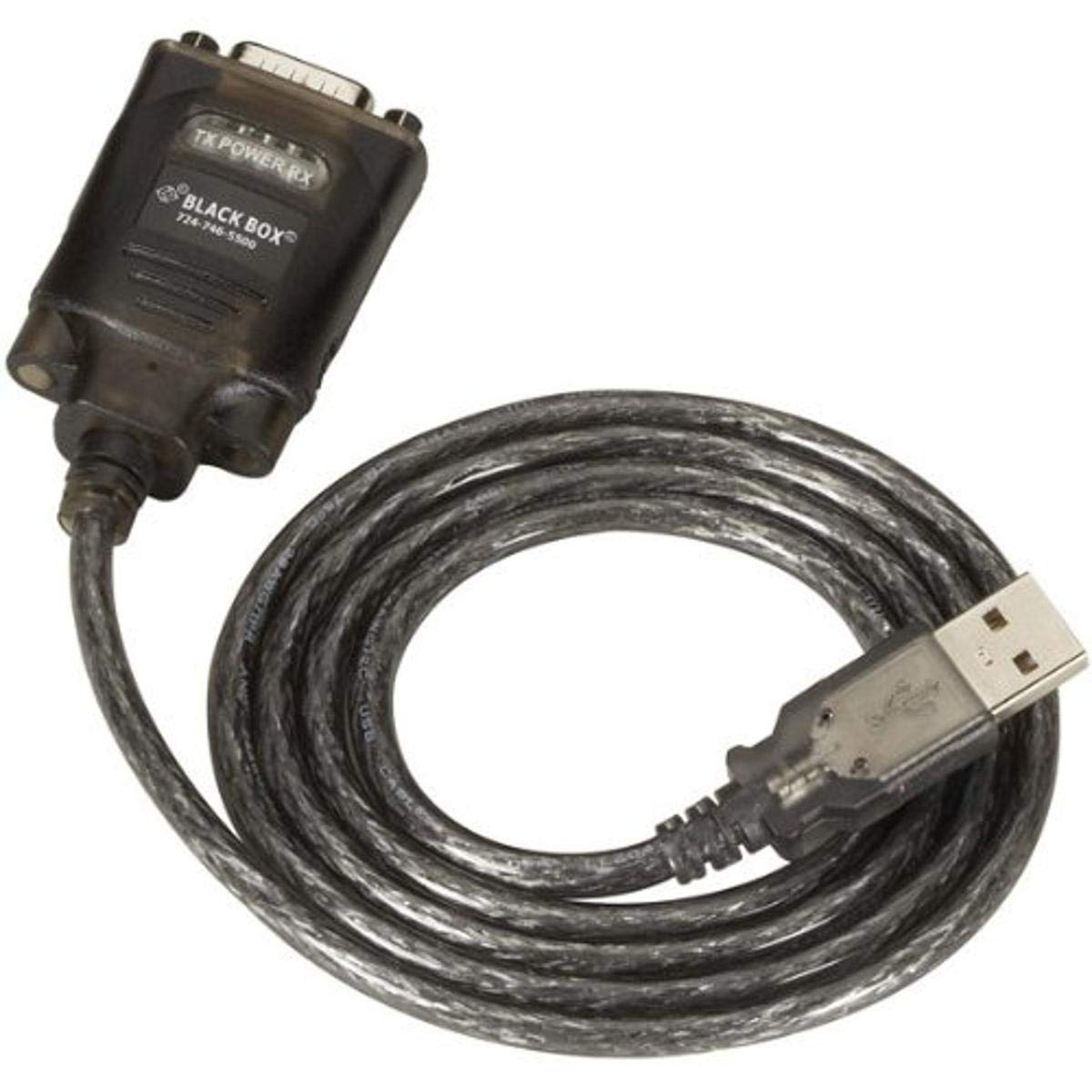
Figure 1: Black Box USB to DB9 Serial Cable (IC199A-R3)
This image displays the Black Box USB to DB9 Serial Cable, featuring a USB Type-A male connector on one end and a DB9 male serial connector on the other. The cable is black and designed for connecting serial devices to a computer's USB port.
The Black Box IC199A-R3 is a reliable solution for connecting legacy serial devices, such as modems, to modern computers that typically lack dedicated serial ports. Its robust design ensures stable data transmission.
Arahan Persediaan
- Kenalpasti Penyambung: Locate the USB Type-A male connector and the DB9 male serial connector on the cable.
- Sambung ke Komputer: Insert the USB Type-A male connector into an available USB port on your computer.
- Connect to Serial Device: Connect the DB9 male serial connector to the DB9 female port on your serial device (e.g., modem). Ensure a secure connection.
- Pemasangan Pemandu: In most modern operating systems (Windows 10/11, macOS, Linux), the necessary drivers should install automatically upon connection. If the device is not recognized, you may need to manually install drivers. Refer to your operating system's documentation or the Black Box support website for driver downloads if required.
- Sahkan Sambungan: After connecting, check your computer's Device Manager (Windows) or System Information (macOS/Linux) to confirm that the USB to Serial adapter is recognized and functioning correctly. It typically appears as a "USB Serial Port" or similar entry.
Arahan Operasi
Once the Black Box IC199A-R3 cable is properly installed and recognized by your computer, it functions as a standard serial port.
- Konfigurasi Perisian: Open the serial communication software or application you intend to use (e.g., HyperTerminal, PuTTY, minicom, or specific device configuration software).
- Pilih Port COM: Within your software, select the virtual COM port assigned to the USB to Serial adapter. This port number can usually be found in your computer's Device Manager (under "Ports (COM & LPT)").
- Konfigurasikan Tetapan Siri: Set the appropriate serial communication parameters (baud rate, data bits, parity, stop bits, flow control) to match the requirements of your connected serial device. Refer to the documentation of your serial device for these settings.
- Mulakan Komunikasi: Once configured, you can initiate data transfer or communication with your serial device through the software.
Penyelenggaraan
To ensure the longevity and reliable performance of your Black Box USB to Serial Cable, follow these simple maintenance guidelines:
- Storan: Simpan kabel di tempat yang sejuk dan kering jauh dari cahaya matahari langsung dan suhu yang melampau apabila tidak digunakan.
- Pengendalian: Elakkan membengkokkan atau menyengetkan kabel dengan tajam, terutamanya berhampiran penyambung, kerana ini boleh merosakkan wayar dalaman.
- Pembersihan: Jika perlu, lap kabel dan penyambung perlahan-lahan dengan kain yang lembut, kering dan tidak berbulu. Jangan gunakan pembersih cecair atau pelarut.
- Sambungan / Pemutusan: Sentiasa genggam penyambung penyambung apabila memasang atau mencabut kabel, bukannya menarik kabel itu sendiri.
Menyelesaikan masalah
If you encounter issues with your Black Box USB to Serial Cable, consider the following troubleshooting steps:
- Cable Not Recognized:
- Pastikan penyambung USB dimasukkan sepenuhnya ke dalam port USB komputer.
- Cuba port USB lain pada komputer anda.
- Mulakan semula komputer anda.
- Check Device Manager (Windows) or System Information (macOS/Linux) for any error messages or unrecognized devices. Reinstall drivers if necessary.
- Tiada Komunikasi dengan Peranti Siri:
- Verify that the DB9 connector is securely attached to your serial device.
- Confirm that the correct COM port is selected in your serial communication software.
- Double-check that the serial communication parameters (baud rate, data bits, parity, stop bits, flow control) in your software match those of your serial device.
- Ensure the serial device itself is powered on and functioning correctly.
- Try using a different serial communication software to rule out software-specific issues.
- Sambungan Terputus-putus:
- Inspect the cable for any visible damage or frayed wires.
- Ensure all connections are firm and not loose.
- Avoid placing the cable near sources of strong electromagnetic interference.
Spesifikasi
| Jenama | Kotak Hitam |
| Nombor Model | IC199A-R3 |
| Connector Type (Computer) | USB Jenis A Lelaki |
| Connector Type (Device) | DB9 Male Serial |
| Jenis Kabel | USB ke Serial |
| Peranti Serasi | Modem |
| Ciri Khas | Bebas Kusut |
| warna | Hitam |
| Bilangan Pin | 9 (on DB9 connector) |
| Berat Barang | 0.24 paun (lebih kurang 3.84 auns) |
| Dimensi Produk (Pembungkusan) | 6.75 x 1.5 x 4 inci |
| Pengeluar | BLACK BOX CORPORATION |
Waranti dan Sokongan
For information regarding warranty coverage, technical support, or to download the latest drivers, please visit the official Black Box webtapak atau hubungi perkhidmatan pelanggan mereka. Simpan resit pembelian anda untuk tuntutan waranti.