
pengenalan
This manual provides essential information for the safe and efficient operation of your Eaton 5PX 3000 2U Rack/Tower LCD Uninterruptible Power Supply (UPS). The Eaton 5PX 3000 is designed to provide reliable power protection for servers, storage, and network equipment. Please read this manual thoroughly before installation and operation.
Maklumat Keselamatan
Observe the following safety precautions to prevent injury and damage to the UPS or connected equipment:
- Keselamatan Elektrik: Unit ini mengandungi voltagJangan buka penutup UPS. Servis hanya perlu dilakukan oleh kakitangan yang berkelayakan.
- Keselamatan Bateri: Batteries can present a risk of electrical shock and high short-circuit current. Remove watches, rings, or other metal objects before handling batteries. Use tools with insulated handles.
- Persekitaran Pemasangan: Install the UPS in a controlled environment, free from excessive dust, moisture, and extreme temperatures. Ensure adequate ventilation.
- Pembumian: Always connect the UPS to a grounded power outlet.
- Berat: The UPS is heavy. Use proper lifting techniques or assistance during installation to avoid injury.
Kandungan Pakej
Sahkan bahawa semua item terdapat dalam pembungkusan:
- Eaton 5PX 3000 2U Rack/Tower LCD UPS Unit
- Rack mounting kit (rails, screws)
- Tower stand kit
- Kabel USB
- Kabel bersiri
- Kord kuasa input
- Output power cords
- Panduan Mula Pantas dan Arahan Keselamatan
Persediaan
1. Pemasangan Fizikal
The Eaton 5PX 3000 can be installed in a standard 19-inch rack or as a tower unit.
Pemasangan Rak:
- Attach the rack mounting rails to the rack using the provided hardware.
- Carefully slide the UPS unit onto the installed rails until it is fully seated.
- Secure the front of the UPS to the rack using the provided screws.
Pemasangan Menara:
- Attach the tower stands to the bottom of the UPS unit.
- Place the UPS on a stable, level surface, ensuring adequate clearance for ventilation.
2. Kuasa Penyambung
Connect the UPS to a dedicated, grounded electrical outlet using the supplied input power cord. Ensure the outlet matches the UPS voltagkeperluan e (120V).
3. Peralatan Penyambung
Connect your critical equipment (servers, network devices) to the output receptacles on the rear of the UPS. The UPS features 7 outlets with various connector types (L5-30P, 5-20R, L5-30R). Distribute the load evenly across the outlets if possible.
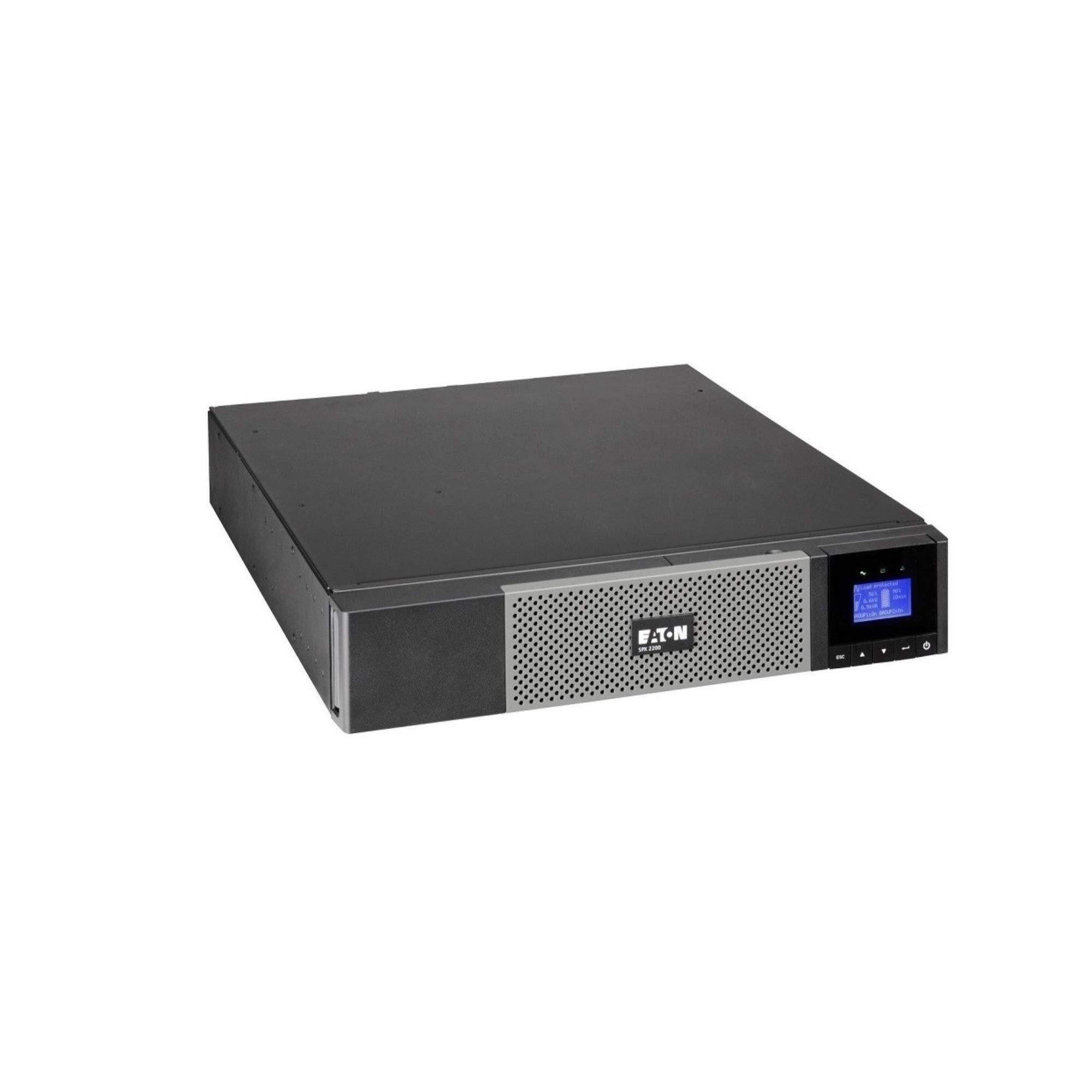
Imej: Depan view of the Eaton 5PX 3000 2U Rack/Tower LCD UPS, showing the LCD display and front panel controls.
4. Hidupkan Kuasa Awal
- After connecting all equipment and the input power, press and hold the power button on the front panel for a few seconds until the LCD display illuminates.
- The UPS will perform a self-test and then display its operational status.
- Allow the UPS batteries to charge for at least 24 hours before relying on them for extended backup power.
Beroperasi
Paparan LCD Lebihview
The front panel LCD provides real-time information about the UPS status, battery charge, load level, and various settings. Use the navigation buttons to scroll through menus and adjust parameters.
Fungsi Asas
- Hidupkan/Mati Kuasa: Press and hold the power button to turn the UPS on or off.
- Bisukan Penggera: Briefly press any button to silence an active alarm.
- Ujian Kendiri: Initiate a battery self-test through the LCD menu to check battery health.
Pengurusan Bateri
The UPS automatically manages battery charging and discharge. For optimal battery life, avoid frequent deep discharges. The LCD will indicate battery charge level and estimated runtime.
Integrasi Perisian
The Eaton 5PX 3000 supports communication with computers and network management systems via USB or serial ports. Install Eaton's power management software (available from the Eaton website) for advanced monitoring, graceful shutdown of connected devices, and remote management capabilities.
Penyelenggaraan
Penggantian Bateri
The batteries in your UPS are user-replaceable. The typical lifespan of UPS batteries is 3-5 years, depending on usage and environmental conditions. The UPS LCD or management software will indicate when battery replacement is recommended. Always use genuine Eaton replacement battery modules to ensure compatibility and performance. Refer to the detailed battery replacement instructions in the full product manual or on the Eaton support webtapak.
Pembersihan
Periodically clean the exterior of the UPS with a soft, dry cloth. Ensure ventilation openings are free from dust and obstructions to maintain proper airflow and cooling.
Kemas kini Perisian Tegar
Eaton may release firmware updates to improve performance or add features. Check the Eaton support website periodically for available updates and follow the provided instructions for installation.
Menyelesaikan masalah
This section addresses common issues you might encounter with your Eaton 5PX 3000 UPS.
| Masalah | Kemungkinan Punca | Penyelesaian |
|---|---|---|
| UPS tidak dihidupkan | No input power; Battery not connected or discharged | Check power cord connection and wall outlet. Ensure internal battery connectors are secure. Allow batteries to charge. |
| UPS berbunyi bip secara berterusan | On battery power; Overload; Battery fault | Check input power. Reduce connected load. Perform a battery self-test or consider battery replacement. |
| Masa penggunaan bateri yang singkat | Overload; Old batteries; Batteries not fully charged | Reduce connected load. Replace batteries if they are old. Allow batteries to charge for 24 hours. |
| LCD shows an error code | Internal fault; Specific issue | Refer to the full user manual for a list of error codes and their corresponding solutions. Contact technical support if the issue persists. |
Spesifikasi
Key technical specifications for the Eaton 5PX 3000 2U Rack/Tower LCD UPS (Model: 5PX3000RT2U):
- Jenama: Eaton
- Nombor Model: 5PX3000RT2U
- Faktor Bentuk: Rak/Menara (2U)
- Wattage: 3000 Watt
- Kuasa Maksimum: 2700 Watt
- Output Wattage: 2430 Watt
- Voltage: 120 Volt
- Input Voltage: 120 Volt (AC)
- Keluaran Voltage: 120 Volt (AC)
- Arus Keluaran: 20.25 Amps
- Julat Kekerapan: 47-53 Hz and 56.5-63.5 Hz
- Bilangan Outlet: 7
- Jenis Penyambung: L5-30P, 5-20R, L5-30R
- Jenis Palam Kuasa: Jenis B - 3 pin (Amerika Utara)
- Komposisi Sel Bateri: Asid Plumbum
- Runtime (typical): 20 minutes (at half load)
- Bahan Penutup: Keluli Aloi
- warna: Hitam
- Berat Barang: 0.01 Pounds (Note: This weight is likely incorrect in the source data and should be verified with actual product specifications)
Waranti dan Sokongan
Maklumat Waranti
Eaton provides a standard warranty for the 5PX 3000 UPS. The specific terms and duration of the warranty may vary by region and purchase date. Please refer to the warranty card included with your product or visit the official Eaton webtapak untuk maklumat jaminan dan pendaftaran terperinci.
Sokongan Teknikal
For technical assistance, troubleshooting beyond this manual, or to inquire about replacement parts, please contact Eaton customer support. Support contact information can be found on the official Eaton webtapak atau dalam dokumentasi yang disediakan bersama UPS anda.