
pengenalan
Terima kasih kerana membeliasing the Orion 24" SLED2468W LED LCD HDTV. This manual provides essential information for the safe and efficient operation of your television. Please read it thoroughly before using the product and retain it for future reference.
Maklumat Keselamatan
Untuk memastikan operasi yang selamat dan mengelakkan kerosakan, patuhi langkah berjaga-jaga berikut:
- Jangan dedahkan TV kepada hujan atau lembapan.
- Jangan menyekat bukaan pengudaraan.
- Letakkan TV di atas permukaan yang stabil dan rata.
- Gunakan hanya kord kuasa yang dibekalkan bersama unit.
- Cabut palam TV semasa ribut petir atau apabila tidak digunakan untuk tempoh yang lama.
- Rujuk semua servis kepada kakitangan perkhidmatan yang berkelayakan.
Apa yang ada dalam Kotak
Buka bungkusan kotak dengan berhati-hati dan pastikan semua item ada:
- Orion 24" SLED2468W LED LCD HDTV
- Pendirian TV
- Remote Control (batteries not included, requires 2 AAA batteries)
- Kord Kuasa
- Manual Pengguna (dokumen ini)
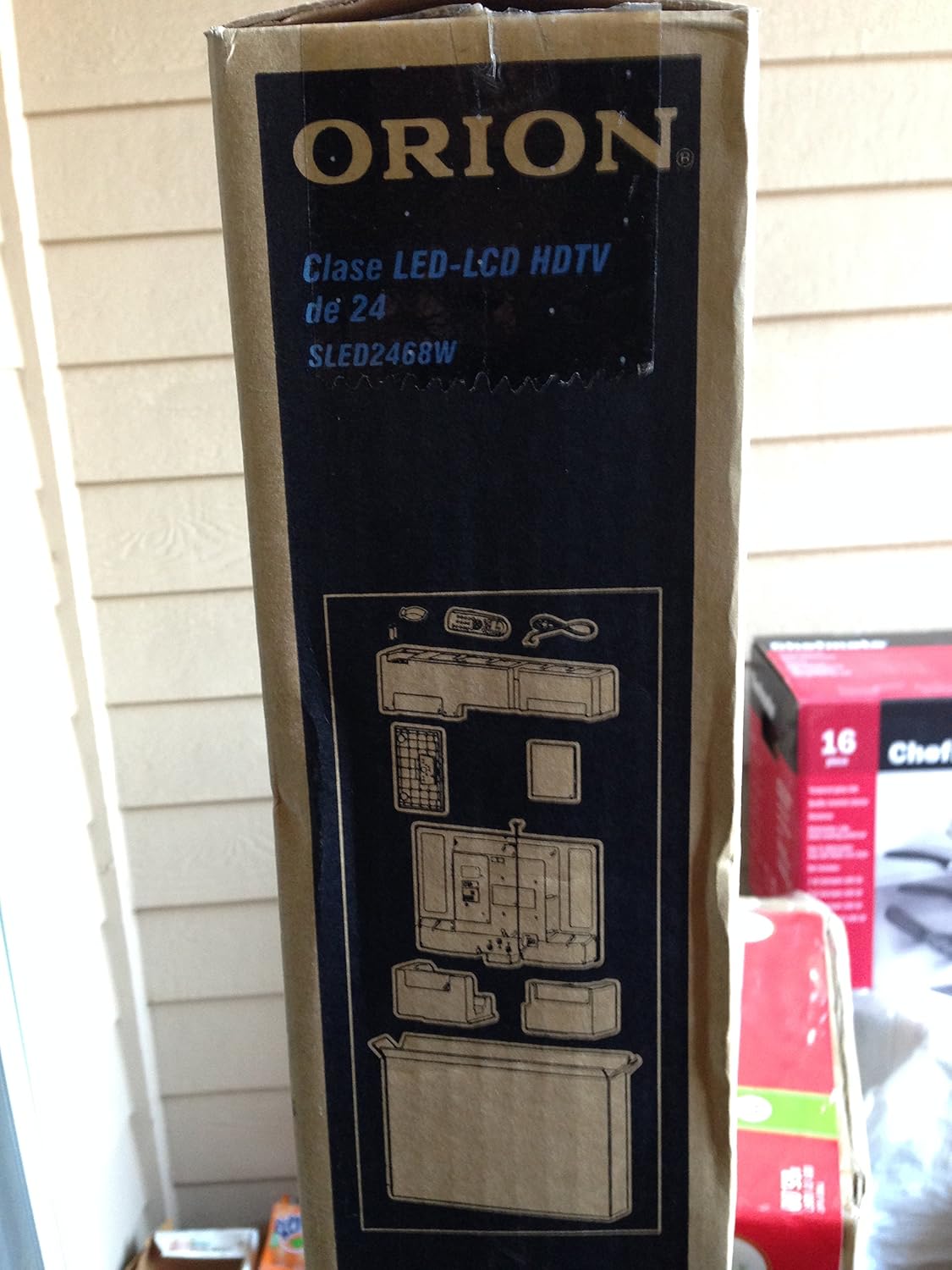
Image: The side of the Orion TV box illustrating the TV and stand components packed inside.
Persediaan
1. Membongkar
Remove the TV and all accessories from the packaging. Retain the packaging for future transport or storage.

Image: The front of the Orion 24" LED-LCD HDTV box, displaying the model number SLED2468W and key features such as Integrated Digital Tuner, USB Time Shift, HDMI, and Headphone/Digital Audio Output.
2. Memasang Pendirian
Place the TV screen-down on a soft, clean surface. Align the TV stand with the mounting holes on the bottom of the TV. Secure the stand using the provided screws.
3. Kuasa Penyambung
Connect the power cord to the TV's power input and then to a standard 110 VAC, 60 Hz electrical outlet.
4. Menyambung Peranti Luaran
TV anda menyokong pelbagai sambungan untuk peranti luaran:
- HDMI: For high-definition audio and video from devices like Blu-ray players, game consoles, or cable/satellite boxes.
- USB: For media playback or USB Time Shift functionality.
- Antena/Kabel: For receiving broadcast television signals via the integrated ATSC tuner.
- Input PC: For connecting a computer monitor.
- Headphone/Digital Audio Output (Coaxial): Untuk menyambungkan sistem audio luaran.

Image: A diagram illustrating various connection ports on the TV, including headphone, audio, PC monitor, and coaxial outputs. Also shown are the unit dimensions and weight.
5. Wizard Persediaan Awal
Upon first power-on, the TV will guide you through an initial setup process, including language selection, channel scanning, and time zone settings.
Beroperasi
Basic Remote Control Functions
The remote control allows you to access all TV functions. Ensure batteries are correctly inserted.
- Kuasa: Menghidupkan atau mematikan TV.
- Saluran Atas/Bawah: Menukar saluran TV.
- Kelantangan Naik/Turun: Melaraskan tahap bunyi.
- Input/Sumber: Memilih sumber input (HDMI, TV, USB, dll.).
- Menu: Mengakses menu utama untuk pelarasan tetapan.
- Butang Navigasi (Atas/Bawah/Kiri/Kanan/OK): Digunakan untuk menavigasi menu dan mengesahkan pilihan.
USB Time Shift
The TV features a USB Time Shift function. Connect a USB storage device to pause, rewind, or fast-forward live TV broadcasts. Refer to the on-screen menu for detailed instructions on activating and using this feature.
Pelayar Internet
This TV includes a basic internet browser. Connect the TV to your network (if applicable) to access web content. Performance may vary depending on network speed and website complexity.
Penyelenggaraan
Membersihkan Skrin
Lap skrin perlahan-lahan dengan kain lembut yang tidak berbulu. Untuk tanda degil, ringankan dampen kain dengan air atau pembersih skrin khusus. Jangan sekali-kali menyembur cecair terus ke skrin.
Penjagaan Am
Keep the TV free from dust by regularly wiping the cabinet with a dry, soft cloth. Ensure adequate ventilation around the TV to prevent overheating.
Menyelesaikan masalah
If you encounter issues with your TV, consult the following table before contacting support:
| Masalah | Penyelesaian yang Mungkin |
|---|---|
| Tiada kuasa | Check if the power cord is securely connected to both the TV and the outlet. Ensure the outlet is functional. |
| Tiada gambar, tetapi bunyi hadir | Sahkan bahawa sumber input yang betul telah dipilih. Periksa sambungan peranti luaran. |
| Tiada bunyi, tetapi ada gambar | Check volume level and mute settings. Ensure external audio connections are secure. |
| Alat kawalan jauh tidak berfungsi | Gantikan bateri. Pastikan tiada halangan antara alat kawalan jauh dan penderia IR TV. |
| Kualiti gambar yang buruk | Check antenna connection. Adjust picture settings in the TV menu. |
Spesifikasi
Technical specifications for the Orion 24" SLED2468W LED LCD HDTV:
| Ciri | Spesifikasi |
|---|---|
| Nombor Model | SLED2468W |
| Saiz Skrin | 24 Inci |
| Teknologi Paparan | LED-LCD |
| Resolusi | 720p |
| Kadar Segar Semula | 60 Hz |
| Nisbah Aspek | 16:9 |
| Teknologi Ketersambungan | HDMI, USB |
| Jenis Penala | ATSC |
| Perkhidmatan Internet yang Disokong | pelayar |
| Talian Voltage | 110 VAC 60 Hz |
| On Mode Power Consumption | 37W (as per box image) |
| Dimensi Unit (WxDxH) | 21.65" x 5.39" x 14.21" (550 x 136.9 x 361 mm) (as per box image) |
| Unit Berat | 3.6 kg (8.0 lbs) (as per box image) |
| Pengeluar | Sansui |
| UPC | 755805020776 |
Waranti dan Sokongan
For warranty information and technical support, please refer to the documentation included with your purchase or visit the official Orion product support webtapak. Simpan bukti pembelian anda untuk tuntutan waranti.