
1. Pengenalan dan Lebihview
The Alpine VIE-X007-WS-E is a dedicated in-dash car navigation system designed for specific vehicle models, featuring a high-definition 7-inch wide VGA LED LCD display. This unit provides clear and detailed maps, high-quality video playback, and integrates advanced features for an enhanced driving experience. It includes a 32GB SDHC memory for map and music data, a built-in terrestrial digital TV tuner, and Bluetooth connectivity for hands-free calling and audio streaming. The system is 'Tuned by Alpine' to ensure optimal acoustic settings and vehicle-specific functionalities.
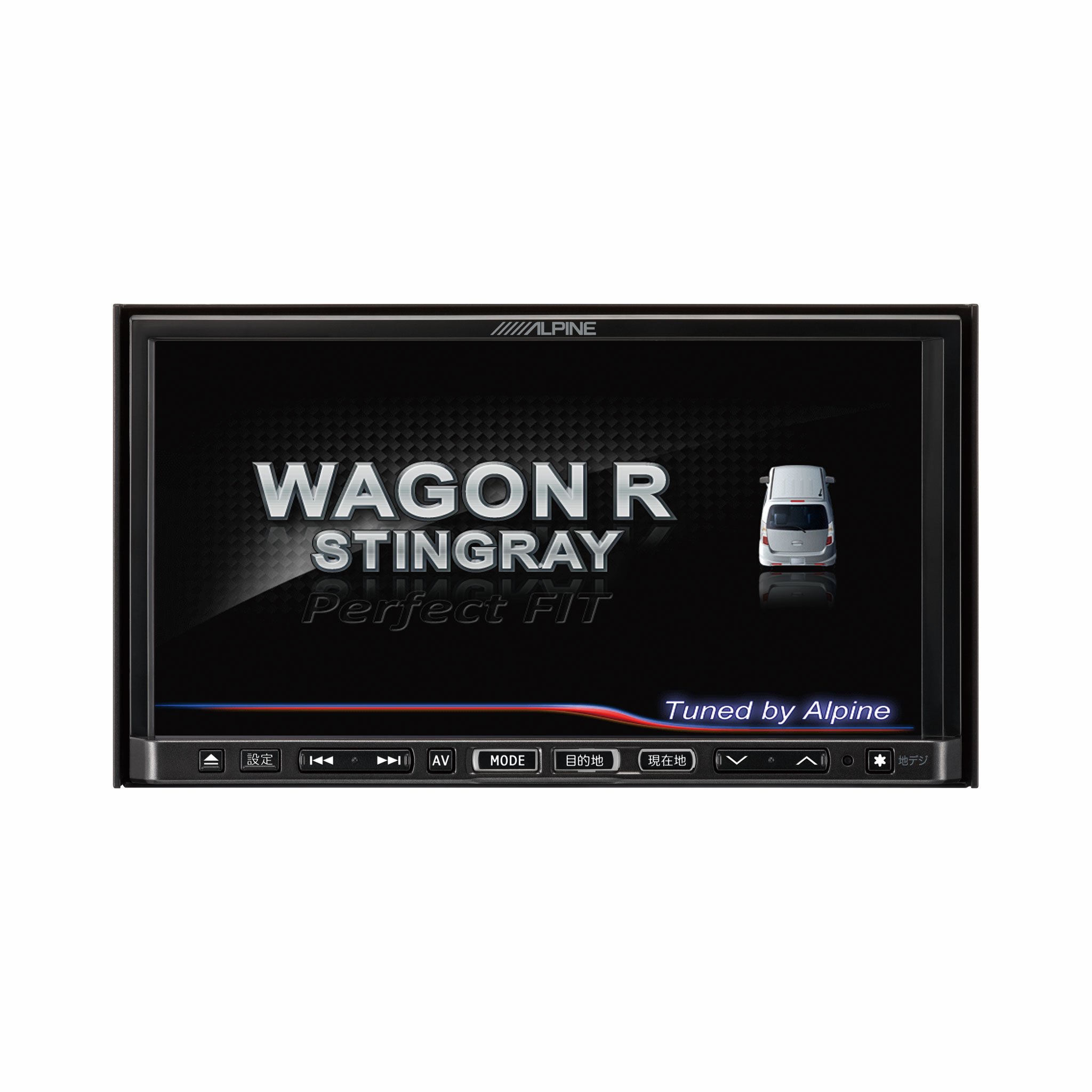
Imej 1.1: Depan view of the Alpine VIE-X007-WS-E In-Dash Car Navigation System, showcasing its 7-inch display and control interface.
2. Ciri-ciri Utama
- paparan: 7-inch LED / WVGA Touch Panel Monitor for clear visuals and intuitive control.
- Storan: 32GB SD memory (16GB for Map Data + 16GB for Music Data).
- Penala: Built-in Terrestrial Digital TV Tuner (12 Segments/One Segment) for broadcast reception.
- Ketersambungan: Built-in Bluetooth for hands-free calling and Bluetooth audio support.
- Main balik Media: Supports DVD/CD, FM/AM radio, SD Memory Card, iPod/iPhone, USB, and Walkman (connection cable not included).
- Integrasi Kenderaan: Alpine system link functions for rear vision camera and vehicle-specific settings.
3. Arahan Persediaan
Proper installation is crucial for optimal performance and safety. It is highly recommended that this unit be installed by a qualified professional car audio technician.
3.1. Pemeriksaan Pra-Pemasangan
- Pastikan bateri kenderaan dicabut sebelum memulakan pemasangan.
- Verify all necessary mounting hardware and wiring harnesses are present.
- Confirm compatibility with your specific vehicle model (Wagon R MH23 Stingray).
3.2. Sambungan Pendawaian
- Sambungan Kuasa: Connect the main power harness to the vehicle's power supply, ensuring proper grounding.
- Sambungan Pembesar Suara: Connect the speaker wires to the corresponding vehicle speakers, observing polarity.
- Sambungan Antena: Connect the GPS antenna and the terrestrial digital TV antenna to their respective inputs on the unit. Position antennas in locations with clear line of sight.
- Sambungan Peranti Luaran: Connect any optional devices such as a rear-view camera, USB devices, or iPod/iPhone using the appropriate cables (sold separately).
3.3. Memasang Unit
- Carefully insert the unit into the vehicle's dashboard opening.
- Selamatkan unit menggunakan pendakap dan skru pelekap yang disediakan.
- Re-connect the vehicle's battery.
3.4. Hidupkan Kuasa Awal
- Turn on the vehicle's ignition. The unit should power on and display the Alpine logo.
- Ikut sebarang gesaan pada skrin untuk persediaan awal, seperti pemilihan bahasa dan zon waktu.
4. Arahan Operasi
This section provides general guidance on operating your Alpine navigation system.
4.1. Hidupkan/Mati Kuasa
- The unit typically powers on automatically with the vehicle's ignition.
- To manually turn off or put the unit into standby, press and hold the power button (location may vary, refer to specific vehicle integration manual).
4.2. Operasi skrin sentuh
- Navigate menus and select functions by lightly touching the screen icons.
- Use swipe gestures for scrolling through lists or maps.
4.3. Fungsi Navigasi
- Mengakses Navigasi: Tap the 'Navigation' or 'Map' icon on the main menu.
- Entering Destination: Use the on-screen keyboard to input an address, point of interest (POI), or select from recent destinations.
- Panduan Laluan: Once a destination is set, the system will calculate a route and provide turn-by-turn voice guidance and visual cues.
- Peta View: Switch between 2D, 3D, and various zoom levels using the on-screen controls.
4.4. Main Semula Media
- Radio: Select 'FM' or 'AM' from the main menu. Use the tuner controls to scan for stations or select presets.
- CD/DVD: Insert a disc into the slot. Playback should begin automatically or can be selected from the 'Disc' source.
- SD Card/USB: Insert an SD card or USB device. Select 'SD' or 'USB' as the source and browse for media files.
- Audio Bluetooth: Pair your Bluetooth device (see section 4.5) and select 'Bluetooth Audio' as the source to stream music.
- Terrestrial Digital TV: Select 'TV' from the main menu. The system will scan for available channels.
4.5. Berpasangan Bluetooth
- On the unit, go to the 'Bluetooth' menu.
- Dayakan Bluetooth pada peranti mudah alih anda dan cari peranti yang tersedia.
- Select 'Alpine VIE-X007-WS-E' (or similar name) from your device's list.
- Sahkan kod pasangan pada kedua-dua peranti jika digesa.
- Setelah digandingkan, anda boleh membuat/menerima panggilan dan menstrim audio.
5. Penyelenggaraan
Penyelenggaraan yang kerap memastikan ketahanan dan prestasi optimum sistem navigasi anda.
5.1. Membersihkan Unit
- Use a soft, dry cloth to wipe the display and control panel.
- For stubborn smudges on the screen, lightly dampen the cloth with a screen cleaner specifically designed for electronics. Do not spray cleaner directly onto the unit.
- Elakkan menggunakan pembersih yang melelas, pelarut, atau bahan kimia yang keras.
5.2. Kemas Kini Perisian dan Peta
- Periodically check the Alpine official website for available software and map updates.
- Follow the instructions provided with the update package carefully to ensure proper installation. Updates typically involve downloading files to an SD card or USB drive and inserting it into the unit.
5.3. SD Card Handling
- Always eject the SD card safely through the unit's menu before physically removing it.
- Store the SD card in a protective case when not in use to prevent damage.
6. Penyelesaian masalah
Bahagian ini menangani isu biasa yang mungkin anda hadapi dan kemungkinan penyelesaiannya.
| Masalah | Kemungkinan Punca | Penyelesaian |
|---|---|---|
| Unit tidak dihidupkan. | Sambungan kuasa longgar, fius pecah, masalah bateri kenderaan. | Check power wiring and fuse. Ensure vehicle battery is charged. Consult a professional if issues persist. |
| No GPS signal or inaccurate positioning. | GPS antenna obstructed or improperly connected, unit in an area with poor satellite reception. | Pastikan antena GPS mempunyai jernih view of the sky. Check antenna connection. Move to an open area. |
| Peranti Bluetooth gagal berpasangan. | Bluetooth not enabled on device, incorrect pairing mode, interference. | Ensure Bluetooth is active on your device. Put the unit in pairing mode. Try re-pairing. Move closer to the unit. |
| Skrin sentuh tidak bertindak balas. | Temporary software glitch, screen calibration issue. | Restart the unit (turn vehicle ignition off and on). If available, perform screen calibration via settings. |
| Tiada bunyi dari pembesar suara. | Volume too low, mute activated, speaker wiring issue. | Tingkatkan kelantangan. Periksa sama ada bisu aktif. Sahkan sambungan pembesar suara. |
If you encounter problems not listed here or if the suggested solutions do not resolve the issue, please contact Alpine customer support or a certified service center.
7. Spesifikasi
| Ciri | Spesifikasi |
|---|---|
| Jenama | Alpine |
| Model | VIE-X007-WS-E |
| Saiz Skrin | 7 Inci |
| Jenis Paparan | WVGA LED LCD Touch Panel Monitor |
| Kapasiti Penyimpanan Memori | 16 GB (for Map Data, total 32GB SDHC) |
| Ciri Khas | Hands Free (Bluetooth) |
| Teknologi Ketersambungan | Bluetooth, USB |
| Input Antara Muka Manusia | Skrin sentuh |
| Jenis Media Disokong | Memory, DVD, CD, FM/AM, SD Card, iPod/iPhone, USB, Walkman |
| Penala Terbina dalam | Terrestrial Digital TV Tuner (12 Segments/One Segment) |
| Bateri Termasuk | Tidak |
| Dimensi Produk | 18.66 x 17.8 x 10 cm |
| Berat Barang | 6.44 kg |
8. Waranti dan Sokongan
Warranty information for the Alpine VIE-X007-WS-E is typically provided with the product packaging or at the point of purchase. Please refer to these documents for details regarding warranty coverage, terms, and conditions.
For technical support, service inquiries, or to find authorized service centers, please visit the official Alpine website or contact Alpine customer service directly. Ensure you have your product model number (VIE-X007-WS-E) and proof of purchase available when seeking support.
Alpine Official Webtapak: www.alpine.com