
PWR+ PWR-TAH12020N
PWR+ 12V AC Power Adapter User Manual
Model: PWR-TAH12020N
pengenalan
This manual provides essential instructions for the PWR+ 12V AC Power Adapter, designed to supply power to compatible Bmax MaxMini Mini PCs. Please read this manual carefully before use to ensure proper installation and safe operation.

Image: The PWR+ 12V AC Power Adapter shown in its retail box, highlighting the product and its packaging.
Maklumat Keselamatan
The PWR+ 12V AC Power Adapter is designed with multiple safety features to protect your devices and ensure reliable operation. Adhere to the following safety guidelines:
- UL Disenaraikan: This product has been tested, approved, and certified by UL, an authorized US Federal Agency (OSHA) for safety standards.
- Perlindungan Keselamatan Terbina Dalam: The adapter incorporates Short Circuit Protection (SCP), Over Current Protection (OCP), Over Voltage Protection (OVP), and Over Temperature Protection (OPT) to prevent damage from electrical irregularities.
- Jangan dedahkan penyesuai kepada air, lembapan atau suhu yang melampau.
- Elakkan daripada menjatuhkan atau meletakkan penyesuai kepada kesan yang kuat.
- Pastikan pengudaraan yang betul di sekeliling penyesuai semasa digunakan untuk mengelakkan terlalu panas.
- Jangan cuba membuka atau mengubah suai penyesuai.
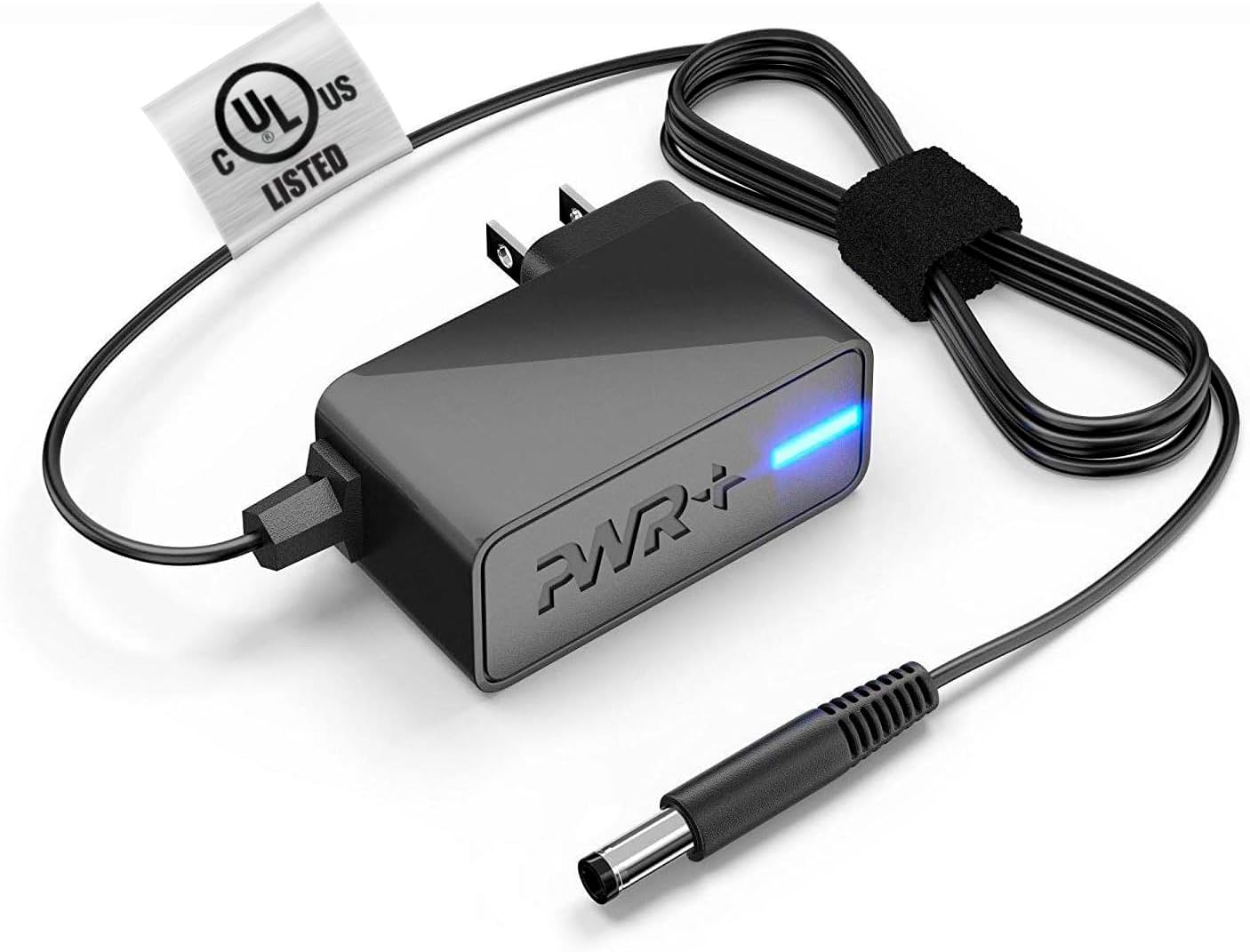
Image: The PWR+ 12V AC Power Adapter, featuring its main unit, power cord, and the attached UL safety certification tag.

Imej: Gambar rajah terperinci menunjukkanasing the internal construction of the PWR+ power cord, highlighting high-grade copper, aluminum foil shield, and protective tinned copper braid. It also illustrates reinforced stress points and lists built-in safety protections: Short Circuit Protection (SCP), Over Current Protection (OCP), Over Voltage Protection (OVP), and Over Temperature Protection (OPT).
Persediaan
Follow these steps to correctly set up your PWR+ 12V AC Power Adapter:
- Kenal pasti Komponen: Unpack the PWR+ 12V AC Power Adapter. It includes the main adapter unit, an integrated 6.5 ft AC/DC cord, and a barrel connector.
- Sambung ke Peranti: Locate the power input port on your compatible Bmax MaxMini Mini PC. Gently insert the barrel connector of the PWR+ adapter into this port. Ensure a snug and secure fit.
- Sambung ke Alur Kuasa: Plug the AC power cord into a standard 100-240V electrical wall outlet.
- Sahkan Kuasa: The adapter features an indicator light (typically blue) that illuminates when power is being supplied. Confirm this light is on.
Beroperasi
Once properly connected as described in the Setup section, the PWR+ AC Power Adapter will automatically supply the necessary 12V 2A 24W power to your Bmax MaxMini Mini PC, allowing it to function. No further operational steps are required for the adapter itself.
- Ensure the adapter is placed in a location with adequate airflow to prevent heat buildup.
- Avoid covering the adapter with cloths or other materials during operation.
Penyelenggaraan
Proper maintenance helps extend the lifespan of your PWR+ AC Power Adapter:
- Pembersihan: Keep the adapter and its cables clean and free from dust. Use a dry, soft cloth for cleaning. Do not use liquid cleaners.
- Penjagaan Kabel: Avoid sharp bends, kinks, or excessive pulling on the power cord, especially at the connection points. The cord features reinforced stress points, but proper handling is still recommended.
- Storan: Apabila tidak digunakan, simpan penyesuai di tempat yang sejuk dan kering, jauh dari cahaya matahari langsung dan suhu yang melampau.
- Pemeriksaan: Periksa penyesuai dan kabel secara berkala untuk sebarang tanda kerosakan, seperti wayar yang berjumbai atau retak.asing. If damage is found, discontinue use immediately.
Menyelesaikan masalah
If you encounter issues with your PWR+ AC Power Adapter, refer to the following troubleshooting steps:
- Tiada Kuasa ke Peranti:
- Ensure the adapter's barrel connector is fully inserted into your Mini PC's power port.
- Verify that the AC power cord is securely plugged into a functional wall outlet. Test the outlet with another device if unsure.
- Check if the adapter's indicator light is illuminated. If not, try a different wall outlet.
- Kuasa Selang-seli:
- Check all connections for looseness.
- Pastikan kord kuasa tidak rosak atau robek.
- Penyesuai Terlalu Panas:
- Pastikan penyesuai berada di kawasan pengudaraan yang baik dan tidak bertutup.
- Jika terlalu panas berterusan, hentikan penggunaan dan hubungi sokongan.
- Pemeriksaan Keserasian: Confirm that your specific Bmax MaxMini Mini PC model is listed as compatible with this adapter (B1 Pro, B2 Pro, B4 Turbo, B4 Plus, B6 Power, B5 Mini PC).
If the issue persists after following these steps, please contact PWR+ customer support for further assistance.
Spesifikasi
| Ciri | Spesifikasi |
|---|---|
| Nombor Model | PWR-TAH12020N |
| Input Voltage | 100-240V |
| Keluaran Voltage | 12V |
| Arus Keluaran | 2A |
| Output Wattage | 24W |
| Panjang Kord | 6.5 kaki (lebih kurang 1.98 meter) |
| Jenis Penyambung | Penyambung tong |
| Pensijilan Keselamatan | UL Tersenarai |
| Ciri Khas | Perlindungan Litar pintas, Perlindungan Arus Lebih, Voltage Protection, Over Temperature Protection, Extra Long Cord |
| Peranti Serasi | Bmax MaxMini B1 Pro Mini PC, Bmax MaxMini B2 Pro Mini PC, Bmax MaxMini B4 Turbo Mini PC, Bmax MaxMini B4 Plus Mini PC, Bmax MaxMini B6 Power Mini PC, Bmax MaxMini B5 Mini PC |
Waranti dan Sokongan
PWR+ stands behind the quality of its products. This power adapter comes with the following:
- Waranti: A 24-month exchange warranty from the date of purchase.
- Polisi Bayaran Balik: Polisi bayaran balik 30 hari disediakan.
For technical assistance, warranty claims, or any product-related inquiries, please contact PWR+ customer support. Refer to your purchase documentation or the PWR+ official webtapak untuk maklumat hubungan semasa.
Ask a question about this manual
Ask about setup, troubleshooting, compatibility, parts, safety, or missing instructions. Manuals+ will review the question and use this page’s manual context to help answer it.