
1. Produk Lebihview
The HitLights Weatherproof LED Light Strip is a flexible lighting solution featuring SMD 3528 LEDs. Designed for both indoor and outdoor applications, this strip operates on 12V DC power and provides a 5000K Cool White light. It is suitable for various lighting tasks, including accent lighting in kitchens, vanities, home theaters, and outdoor areas like pools. The strip is designed for ease of installation and offers a long operational lifespan with minimal power consumption.
- Jenis LED: SMD 3528, 300 LEDs per 16.4-foot roll.
- Suhu Warna: 5000K Cool White.
- Kuasa: 12V DC operation, 1.3 Watts per foot.
- Ketahanan: Weatherproof IP-65 rating for outdoor use.
- Fleksibiliti: Can be cut every three LEDs (approximately 2 inches) and reconnected.
- Pemasangan: Features 3M adhesive backing for secure application.
- Boleh dimalapkan: Compatible with separately sold dimmer switches and 12V DC PWM dimmers.

Image 1.1: The LED light strip is rated IP65 weatherproof, making it suitable for outdoor environments.
2. Maklumat Keselamatan
Sila baca dan fahami semua arahan keselamatan sebelum pemasangan dan penggunaan. Kegagalan mematuhi arahan ini boleh mengakibatkan renjatan elektrik, kebakaran atau bahaya lain.
- Pastikan bekalan kuasa diputuskan sambungannya sebelum sebarang pemasangan atau penyelenggaraan.
- Only use a compatible 12V DC power supply or dimmer with this LED strip. Using an incorrect voltage can damage the strip and pose a fire hazard.
- Do not submerge the weatherproof strip in water, as its IP65 rating protects against splashes and jets, not full submersion.
- Elakkan membengkokkan jalur LED secara mendadak atau menggunakan daya yang berlebihan, yang boleh merosakkan litar dalaman.
- Jangan sambungkan jalur LED terus kepada kuasa AC.
- Jauhkan daripada kanak-kanak.
3. Kandungan Pakej
Pakej anda harus mengandungi item berikut:
- 1 x HitLights Weatherproof LED Light Strip (16.4 feet / 5 meters)
Note: A 12V DC power supply or dimmer is required for operation and is sold separately.
4. Persediaan dan Pemasangan
Ikuti langkah-langkah ini untuk pemasangan jalur lampu LED anda dengan betul:
- Sediakan Permukaan: Ensure the surface where you intend to install the light strip is clean, dry, and smooth. Dust, grease, or uneven textures can compromise the adhesive's effectiveness.
- Ukur dan Potong (Pilihan): If a shorter length is required, the LED strip can be cut at designated marks, typically every three LEDs. Use sharp scissors to cut precisely on the copper pads indicated by a scissor icon.

Image 4.1: The LED strip can be cut every 3 LEDs (approximately 2 inches) at the marked points.
- Sapukan Jalur: Carefully peel off the backing strip from the 3M adhesive tape on the back of the LED strip. Press and hold the light strip firmly against the prepared surface, ensuring good contact along its entire length.
- Sambungkan Kuasa: Plug the connector of your LED light strip into a compatible 12V DC power supply or dimmer. Ensure the connection is secure.
- Hidupkan kuasa: Connect your 12V DC power supply to a wall outlet. The LED strip should illuminate.
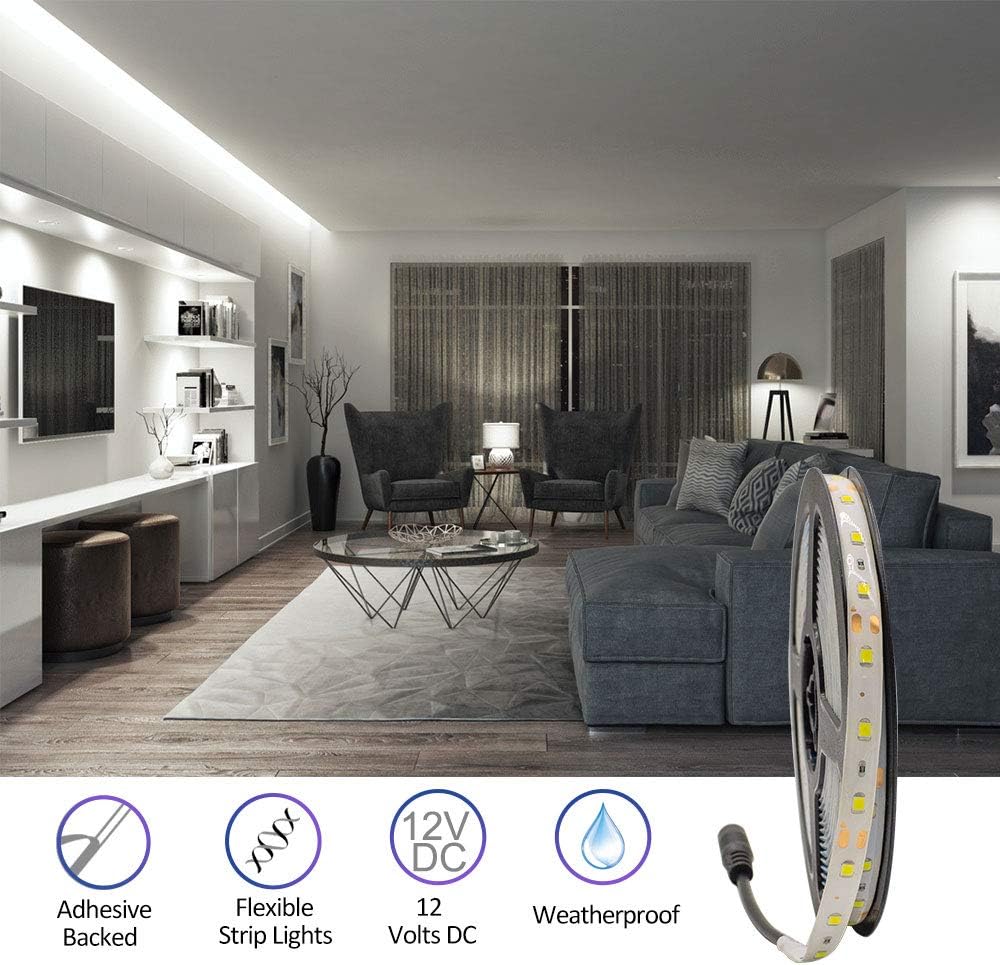
Image 4.2: The strip features adhesive backing for easy installation and is flexible for various applications.
5. Arahan Operasi
Once installed and connected to a power source, the LED light strip will turn on. If using a dimmer (sold separately), you can adjust the brightness of the light output.
- Hidupkan/Mati Kuasa: Control the power using the switch on your 12V DC power supply or dimmer.
- Peredupan: If a compatible dimmer is installed, use its controls to increase or decrease the light intensity.
- Permohonan: The flexible design allows for installation in various locations such as under cabinets, along toe-kicks, behind crown molding, or in display cases.

Imej 5.1: Cthamples of the LED strip used in different settings like retail, gaming, and kitchens.
6. Penyelenggaraan
The HitLights LED Light Strip requires minimal maintenance to ensure optimal performance and longevity.
- Pembersihan: Periodically wipe the surface of the LED strip with a soft, dry cloth to remove dust. For stubborn dirt, a slightly damp cloth can be used, ensuring no moisture enters the electrical connections. Always disconnect power before cleaning.
- Pemeriksaan: Regularly inspect the strip for any signs of damage, such as cuts, frayed wires, or loose connections. Address any issues promptly to prevent further damage or safety hazards.
- Keadaan Persekitaran: While weatherproof, avoid exposing the strip to extreme temperatures or harsh chemicals that could degrade the material.
7. Penyelesaian masalah
If you encounter issues with your LED light strip, refer to the following common troubleshooting steps:
- Lampu Tidak Dihidupkan:
- Check if the power supply is properly plugged into a working wall outlet.
- Verify that the LED strip is securely connected to the 12V DC power supply.
- Ensure the power supply is functioning correctly (test with another device if possible).
- If using a dimmer, ensure it is turned on and set to an appropriate brightness level.
- Pencahayaan atau Kelipan Tidak Sekata:
- Check for loose connections between the strip and the power supply or dimmer.
- Ensure the power supply is adequate for the length of the LED strip. An underpowered supply can cause dimming or flickering.
- Inspect the strip for any physical damage or kinks that might affect conductivity.
- Adhesive Not Sticking:
- Ensure the surface was clean, dry, and smooth before application.
- Apply firm, even pressure along the entire length of the strip during installation.
- For rough or porous surfaces, additional mounting clips or stronger adhesive may be required (not included).
Jika langkah ini tidak menyelesaikan isu, sila hubungi sokongan pelanggan.
8. Spesifikasi
Detailed technical specifications for the HitLights Weatherproof LED Light Strip:
| Ciri | Spesifikasi |
|---|---|
| Nombor Model | L0512V-501-1665 |
| Jenis Cip LED | SMD 3528 |
| Bilangan LED | 300 per 16.4 ft (5 meter) roll |
| Input Voltage | 12V DC |
| Penggunaan Kuasa | 1.3 Watts per foot (21 Watts total) |
| Suhu Warna | 5000K Cool White (6000-6500K range) |
| Keluaran Lumen | 72 Lumens per foot (1200 Lumens total) |
| Lebar Jalur | 8 mm |
| Cut Section Length | Every 3 LEDs (approx. 50 mm / 2 inches) |
| Penarafan IP | IP65 (kalis cuaca) |
| Boleh dimalapkan | ya |
| Jenis Pelekat | 3M |
| Jangka hayat | 50,000 jam |
| bahan | Metal (circuitry) |

Image 8.1: Official specification sheet for the Luma5 Standard LED strip, detailing electrical and physical properties.
9. Maklumat Waranti
This HitLights LED Light Strip comes with a waranti setahun dari tarikh pembelian. Waranti ini meliputi kecacatan pembuatan dan memastikan produk memenuhi piawaian prestasi yang ditetapkan di bawah penggunaan biasa.
Please retain your proof of purchase for any warranty claims. The warranty does not cover damage resulting from improper installation, misuse, unauthorized modifications, or acts of nature.

Image 9.1: The product is weatherproof and includes a 1-year warranty.
10. Sokongan Pelanggan
For any questions, troubleshooting assistance, or warranty claims, please contact the HitLights customer service team. Our US-based support team is available to provide assistance.
Please refer to the official HitLights webtapak atau dokumentasi pembelian anda untuk maklumat hubungan terkini.