
Fysic FX-6000
Fysic FX-6000 Big Button DECT Phone User Manual
Model: FX-6000
1. Pengenalan
Terima kasih kerana membeliasing the Fysic FX-6000 Big Button DECT Phone. This manual will guide you through the setup, operation, and maintenance of your new cordless telephone. Please read these instructions carefully before using the phone to ensure proper functionality and safety. Keep this manual for future reference.
2. Maklumat Keselamatan Penting
- Gunakan hanya penyesuai kuasa dan bateri yang dibekalkan.
- Do not expose the phone to water or excessive humidity.
- Elakkan meletakkan telefon berhampiran sumber haba atau cahaya matahari langsung.
- Jangan cuba membuka atau membaiki telefon sendiri. Rujuk semua servis kepada kakitangan yang berkelayakan.
- Buang bateri secara bertanggungjawab mengikut peraturan tempatan.
3. Kandungan Pakej
Sila pastikan semua item ada dalam pakej anda:
- Fysic FX-6000 Handset
- Stesen Pangkalan
- Penyesuai Kuasa untuk Stesen Pangkalan
- Tali Talian Telefon
- 2 x Bateri Boleh Dicas Semula AAA NiMH
- Manual Pengguna
4. Produk Lebihview
The Fysic FX-6000 features large buttons and a clear display for ease of use.

Rajah 4.1: Depan view of the Fysic FX-6000 handset in its charging base, highlighting the large, easy-to-read buttons and the clear, backlit display.
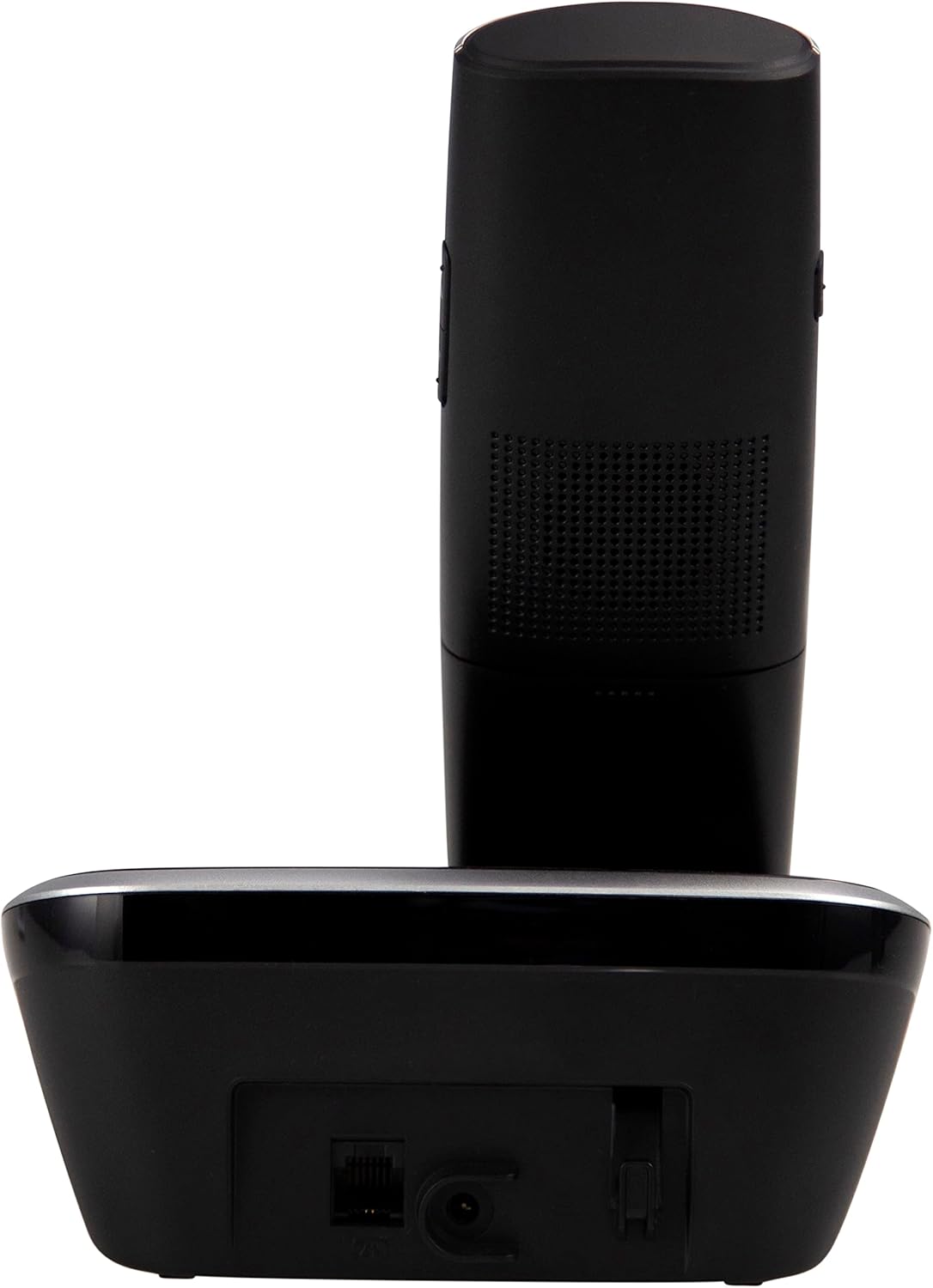
Rajah 4.2: sebelah view of the Fysic FX-6000 handset docked in its base station, showing the ergonomic design and side volume buttons.

Rajah 4.3: Detailed close-up of the Fysic FX-6000 phone's keypad, emphasizing the large, clearly labeled buttons for easy dialing.

Rajah 4.4: jarak dekat view of the Fysic FX-6000 phone's backlit display, showing clear icons for battery status, signal strength, and call information.
Susun atur Handset
- paparan: 1.8-inch backlit screen for caller ID, menu, and status.
- Kekunci Navigasi: For menu navigation and volume adjustment.
- PAD dail: Large, easy-to-read numeric keys (0-9, *, #).
- Call/End Buttons: Green button to answer/make calls, Red button to end calls.
- Memory Keys (M1, M2, M3): For speed dialing frequently used numbers.
- Butang Pembesar Suara: To activate hands-free mode.
Susun atur Stesen Pangkalan
- Buaian Pengecasan: For charging the handset.
- Paging Button: To locate a misplaced handset.
- Soket kuasa: Untuk menyambungkan penyesuai kuasa.
- Telephone Line Socket: For connecting to the telephone line.
5. Persediaan
5.1 Pemasangan Bateri
- Buka penutup petak bateri di belakang telefon bimbit.
- Masukkan dua bateri boleh dicas semula AAA NiMH yang dibekalkan, dengan memerhatikan kekutuban yang betul (+ dan -).
- Tutup penutup petak bateri dengan selamat.
5.2 Menyambung Stesen Pangkalan
- Connect one end of the telephone line cord to the telephone line socket on the base station.
- Sambungkan hujung satu lagi kord talian telefon ke soket dinding telefon anda.
- Connect the power adapter to the power socket on the base station.
- Plug the power adapter into a suitable electrical outlet (220-240V).
5.3 Initial Charging and Handset Registration
Place the handset on the base station. The handset will automatically begin charging. For optimal battery performance, allow the handset to charge for at least 16 hours before its first use. The handset is pre-registered to the base station from the factory. If for any reason the handset loses its registration, refer to the troubleshooting section for re-registration steps.
6. Arahan Operasi
6.1 Membuat Panggilan
- Pra-dailan: Enter the phone number using the dial pad, then press the Panggilan Hijau butang.
- Pendailan Langsung: Tekan ke Panggilan Hijau button, then enter the phone number.
- Using Memory Keys (M1, M2, M3): Press and hold the desired memory key (M1, M2, or M3) to dial the stored number.
6.2 Menerima Panggilan
Apabila telefon berdering, tekan butang Panggilan Hijau button to answer. The display will show the caller's number if Caller ID service is active.
6.3 Menamatkan Panggilan
Tekan ke Panggilan Akhir Merah button or place the handset back on the base station.
6.4 Melaraskan Kelantangan
During a call, use the volume up/down buttons on the side of the handset to adjust the earpiece volume. The ringtone volume can be adjusted via the phone's menu settings.
6.5 Operasi Bebas Tangan
Semasa panggilan, tekan Telefon pembesar suara button to switch to hands-free mode. Press it again to return to earpiece mode.
6.6 Buku Telefon
The phonebook allows you to store frequently called numbers. Refer to the on-screen menu for options to add, edit, or delete contacts.
6.7 Dail semula
Tekan ke Panggil semula button (often integrated with the call log or a dedicated button) to view and redial the last dialed numbers.
6.8 Fungsi Redam
Semasa panggilan, tekan bisu button to temporarily disable your microphone. The other party will not hear you. Press it again to unmute.
7. Penyelenggaraan
7.1 Pembersihan
Lap telefon dan stesen pangkalan dengan kain lembut,amp kain. Jangan gunakan pembersih atau pelarut yang melelas. Pastikan telefon diputuskan daripada kuasa sebelum dibersihkan.
7.2 Penjagaan Bateri
- Always use the supplied rechargeable NiMH batteries.
- Jika telefon tidak akan digunakan untuk tempoh yang lama, tanggalkan bateri untuk mengelakkan kebocoran.
- Gantikan bateri apabila prestasinya merosot dengan ketara.
8. Penyelesaian masalah
| Masalah | Kemungkinan Punca | Penyelesaian |
|---|---|---|
| Tiada nada dail | Telephone line not connected; Power adapter not connected; Handset out of range or not registered. | Check all cable connections; Ensure base station is powered; Move handset closer to base; Re-register handset (see manual for specific steps). |
| Telefon bimbit tidak dicas | Handset not properly seated in cradle; Dirty charging contacts; Faulty batteries. | Ensure handset is correctly placed; Clean charging contacts on handset and base with a dry cloth; Replace batteries if necessary. |
| Kualiti panggilan lemah / Statik | Handset too far from base; Interference from other electronic devices. | Move closer to the base station; Move base station away from other electronic devices (Wi-Fi routers, microwaves). |
| Paparan kosong | Batteries are depleted or not inserted correctly. | Charge handset for at least 16 hours; Check battery polarity. |
9. Spesifikasi Teknikal
- model: FX-6000
- Jenama: Fizik
- warna: Hitam
- Jenis Telefon: Telefon DECT tanpa wayar
- paparan: LCD Lampu Belakang 1.8 inci
- Bateri: 2 x AAA NiMH Rechargeable (1.2V, 500 mAh)
- Base Power Supply: 6 VDC, 300 mA
- Kuasa Utama: 220-240V
- Masa Berbual: Sehingga 10 jam
- Masa Siap sedia: Sehingga 100 jam
- Julat Dalaman: Sehingga 50 meter
- Julat Luar: Sehingga 300 meter
- Dimensi (L x W x H): Approximately 8 x 20 x 17 cm (Handset in base)
- Berat: Lebih kurang 534 gram
- Ciri Khas: Large buttons, Hearing aid compatible, Adjustable ringtone/call volume, Mute function, Hands-free operation, GAP compatible.
10. Waranti dan Sokongan
Fysic products are designed and manufactured to the highest quality standards. For information regarding warranty terms and conditions, please refer to the warranty card included with your product or visit the official Fysic website. For technical support or service inquiries, please contact Fysic customer service through their official channels. Keep your purchase receipt as proof of purchase.