
1. Pengenalan
This manual provides detailed instructions for the safe and effective use of your Fujifilm Finepix S4300 digital camera. Please read this manual thoroughly before using the camera and keep it in a safe place for future reference.
The Fujifilm Finepix S4300 is a 14-megapixel digital camera featuring a 26x optical zoom lens (24-624mm equivalent), dual image stabilization, and HD 720p video recording capabilities. It is designed for users seeking a versatile camera with a powerful zoom and user-friendly features.
2. Kamera Lebihview
2.1 Depan dan Atas View

Rajah 1: Bahagian hadapan dan atas view of the Fujifilm Finepix S4300 camera, showing the lens, flash, and control dial.
2.2 Belakang View
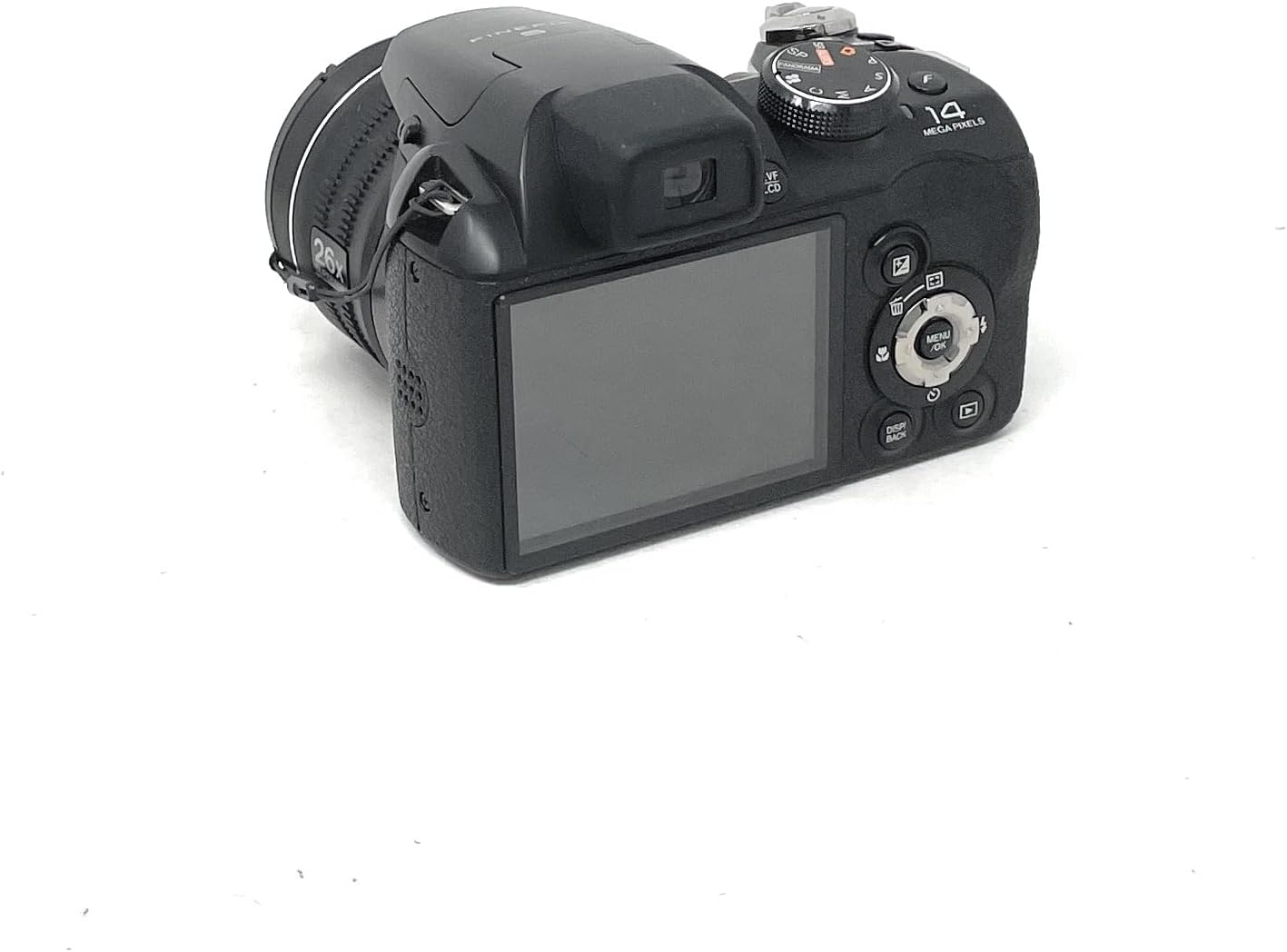
Rajah 2: Belakang view of the Fujifilm Finepix S4300 camera, displaying the 3-inch LCD screen and various control buttons.
2.3 Bawah View
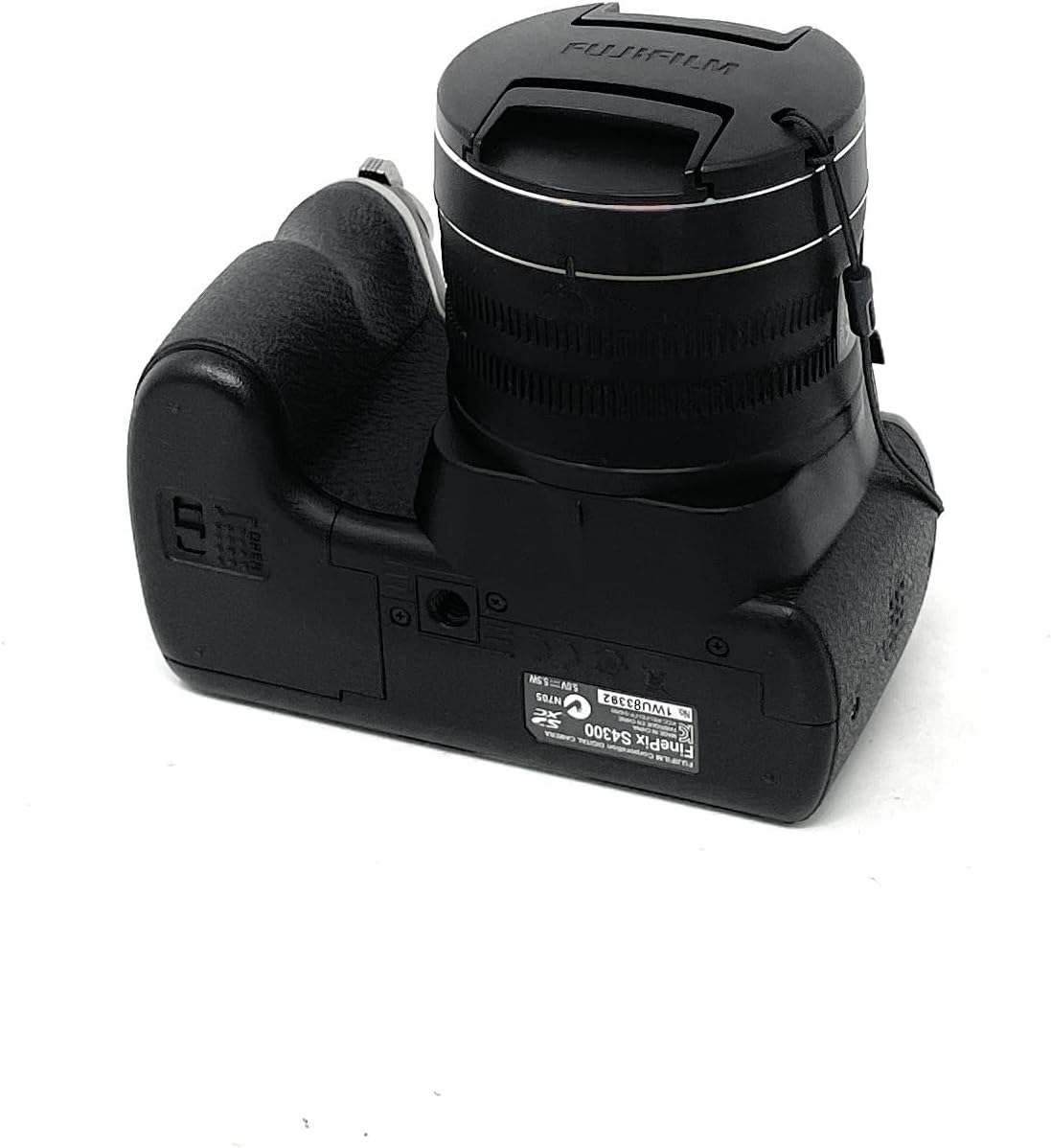
Rajah 3: Bawah view of the Fujifilm Finepix S4300 camera, showing the battery and memory card compartment.
3. Persediaan
3.1 Memasang Bateri
The Finepix S4300 operates on four AA batteries. Ensure you use new, high-quality alkaline or Ni-MH rechargeable batteries for optimal performance.
- Open the battery compartment cover located on the bottom of the camera (refer to Figure 3).
- Masukkan empat bateri AA, pastikan kekutuban (+/-) betul seperti yang ditunjukkan di dalam petak.
- Tutup penutup petak bateri dengan selamat sehingga ia berbunyi klik pada tempatnya.
3.2 Memasukkan Kad Memori
The camera supports SD memory cards. A memory card is required to store photos and videos.
- Open the battery/memory card compartment cover (refer to Figure 3).
- Insert the SD card into the card slot with the label facing the front of the camera until it clicks.
- Tutup penutup petak dengan selamat.
- To remove the card, push it gently inward until it clicks, then release it to eject.
3.3 Initial Power On and Date/Time Setting
After installing batteries and a memory card, power on the camera for the first time.
- Tekan ke HIDUP/MATI butang.
- The camera will prompt you to set the date and time. Use the directional pad to navigate and the MENU / OK butang untuk mengesahkan.
- Tetapkan zon waktu, tarikh dan masa yang betul.
4. Mengendalikan Kamera
4.1 Taking Photos in Auto Mode
For simple point-and-shoot photography, use the camera's automatic mode.
- Turn the mode dial to AUTO.
- Bingkaikan gambar anda menggunakan monitor LCD atau elektronik viewpencari (EVF).
- Tekan butang pengatup separuh ke bawah untuk memfokus. Bingkai fokus akan bertukar hijau apabila fokus dicapai.
- Tekan butang pengatup ke bawah sepenuhnya untuk mengambil gambar.
4.2 Using the Optical Zoom
Kamera ini mempunyai lensa zum optik 26x.
- To zoom in, push the zoom lever towards T (Telefoto).
- Untuk mengezum keluar, tolak tuil zum ke arah W (Sudut lebar).
4.3 Merakam Video
The Finepix S4300 can record HD 720p videos at 30 frames per second.
- Turn the mode dial to the Filem ikon.
- Press the movie recording button (usually a red dot icon) to start recording.
- Tekan butang sekali lagi untuk menghentikan rakaman.
4.4 Mod Denyar
The built-in flash can be used in various modes:
- Auto Denyar: The camera automatically determines if flash is needed.
- Forced Flash: Flash fires with every shot.
- Segerak Perlahan: For night portraits, combining flash with slow shutter speeds.
- Kilat Dimatikan: Flash is disabled.
Access flash settings via the MENU button in shooting mode.
4.5 Mod Penggambaran Lanjutan
Beyond AUTO, the mode dial offers:
- Program (P): Camera sets aperture and shutter speed, but you can adjust other settings.
- Shutter-Priority (S): Anda menetapkan kelajuan pengatup, kamera menetapkan apertur.
- Aperture-Priority (A): Anda menetapkan apertur, kamera menetapkan kelajuan pengatup.
- Manual (M): Anda mengawal kedua-dua apertur dan kelajuan pengatup.
- Scene Recognition Auto (SR AUTO): Camera intelligently detects the scene type and optimizes settings.
- Kedudukan Pemandangan (SP): Select from various scene modes like Portrait, Landscape, Sport, Night, etc.
4.6 Image Playback and Connectivity
Kepada view your photos and videos:
- Tekan ke BERMAIN butang.
- Gunakan pad arah untuk menavigasi imej.
- To connect to an HD TV, use an HDMI cable (not included) and the camera's HDMI port.
- Images can be easily uploaded to platforms like Facebook and YouTube using the included software (refer to the software manual for details).
5. Penyelenggaraan
5.1 Membersihkan Kamera
- Badan Kamera: Wipe gently with a soft, dry cloth. Do not use alcohol, solvents, or harsh chemicals.
- Kanta: Use a lens brush to remove dust, then gently wipe with a lens cleaning cloth. For stubborn smudges, use a small amount of lens cleaning fluid on the cloth, not directly on the lens.
- Monitor LCD: Lap perlahan-lahan dengan kain lembut dan kering. Elakkan menekan dengan kuat pada skrin.
5.2 Penjagaan Bateri
- Tanggalkan bateri apabila kamera tidak akan digunakan untuk tempoh yang lama.
- Simpan bateri di tempat yang sejuk dan kering.
- Jangan campurkan bateri lama dan baharu, atau jenis bateri yang berlainan.
5.3 Penyimpanan
When storing the camera for long periods, remove the batteries and memory card. Store the camera in a cool, dry, well-ventilated area, away from direct sunlight and extreme temperatures.
6. Penyelesaian masalah
| Masalah | Penyelesaian |
|---|---|
| Kamera tidak dihidupkan. |
|
| Tidak boleh mengambil gambar. |
|
| Imej adalah kabur. |
|
| Flash tidak menyala. |
|
7. Spesifikasi
| Ciri | Perincian |
|---|---|
| Nama Model | FinePix S4300 |
| Piksel Berkesan | 14 Megapiksel |
| Penderia Imej | CCD 1/2.3 inci |
| Zum Optik | 26x |
| Panjang Fokus | 24-624mm (35mm equivalent) |
| Zum Digital | 7x |
| Penstabilan Imej | Penstabilan Imej Berganda |
| Skrin LCD | 3.0-inch LCD, 460,000 dots |
| elektronik Viewpencari (EVF) | Yes, 200,000 dots |
| Rakaman Video | HD 720p at 30 fps (MP4 format) |
| Media Storan | Kad Memori SD/SDHC/SDXC |
| Sumber Kuasa | 4 x AA Alkaline or Ni-MH batteries |
| Ketersambungan | HDMI, USB 2.0, Wi-Fi |
| Dimensi (W x H x D) | 11.8 x 9.99 x 8.09 cm |
| Berat badan | 448 Grams (excluding batteries and memory card) |
| Ciri Khas | Auto Focus, Face Detection, SR Auto, Panorama Mode |
8. Waranti dan Sokongan
For information regarding warranty coverage, service, or technical support for your Fujifilm Finepix S4300 camera, please refer to the warranty card included with your product or visit the official Fujifilm website for your region. Specific warranty terms and conditions may vary by country or region of purchase.
Sila simpan bukti pembelian anda untuk sebarang tuntutan waranti.