
1. Pengenalan
The Aeon Labs DSC06106-ZWUS Z-wave Smart Energy Switch is a device designed to provide both on/off control and energy monitoring capabilities for connected appliances. It integrates into a Z-Wave network, allowing for remote management and data collection. This manual provides essential information for the safe and effective use of your Smart Energy Switch.
2. Maklumat Keselamatan
- Keselamatan Elektrik: Always ensure the device is properly plugged into a grounded outlet. Do not exceed the maximum load rating of 15A or 1875W.
- Penggunaan Dalaman Sahaja: This device is intended for indoor use in dry locations. Avoid exposure to moisture or extreme temperatures.
- Putuskan Kuasa: Before cleaning or performing any maintenance, disconnect the device from the power outlet.
- Kanak-kanak dan Haiwan Kesayangan: Jauhkan peranti daripada kanak-kanak dan haiwan peliharaan.
3. Produk Lebihview
The Aeon Labs DSC06106-ZWUS is a compact Z-Wave enabled plug-in module. It features a standard US male plug, a central control module, and a standard US female power outlet. A manual control button is typically located on the module for local operation.
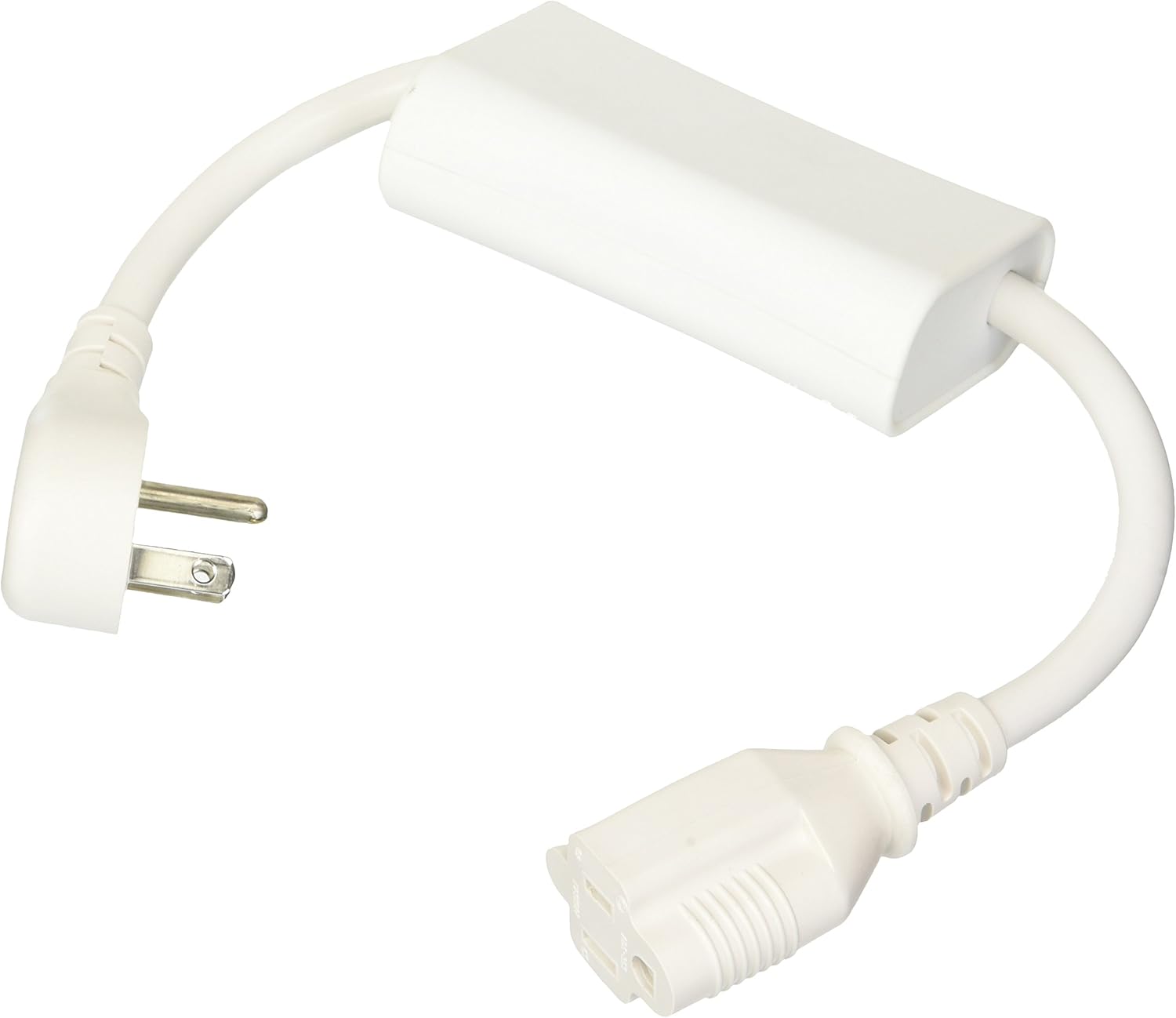
Image 1: Aeon Labs DSC06106-ZWUS Z-wave Smart Energy Switch. This image displays the complete Aeon Labs Z-wave Smart Energy Switch. It features a standard US male plug on one end, connected by a white cable to a rectangular white module, which then connects via another white cable to a standard US female power outlet. The device is designed to be plugged into a wall outlet, and an appliance is then plugged into the device.
Ciri-ciri Utama:
- Z-Wave energy monitoring and on/off control.
- Compact design that minimizes obstruction of other outlets.
- Menyokong kemas kini perisian tegar.
- Utilizes the latest Z-Wave protocol and commands.
- Operates at 120V 60Hz input with a maximum output of 1875W or 15A.
4. Persediaan
4.1 Pemasangan Fizikal
- Plug the Aeon Labs Smart Energy Switch into a standard 120V 60Hz wall outlet.
- Plug the appliance you wish to control and monitor into the female outlet of the Smart Energy Switch. Ensure the appliance's power consumption does not exceed 15A or 1875W.
4.2 Rangkuman Rangkaian Z-Wave (Pemasangan)
To integrate the Smart Energy Switch into your Z-Wave network, follow these steps:
- Place your Z-Wave controller (hub) into inclusion mode. Refer to your Z-Wave controller's manual for specific instructions on how to do this.
- Press the action button on the Aeon Labs Smart Energy Switch. This button is typically located on the side or front of the main module.
- The Smart Energy Switch should now be recognized and included in your Z-Wave network. Your controller will usually confirm successful inclusion.
- If inclusion fails, try moving the switch closer to your Z-Wave controller and repeat the process.
5. Operating the Smart Energy Switch
5.1 Kawalan Manual
The Smart Energy Switch features a manual button that allows you to toggle the connected appliance's power state directly. Pressing this button will turn the appliance on or off, overriding any Z-Wave commands until the next remote command is received.
5.2 Alat Kawalan Jauh melalui Z-Wave
Once included in your Z-Wave network, you can control the Smart Energy Switch remotely using your Z-Wave controller or associated mobile application. This allows you to:
- Turn the connected appliance on or off.
- Schedule on/off times for the appliance.
- Integrate the switch into Z-Wave scenes and automations.
5.3 Pemantauan Tenaga
The Smart Energy Switch provides real-time energy usage data for the connected appliance. This data can be viewed through your Z-Wave controller's interface or compatible applications. Information typically includes:
- Current power consumption (Watts).
- Accumulated energy usage (Kilowatt-hours).
6. Penyelenggaraan
- Pembersihan: Disconnect the device from power before cleaning. Use a soft, dry cloth to wipe the exterior. Do not use liquid cleaners or aerosols.
- Kemas kini Firmware: The device supports firmware updates. Refer to the Aeon Labs support website or your Z-Wave controller's documentation for instructions on how to perform firmware updates, if available.
7. Penyelesaian masalah
- Peranti Tidak Membalas:
- Ensure the Smart Energy Switch is securely plugged into a live power outlet.
- Verify the connected appliance is functioning correctly when plugged directly into a wall outlet.
- Check the Z-Wave network status on your controller.
- Tidak Boleh Disertakan dalam Rangkaian Z-Wave:
- Ensure your Z-Wave controller is in inclusion mode.
- Try performing an exclusion process on your Z-Wave controller first, then attempt inclusion again. This can resolve issues if the device was previously paired or partially paired.
- Move the Smart Energy Switch closer to your Z-Wave controller during the inclusion process.
- Inaccurate Energy Readings:
- Ensure the connected appliance is within the specified power limits of the switch.
- Consult your Z-Wave controller's documentation for how it handles and displays energy data.
8. Spesifikasi
| Nombor Model | DSC06106 |
| Jenama | Aeon Labs |
| Nombor Bahagian | FBA_AEDSC06106ZWUS |
| Input Voltage | 120V AC, 60Hz |
| Beban Maks | 15A / 1875W |
| Teknologi Tanpa Wayar | Gelombang Z |
| Berat Barang | 11.2 auns |
| Dimensi Pakej | 7.2 x 5.4 x 2.6 inci |
| bahan | Kuprum (komponen dalaman) |
| Jenis Pemasangan | Wall Mount (plug-in) |
9. Waranti dan Sokongan
For warranty information, technical support, or further assistance, please contact Aeon Labs customer service or visit their official webtapak. Simpan resit pembelian anda untuk tuntutan waranti.