
pengenalan
This manual provides detailed instructions for the proper use and care of your Calypso K5571/1 digital watch. Please read this manual thoroughly to ensure optimal performance and longevity of your timepiece. Keep this manual for future reference.
Persediaan
1. Tetapan Masa dan Tarikh Permulaan
Your Calypso K5571/1 watch features a digital display. To set the time and date:
- Tekan ke MODE button (usually on the bottom left) repeatedly until the time setting mode is displayed (often indicated by flashing digits).
- Gunakan ADJ or SET button (usually top left or right) to select the digit you wish to change (hours, minutes, year, month, day).
- Gunakan MULA/BERHENTI or CAHAYA button (usually top right or bottom right) to adjust the selected digit up or down.
- Repeat steps 2 and 3 until the correct time and date are set.
- Tekan ke MODE butang sekali lagi untuk keluar dari mod tetapan.
2. Maklumat Bateri
The Calypso K5571/1 watch is powered by a battery. When the display becomes dim or functions become erratic, it indicates a low battery. Battery replacement should be performed by a qualified watch technician to ensure water resistance is maintained.
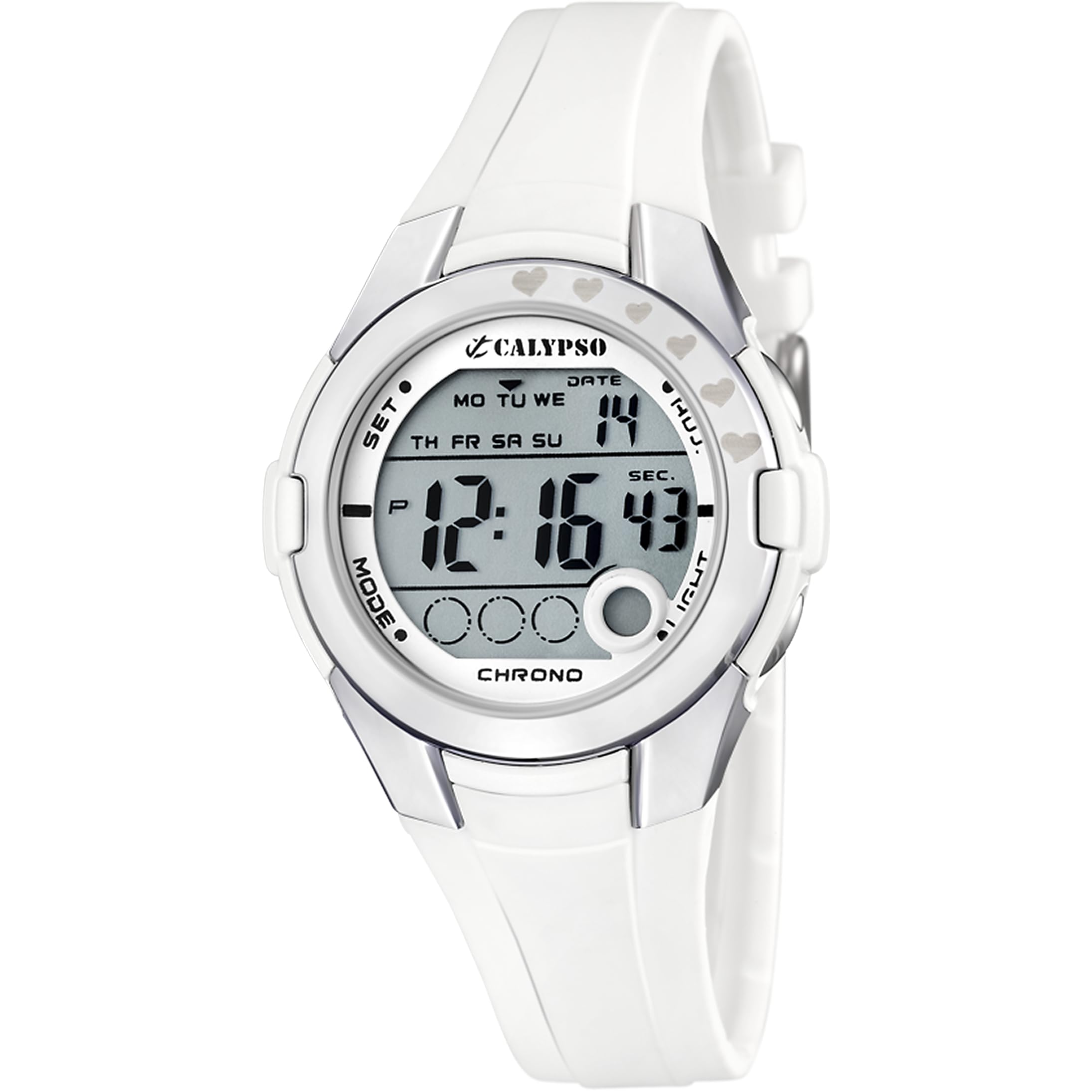
Figure 1: Calypso K5571/1 Digital Watch. This image shows the watch face and strap, illustrating its design.
Mengendalikan Jam Tangan Anda
1. Time Display Modes
Your watch typically displays time in a 12-hour or 24-hour format. Use the MODE button to cycle through different display modes such as time, date, alarm, and stopwatch.
2. Stopwatch Function (Chronomètre)
Untuk menggunakan jam randik:
- Tekan ke MODE button until the stopwatch display appears (usually showing "00:00:00").
- Tekan ke MULA/BERHENTI butang untuk memulakan pemasaan.
- Tekan MULA/BERHENTI again to pause or stop the timing.
- Tekan ke TETAP SEMULA butang (selalunya ADJ or CAHAYA button in stopwatch mode) to clear the stopwatch to zero.
3. Backlight Function (Eclairage)
Untuk menerangi paparan dalam keadaan cahaya malap, tekan butang CAHAYA butang. Lampu latar biasanya akan kekal menyala selama beberapa saat.
4. Tahan Air
The Calypso K5571/1 watch is water-resistant up to 100 meters (10 ATM). This means it is suitable for swimming, showering, and snorkeling. It is bukan suitable for scuba diving or high-impact water sports. Do not operate buttons while the watch is submerged in water, as this can compromise the water seal.
Penyelenggaraan
1. Membersihkan Jam Tangan Anda
The watch features a polyurethane strap and a mineral glass dial window. To clean your watch:
- Lap bekas jam tangan dan tali dengan lembut, damp kain.
- Untuk kotoran degil, gunakan larutan sabun lembut dan bilas dengan teliti menggunakan air bersih.
- Avoid using harsh chemicals, solvents, or abrasive cleaners, as these can damage the watch's finish and materials.
- Ensure the watch is completely dry before wearing it again.
2. Penggantian Bateri
When the battery needs replacement, it is recommended to take your watch to an authorized Calypso service center or a reputable watch repair shop. This ensures that the correct battery type is used and the water resistance seal is properly re-installed.
3. Penjagaan Rintangan Air
Untuk mengekalkan rintangan air jam tangan anda:
- Avoid exposing the watch to extreme temperature changes (e.g., hot shower followed by cold water).
- Jangan tekan sebarang butang semasa jam tangan basah atau tenggelam.
- Have the water resistance seals checked periodically, especially if the watch is frequently exposed to water.
Menyelesaikan masalah
| Masalah | Kemungkinan Punca | Penyelesaian |
|---|---|---|
| Paparan kosong atau malap. | Bateri lemah. | Gantikan bateri. |
| Masa tidak betul. | Masa tidak ditetapkan dengan betul atau pelarasan tidak sengaja. | Refer to the "Initial Time and Date Setting" section to reset the time. |
| Butang tidak bertindak balas. | Jam tangan mungkin dalam mod terkunci atau bateri sangat lemah. | Cuba tekan butang MODE button to cycle through modes. If unresponsive, consider battery replacement. |
| Pemeluwapan di dalam jam tangan. | Rintangan air terjejas. | Immediately take the watch to a service center to prevent further damage. |
Spesifikasi
| Ciri | Perincian |
|---|---|
| Nombor Model | K5571 |
| Jenis Paparan | digital |
| Jenis Pergerakan | Kuarza |
| Kedalaman Rintangan Air | 100 Meter (10 ATM) |
| Jenis Bahan Band | Poliuretana |
| Jenis Bahan Sarung | Keluli Tahan Karat |
| Jenis Bahan Tetingkap Dail | Kaca Mineral |
| Diameter Kes | 38 Milimeter |
| Lebar Jalur | 22.1 Milimeter |
| Ketebalan Kes | 13 Milimeter |
| Berat Barang | 32 Gram |
| Ciri Khas | Backlight, Stopwatch |
| Sumber Kuasa | Dikuasakan Bateri |
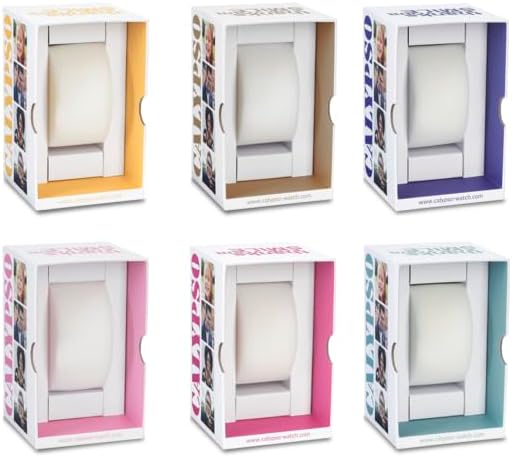
Gambar 2: Cthample Calypso watch packaging. The watch comes in a protective box, which may vary in color.
Maklumat Waranti
Your Calypso K5571/1 watch is covered by a manufacturer's warranty against defects in materials and workmanship. The specific terms and duration of the warranty may vary by region. Please refer to the warranty card included with your purchase or visit the official Calypso webtapak untuk maklumat terperinci.
Waranti biasanya tidak meliputi:
- Damage resulting from improper use, accidents, or unauthorized repairs.
- Normal wear and tear of the strap, case, or crystal.
- Hayat bateri.
Sokongan Pelanggan
If you encounter any issues or have questions regarding your Calypso K5571/1 watch that are not addressed in this manual, please contact Calypso customer support or visit their official website for assistance. You may find contact information on the product packaging or the warranty card.
Untuk maklumat lanjut, anda boleh layari Calypso Watches official webtapak.