
pengenalan
Thank you for choosing the Trelock LS 950 Control ION Front Bike Light. This advanced headlight features a lithium-ion rechargeable battery, offering adjustable brightness levels and an integrated LCD display for real-time information. This manual provides essential instructions for the safe and efficient use of your new bike light.
Maklumat Keselamatan
- Sentiasa pastikan lampu dipasang dengan kukuh sebelum menunggang.
- Jangan memandang terus ke arah pancaran cahaya untuk mengelakkan kecederaan mata.
- Keep the light and charger away from water and extreme temperatures. The light is water-resistant, but not submersible.
- Use only the provided charger or a compatible USB charger.
- Regularly check the battery level to avoid unexpected power loss during rides.
Kandungan Pakej
Sila sahkan bahawa semua item terdapat dalam pakej anda:
- Trelock LS 950 Control ION Front Bike Light
- Pendakap Pemasangan Hendal
- Kabel Pengecas USB

Imej: Depan view of the Trelock LS 950 Control ION Front Bike Light, showcasinreka bentuknya yang anggun dan paparan bersepadu.
Persediaan
1. Memasang Cahaya
- Attach the handlebar mounting bracket to your bicycle handlebar. Ensure it is positioned centrally and securely tightened to prevent movement during rides.
- Slide the Trelock LS 950 light onto the bracket until it clicks into place. Verify that the light is firmly attached and facing forward.

Imej: Belakang view of the Trelock LS 950 Control ION, showing the mounting mechanism for attachment to the handlebar bracket.
2. Pengecasan Awal
Before first use, fully charge the light. Refer to the 'Charging the Battery' section for detailed instructions.
Arahan Operasi
Menghidupkan/Mematikan
Press and hold the power button (usually the '+' button) for approximately 2 seconds to turn the light on or off.
Menyelaraskan Tahap Kecerahan
The LS 950 offers 5 brightness levels, ranging from 10 LUX to 70 LUX. Once the light is on:
- Tekan butang '+' button to increase the brightness level.
- Tekan butang '-' button to decrease the brightness level.
Memahami Paparan LCD
The integrated LCD display provides crucial information:
- Keamatan Cahaya: Shows the current LUX level (e.g., 10, 20, 30, 50, 70 LUX).
- Kapasiti Bateri: Menunjukkan baki cas bateri.
- Tempoh Cahaya: Displays the estimated remaining operating time in hours and minutes for the current brightness setting.

Image: Close-up of the Trelock LS 950 Control ION's LCD display, illustrating the various brightness levels (10-70 Lux) and corresponding battery runtimes (6-45 hours).
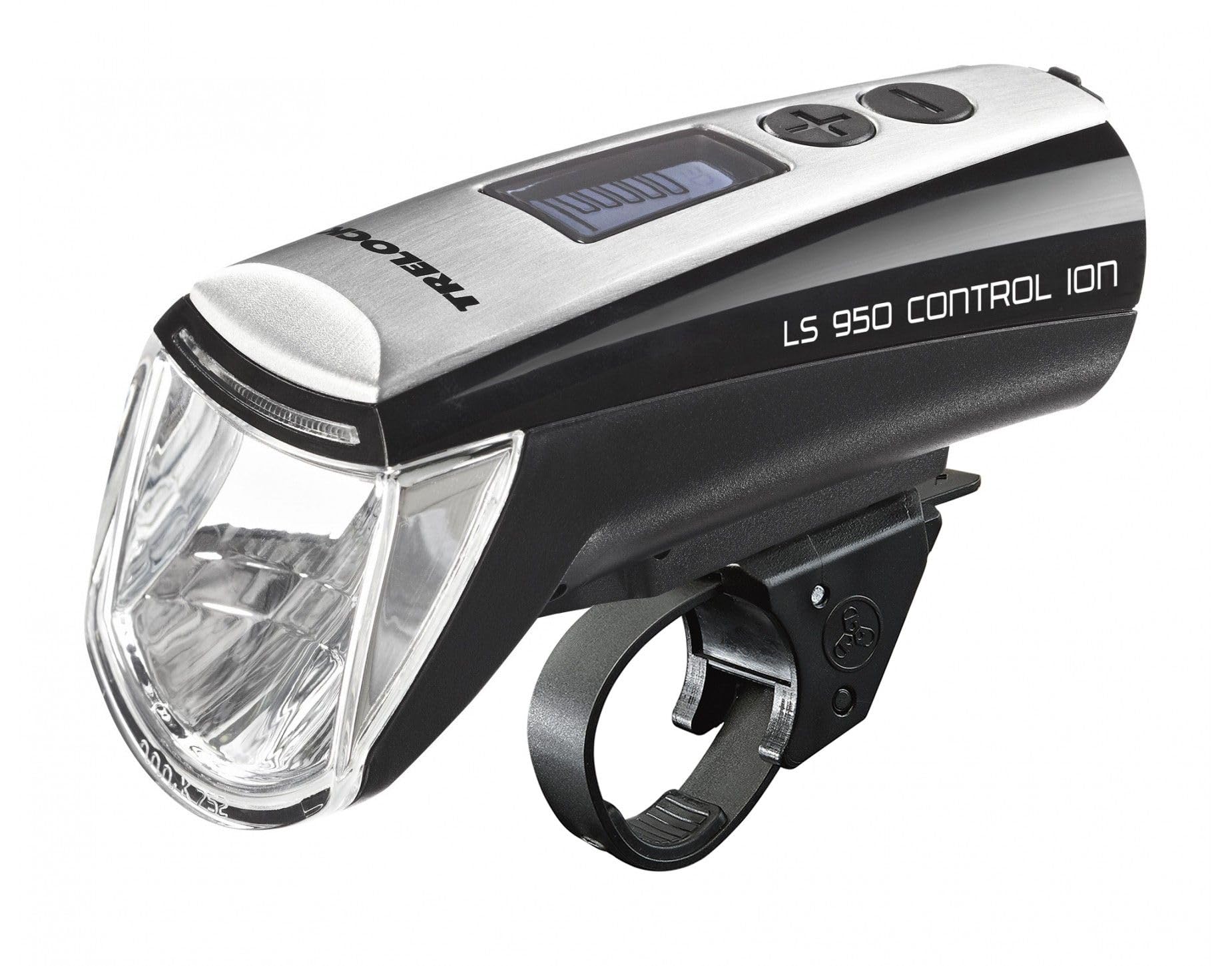
Image: The Trelock LS 950 Control ION illuminating a dark road, demonstrating its powerful beam and the display features like 70 LUX output and 5 brightness levels.
Mengecas Bateri
The Trelock LS 950 uses a rechargeable lithium-ion battery and comes with a USB charging cable.
- Locate the USB charging port on the light. This is typically covered by a rubber flap to protect against water.
- Open the rubber flap and insert the small end of the USB charging cable into the light's port.
- Connect the larger end of the USB cable to a compatible USB power source (e.g., computer USB port, USB wall adapter).
- The LCD display will indicate the charging status. A full charge typically takes several hours.
- Once fully charged, disconnect the cable and securely close the rubber flap over the USB port to maintain water resistance.

Imej: Sisi view of the Trelock LS 950 Control ION, highlighting the location of the USB charging port, usually protected by a cover.
Penyelenggaraan
- Pembersihan: Lap cahaya dengan lembut, damp cloth. Do not use abrasive cleaners or solvents. Ensure the USB port cover is closed during cleaning.
- Penjagaan Bateri: For optimal battery life, avoid fully discharging the battery frequently. If storing the light for an extended period, charge it to approximately 50% every few months.
- Storan: Simpan cahaya di tempat yang sejuk dan kering jauh dari cahaya matahari langsung.
Menyelesaikan masalah
| Masalah | Kemungkinan Punca | Penyelesaian |
|---|---|---|
| Cahaya tidak menyala. | Bateri dinyahcas. | Cas bateri sepenuhnya. |
| Cahaya berkelip atau malap tanpa diduga. | Cas bateri rendah. | Cas semula bateri. |
| Cahaya tidak mengecas. | Kabel USB atau sumber kuasa yang rosak. | Cuba kabel USB atau penyesuai kuasa yang lain. Pastikan sambungannya selamat. |
| Light is loose on the handlebar. | Mounting bracket not tightened sufficiently. | Re-tighten the mounting bracket screws. Ensure the light is clicked into place. |
Spesifikasi
| Ciri | Perincian |
|---|---|
| Nama Model | LS 950 Control ION |
| Jenama | Trelock |
| Output Cahaya | Sehingga 70 LUX |
| Tahap Kecerahan | 5 (10 to 70 LUX) |
| Sumber Kuasa | Bateri Boleh Dicas Semula Litium-Ion |
| Mengecas | USB |
| bahan | aluminium |
| Jenis Pemasangan | Pelekap Hendal |
| Tahan Air | Kalis Air (IP70) |
| warna | Hitam |
| Nombor Model | 8002095 |
| Nombor Bahagian Pengilang | 03108693 |
| GTIN | 04016167033344 |
Maklumat Waranti
Trelock products are manufactured to high-quality standards. For specific warranty terms and conditions, please refer to the warranty card included with your product or visit the official Trelock webtapak. Simpan bukti pembelian anda untuk sebarang tuntutan waranti.
Sokongan
If you encounter any issues not covered in this manual or require further assistance, please contact Trelock customer support through their official website or the retailer where you purchased the product. Please have your model number (LS 950) and proof of purchase ready when contacting support.