
1. Pengenalan
The OttLite 13W Slimline Desk Lamp combines sleek, modern design with compact portability and powerful illumination. Engineered to provide high-contrast, low-glare lighting, this lamp is ideal for reducing eyestrain during various tasks such as crafting, studying, computing, and reading. Its versatile design makes it a perfect addition to any home, office, bedroom, or craft area.

Figure 1: OttLite 13W Slimline Desk Lamp, tunjukkancasing its compact folded form and extended operational position.
2. Ciri-ciri Produk
- Reka Bentuk Penjimatan Ruang: Lamp features an articulating arm that folds into a compact position when not in use, allowing for easy storage and portability.
- Multiple Adjustable Points: The articulating arm adjusts from 14.75 to 19.75 inches, and the rotating shade provides optimal brightness and light direction for any task.
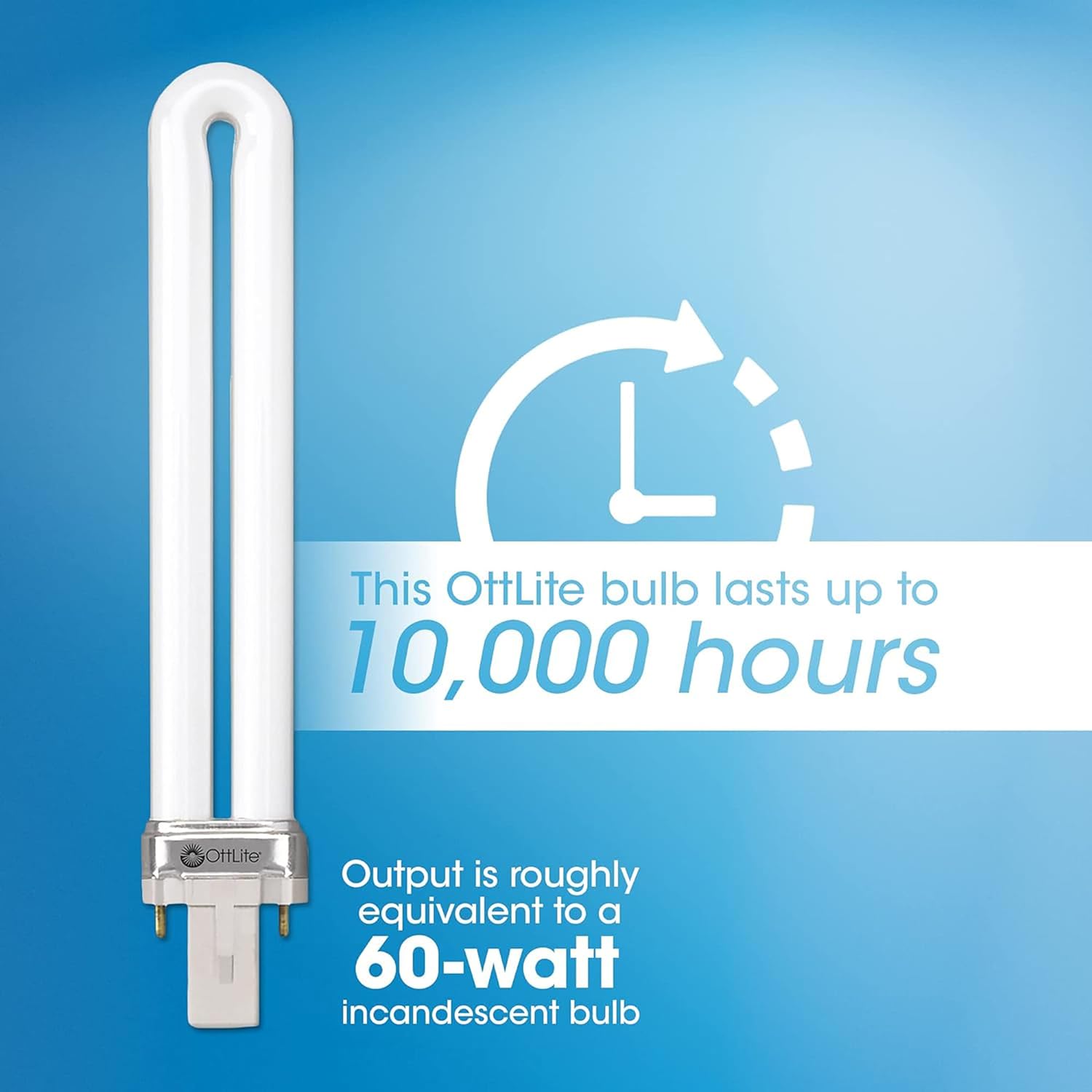
- Energy Efficient Illumination: Includes an easy-to-replace 13-watt Type E bulb designed to last up to 10,000 hours, providing long-lasting, cost-effective lighting.
- Lorek Boleh Laras: Lamp's shade can be adjusted to minimize glare, significantly reducing eyestrain during prolonged use.
- Natural Daylight Technology: Utilizes OttLite's unique daylight illumination, which accurately shows colors and details with exceptional clarity, further reducing glare and eyestrain.
3. Pemasangan & Persediaan
- Bongkar: Keluarkan semua komponen dari pembungkusan dengan berhati-hati. Pastikan semua bahagian ada: lamp base, articulating arm with shade, and 13W Type E bulb.
- Lampirkan Lamp Head to Base: Lamp head and arm assembly typically comes pre-attached. If not, align the arm's connector with the base's receptacle and secure it according to the visual guide.
- Sisipkan Mentol: Gently insert the 13W Type E bulb into the lamp head socket. Ensure it is firmly seated.
- Kedudukan Lamp: Letakkan lamp on a stable, flat surface. The base is designed to be sturdy and prevent tipping.
- Sambung ke Kuasa: Palamkan kord kuasa ke soket elektrik standard.

Figure 2: Key components and adjustable features of the OttLite Slimline Desk Lamp.
4. Arahan Operasi
- Menghidupkan/Mematikan: Locate the push-button switch on the lamp base. Press the button once to turn the lamp pada. Tekan sekali lagi untuk memutar lamp dimatikan.
- Melaraskan Kedudukan Cahaya: Lamp features multiple articulation points on its arm and a rotating shade. Gently move the arm and shade to direct the light precisely where needed. The lamp can be adjusted to various heights and angles to suit your task.
Rajah 3: lamp's height can be adjusted to provide optimal illumination for different tasks.
5. Penjagaan & Penyelenggaraan
- Pembersihan: Untuk membersihkan lamp, ensure it is unplugged and cool. Wipe surfaces with a soft, damp kain. Jangan gunakan pembersih atau pelarut yang melelas.
- Penggantian mentol: Lamp uses a 13-watt Type E bulb. When replacing, ensure the lamp is unplugged and the bulb is cool. Gently twist the old bulb to remove it and insert the new bulb, aligning the pins with the socket.

Figure 4: The 13W Type E replacement bulb, designed for easy installation.
6. Penyelesaian masalah
- Lamp Tidak Dihidupkan:
- Check if the power cord is securely plugged into both the lamp dan salur keluar elektrik.
- Sahkan bahawa soket elektrik berfungsi dengan memasang peranti lain.
- Pastikan mentol dipasang dengan betul dan tidak longgar.
- If the bulb is old, it may need replacement.
- Cahaya berkelip:
- Ensure the bulb is fully and securely seated in the socket.
- Cuba ganti mentol dengan yang baru.
7. Spesifikasi Teknikal
| Spesifikasi | Perincian |
|---|---|
| Nombor Model | 383G53 |
| Jenis Sumber Cahaya | CFL (Pendarfluor Padat Lamp) |
| Wattage | 13 Watt |
| Kecerahan | 680 Lumen |
| Suhu Warna | 5000 Kelvin |
| Dimensi Produk | 14"D x 3"W x 19.75"H |
| Berat Barang | 2.43 paun |
| Bahan Asas | logam |
| Bahan Teduh | plastik |
| Jenis Suis | Butang Tekan |
| Sumber Kuasa | Elektrik Bertali |
8. Waranti dan Sokongan
OttLite products are manufactured to high-quality standards. For specific warranty details, product support, or to purchase replacement parts, please refer to the documentation included with your product or visit the official OttLite webtapak. Simpan resit pembelian anda sebagai bukti pembelian untuk sebarang tuntutan waranti.