
Casio HL-815L
Casio HL-815L Calculator Instruction Manual
Model: HL-815L
1. Pengenalan
This manual provides essential information for the proper use and maintenance of your Casio HL-815L portable calculator. The HL-815L is an 8-digit calculator designed for basic arithmetic, featuring an extra-large display for enhanced readability. Please read this manual thoroughly before using the calculator to ensure optimal performance and longevity.
2. Ciri-ciri Utama
- Paparan 8-Digit: Clear and easy-to-read extra-large display.
- Fungsi Asas: Supports addition, subtraction, multiplication, and division.
- Fungsi Khas: Includes square root (√) and percentage (%) calculations.
- Fungsi Memori: Features M+, M-, and MRC for convenient memory operations.
- Thousands Separators: Enhances readability of large numbers.
- Bekalan Kuasa: Operates on a single LR6 battery.
- mudah alih: Compact design with a practical soft case for protection.
3. Persediaan
3.1 Pemasangan Bateri
The Casio HL-815L calculator requires one LR6 battery for operation. To install or replace the battery:
- Cari penutup petak bateri di bahagian belakang kalkulator.
- Carefully slide or unscrew the cover to open the compartment.
- Insert one LR6 battery, ensuring the correct polarity (+/-) as indicated inside the compartment.
- Gantikan penutup petak bateri dengan selamat.
Nota: Always use a fresh LR6 battery for optimal performance. Remove the battery if the calculator will not be used for an extended period to prevent leakage.
4. Arahan Operasi
4.1 Kuasa HIDUP/MATI
- Untuk memusingkan kalkulator ON, tekan butang AC or ON butang.
- Untuk memusingkan kalkulator DIMATIKAN, tekan butang DIMATIKAN button. The calculator may also power off automatically after a period of inactivity to conserve battery life.
4.2 Operasi Aritmetik Asas
Untuk melakukan pengiraan asas:
- Enter the first number.
- Press the desired operation key (+, -, ×, atau ÷).
- Enter the second number.
- Tekan ke = key to display the result.
4.3 Fungsi Khas
- Peratustage (%): Enter a number, press ×, enter the percentage value, then press % to calculate the percentage of the number. For example, untuk mengira 10% daripada 200, masukkan 200 × 10 %.
- Punca Kuasa Dua (√): Enter a number, then press the √ key to find its square root.
- Fungsi Memori:
- M+: Menambah nilai yang dipaparkan pada memori.
- M-: Menolak nilai yang dipaparkan daripada memori.
- BSMM: Press once to recall the memory value. Press twice to clear the memory.
4.4 Fungsi Jelas
- C (Clear Entry): Clears the last entered number or the current calculation entry without affecting memory or previous operations.
- AC (Semua Jelas): Clears all entries, operations, and memory (if pressed twice after MRC).
5. Penyelenggaraan
To ensure the longevity and proper functioning of your calculator:
- Pembersihan: Lap kalkulator dengan kain lembut dan kering. Jangan gunakan pembersih atau pelarut yang kasar.
- Storan: Store the calculator in a cool, dry place, away from direct sunlight and extreme temperatures.
- Penjagaan Bateri: Replace the battery promptly when the display becomes dim or erratic. Remove the battery if the calculator is not used for extended periods to prevent corrosion.
- Pengendalian: Elakkan daripada menjatuhkan kalkulator atau menyebabkannya terkena hentaman yang kuat.
6. Penyelesaian masalah
If you encounter issues with your Casio HL-815L calculator, consider the following:
- Paparan kosong atau malap: Periksa sama ada bateri dipasang dengan betul atau memerlukan penggantian.
- Pengiraan yang salah: Ensure all previous calculations and memory are cleared by pressing AC. Verify correct entry of numbers and operations.
- Kekunci tidak responsif: Clean around the keys to remove any debris. If the issue persists, the internal mechanism may be damaged.
Jika langkah ini tidak menyelesaikan isu, sila hubungi sokongan pelanggan.
7. Spesifikasi
| Spesifikasi | Perincian |
|---|---|
| Jenama | Casio |
| Nama Model | HL-815L |
| Jenis Paparan | LCD |
| Saiz Skrin | 8 Sentimeter |
| Bilangan Digit | 8 |
| Sumber Kuasa | Battery Operated (1 x LR6) |
| Bahan Kepungan | logam |
| warna | Hitam |
| Berat Barang | 0.08 Kilogram |
8. Imej Produk

A atas-bawah view of the Casio HL-815L calculator, showcasing its 8-digit display and key layout. The calculator is dark gray with white, gray, red, and black keys.
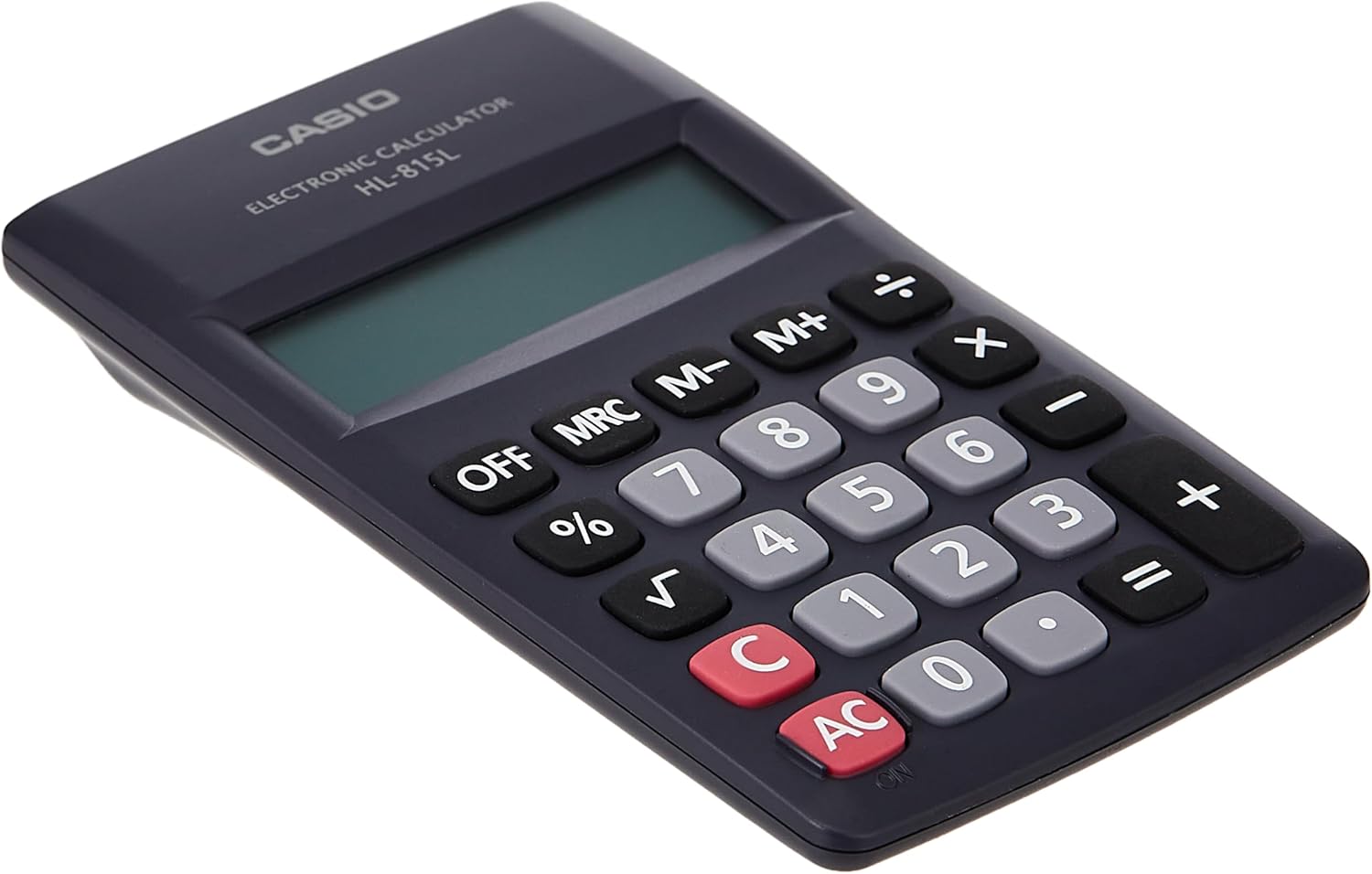
Satu jarak dekat view of the numeric keypad of the Casio HL-815L calculator, highlighting the clear numbering and key spacing.

The Casio HL-815L calculator held in a hand, with a ruler indicating its dimensions of approximately 4.9 inches (12 cm) in length, demonstrating its portable size.
9. Waranti dan Sokongan
For warranty information and customer support, please refer to the documentation included with your purchase or visit the official Casio webtapak. Simpan bukti pembelian anda untuk tuntutan waranti.
Ask a question about this manual
Ask about setup, troubleshooting, compatibility, parts, safety, or missing instructions. Manuals+ will review the question and use this page’s manual context to help answer it.