
CASIO LK-208
Manual Pengguna Papan Kekunci Navigasi CASIO LK-208 Light
Model: LK-208
Your guide to setting up, operating, and maintaining your CASIO LK-208 Light Navigation Keyboard.
1. Pengenalan
The CASIO LK-208 is a 61-key electronic keyboard featuring a standard piano-shaped keyboard and the innovative Light Navigation System. This system guides you through learning songs by illuminating the keys to be played. Coupled with the Step-Up Lesson function, it provides an enjoyable and effective way to master various musical pieces.
This manual provides essential information for the proper use and care of your LK-208 keyboard. Please read it thoroughly before use and keep it for future reference.
2. Persediaan
2.1 Membongkar dan Semakan Komponen
Keluarkan semua komponen dari pembungkusan dengan berhati-hati. Pastikan semua barang ada:
- CASIO LK-208 Keyboard Unit
- Penyesuai Kuasa AC
- Pendirian Muzik
- Mikrofon
- Manual Pengguna (dokumen ini)
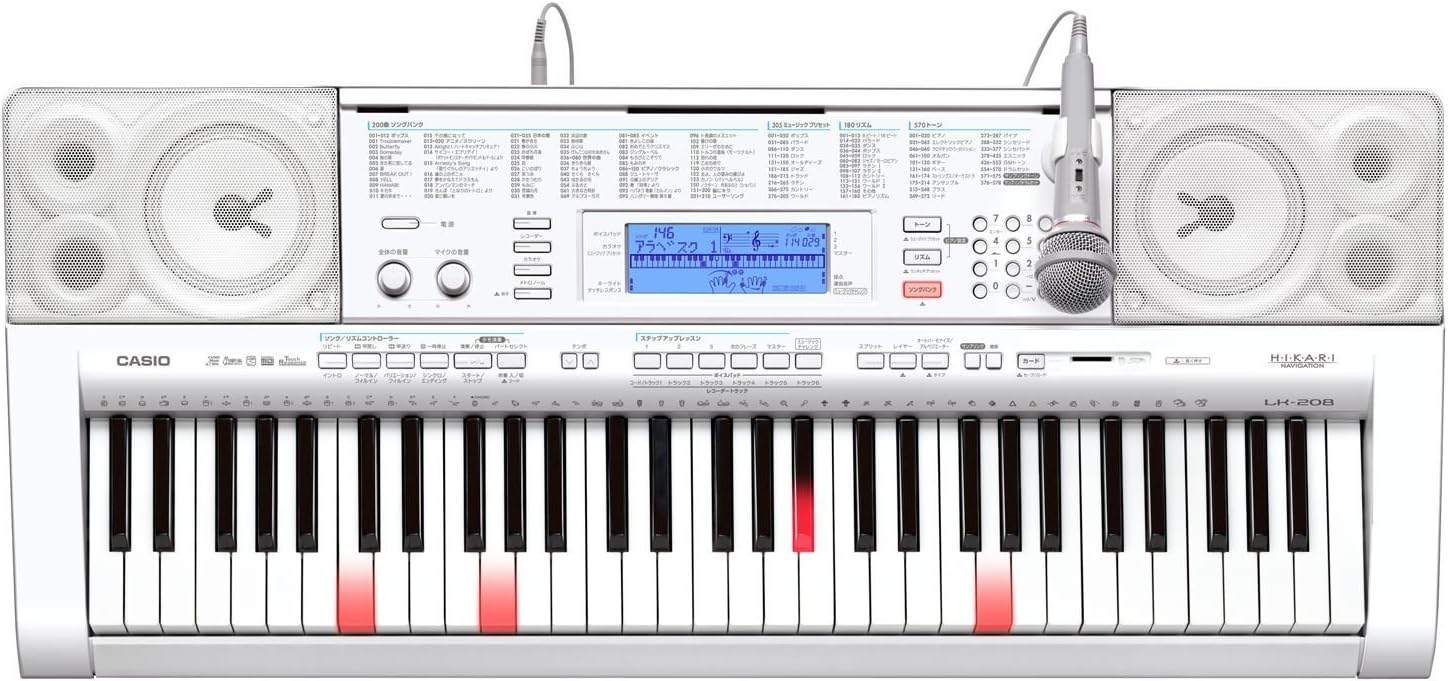
Gambar 2.1: Lebihview of the CASIO LK-208 Light Navigation Keyboard with included accessories.
2.2 Sambungan Kuasa
Connect the supplied AC power adapter to the DC 9.5V jack on the rear of the keyboard and then plug it into a standard wall outlet. The keyboard operates using a power cord.
2.3 Sambungan Mikrofon
To use the microphone feature, insert the microphone plug into the MIC IN jack located on the keyboard's control panel.

Figure 2.2: The CASIO LK-208 keyboard with the microphone properly connected to the input jack.
2.4 Sambungan USB
The LK-208 supports USB connectivity for connection to a computer. This allows for data transfer, such as MIDI data. Ensure your computer meets the specified operating system requirements for compatibility.
- Supported Operating Systems: Windows® XP Home Edition (SP2 or later), Windows® XP Professional (SP2 or later, 32-bit), Windows Vista® (32-bit), Windows® 7 (32-bit, 64-bit), Mac OS® X (10.3.9, 10.4.11 or later, 10.5.8, 10.6.4 or later).

Figure 2.3: Illustrates the port for external media or USB connection on the keyboard.
3. Arahan Operasi
3.1 Operasi Asas
To power on the keyboard, press the KUASA button. Adjust the volume using the master volume control.
3.2 Light Navigation System
The Light Navigation System illuminates the keys you need to play, making learning intuitive and engaging. This feature is particularly effective during the Step-Up Lesson mode.

Figure 3.1: The keyboard's light navigation system in action, highlighting keys to be played.
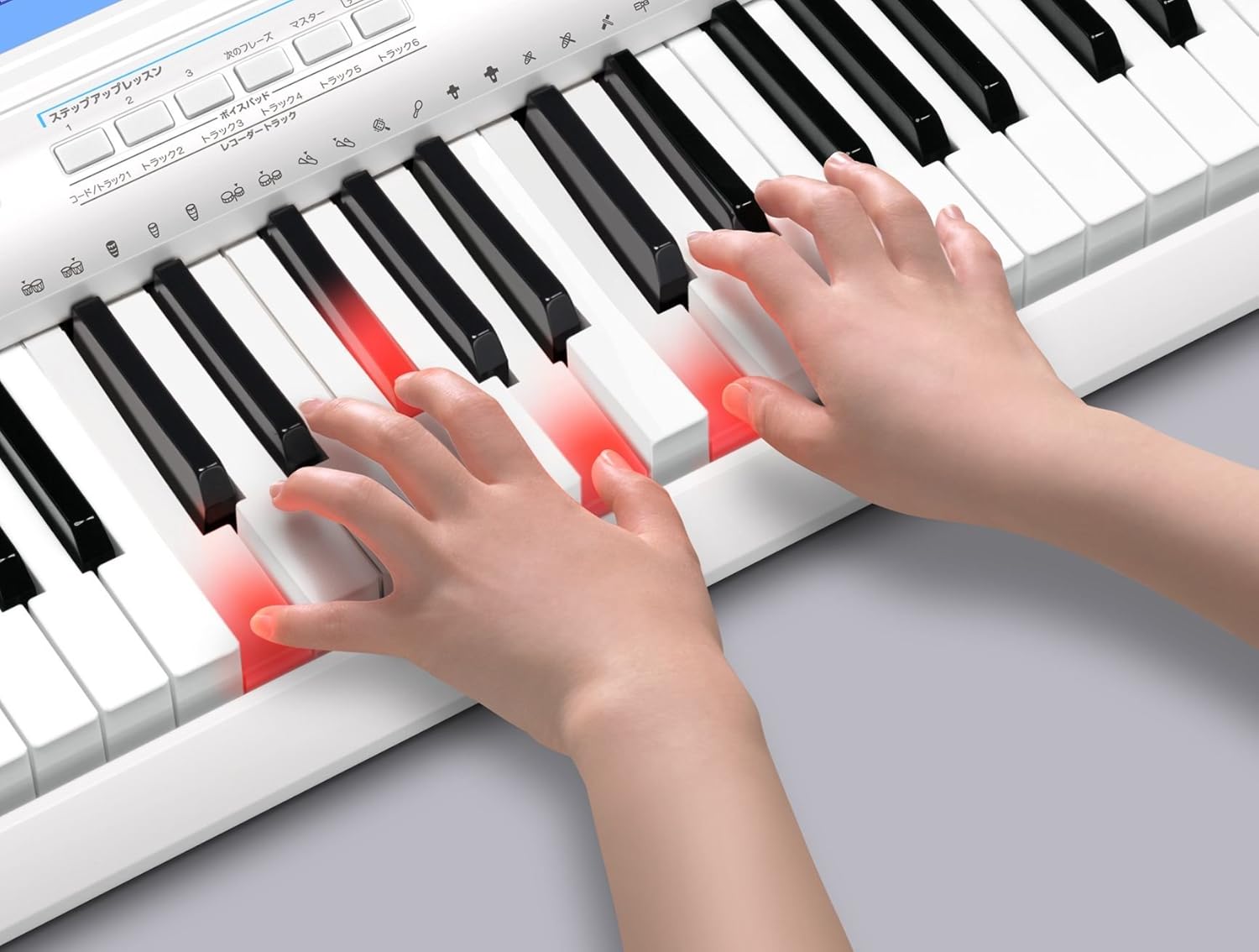
Figure 3.2: A user's hands interacting with the light-up keys during a lesson.
3.3 Step-Up Lesson Function
The Step-Up Lesson function allows you to practice songs by dividing them into short phrases. Once you master a phrase, you can move on to the next, ensuring steady progress. The Light Navigation System works in conjunction with this feature to guide your playing.
Key features of the Step-Up Lesson:
- Phrase-by-phrase learning for effective practice.
- Visual guidance from the Light Navigation System.
- Includes 200 built-in songs, including 50 exercise phrases.
3.4 Pemilihan Nada
The LK-208 features 570 built-in tones, including stereo sampled piano tones, 128 GM tones, and 17 drum sets. Use the dedicated buttons or numeric keypad to select your desired tone.
3.5 Rhythm Selection and Auto Accompaniment
Choose from 180 built-in rhythms to accompany your playing. The auto accompaniment function provides a full band sound based on the chords you play.
Auto Accompaniment Modes:
- Casio Chord
- Fingered 1
- Fingered 2 (6th off)
- Fingered 3 (on bass)
- Kord Julat Penuh
Controllers for Auto Accompaniment:
- Mula / Berhenti
- Pengenalan
- Normal / Fill-in
- Variation / Fill-in
- Synchro / Ending
4. Penyelenggaraan
4.1 Pembersihan
Wipe the keyboard and control panel with a soft, dry cloth. For stubborn dirt, use a cloth lightly dampened with water and a mild, neutral detergent, then wipe dry immediately. Avoid using abrasive cleaners, solvents, or alcohol, as these can damage the finish.
4.2 Penyimpanan
When not in use for extended periods, disconnect the power adapter. Store the keyboard in a cool, dry place away from direct sunlight, extreme temperatures, and high humidity. Avoid placing heavy objects on the keyboard.
5. Penyelesaian masalah
If you encounter issues with your LK-208, please refer to the table below for common problems and their solutions. If the problem persists, contact customer support.
| Masalah | Kemungkinan Punca | Penyelesaian |
|---|---|---|
| Tiada bunyi | Kelantangan terlalu rendah atau fon kepala disambungkan. | Increase master volume. Disconnect headphones if not needed. |
| Kunci tidak menyala | Light Navigation System is off or not in lesson mode. | Ensure Light Navigation is enabled and you are in a lesson mode that utilizes it. |
| Papan kekunci tidak dihidupkan | Power adapter not properly connected or power outlet issue. | Periksa semua sambungan kuasa. Cuba salur kuasa yang lain. |
| Mikrofon tidak berfungsi | Microphone not fully inserted or microphone volume is low. | Ensure microphone is securely plugged in. Adjust microphone volume on the keyboard. |
6. Spesifikasi
| Ciri | Penerangan |
|---|---|
| Nama Model | LK-208 |
| Bilangan Kunci | 61 standard piano-shaped keys |
| Polifoni Maksimum | 48 nota |
| Nada | 570 built-in tones (Stereo sampled piano tone, 128 GM tones, 17 drum sets) |
| Rhythms/Patterns | 180 irama terbina dalam |
| Iringan Auto | Modes: Casio Chord, Fingered 1, Fingered 2 (6th off), Fingered 3 (on bass), Full Range Chord. Controllers: Start/Stop, Intro, Normal/Fill-in, Variation/Fill-in, Synchro/Ending |
| Lagu Terbina Dalam | 200 songs (Song Bank, including 50 exercise phrases) |
| Ketersambungan | USB |
| Sumber Kuasa | Power cord type (AC Adapter) |
| warna | putih |
| Berat Produk | 5 kg |
| Pengeluar | CASIO |
| Negara Asal | China |
7. Waranti dan Sokongan
For warranty information and customer support, please refer to the warranty card included with your product or visit the official CASIO webtapak. Simpan resit pembelian anda sebagai bukti pembelian untuk tuntutan waranti.
For further assistance, you may contact CASIO customer service directly.
Ask a question about this manual
Ask about setup, troubleshooting, compatibility, parts, safety, or missing instructions. Manuals+ will review the question and use this page’s manual context to help answer it.