
1. Produk Lebihview
The Microsoft Wireless Desktop 800 offers the freedom and convenience of wireless technology for your computing needs. This set includes a wireless keyboard and mouse, designed for ease of use and reliable performance.
Ciri-ciri Utama:
- Wireless keyboard and mouse combination
- Secure wireless connection & snap-in transceiver
- Easy-access hot keys for common functions
- 1000 DPI optical tracking for responsive cursor control
- Optimized power management for extended battery life
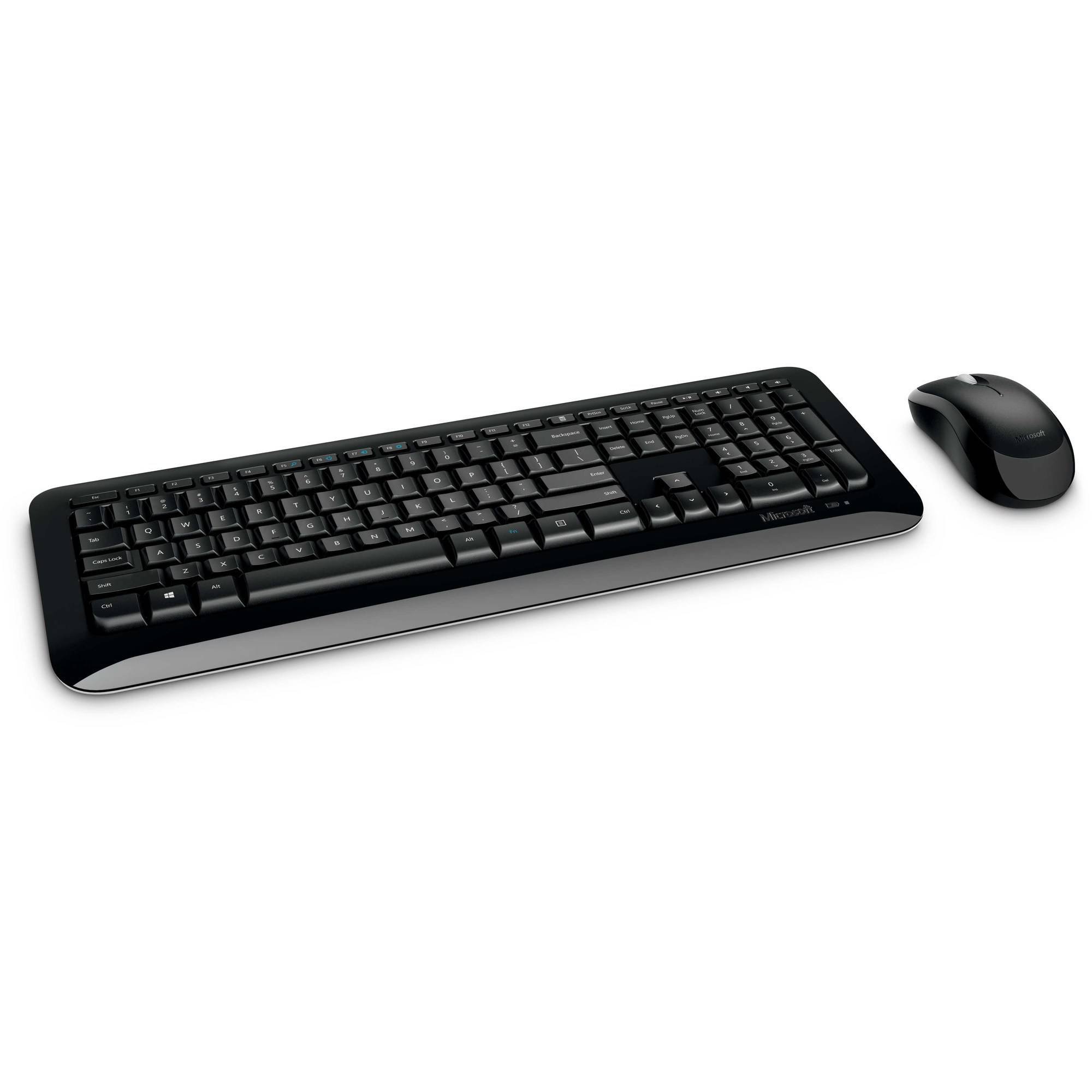
Figure 1: Microsoft Wireless Desktop 800 Keyboard and Mouse.
2. Arahan Persediaan
Setting up your Microsoft Wireless Desktop 800 is a straightforward process. Follow these steps to get started:
- Pasang Bateri: Insert the required batteries into both the keyboard and the mouse. The keyboard typically uses AAA batteries, and the mouse uses AA batteries. Ensure correct polarity.
- Sambungkan Pemancar-Pemancar: Locate the tiny USB transceiver. Plug this wireless receiver into an available USB port on your computer.
- Hidupkan kuasa: Turn on the mouse using its power switch (usually located on the underside). The keyboard does not typically have a power switch and activates upon battery insertion and connection.
- Sambungan Automatik: Your keyboard and mouse should automatically connect to your computer. If not, refer to the troubleshooting section.
The transceiver can be conveniently snapped into the bottom of the mouse for secure storage when traveling, which also automatically turns off the mouse to conserve battery life.

Figure 2: The compact USB transceiver.
3. Mengendalikan Peranti Anda
Fungsi papan kekunci:
- Sambungan Wayarles Selamat: The keyboard utilizes 2.4 GHz wireless technology, providing a reliable connection with a range of up to 30 feet, minimizing interference.
- Easy Access Hot Keys: Quickly access frequently used tools such as zoom, audio controls, and the calculator using dedicated shortcut keys.
- Butang Mula Windows: Press the Windows Start button to quickly launch the Start menu on compatible Windows operating systems.
Fungsi tetikus:
- Microsoft Optical Technology: Experience responsive and precise cursor control with 1,000-dots-per-inch (DPI) tracking.
- Roda Tatal: Navigasi melalui dokumen dan webpages efficiently using the integrated scroll wheel.
- Reka Bentuk Ambidextrous: The mouse is designed for comfortable use in either the right or left hand.
4. Maintenance and Battery Management
- Penunjuk Hayat Bateri: The battery status indicator will glow red when the battery is running low, signaling that replacement is needed soon.
- Suis kuasa: To extend the battery life of your mouse, use the power switch located on its underside to turn it off when not in use or during travel.
- Jangka Hayat Bateri: Enjoy fewer interruptions with up to 15 months of battery life for the keyboard and mouse (individual battery life may vary).
- Pembersihan: Gunakan kain lembut dan kering untuk membersihkan permukaan papan kekunci dan tetikus. Elakkan menggunakan bahan kimia yang keras atau bahan yang melelas.
5. Penyelesaian masalah
If you encounter issues with your Microsoft Wireless Desktop 800, consider the following common solutions:
- Tiada Sambungan:
- Ensure the USB transceiver is securely plugged into a working USB port on your computer.
- Check that the batteries in both the keyboard and mouse are correctly installed and not depleted. Replace if necessary.
- Move the keyboard and mouse closer to the transceiver to rule out range issues.
- Sambungan Terputus-putus:
- Avoid placing the transceiver near other wireless devices or large metal objects that could cause interference.
- Ensure your computer's operating system is up to date.
- Kursor Tetikus Tidak Bergerak:
- Check the mouse batteries.
- Ensure the optical sensor on the bottom of the mouse is clean and not obstructed.
- Use the mouse on a suitable surface; highly reflective or transparent surfaces may affect tracking.
6. Spesifikasi
| Ciri | Perincian |
|---|---|
| Jenama | Microsoft |
| Model | Desktop Tanpa Wayar 800 |
| warna | Hitam |
| Teknologi Ketersambungan | Radio Frequency (2.4 GHz) |
| Peranti Serasi | Komputer riba, Komputer Peribadi |
| Penerangan Papan Kekunci | Papan Kekunci Tanpa Wayar |
| Pengesanan Pergerakan | Optical (1000 DPI) |
| Backlighting papan kekunci | No (Single Color support refers to key legends) |
| Keserasian Sistem Pengendalian | Windows 8, Windows 7, Windows Vista, Windows XP |
| Hand Orientation (Mouse) | Ambidextrous |
| Sumber Kuasa | Dikuasakan Bateri |
| Number of Keys (Keyboard) | 104 |
| Bateri Diperlukan | 2 papan kekunci AAA, 2 tetikus AA - disertakan |
| Berat Barang | 0.51 paun |
| Susun atur papan kekunci | QWERTY |
7. Maklumat Waranti
The Microsoft Wireless Desktop 800 comes with a Manufacturer Warranty. For specific details regarding coverage, duration, and claims process, please refer to the warranty documentation included with your product or visit the official Microsoft support webtapak.
8. System Requirements and Support
Keperluan Sistem:
- Sistem pengendalian: Windows 8, Windows 7, Windows Vista, or Windows XP
- Lain-lain: Port USB yang ada
Sokongan Pelanggan:
For further assistance, technical support, or to download the latest drivers, please visit the official Microsoft support weblaman web. Anda juga boleh menemui sumber tambahan dan Soalan Lazim di sana.
Sokongan dalam talian: support.microsoft.com