
pengenalan
This manual provides essential information for the safe and efficient use of your Doro PhoneEasy 105wr cordless phone. Please read these instructions carefully before using the phone and retain them for future reference.
Kandungan Pakej
Sebelum anda mula, pastikan semua item terdapat dalam pakej:
- Doro PhoneEasy 105wr Handset
- Unit Pangkalan
- Penyesuai Kuasa untuk Unit Pangkalan
- Tali Talian Telefon
- Rechargeable Batteries (NiMH)
- Manual Pengguna (dokumen ini)
Persediaan
1. Menyambung Unit Pangkalan
- Sambungkan Penyesuai Kuasa: Plug the small end of the power adapter into the DC IN socket on the back of the base unit. Plug the other end into a wall power outlet.
- Connect the Telephone Line Cord: Plug one end of the telephone line cord into the LINE socket on the back of the base unit. Plug the other end into your telephone wall socket.
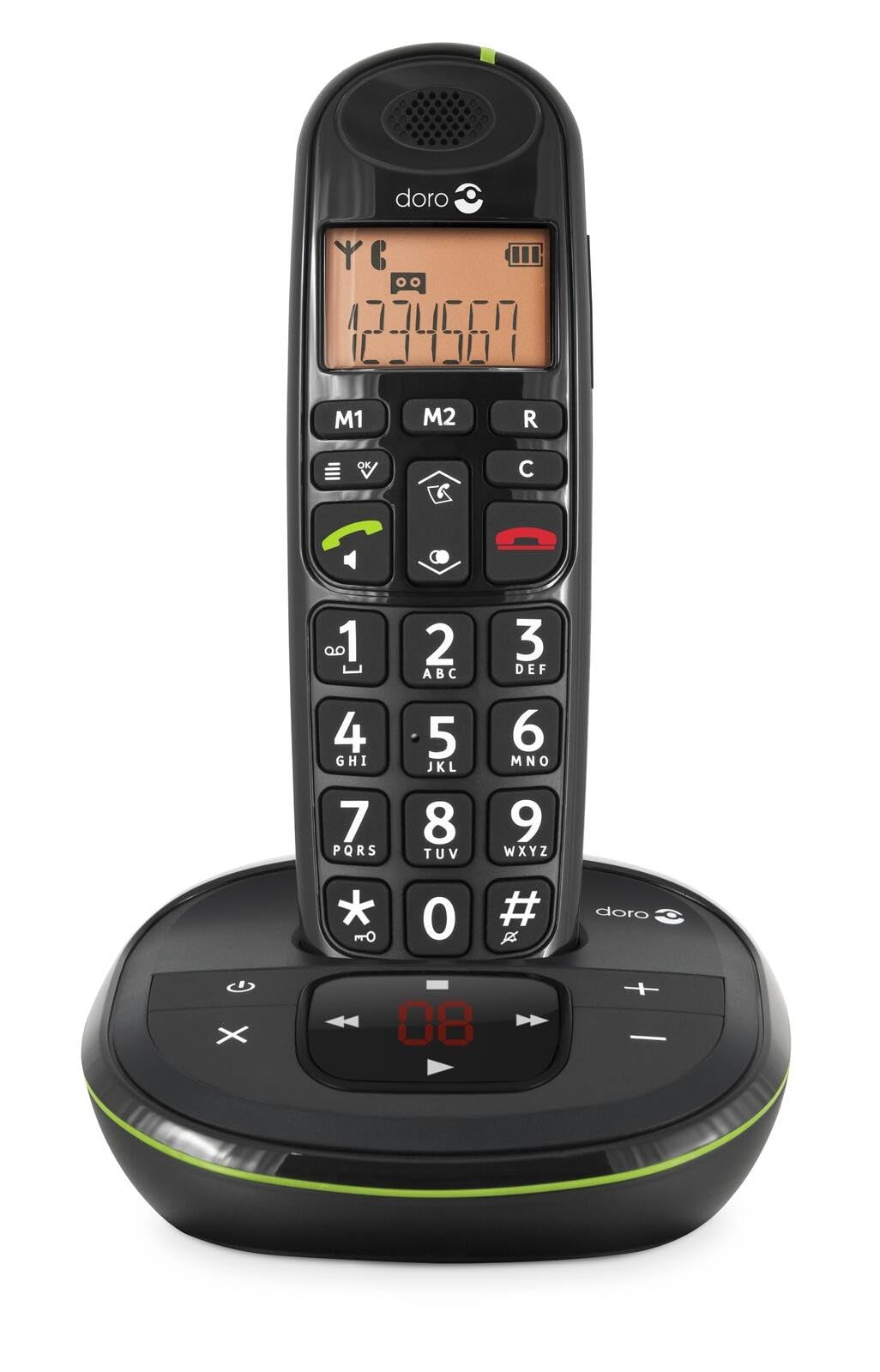 Image: The Doro PhoneEasy 105wr handset docked in its base unit, showing the keypad and display.
2. Installing Batteries in the Handset
- Buka Petak Bateri: Slide the battery compartment cover on the back of the handset downwards and remove it.
- Masukkan Bateri: Insert the supplied rechargeable NiMH batteries, observing the correct polarity (+ and -) as indicated inside the compartment.
- Tutup Petak: Gantikan penutup petak bateri dengan menggelongsorkannya ke atas sehingga ia berbunyi klik pada tempatnya.
3. Mengecas Telefon bimbit
Place the handset on the base unit. The battery icon on the handset display will animate to indicate charging. For optimal battery performance, charge the handset for at least 10-12 hours before its first use, even if the display indicates a full charge sooner.
 Image: A slightly angled view of the Doro PhoneEasy 105wr handset in its charging cradle, highlighting its ergonomic design.
Arahan Operasi
Membuat Panggilan
- mendail: Angkat telefon bimbit atau tekan Butang Panggilan Hijau. Enter the phone number using the keypad.
- Menamatkan Panggilan: Tekan ke Butang Panggilan Tamat Merah or place the handset back on the base unit.
Menerima Panggilan
Apabila telefon berdering, tekan butang Butang Panggilan Hijau to answer. To end the call, press the Butang Panggilan Tamat Merah or return the handset to the base unit.
Melaraskan Kelantangan
Semasa panggilan, gunakan Up dan Bawah butang navigasi pada telefon bimbit untuk melaraskan kelantangan cuping telinga.
Buku telefon
Your Doro PhoneEasy 105wr can store up to 20 entries in its phonebook.
- Menambah Entri:
- Tekan ke Menu butang.
- Navigate to "Phonebook" and select "Add New".
- Masukkan nama dan nombor, kemudian simpan.
- Panggilan dari Buku Telefon:
- Tekan ke Buku telefon button (often a book icon).
- Scroll through the entries using the navigation buttons.
- Tekan ke Butang Panggilan Hijau to dial the selected entry.
Answering Machine (if applicable)
The Doro PhoneEasy 105wr features a digital answering machine with a recording capacity of 20 minutes.
- Memainkan Mesej: Tekan ke Main/Berhenti butang pada unit asas.
- Memadamkan Mesej: Semasa main balik mesej, tekan butang Padam butang pada unit asas.
- Merakam Mesej Keluar: Refer to the handset menu for options to record or select a pre-recorded outgoing message.
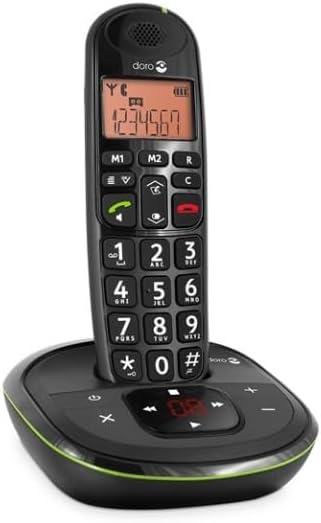 Imej: Bahagian hadapan langsung view of the Doro PhoneEasy 105wr cordless phone, showing the large buttons and clear display on the handset, and the answering machine controls on the base.
Penyelenggaraan
- Pembersihan: Lap telefon dan unit asas dengan lembut, damp kain. Jangan gunakan pembersih atau pelarut yang melelas.
- Penjagaan Bateri: Gunakan hanya bateri boleh dicas semula yang dinyatakan. Jika telefon tidak akan digunakan untuk tempoh yang lama, tanggalkan bateri untuk mengelakkan kebocoran.
- Keadaan Persekitaran: Elakkan mendedahkan telefon kepada suhu yang melampau, cahaya matahari langsung atau kelembapan.
Menyelesaikan masalah
| Masalah | Kemungkinan Punca | Penyelesaian |
|---|---|---|
| Tiada nada dail | Kord talian telefon tidak bersambung atau rosak. | Check the telephone line cord connection to the base unit and wall socket. Test with another phone if possible. |
| Telefon bimbit tidak dicas | Handset not correctly placed on the base unit; dirty charging contacts; faulty batteries. | Ensure the handset is seated correctly. Clean charging contacts on both handset and base with a dry cloth. Replace batteries if old. |
| Kualiti bunyi yang lemah | Handset too far from base unit; interference; low battery. | Move closer to the base unit. Avoid placing the base near other electronic devices. Charge the handset battery. |
| Tidak boleh membuat/menerima panggilan | No power to base unit; handset not registered. | Check power adapter connection. Refer to the full manual for handset registration instructions if needed. |
Spesifikasi
| Ciri | Perincian |
|---|---|
| Jenama | Doro |
| Nombor Model | 380102 |
| warna | Hitam |
| Jenis Telefon | Tanpa wayar |
| bahan | Logam (komponen dalaman) |
| Sumber Kuasa | Dikuasakan Bateri (termasuk bateri 1 A) |
| Jenis Pendail | Papan kekunci tunggal |
| Dimensi Item (L x W x H) | 19.4 x 15.4 x 10.3 sentimeter |
| Berat Barang | 706 Gram |
| Jenis Sistem Menjawab | digital |
| Masa Berbual | 600 Minit (10 jam) |
| Masa Tunggu Sedia | 100 Jam |
| Kapasiti Rakaman | 20 Minit |
| ID pemanggil | ya |
| Independent Test Certification | Bintang Tenaga |
Waranti dan Sokongan
Information regarding specific warranty terms and customer support contact details is not available in this document. Please refer to the warranty card included with your product or visit the official Doro weblaman web untuk mendapatkan maklumat terkini.
For further assistance, you may contact Doro customer service through their official channels.