
1. Pengenalan
The Logisys PSAD24 is a 24-watt AC/DC power adapter designed to convert alternating current (AC) from a wall outlet to direct current (DC) for compatible electronic devices. This adapter features a US connector and provides a stable 12-volt, 2-amp output, suitable for a range of low-power electronics.
Kandungan Pakej:
- 1 x Logisys PSAD24 24-Watt 12V 2A AC Power Adapter
2. Maklumat Keselamatan
Please read and understand all safety instructions before using this product. Failure to follow these instructions may result in electric shock, fire, or damage to the adapter or connected devices.
- Penggunaan Dalaman Sahaja: This adapter is designed for indoor use in dry locations. Do not expose it to rain, moisture, or extreme temperatures.
- Pengudaraan yang Betul: Ensure adequate ventilation around the adapter. Do not cover it or place it in an enclosed space that could restrict airflow.
- Voltage dan Keserasian Semasa: Sentiasa sahkan bahawa volumtage (V) and current (A) requirements of your electronic device match the output specifications of this adapter (12V, 2A). Using an adapter with incorrect specifications can damage your device.
- Keserasian Penyambung: Ensure the barrel connector of the adapter fits securely into your device's power input port.
- Elakkan beban berlebihan: Do not connect devices that require more than 2 amps semasa.
- Tangani dengan Berhati-hati: Do not drop, disassemble, or attempt to repair the adapter. Refer all servicing to qualified personnel.
- Cabut plag Apabila Tidak Digunakan: Disconnect the adapter from the wall outlet and your device when not in use for extended periods.
3. Arahan Persediaan
Follow these steps to properly set up your Logisys PSAD24 AC Power Adapter:
- Sahkan Keserasian Peranti: Before connecting, confirm that your electronic device requires a 12V DC input and draws no more than 2A of current. Also, ensure the device's power input port is compatible with a standard barrel connector.
- Sambung ke Peranti: Insert the barrel connector of the PSAD24 adapter firmly into the power input port of your electronic device.
- Sambung ke Alur Kuasa: Plug the AC prongs of the adapter into a standard 100-240V AC, 50/60 Hz wall outlet.
- Hidupkan Peranti: Once connected, power on your electronic device. The adapter will automatically begin supplying power.
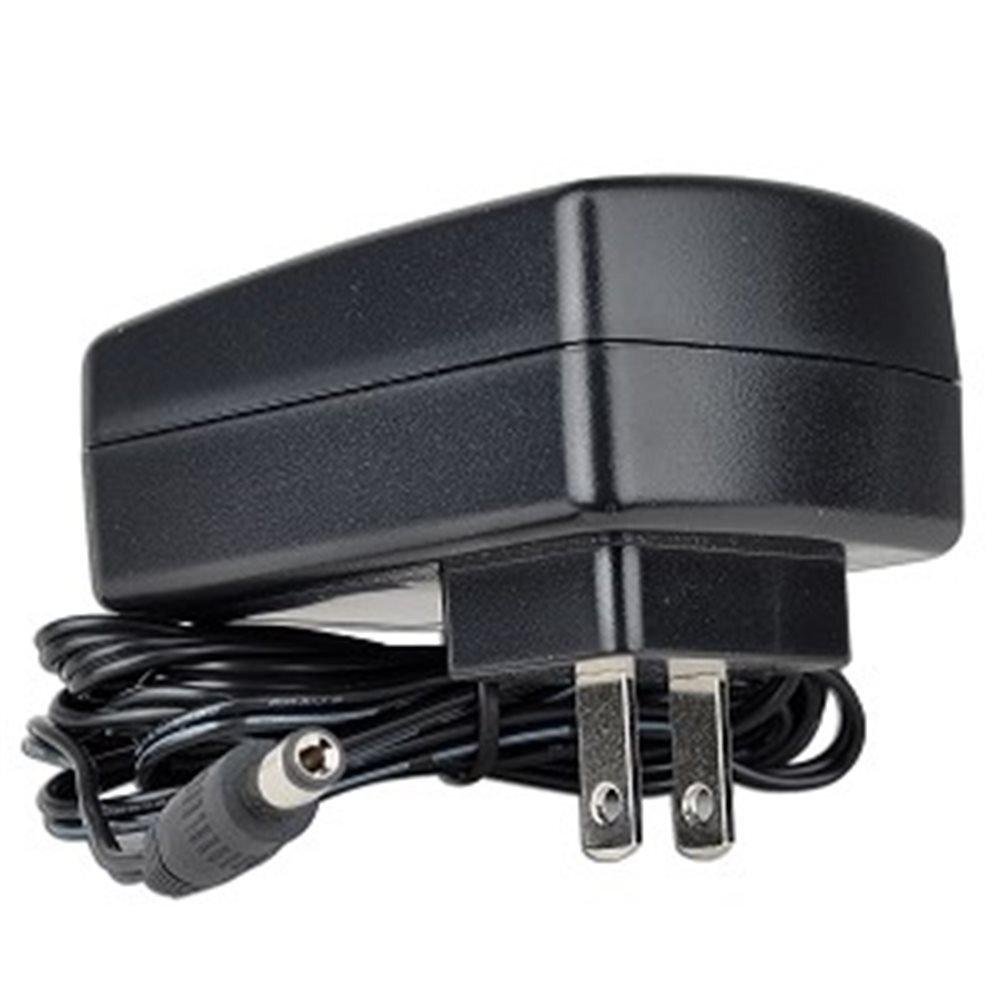
Image of the Logisys PSAD24 AC Power Adapter, showing its compact design and barrel connector.
4. Arahan Operasi
The Logisys PSAD24 AC Power Adapter operates automatically once connected to a power source and a compatible device. It provides continuous 12V DC power to your device. There are no user-adjustable settings on the adapter itself.
- Ensure the adapter is always plugged into a functional wall outlet.
- For optimal performance and longevity, avoid disconnecting the adapter by pulling on the cable. Always grasp the plug itself.
5. Penyelenggaraan
Proper care and maintenance will help ensure the longevity and reliable operation of your power adapter.
- Pembersihan: Disconnect the adapter from both the wall outlet and your device before cleaning. Use a soft, dry cloth to wipe the exterior. Do not use liquid cleaners or solvents.
- Storan: When not in use, store the adapter in a cool, dry place, away from direct sunlight and excessive heat. Avoid tightly coiling the cable to prevent damage.
- Pemeriksaan: Periodically inspect the adapter and its cable for any signs of damage, such as frayed wires, cracked casing, or bent prongs. If damage is observed, discontinue use immediately and replace the adapter.
6. Penyelesaian masalah
If you encounter issues with your Logisys PSAD24 AC Power Adapter, refer to the following common problems and solutions:
- Tiada Kuasa ke Peranti:
- Pastikan penyesuai dipasang dengan kukuh pada soket dinding yang berfungsi. Uji soket dengan peranti lain.
- Verify that the barrel connector is fully inserted into your device's power port.
- Check your device's power switch or settings.
- Device Not Functioning Correctly or Intermittently:
- Confirm that your device's voltage and current requirements precisely match the adapter's output (12V, 2A).
- Inspect the adapter cable and connectors for any visible damage.
- Ensure the adapter is not overloaded by a device requiring more than 2 amps.
- Adapter Feels Hot:
- It is normal for power adapters to feel warm during operation. However, if it is excessively hot to the touch, disconnect it immediately.
- Pastikan penyesuai mempunyai pengudaraan yang mencukupi dan tidak bertutup.
- Verify that the connected device is not drawing more current than the adapter's rated output.
If these steps do not resolve the issue, contact customer support or consult the manual for your specific electronic device.
7. Spesifikasi
| Ciri | Spesifikasi |
|---|---|
| Nombor Model | PSAD24 (FBA_PSAD24) |
| Input Voltage | 100-240V AC |
| Kekerapan Input | 50/60 Hz |
| Input Arus (Maks) | 0.8A |
| Keluaran Voltage | 12V DC |
| Arus Keluaran | 2A |
| Wattage | 24 Watt |
| Panjang Kabel | 5.5 kaki (lebih kurang 1.68 meter) |
| Jenis Penyambung | Penyambung tong |
| Tahap Kecekapan | IV |
| Kelulusan Peraturan | FCC, cULus |
| Dimensi Produk | 3.25 x 2.13 x 0.75 inci (lebih kurang 8.26 x 5.41 x 1.91 cm) |
| Berat Barang | 5.6 auns (lebih kurang 158.76 gram) |
8. Waranti dan Sokongan
For warranty information, please refer to the documentation provided with your purchase or visit the official Logisys webtapak. Terma dan syarat jaminan khusus mungkin berbeza-beza.
If you require technical assistance or have questions not covered in this manual, please contact Logisys customer support through their official channels.