
1. Pengenalan
Thank you for choosing the LiteOn eSAU108-97 External Recording DVD Drive. This portable optical drive offers reliable DVD and CD reading and writing capabilities, powered conveniently via a single USB connection. It is designed for use with laptops and other compatible devices, providing a compact and efficient solution for your optical media needs.
Sila baca manual ini dengan teliti sebelum menggunakan peranti ini untuk memastikan operasi yang betul dan memaksimumkan jangka hayatnya.
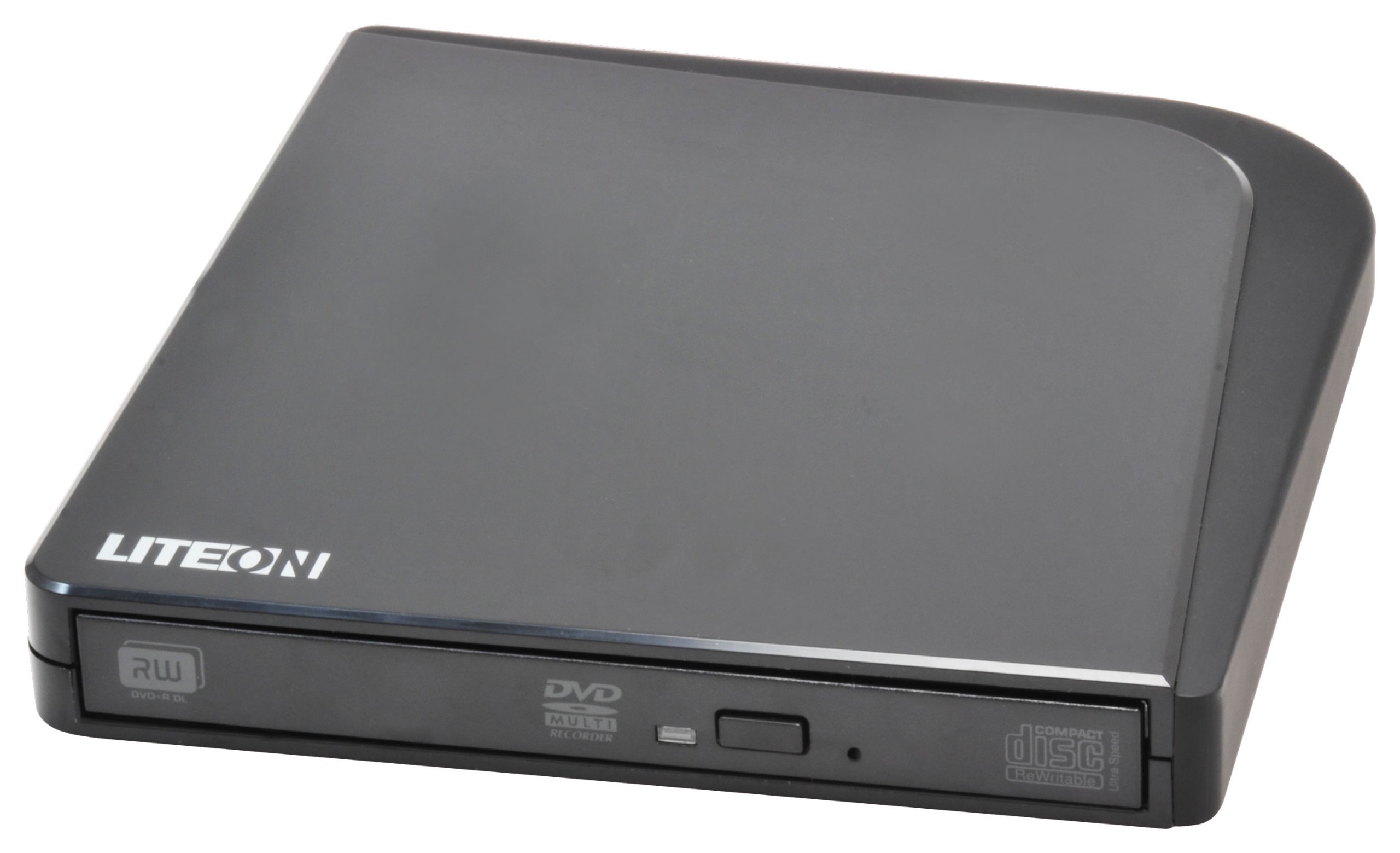
Rajah 1: LiteOn eSAU108-97 External Recording DVD Drive. This image displays the compact, black external DVD drive, highlighting its sleek design and the USB port for connectivity.
2. Kandungan Pakej
Please check the package contents carefully. If any items are missing or damaged, contact your retailer immediately.
- LiteOn eSAU108-97 External Recording DVD Drive
- USB Data/Power Cable
- Panduan Mula Pantas (manual ini)
3. Persediaan
3.1 Keperluan Sistem
- Operating System: Windows XP/Vista/7/8/10/11, macOS 10.x or later, Linux (kernel 2.6 or later)
- Available USB 2.0 or 3.0 port
- Minimum 512MB RAM
- Minimum 10GB free hard disk space (for disc burning software and temporary files)
3.2 Menyambungkan Pemacu
- Cari port USB yang tersedia pada komputer riba atau komputer anda.
- Connect the smaller end of the provided USB cable to the USB port on the LiteOn eSAU108-97 drive.
- Sambungkan hujung kabel USB yang lebih besar ke port USB pada komputer anda.
- The drive is bus-powered, meaning it draws power directly from the USB port. No external power adapter is required.
- Sistem pengendalian anda harus secara automatik mengesan dan memasang pemacu yang diperlukan. Proses ini mungkin mengambil masa beberapa saat.
3.3 Pemasangan Pemandu
The LiteOn eSAU108-97 is a plug-and-play device. Most modern operating systems will automatically install the required drivers upon connection. No manual driver installation is typically needed. If the drive is not recognized, try connecting it to a different USB port or restarting your computer.
4. Mengendalikan Pemacu
4.1 Memuatkan Cakera
- Tekan butang lenting di bahagian hadapan pemacu untuk membuka dulang cakera.
- Carefully place a CD or DVD onto the tray with the label side facing up. Ensure the disc is centered on the spindle.
- Gently push the disc tray back into the drive until it clicks shut. Do not force the tray.
4.2 Playing/Reading Discs
Once a disc is loaded, your operating system may automatically prompt you to choose an action (e.g., play a movie, open files). If not, navigate to 'My Computer' or 'This PC' (Windows) or 'Finder' (macOS), locate the optical drive icon, and double-click it to access the disc's contents.
4.3 Recording/Burning Discs
To record data, music, or video onto a blank CD-R/RW or DVD-R/RW disc, you will need compatible disc burning software (e.g., Windows Media Player, Nero, Roxio, or built-in macOS utilities). Follow the instructions provided with your chosen software to perform burning operations.
4.4 Ejecting a Disc
- Software Eject: Right-click on the drive icon in 'My Computer'/'This PC' or 'Finder' and select 'Eject'.
- Manual Eject: Press the eject button on the front of the drive.
- Eject Kecemasan: In case of power failure or if the eject button does not work, locate the small pinhole on the front of the drive. Insert a straightened paperclip into the pinhole and push gently until the tray partially opens. Then, pull the tray out manually.
5. Penyelenggaraan
5.1 Cleaning the Drive
Keep the drive clean and free from dust. Use a soft, dry, lint-free cloth to wipe the exterior. Do not use liquid cleaners or abrasive materials. Avoid opening the drive casing, as this can damage internal components and void your warranty.
5.2 Membersihkan Cakera
Always handle discs by their edges. If a disc is dirty, gently wipe it from the center outwards with a soft, lint-free cloth. Do not use circular motions, as this can cause scratches. For stubborn smudges, use a specialized disc cleaning solution.
5.3 Penyimpanan
When not in use, store the drive in a cool, dry place, away from direct sunlight, extreme temperatures, and high humidity. Keep it protected from dust and physical impact.
6. Penyelesaian masalah
| Masalah | Kemungkinan Punca | Penyelesaian |
|---|---|---|
| Pemacu tidak dikenali oleh komputer | Loose USB connection, insufficient power, driver issue, faulty USB port. | Ensure USB cable is securely connected. Try a different USB port. Restart your computer. Check Device Manager (Windows) or System Information (macOS) for the drive. |
| Disc not reading/writing | Dirty or scratched disc, incorrect disc type, faulty disc, drive lens dirty, incompatible software. | Clean the disc. Try a different disc. Ensure the disc type is compatible (CD-R/RW, DVD-R/RW). Use appropriate burning software. |
| Dulang cakera tidak terbuka/tertutup | Obstruction, mechanical issue, power issue. | Check for obstructions. Ensure the drive is powered (connected via USB). Use the emergency eject hole if necessary. |
| Prestasi perlahan | USB 1.1 port, background processes, fragmented hard drive. | Connect to a USB 2.0 or 3.0 port. Close unnecessary applications. Ensure your computer meets system requirements. |
7. Spesifikasi
- model: eSAU108-97
- Antara muka: USB 2.0 (serasi dengan USB 3.0)
- Jenis: External Portable DVD Drive
- Platform Perkakasan: Komputer riba
- Berat Barang: Kira-kira 1.2 paun (0.54 kg)
- Dimensi Pakej: 8.27 x 7.72 x 2.87 inci (21 x 19.6 x 7.3 cm)
- warna: Hitam
- Saiz Cache: 2 MB
- Kuasa: Dikuasakan Bas USB
- Format Cakera yang Disokong: DVD-ROM, DVD-R, DVD-RW, DVD+R, DVD+RW, CD-ROM, CD-R, CD-RW
8. Waranti dan Sokongan
LiteOn products are designed and manufactured to the highest quality standards. This product is covered by a limited warranty from the date of purchase. Please refer to the warranty card included in your package or visit the official LiteOn webtapak untuk terma dan syarat jaminan terperinci.
For technical support, troubleshooting assistance, or service inquiries, please visit the LiteOn support website or contact their customer service department. Contact information can typically be found on the official LiteOn webtapak atau dalam pembungkusan produk anda.