
1. Pengenalan
This manual provides instructions for the proper setup, operation, and maintenance of your Taylor 7335 Digital Scale. This electronic scale is designed for accurate body weight measurement, combining a silver platform with a black textured mat for a secure, non-slip surface. It features a large, easy-to-read LCD display and is powered by a long-life lithium battery.
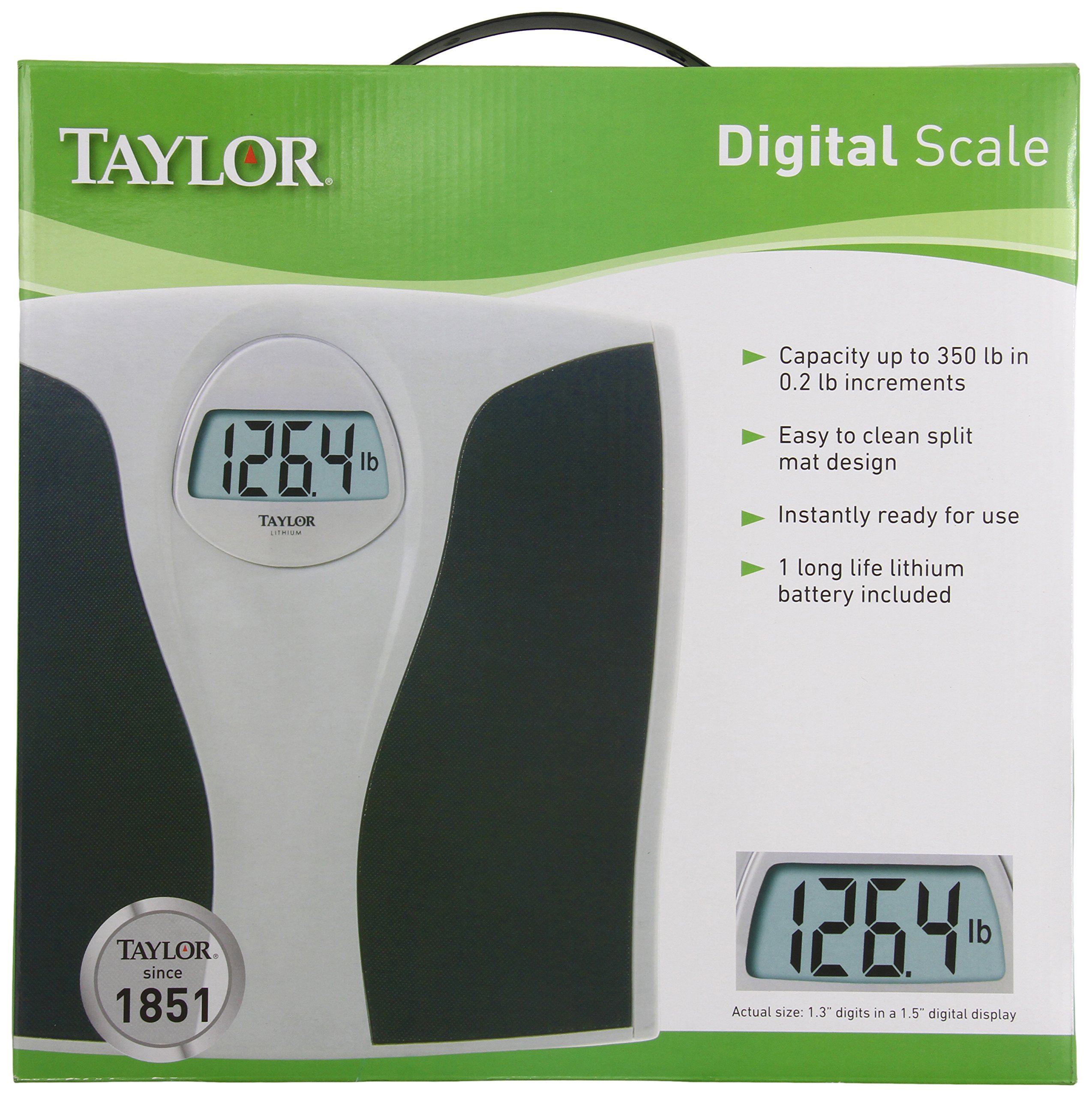
Rajah 1.1: Taylor 7335 Digital Scale. This image displays the scale's overall design, including its large digital readout and the textured mat for user comfort and safety.
Ciri-ciri Utama:
- Kapasiti Tinggi: Measures up to 350 lb (160 kg) in 0.2 lb (0.1 kg) increments.
- Bacaan Besar: 1.3-inch digits on a 1.5-inch LCD display for clear visibility.
- Easy-To-Clean: Features a split mat design for simple maintenance.
- Long-Life Lithium Battery: Included for extended use.
- Reka bentuk tahan lasak: Silver platform with a premium black textured mat.
- Waranti Terhad 5 Tahun: Ensures product reliability.
2. Persediaan
2.1 Membongkar
Carefully remove the scale from its packaging. Inspect the scale for any visible damage. Retain packaging for future storage or transport if needed.
2.2 Pemasangan Bateri
Your Taylor 7335 Digital Scale comes with a long-life lithium battery pre-installed. Before first use, ensure any protective plastic tab is removed from the battery compartment, typically located on the underside of the scale. If the display does not activate, check that the battery is correctly seated.
2.3 Penempatan
For accurate readings, place the scale on a hard, flat, and stable surface. Avoid placing the scale on carpets, rugs, or uneven flooring, as this can affect measurement accuracy.
3. Arahan Operasi
3.1 Mengambil Pengukuran
- Pastikan penimbang berada di atas permukaan yang keras dan rata.
- Gently tap the scale with your foot to activate it. The display will show "0.0" or "0.00".
- Once "0.0" or "0.00" is displayed, step onto the scale with bare feet, standing still and centered on the platform.
- Your weight will be displayed on the large LCD screen. The reading will flash or hold steady when the measurement is complete.
- Step off the scale. The display will hold your weight for a few seconds before automatically turning off.
3.2 Unit Conversion (Pounds/Kilograms)
The Taylor 7335 Digital Scale can display weight in both pounds (lb) and kilograms (kg). To switch between units, locate the unit switch button, usually on the underside of the scale near the battery compartment. Press this button to toggle between 'lb' and 'kg' modes.
4. Penyelenggaraan
4.1 Pembersihan
The scale features an easy-to-clean split mat design. To clean the scale, wipe the surface with a damp kain dan detergen lembut. Jangan gunakan pembersih yang melelas atau rendam penimbang dalam air. Pastikan penimbang benar-benar kering sebelum disimpan atau digunakan seterusnya.
4.2 Penggantian Bateri
While the included lithium battery is designed for long life, it will eventually require replacement. If the display becomes dim or shows an error message related to low battery, replace the battery with a new, equivalent lithium battery. Refer to the battery compartment for the specific battery type.
4.3 Penyimpanan
Store the scale in a cool, dry place away from extreme temperatures and humidity. Avoid placing heavy objects on the scale when not in use.
5. Penyelesaian masalah
- Bacaan Tidak Tepat atau Tidak Konsisten:
- Ensure the scale is placed on a hard, flat, and stable surface. Carpets or uneven floors can cause inaccuracies.
- Step onto the scale gently and stand still. Shifting weight can affect the reading.
- Perform a re-calibration: Step on the scale, let it display a reading, then step off. Wait for it to turn off, then step on again.
- Check battery level. A low battery can lead to inconsistent performance.
- Display Shows "Lo" or is Dim:
This indicates a low battery. Replace the lithium battery with a new one.
- Display Shows "Err" or Overload Indicator:
This typically means the scale's maximum capacity (350 lb / 160 kg) has been exceeded. Remove weight immediately to prevent damage.
- Skala Tidak Dihidupkan:
Check if the battery is correctly installed and if any protective tab has been removed. Replace the battery if necessary.
6. Spesifikasi
| Nombor Model | 7335 |
| Jenama | Taylor |
| Kapasiti Berat | 350 lb (160 kg) |
| Kenaikan Berat | 0.2 lb (0.1 kg) |
| Paparan | 1.5" LCD with 1.3" digits |
| Sumber Kuasa | 1 x Long-life Lithium Battery (included) |
| Dimensi Produk | 2 x 13 x 14 inci |
| Berat Barang | 3.5 paun |
| warna | Black (with Silver platform) |
| bahan | Silver platform, textured mat |
| UPC | 077784007433 |
7. Waranti dan Sokongan
7.1 Waranti Terhad
Your Taylor 7335 Digital Scale is covered by a Lima (5) Tahun Waranti Terhad. Waranti ini melindungi kecacatan pada bahan dan mutu kerja di bawah penggunaan biasa. Sila simpan bukti pembelian anda untuk tuntutan waranti.
7.2 Sokongan Pelanggan
For technical assistance, warranty inquiries, or replacement parts, please contact Taylor Precision Products.
- Pengeluar: Produk Taylor Precision
- Alamat: Oak Brook, IL 60523, U.S.A.
- Webtapak: www.taylorusa.com
7.3 Tanggungjawab Alam Sekitar
Taylor is committed to the conservation of natural resources. Please properly recycle this packaging and the product at the end of its life cycle according to local regulations.