
1. Pengenalan
Thank you for choosing the Funkey 61 SL Electronic Keyboard. This instrument is designed for beginners and offers a wide range of features to explore the world of music. With 61 keys, 100 tones, 100 rhythms, and various functions, it provides an engaging learning experience. This manual will guide you through the setup, operation, and maintenance of your new keyboard.
2. Kandungan Pakej
Sila pastikan semua item terdapat dalam pakej:
- Funkey 61 SL Electronic Keyboard
- Unit Bekalan Kuasa
- Pendirian Muzik
- Manual Pengguna
3. Persediaan
Follow these steps to set up your Funkey 61 SL Electronic Keyboard:
3.1 Menguasakan Papan Kekunci
The keyboard can be powered using the included AC adapter or by batteries.
Menggunakan Penyesuai AC:
- Connect the power supply unit to the DC IN jack on the back of the keyboard.
- Palamkan penyesuai AC ke salur keluar dinding standard.

Image: The included power adapter for the Funkey 61 SL Electronic Keyboard.
Menggunakan Bateri:
- Cari petak bateri di bahagian bawah papan kekunci.
- Insert the required number of batteries (typically AA or D, refer to the compartment label) ensuring correct polarity.
- Tutup penutup petak bateri dengan selamat.

Image: Rear panel of the Funkey 61 SL Keyboard showing the RCA output, headphone jack, and a close-up of the battery compartment.
3.2 Attaching the Music Stand
Slide the music stand into the designated slot on the top panel of the keyboard. This provides a convenient place to hold sheet music or a tablet.
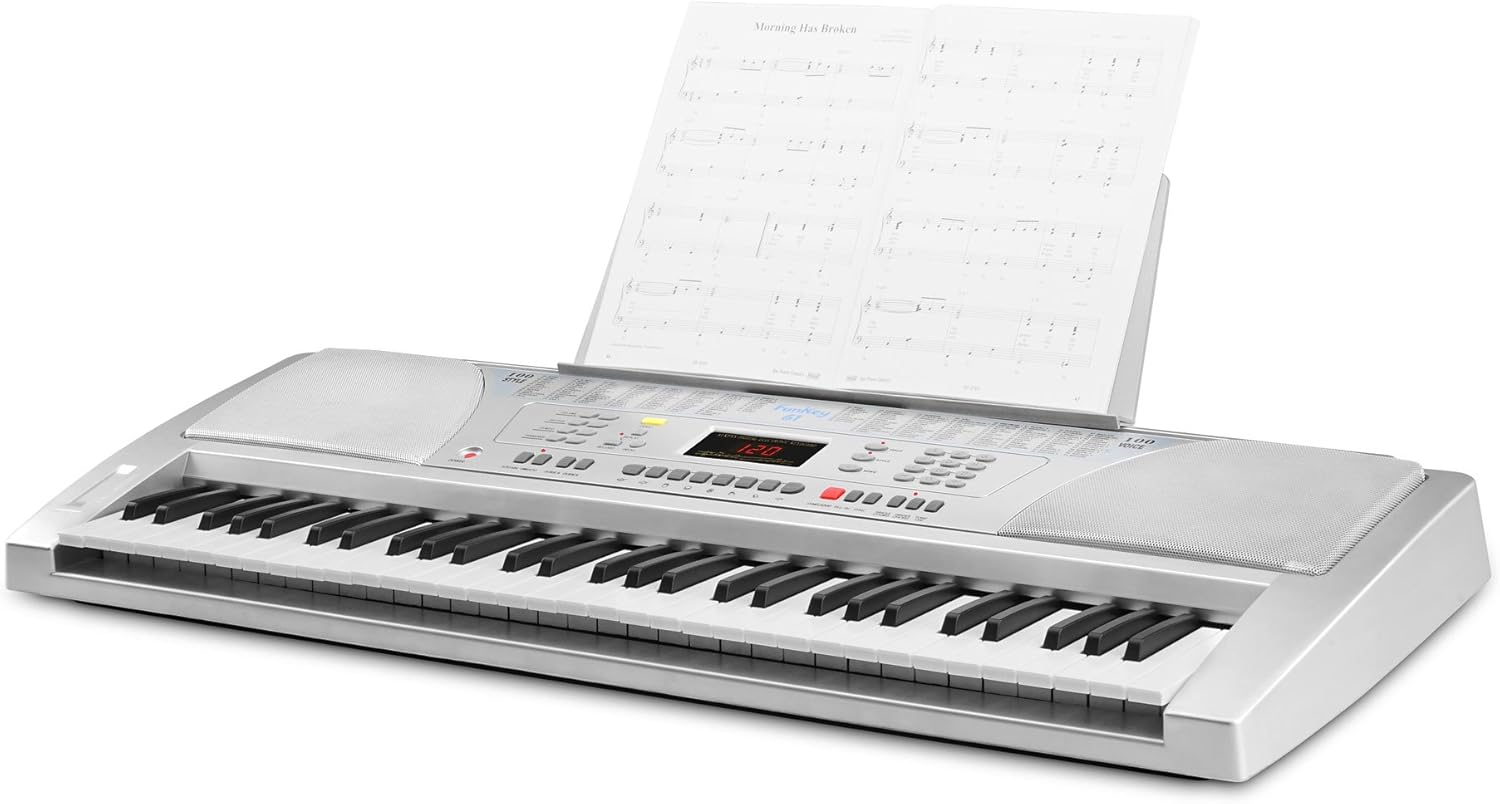
Image: The Funkey 61 SL Keyboard with the music stand attached, holding sheet music.
3.3 Menyambungkan Fon Kepala atau Pembesar Suara Luaran
For private practice, connect standard 3.5mm headphones to the HEADPHONE jack. To connect to an external stereo system or amplifier, use RCA cables with the RCA OUT (R/L) jacks on the rear panel.
4. Arahan Operasi
Familiarize yourself with the control panel to utilize the keyboard's features.

Imej: Jarak dekat view of the Funkey 61 SL Keyboard's control panel, showing buttons for volume, rhythm, tempo, transpose, voice, style, and song selection.
4.1 Hidupkan/Mati Kuasa
Tekan ke KUASA butang yang terletak di sebelah kiri panel kawalan untuk menghidupkan atau mematikan papan kekunci.
4.2 Selecting Tones (Voices)
The keyboard features 100 different tones. Use the SUARA section buttons (numbered 0-9) to select a desired instrument sound. The currently selected voice number will be displayed on the LED screen.
4.3 Selecting Rhythms (Styles)
The keyboard includes 100 rhythms. Use the GAYA section buttons (numbered 0-9) to choose a rhythm. Press MULA/BERHENTI untuk memulakan atau menamatkan main balik irama.
4.4 Adjusting Tempo
Gunakan TEMPO buttons (up/down arrows) to increase or decrease the speed of the selected rhythm or demo song.
4.5 Lagu Demo
The keyboard has 8 integrated demo songs. Press the DEMO button to cycle through and play the demo songs. These can be used for listening or for practicing with the Intelligent Guide function.
4.6 Rakaman dan Main semula
The record function allows you to capture your performances:
- Tekan REKOD to start recording your playing.
- Tekan BERMAIN untuk mendengar rakaman persembahan anda.
4.7 Special Effects and Functions
- KEKAL: Adds a decaying effect to notes, similar to a piano pedal.
- VIBRATO: Adds a slight pitch variation to notes for expressive playing.
- TRANSPOSE: Allows you to shift the pitch of the entire keyboard up or down in semitone steps, useful for playing in different keys without changing finger positions.
- PANDUAN: The Intelligent Guide function helps you learn the 8 integrated demo songs note by note.
- CHORD FUNCTIONS: Includes Single Finger Chord and Fingered Chord modes for automatic accompaniment.
5. Penyelenggaraan
To ensure the longevity and optimal performance of your Funkey 61 SL Electronic Keyboard, follow these maintenance guidelines:
- Pembersihan: Gunakan kain lembut dan kering untuk mengelap permukaan papan kekunci. Untuk kotoran degil, lap sedikitampen the cloth with water and a mild soap, then wipe dry immediately. Avoid abrasive cleaners, solvents, or waxes.
- Storan: Simpan papan kekunci di tempat yang sejuk dan kering jauh dari cahaya matahari langsung, suhu yang melampau dan kelembapan yang tinggi.
- Pengendalian: Elakkan daripada menjatuhkan papan kekunci atau terkena impak yang kuat. Jangan letakkan objek berat di atasnya.
- Kuasa: Disconnect the power adapter when the keyboard is not in use for extended periods. Remove batteries if the keyboard will not be used for a long time to prevent leakage.
6. Penyelesaian masalah
If you encounter any issues with your Funkey 61 SL Electronic Keyboard, refer to the following common problems and solutions:
- Tiada Bunyi:
- Pastikan papan kekunci dihidupkan.
- Periksa tahap kelantangan induk.
- Jika fon kepala disambungkan, putuskan sambungannya untuk memeriksa output pembesar suara.
- Verify external speaker connections if applicable.
- Kunci Tidak Menjawab:
- Pastikan papan kekunci dihidupkan.
- Check if any specific mode (e.g., Guide mode) is active that might restrict normal playing.
- Rhythm/Accompaniment Not Playing:
- Ensure a rhythm (style) is selected.
- Tekan ke MULA/BERHENTI butang.
- Check the rhythm volume level.
- Bunyi Herot:
- Reduce the master volume.
- Check connections to external speakers or headphones for proper seating.
7. Spesifikasi
Detailed technical specifications for the Funkey 61 SL Electronic Keyboard:
| Nama Model | FunKey 61 |
| Nombor Model Item | 00015909 |
| Bilangan Kunci | 61 |
| Nada | 100 |
| Irama | 100 |
| Lagu Demo | 8 |
| Paparan | LED |
| Penceramah | 2 x 6 W (12 Watts Output) |
| Sumber Kuasa | Battery Powered / AC Adapter |
| Bicu Fon Kepala | Bicu 3.5mm |
| Penyambung Output | RCA |
| Dimensi Produk | 95.5 x 38.0 x 13.5 cm |
| Berat Barang | 5 kg |
| Pengeluar | FunKey |
| Country Produced In | China |
8. Waranti dan Sokongan
For warranty information, please refer to the documentation provided at the time of purchase or contact your retailer. For technical support or further assistance, please reach out to Funkey customer service through their official website or the contact details provided with your product.