
1. Pengenalan dan Lebihview
The OttLite W9437T Easy View Tingkat Lamp is designed to provide exceptional lighting for various tasks, reducing eye fatigue and enhancing visibility. Featuring OttLite 508 Technology, this lamp offers a precise balance of contrast and brightness, ensuring accurate color rendition and clear detail without harsh glare or distortion. It includes an energy-efficient 18-watt bulb and a 3X optical-grade magnifier for intricate work.
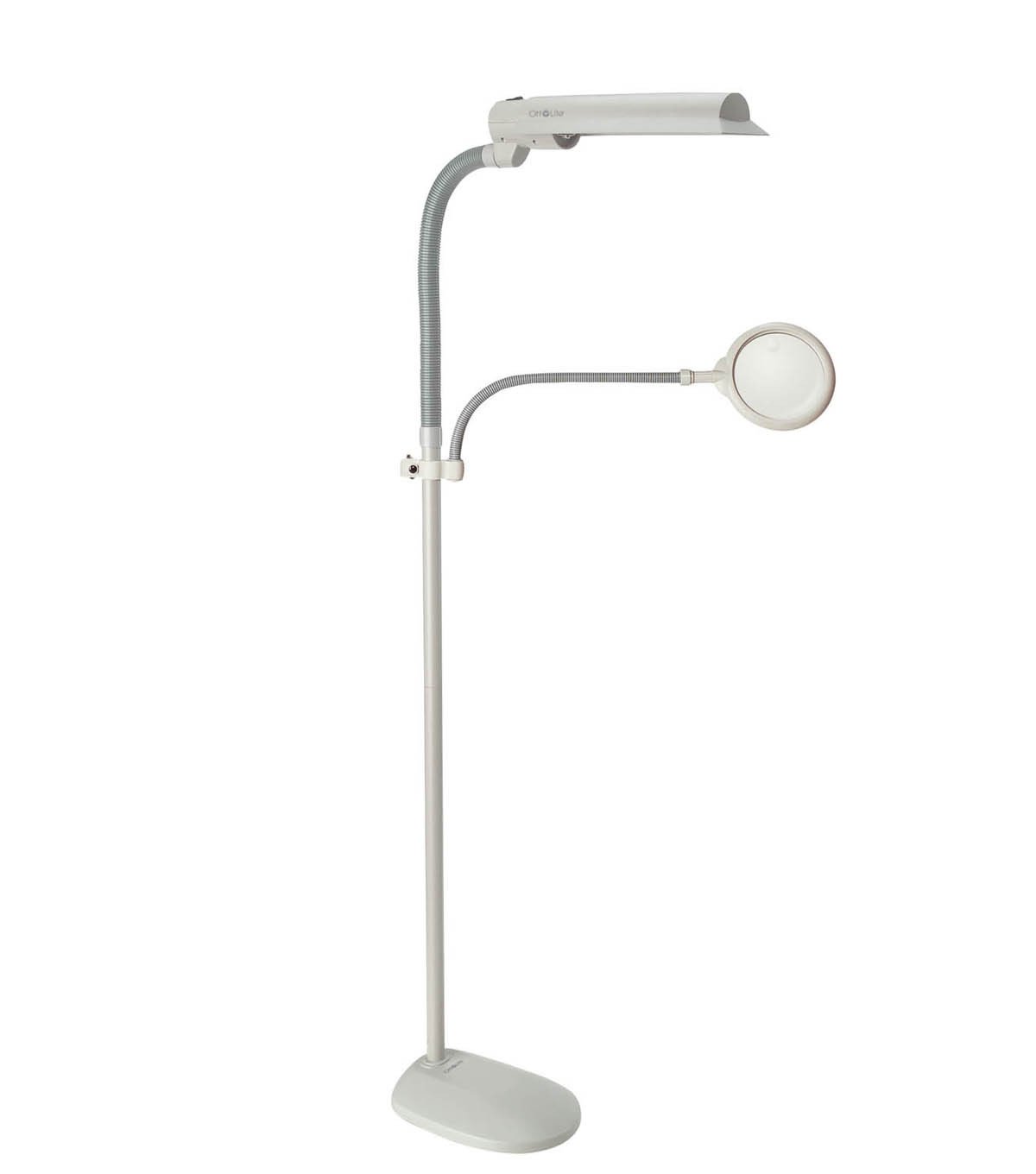
Imej 1.1: The OttLite W9437T Easy View Tingkat Lamp with its adjustable lamp head and flexible magnifier arm, positioned over a sewing project. A woman is using the magnifier to examine her work.
Ciri-ciri Utama:
- OttLite 508 Technology: Provides a balanced spectrum of light for true colors and clear details.
- 3X Optical-Grade Magnifier: 6-inch diameter magnifier with a flexible gooseneck arm, extending 16 to 22 inches for hands-free viewing.
- L boleh larasamp Ketua: Wide-wing shade rotates to direct light precisely where needed.
- Mentol Cekap Tenaga: Includes an 18-watt HD bulb, rated to last up to 10,000 hours.
- Tinggi boleh laras: Lamp height can be adjusted from 50.75 to 62 inches.
- Reka Bentuk Stabil: Features a sturdy 10.5-inch wide base for stability.
2. Persediaan dan Pemasangan
Carefully unpack all components from the packaging. Ensure all parts are present before beginning assembly. No tools are typically required for basic assembly.
Langkah Perhimpunan:
- Pasangkan Tiang ke Tapak: Securely screw the main pole section into the lamp's base until it is firm and stable.
- Sambung Lamp Ketua: Lampirkan lamp head assembly to the top of the main pole. Ensure it clicks or screws into place securely.
- Sisipkan Mentol: Carefully insert the provided 18-watt HD bulb into the lamp head socket. Do not overtighten.
- Attach Magnifier Arm: Connect the flexible gooseneck arm of the magnifier to the designated port on the lamp pole or head.
- Kedudukan: Letakkan lamp on a flat, stable surface. Adjust the height of the pole and the position of the lamp head and magnifier arm as desired for your workspace.
- Sambungan Kuasa: Palamkan kord kuasa ke soket elektrik standard.
3. Arahan Operasi
The OttLite W9437T is designed for ease of use, providing optimal lighting and magnification for various tasks.
Menggunakan Lamp:
- Hidupkan/Mati Kuasa: Locate the power switch, typically on the lamp head or pole, and press it to turn the lamp hidup atau mati.
- Melaraskan Arah Cahaya: The wide-wing shade can be rotated to direct the OttLite illumination precisely onto your work area.
- Pelarasan Ketinggian: Lamp pole allows for height adjustment. Loosen the locking mechanism (if present), adjust to the desired height, and then secure it.
Menggunakan Pembesar:
- Kedudukan: Use the flexible gooseneck arm to position the 3X optical-grade magnifier directly over the area you wish to view secara terperinci.
- Operasi Bebas Tangan: The flexible arm allows for hands-free magnification, ideal for intricate crafts, reading fine print, or detailed tasks.
Video 3.1: This video demonstrates the benefits of OttLite's 508 Technology, showcasing how it provides true color and clear detail compared to standard lighting, reducing eye strain and improving visibility for various tasks.
4. Penyelenggaraan
Proper maintenance ensures the longevity and optimal performance of your OttLite lamp.
Penggantian mentol:
- Lamp uses an 18-watt HD bulb (replacement type B), designed to last up to 10,000 hours.
- To replace the bulb, ensure the lamp is unplugged and cool.
- Carefully remove the old bulb by twisting it counter-clockwise.
- Insert the new 18-watt HD bulb by aligning the pins and twisting clockwise until secure.
Pembersihan:
- Sentiasa cabut plag lamp sebelum membersihkan.
- Lap lamp's surfaces with a soft, dry, or slightly damp kain.
- Jangan gunakan pembersih atau pelarut yang melelas, kerana ia boleh merosakkan kemasan.
- For the magnifier lens, use a soft, lint-free cloth specifically designed for optical surfaces.
5. Penyelesaian masalah
If you encounter issues with your OttLite W9437T lamp, rujuk langkah penyelesaian masalah biasa berikut:
- Lamp Tidak Dihidupkan:
- Pastikan kord kuasa dipasang dengan selamat ke dalam salur keluar elektrik yang berfungsi.
- Periksa sama ada suis kuasa berada dalam kedudukan 'ON'.
- Verify that the bulb is correctly installed and not loose. If the bulb is old, consider replacing it.
- Cahaya berkelip:
- Pastikan mentol diskrukan dengan ketat.
- If flickering persists, the bulb may be nearing the end of its life and requires replacement.
- Magnifier Distortion:
- Ensure the magnifier lens is clean and free of smudges or dust.
- Adjust the distance between the magnifier and the object for optimal focus.
If these steps do not resolve the issue, please contact OttLite customer support for further assistance.
6. Spesifikasi
| Ciri | Perincian |
|---|---|
| Nombor Model | W9437T |
| Nama Jenama | OttLite |
| Lamp taip | Tingkat Lamp |
| Sumber Cahaya | 18-watt HD Bulb (Type B) |
| Jangka Hayat Mentol | Sehingga 10,000 jam |
| Pembesar | 3X Optical-Grade, 6-inch diameter |
| Magnifier Arm Extension | 16 hingga 22 inci |
| Ketinggian Boleh Laras | 50.75 hingga 62 inci |
| Bahan Asas | plastik |
| Bahan Teduh | plastik |
| Berat Barang | 10 paun |
| Sumber Kuasa | Elektrik Bertali |
| warna | Kelabu Merpati |
| UPC | 761712103686 |
7. Waranti dan Sokongan
Your OttLite W9437T Easy View Tingkat Lamp comes with a manufacturer's warranty to ensure your satisfaction and product reliability.
- Lamp Waranti: 2 tahun dari tarikh pembelian.
- Bulb Warranty: 1 tahun dari tarikh pembelian.
For warranty claims, technical support, or any questions regarding your product, please contact OttLite customer service through their official webtapak atau maklumat hubungan yang diberikan bersama dokumentasi pembelian anda.