
1. Pengenalan
The Aiphone GF-2B is a two-module backbox designed to provide a secure and stable mounting base for modular entrance panel systems. It is an essential component for integrating with the Aiphone GF, GH, and GT Series modular multi-tenant entry security systems.
This manual provides detailed instructions for the proper installation, maintenance, and understanding of the GF-2B backbox to ensure optimal performance and longevity.
2. Produk Lebihview
The GF-2B backbox serves as the foundational housing for two modular components of Aiphone's entry security systems. Its robust construction ensures durability and protection for the installed modules.
Ciri-ciri Utama:
- Designed for wall mounting, creating a stable base for modular entrance panels.
- Accommodates two modular pieces vertically.
- Compatible with Aiphone GF, GH, and GT Series multi-tenant entry security systems.
Dimensi:
The backbox measures 7-7/8 inches (H) x 4-5/16 inches (W) x 1-3/4 inches (D) (approximately 200 mm x 110 mm x 44 mm).
Apa yang ada di dalam Kotak:
- Kotak belakang Aiphone GF-2B
- (2) Paip sambungan
- Tolok pemasangan
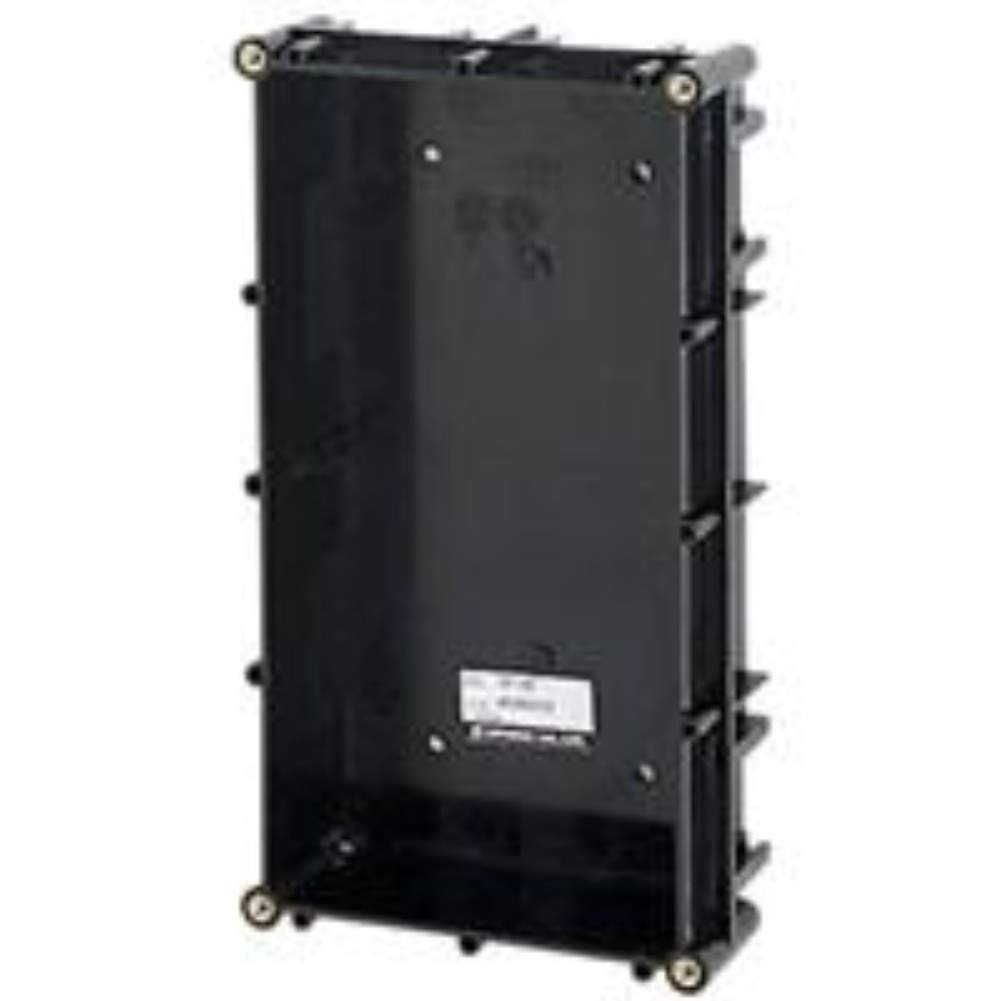
Rajah 1: The Aiphone GF-2B Two-Module Backbox, designed to house two modular components for entry security systems.
3. Persediaan dan Pemasangan
Proper installation of the GF-2B backbox is crucial for the stability and functionality of your Aiphone entry security system.
Langkah Pemasangan:
- Pilih Lokasi Pemasangan: Choose a suitable wall location that is structurally sound and provides adequate space for the backbox and connected modules. Ensure it is protected from direct weather exposure if installed outdoors, or use an appropriate weather-resistant enclosure (sold separately).
- Tandakan Titik Penggerudian: Use the provided mounting gauge to accurately mark the drilling points on the wall. Ensure the marks are level and correctly spaced.
- Lubang gerudi: Drill pilot holes at the marked locations. The size of the drill bit should be appropriate for the fasteners you intend to use.
- Secure Backbox: Position the GF-2B backbox over the drilled holes and secure it to the wall using appropriate screws or anchors (fasteners typically not included). Ensure the backbox is firmly attached and level.
- Install Joint Pipes: If necessary for cable routing or system expansion, attach the provided joint pipes to the designated openings on the backbox.
- Integrate Modules: Once the backbox is securely mounted, proceed with installing the Aiphone GF, GH, or GT Series modular components into the backbox according to their specific instruction manuals.
Penting: Always ensure power is disconnected from the system before performing any installation or wiring procedures.
4. Operasi
The Aiphone GF-2B backbox is a passive component designed to house and protect active modules. It does not have operational functions of its own.
Once the compatible Aiphone GF, GH, or GT Series modular components are installed within the backbox, their operation will be governed by their respective instruction manuals. The backbox provides the physical structure and support for these modules.
5. Penyelenggaraan
Regular maintenance helps ensure the longevity and aesthetic appeal of your GF-2B backbox.
Garis Panduan Penyelenggaraan:
- Pembersihan: Periodically clean the exterior surfaces of the backbox with a soft, dry, or slightly damp kain. Elakkan daripada menggunakan pembersih yang melelas, pelarut atau bahan kimia yang keras, kerana ini boleh merosakkan kemasan.
- Pemeriksaan: Regularly inspect the backbox for any signs of physical damage, such as cracks, dents, or loose mounting. Ensure all screws remain tight.
- Pemeriksaan Alam Sekitar: Verify that no moisture, dust, or debris has accumulated inside the backbox, which could potentially affect the performance or lifespan of the installed electronic modules.
6. Penyelesaian masalah
The GF-2B backbox is a simple, passive component. Most issues will relate to installation or compatibility.
Isu dan Penyelesaian Biasa:
- Backbox is not securely mounted: Re-check the mounting points and ensure appropriate fasteners are used and tightened correctly. The wall structure must be capable of supporting the unit.
- Modular components do not fit: Verify that the modular components are compatible with the Aiphone GF, GH, or GT Series and are designed to fit into a two-module backbox. Ensure they are being inserted in the correct orientation.
- System not functioning after installation: If the entire entry security system is not functioning, consult the instruction manuals for the specific Aiphone GF, GH, or GT Series modules for troubleshooting steps related to their electronic operation and wiring. The backbox itself does not contain electronic components that would cause system failure.
7. Spesifikasi
| Nombor Model | GF-2B |
| Dimensi Produk (H x W x D) | 7-7/8 x 4-5/16 x 1-3/4 inci (200 x 110 x 44 mm) |
| Berat Barang | 6.4 auns |
| Keserasian | Sistem keselamatan kemasukan berbilang penyewa modular Siri Aiphone GF, GH dan GT |
| Pengeluar | KOMUNIKASI AIPHONE |
| ASIN | B002PJ1P3K |
8. Waranti dan Sokongan
For detailed warranty information, technical support, and service inquiries regarding your Aiphone GF-2B backbox or the integrated GF, GH, or GT Series modular multi-tenant entry security system, please refer to the documentation provided with your complete system.
You may also visit the official Aiphone website or contact Aiphone customer service directly for assistance.