
Casio F-201WA-1ACF
Casio Men's F201WA-1A Multi-Function Alarm Sport Watch
Model: F-201WA-1ACF | Brand: Casio
pengenalan
This manual provides comprehensive instructions for the operation and maintenance of your Casio F-201WA-1ACF Multi-Function Alarm Sport Watch. Designed for durability and functionality, this digital timepiece offers a range of features to support your daily activities. Please read this manual thoroughly to ensure proper use and to maximize the lifespan of your watch.
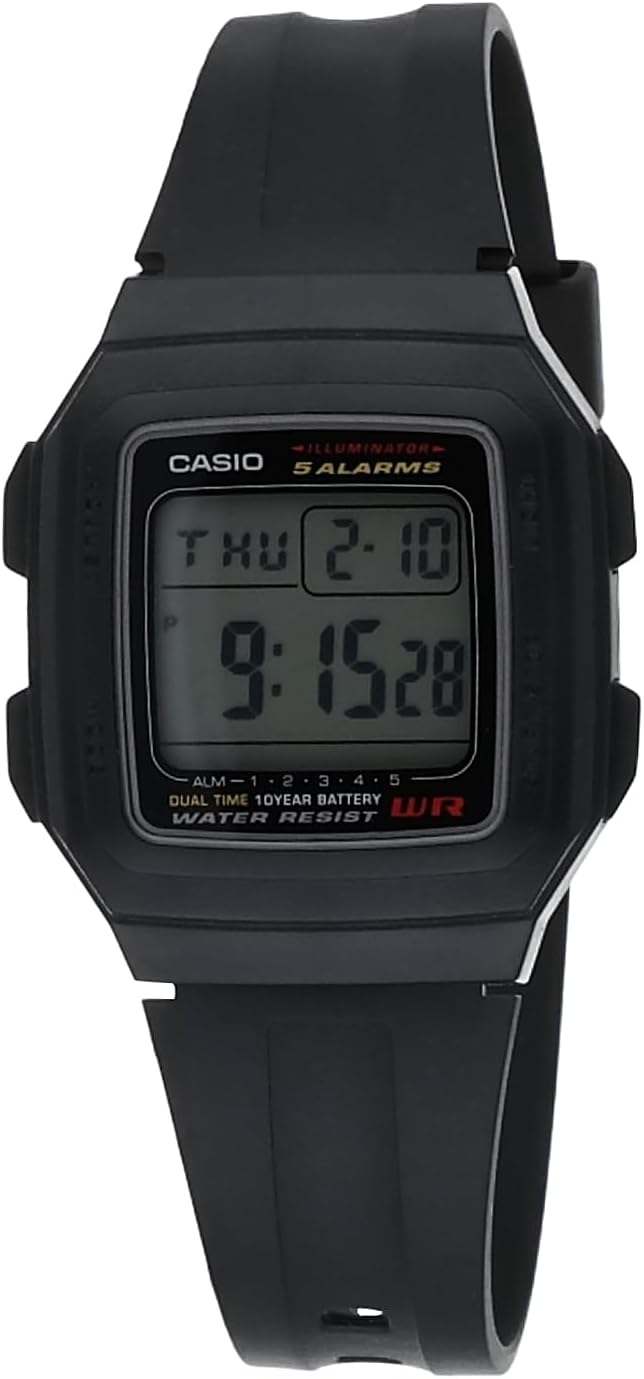
Rajah 1: Depan view of the Casio F-201WA-1A watch.
Ciri-ciri Utama
- Paparan Digital: Clear, easy-to-read digital time and date display.
- Multi-Function Alarms: Features four one-time multifunction alarms and one snooze alarm for versatile scheduling.
- HourlIsyarat Masa y: An optional chime that sounds every hour.
- Jam randik: Masa yang tepat untuk pelbagai aktiviti.
- Paparan Dwi Masa: Allows tracking of a second time zone.
- LED Light with Afterglow: Menerangi paparan untuk keterlihatan dalam keadaan cahaya malap.
- Hayat Bateri yang Panjang: Equipped with a 10-year battery for extended use.
- Pembinaan Tahan Lama: Features a 34 mm resin case with a mineral dial window and a comfortable resin band.

Figure 2: The Casio F-201WA-1A watch on a wrist, highlighting its practical design.
Setup: Initial Time and Date Setting
To set the time and date on your Casio F-201WA-1ACF watch, follow these steps. Refer to the side buttons: 'Mode' (bottom left), 'Adjust' (top left), 'Light' (top right), and 'Start/Stop' (bottom right).
- Daripada Mod Penjagaan Masa, tekan butang Laraskan button (top left) until the seconds begin to flash. This indicates you are in the setting mode.
- Tekan ke Mod button (bottom left) to cycle through the settings: seconds, hour, minute, year, month, day.
- Gunakan Cahaya butang (kanan atas) untuk meningkatkan nilai berkelip, dan Mula/Berhenti button (bottom right) to decrease it.
- Setelah semua tetapan betul, tekan butang Laraskan butang sekali lagi untuk keluar dari mod tetapan dan kembali ke Mod Penjagaan Masa.
For a visual guide on basic operations, you may find the following video helpful:
Video 1: Selesaiview of the Casio F-201WA-1A Black Resin Digital Sport Watch, demonstrating some of its features and appearance.

Figure 3: Excerpt from the official Operation Guide (Module 3196) for detailed instructions.
Mod Pengendalian
Your watch has several operating modes accessible by pressing the Mod button (bottom left) to cycle through them:
- Mod Penjagaan Masa: Memaparkan masa, hari dan tarikh semasa.
- Mod Penggera: Set and activate up to five independent alarms.
- Mod Jam Randik: Ukur masa yang telah berlalu dengan tepat.
- Mod Pemasa Undur: Tetapkan pemasa untuk tempoh tertentu.
- Mod Dwi Masa: View the time in a second time zone.
Menggunakan Penggera
- Daripada Mod Penjagaan Masa, tekan Mod until you reach the Alarm Mode (indicated by "AL" or similar on the display).
- Tekan Mula/Berhenti (bottom right) to cycle through the five alarms (AL1 to AL5) and the snooze alarm (SNZ).
- To set an alarm, hold down Laraskan (top left) until the alarm time flashes.
- guna Mod untuk memilih jam atau minit, dan Cahaya or Mula/Berhenti untuk menukar nilai.
- Tekan Laraskan untuk mengesahkan dan keluar.
- To turn an alarm on/off, press Mula/Berhenti while in Alarm Mode (without holding Laraskan).
Menggunakan Jam Randik
- Daripada Mod Penjagaan Masa, tekan Mod until you reach the Stopwatch Mode (indicated by "ST" or "0:00'00" on the display).
- Tekan Mula/Berhenti untuk memulakan dan menghentikan jam randik.
- Tekan Laraskan untuk menetapkan semula jam randik kepada sifar.
Menggunakan Pemasa Undur
- Daripada Mod Penjagaan Masa, tekan Mod until you reach the Countdown Timer Mode (indicated by "TR" or similar).
- To set the timer, hold down Laraskan until the time flashes.
- guna Mod untuk memilih jam, minit atau saat, dan Cahaya or Mula/Berhenti untuk menukar nilai.
- Tekan Laraskan untuk mengesahkan.
- Tekan Mula/Berhenti untuk memulakan dan menghentikan kira detik.
- When the timer reaches zero, an alarm will sound. Press any button to stop the alarm.
Penyelenggaraan
Penggantian Bateri
Your Casio F-201WA-1ACF watch is equipped with a 10-year battery. When the display becomes dim or the watch stops functioning, it indicates that the battery needs replacement. Battery replacement should ideally be performed by a qualified watch technician to ensure proper sealing and functionality.
Pembersihan dan Penjagaan
- Lap jam tangan dengan kerap menggunakan kain lembut dan kering untuk menghilangkan kotoran dan kelembapan.
- Avoid using chemical cleaners, solvents, or abrasive materials, as these can damage the resin case and band.
- Penting: Jam ini ialah TIDAK kalis air. Avoid exposing it to water, including rain, splashes, showering, or swimming. Water exposure can cause internal damage and void the warranty.

Rajah 4: Belakang view of the watch, showing the case back.
Menyelesaikan masalah
| Masalah | Kemungkinan Punca / Penyelesaian |
|---|---|
| Paparan kosong atau malap. | Bateri mungkin lemah atau habis. Gantikan bateri. |
| Butang tidak bertindak balas. | The watch may be in a locked mode or require a reset. Try pressing all buttons simultaneously for a few seconds, or remove and reinsert the battery (professional service recommended). |
| Masa tidak betul. | Time settings may have been accidentally changed. Follow the "Initial Time and Date Setting" instructions to reset. |
| Penggera tidak berbunyi. | Ensure the alarm is activated in Alarm Mode. Check volume settings if applicable (though this model typically has a fixed alarm tone). |
If you encounter issues not listed here or if the suggested solutions do not resolve the problem, please contact Casio customer support or an authorized service center.
Spesifikasi
| Ciri | Perincian |
|---|---|
| Nombor Model | F-201WA-1ACF |
| Jenis Paparan | digital |
| Bahan Kes | damar |
| Bahan Band | damar |
| Bahan Tingkap Dail | Mineral |
| Dimensi Kes | 34 mm (diameter) |
| Dimensi Produk | 5 x 2 x 3 inci; 3.53 auns |
| Hayat Bateri | Approx. 10 years (1 Lithium Ion battery included) |
| Tahan Air | Tidak kalis air |
| Negara Asal | China |
Waranti dan Sokongan
Your Casio F-201WA-1ACF watch may come with a limited manufacturer's warranty. Please refer to the warranty card included with your purchase for specific terms, conditions, and duration. Typically, Casio watches carry a one-year limited warranty covering manufacturing defects.
For technical support, service, or warranty claims, please contact Casio customer service through their official website or the contact information provided in your product packaging. When contacting support, please have your watch model number (F-201WA-1ACF) and purchase details readily available.

Gambar 5: Cthample of a warranty card, indicating a limited one-year warranty.
Ask a question about this manual
Ask about setup, troubleshooting, compatibility, parts, safety, or missing instructions. Manuals+ will review the question and use this page’s manual context to help answer it.