
1. Pengenalan
This manual provides essential information for the safe and efficient use of your Lexmark E260D Monochrome Laser Printer. Please read these instructions carefully before operating the device and retain them for future reference. The Lexmark E260D is designed for fast, high-quality black and white document printing, featuring automatic two-sided printing for efficiency.
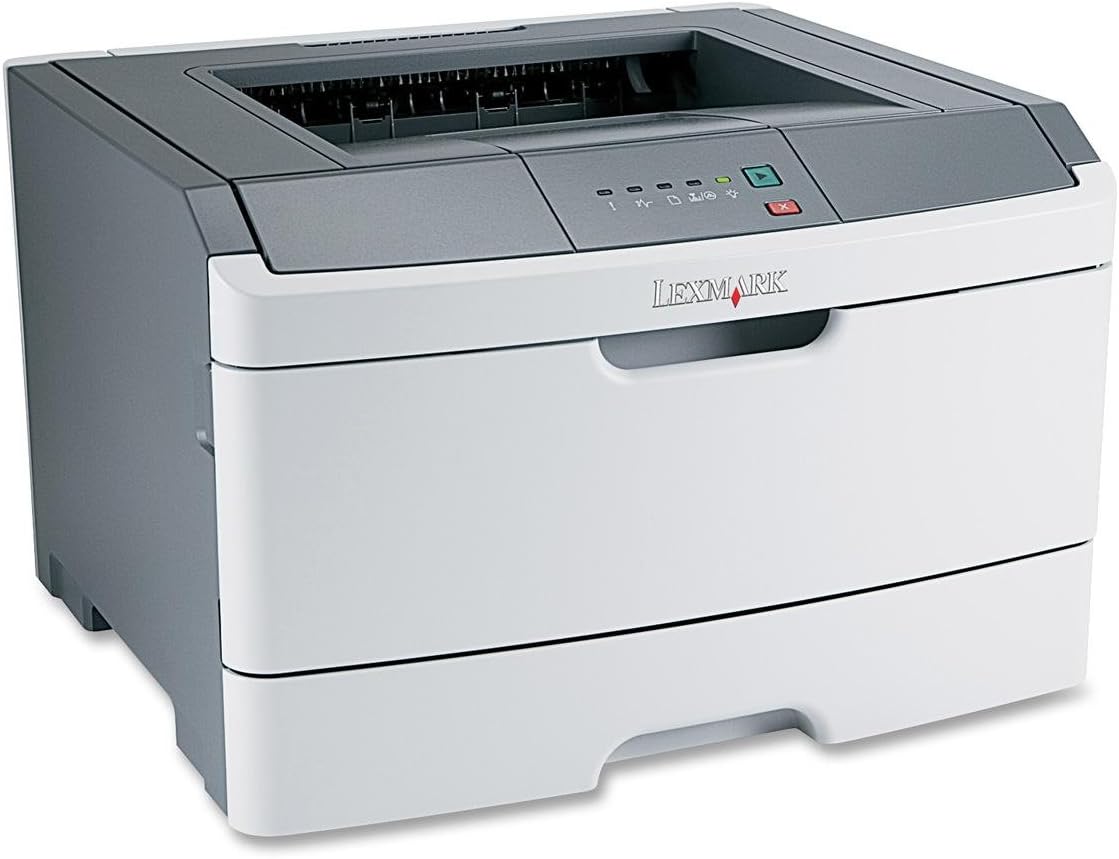
Rajah 1: Lexmark E260D Monochrome Laser Printer. This image shows the printer from a front-right angle, highlighting its compact design with a white body and a dark gray top cover. The output tray is visible on top, and the Lexmark logo is displayed on the front panel above the paper input tray.
2. Maklumat Keselamatan
- Sentiasa sambungkan pencetak ke soket kuasa yang dibumikan.
- Jangan menyekat bukaan pengudaraan.
- Jauhkan pencetak daripada air atau kelembapan berlebihan.
- Gunakan hanya kord kuasa dan aksesori yang dinyatakan.
- Avoid touching the fuser area, as it can be hot.
3. Kandungan Pakej
Sahkan bahawa semua item terdapat dalam pakej:
- Lexmark E260D Monochrome Laser Printer
- Kord Kuasa
- Starter Toner Cartridge (may vary by region)
- Setup Guide or Documentation
- USB Cable (may be sold separately)
4. Persediaan
4.1 Membongkar Pembungkusan Pencetak
- Keluarkan pencetak daripada pembungkusannya.
- Remove all packing materials, tapes, and protective films from the exterior and interior of the printer.
- Letakkan pencetak pada permukaan yang stabil dan rata dengan pengudaraan yang mencukupi.
4.2 Menyambungkan Pencetak
- Connect the power cord to the printer and then to a grounded electrical outlet.
- Connect one end of the USB cable to the printer's USB port and the other end to your computer.
4.3 Installing the Toner Cartridge
- Open the front access door of the printer.
- Carefully remove the toner cartridge from its packaging and shake it gently to distribute the toner.
- Insert the toner cartridge into the printer until it clicks into place.
- Close the front access door securely.
4.4 Memuatkan Kertas
- Tarik keluar dulang kertas.
- Laraskan panduan kertas agar sepadan dengan saiz kertas yang anda muatkan.
- Muatkan kertas ke dalam dulang, pastikan ia rata dan tidak melebihi garisan isian maksimum.
- Push the paper tray back into the printer until it locks.
4.5 Pemasangan Pemandu
After connecting the printer, your operating system may automatically detect and install the necessary drivers. If not, follow these steps:
- Insert the driver CD (if included) into your computer's CD/DVD drive, or download the latest drivers from the official Lexmark support webtapak.
- Ikut arahan pada skrin untuk melengkapkan pemasangan pemacu.
- Mulakan semula komputer anda jika digesa.
5. Mengendalikan Pencetak
5.1 Percetakan Asas
- Pastikan pencetak dihidupkan dan disambungkan ke komputer anda.
- Buka dokumen yang ingin anda cetak pada komputer anda.
- Pilih File > Cetak (or the equivalent command in your application).
- Choose the Lexmark E260D from the list of available printers.
- Adjust print settings as needed (e.g., number of copies, page range).
- klik Cetak.
5.2 Duplex Printing (Two-Sided)
The Lexmark E260D supports automatic two-sided printing.
- When sending a print job, access the printer properties or preferences.
- Look for an option related to Percetakan Dupleks or Cetak pada Kedua-dua Bahagian.
- Select the desired duplex option (e.g., long-edge binding, short-edge binding).
- Confirm your settings and click Cetak.
6. Penyelenggaraan
6.1 Membersihkan Pencetak
- Luaran: Lap permukaan luar dengan lembut, damp, lint-free cloth. Do not use abrasive cleaners or solvents.
- Dalaman: Periodically open the front access door and gently remove any loose toner dust with a dry, lint-free cloth. Avoid touching sensitive components.
6.2 Penggantian Kartrij Toner
When the toner level is low, the printer's control panel will indicate it. Replace the toner cartridge as follows:
- Pastikan pencetak dihidupkan.
- Open the front access door.
- Carefully remove the old toner cartridge by pulling it straight out.
- Unpack the new Lexmark E260D compatible toner cartridge and shake it gently.
- Insert the new cartridge into the printer until it locks into place.
- Close the front access door.
7. Penyelesaian masalah
7.1 Kesesakan Kertas
If a paper jam occurs, the printer's control panel will display an error. Follow these general steps:
- Matikan pencetak dan cabut plagnya dari soket kuasa.
- Open all accessible covers (front door, rear door, etc.).
- Carefully remove any jammed paper, pulling it in the direction of the paper path to avoid tearing.
- Close all covers securely.
- Pasang dan hidupkan pencetak.
7.2 Isu Kualiti Cetakan
- Faded or Light Prints: The toner cartridge may be low. Try shaking the cartridge gently or replace it.
- Streaks or Smudges: Clean the interior of the printer, especially around the toner cartridge area. Ensure the paper type setting matches the loaded paper.
- Halaman Kosong: Ensure the toner cartridge is properly installed and has toner. Check printer drivers and print settings.
7.3 Masalah Kesambungan
- Pencetak Tidak Dikesan: Ensure the USB cable is securely connected to both the printer and the computer. Try a different USB port or cable. Reinstall printer drivers if necessary.
- Print Jobs Stuck: Clear the print queue on your computer. Restart both the printer and the computer.
7.4 Envelope Printing on Mac
Users printing envelopes on macOS may encounter issues with incorrect print orientation or partial printing. To resolve this:
- In the print dialogue box, locate the menu that initially reads 'Layout'.
- Select 'Paper Feed' from this menu.
- Change the 'Auto Select' option to 'Manual Envelope'.
- Teruskan dengan percetakan.
8. Spesifikasi
| Ciri | Spesifikasi |
|---|---|
| Nama Model | E260D |
| Teknologi Percetakan | Laser |
| Output Pencetak | Monokrom |
| Kelajuan Cetakan Maks (Monokrom) | 35 ppm |
| Resolusi Cetakan Maksimum (Hitam & Putih) | 1200 dpi |
| Percetakan Dupleks | Automatik |
| Teknologi Ketersambungan | USB 2.0 |
| Kapasiti Helaian Input Maks | 250 helai |
| Supported Print Media | Envelopes, Labels, Paper (plain), Transparencies |
| Kapasiti Penyimpanan Memori | 32 MB |
| Dimensi Produk | 16.5 x 18.1 x 14 inci |
| Berat Barang | 29.8 paun (13.53 kg) |
| Penggunaan Kuasa (Mod dalam) | 16 Watt |
9. Maklumat Waranti
The Lexmark E260D Monochrome Laser Printer comes with an Exchange Warranty. For specific terms, conditions, and duration of your warranty, please refer to the warranty documentation included with your product or visit the official Lexmark support webtapak.
10. Sokongan Pelanggan
For further assistance, technical support, or to order replacement parts and supplies, please contact Lexmark Customer Support. You can find contact information and additional resources on the official Lexmark webtapak:
- Sokongan Lexmark Webtapak: www.lexmark.com/support (Sila ambil perhatian: Ini ialah pemegang tempat URL. Refer to your product documentation for the exact support link.)