
Fluke 725
Fluke 725 Multifunction Process Calibrator User Manual
1. Pengenalan
This manual provides comprehensive instructions for the safe and effective use of the Fluke 725 Multifunction Process Calibrator. The Fluke 725 is a robust and user-friendly field calibrator designed for testing and calibrating a wide range of process parameters. It combines measurement and source functions to facilitate accurate calibration of transmitters and other industrial equipment.
Key capabilities include sourcing and simulating volts, mA, thermocouples, RTDs, frequency, ohms, and pressure. It also supports flow meter testing with frequency and CPM functions, offers fast linearity tests with auto-step and auto-ramp features, and can power transmitters using its loop supply while simultaneously measuring mA. The device is designed for durability and ease of use in various industrial environments.
2. Persediaan
2.1 Membongkar dan Pemeriksaan
Upon receiving your Fluke 725, carefully unpack the contents. The package should include the Multifunction Process Calibrator unit. Inspect the calibrator for any signs of damage that may have occurred during shipping. If any damage is observed, contact your supplier immediately.
2.2 Pemasangan Bateri
The Fluke 725 operates on four AA alkaline batteries, which are included. The battery compartment is located on the rear of the unit and features an easy-access door for convenient changes.
- Locate the battery compartment door on the back of the calibrator.
- Open the door by sliding or unlatching it according to the markings.
- Insert four AA alkaline batteries, ensuring correct polarity as indicated inside the compartment.
- Tutup pintu petak bateri dengan selamat.
2.3 Kuasa Awal Hidup
Press the power button (typically marked with a circle and a vertical line) to turn on the calibrator. The display should illuminate, indicating the device is ready for operation.

Rajah 1: Depan view of the Fluke 725 Multifunction Process Calibrator, showing the display and control buttons.
3. Arahan Operasi
The Fluke 725 allows simultaneous viewing of input and output on its easy-to-read measure/source screen.
3.1 Pengukuran dan Pemerolehan Sumber Asas
The calibrator features dedicated buttons for various measurement and source functions. Use the 'MEAS' button to select measurement mode and the 'SOURCE' button to select source mode. Specific parameters can be selected using the corresponding function buttons (e.g., V mA, TC, RTD, Hz, Ohms).
3.2 Parameter Specific Operations
- Voltage (V): Measure 0 to 30V, Source 0 to 10V. Resolution up to 0.01V.
- Semasa (mA): Measure and Source 0 to 24 mA. Resolution 0.001 mA. Max load for source is 1000 ohm.
- Thermocouples (TC): Measure and Source mV (TC terminals) from -10.00 mV to 75.00 mV.
- RTD: Measure and Source Resistance from 15 to 3200 ohm.
- Kekerapan (Hz): Measure and Source 2.0 to 1000.0 CPM, 1 to 1000 Hz, 1.0 to 10.0 kHz. For frequency source, the waveform is a 5V p-p squarewave with a -0.1V offset.
- Ohms (Ω): Measure and Source resistance.
- Tekanan: Source pressure (requires external pressure modules, sold separately).
3.3 Ciri Lanjutan
- Auto-Step and Auto-Ramp: Perform fast linearity tests using these automated features. Consult the on-screen menu or specific function buttons for activation.
- Bekalan Gelung: The calibrator provides a 24V DC loop supply to power transmitters during testing, with simultaneous mA measurement capability.
- Lampu latar: Activate the backlight for improved visibility in low-light conditions.
- Store Test Setups: Frequently used test configurations can be stored and recalled for efficiency.
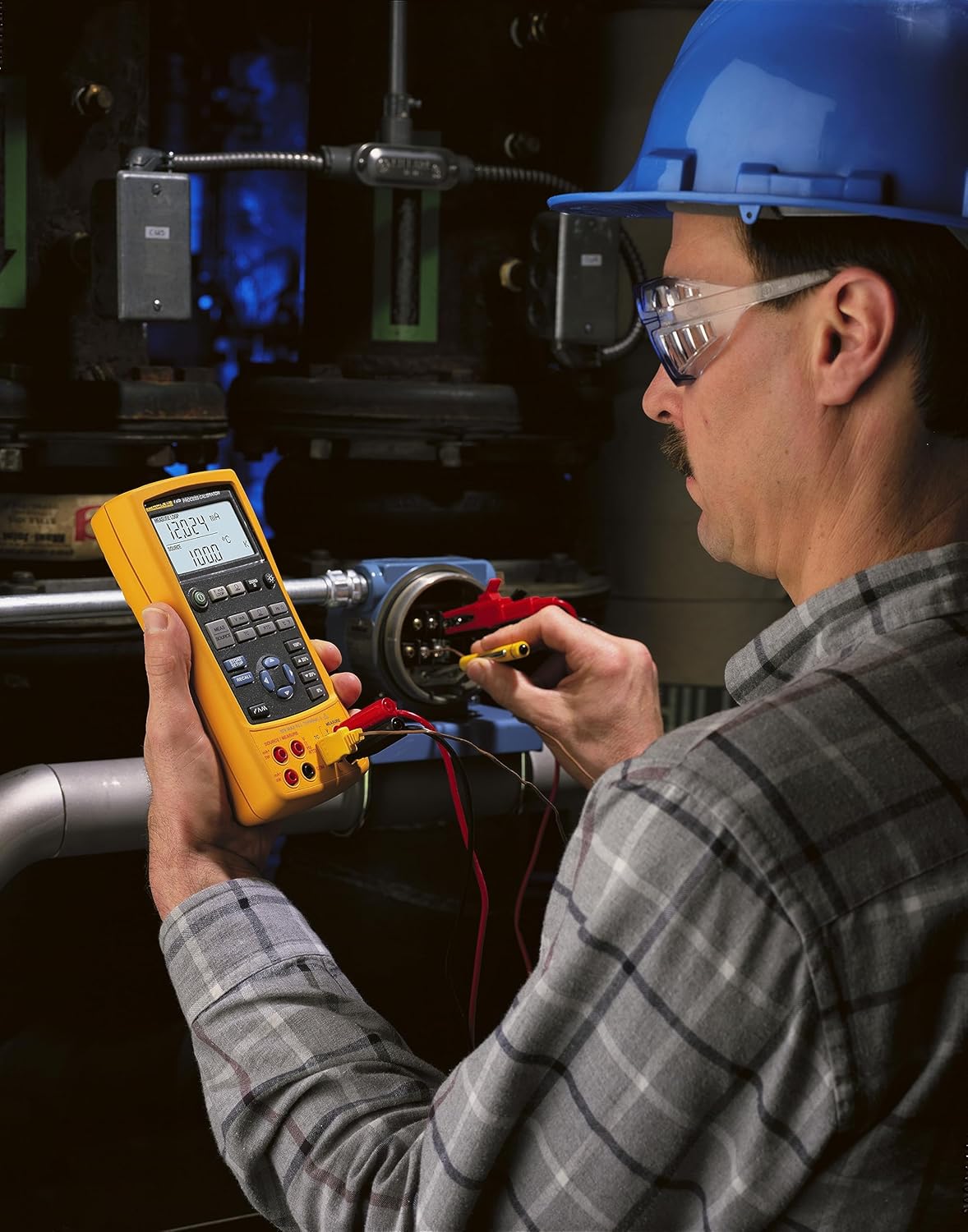
Figure 2: A technician utilizing the Fluke 725 to connect and calibrate industrial process equipment.
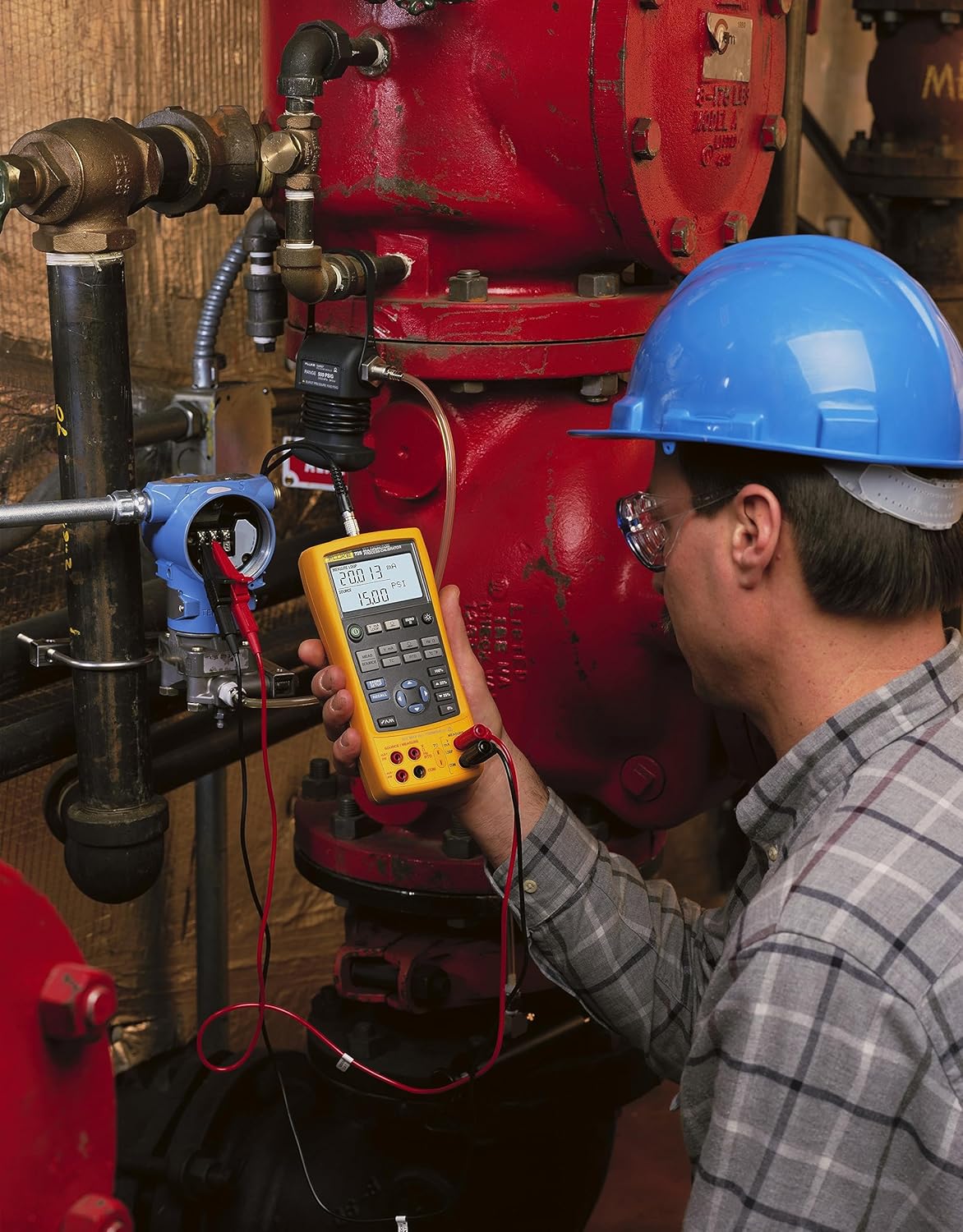
Figure 3: The Fluke 725 calibrator connected to a pressure transmitter, demonstrating its application in process calibration.

Rajah 4: Gambar jarak dekat view of the Fluke 725 calibrator held in hand, displaying measurement readings.
4. Penyelenggaraan
4.1 Penggantian Bateri
When the battery indicator appears on the display, replace the four AA alkaline batteries promptly to ensure continued operation and accuracy. Refer to Section 2.2 for battery installation instructions.
4.2 Pembersihan
To clean the calibrator, wipe the case with a damp cloth and a mild detergent. Do not use abrasive cleaners, solvents, or harsh chemicals. Ensure the device is powered off and disconnected from any circuits before cleaning.
4.3 Penyimpanan
Store the Fluke 725 within the specified storage temperature range of -40 °C to 71 °C (-40 °F to 160 °F). For prolonged storage, remove the batteries to prevent leakage.
5. Penyelesaian masalah
If the Fluke 725 does not operate as expected, review the following general troubleshooting steps:
- Tiada Kuasa: Check battery installation and ensure batteries are fresh.
- Bacaan Salah: Verify test lead connections, ensure correct function selection, and check for proper calibration.
- Isu Paparan: If the display is dim, activate the backlight or replace batteries.
- Function Not Responding: Power cycle the unit (turn off, then on). If the issue persists, consult the manufacturer's support resources.
For specific error codes or advanced troubleshooting, refer to the official Fluke support documentation or contact Fluke customer service.
6. Spesifikasi
| Parameter | Julat | Resolusi | Ketepatan |
|---|---|---|---|
| Voltage (Sumber) | 0 hingga 10V | 0.01V | 0.02% Rdg + 2 LSD |
| Voltage (Ukur) | 0 hingga 30V | 0.01V | 0.02% Rdg + 2 LSD |
| Voltage (Ukur) | 0 hingga 100 mV | 0.01 mV | 0.02% Rdg + 2 LSD |
| Semasa (mA) | 0 hingga 24 mA | 0.001 mA | 0.02% Rdg + 2 LSD |
| mV (TC terminals) | -10.00 mV hingga 75.00 mV | 0.01 mV | 0.025% of range + 1 LSD |
| Rintangan | 15 hingga 3200 ohm | 0.01 hingga 0.1 ohm | 0.10 hingga 1.0 ohm |
| Frequency (CPM) | 2.0 to 1000.0 CPM | 0.1 CPM | +/-0.05% |
| Kekerapan (Hz) | 1 hingga 1000 Hz | 1 Hz | +/-0.05% |
| Kekerapan (kHz) | 1.0 hingga 10.0 kHz | 0.1 kHz | +/-0.25% |
| Bekalan Gelung | 24V DC | T/A | 10% ketepatan |
Spesifikasi Alam Sekitar dan Fizikal
- Vol Maksimumtage: 30V
- Suhu Penyimpanan: -40 °C hingga 71 °C (-40 °F hingga 160 °F)
- Suhu Operasi: -10 °C hingga 55 °C (14 °F hingga 131 °F)
- Kelembapan Relatif: 95% (10 to 35 °C), 75% (30 to 40 °C), 45% (40 to 50 °C), 35% (50 to 55 °C)
- Terkejut: 30g, 11ms, half-sine shock (or 1-meter drop test)
- Getaran: Random, 2g, 5-500 Hz
- Keselamatan: CSA C22.2 No. 1010.1:1992
- Bateri: Four AA alkaline batteries (included)
- Hayat Bateri: 25 hours typical
- Dimensi Produk: 10 x 7.8 x 3.3 inches; 1 Pound
7. Maklumat Waranti
The Fluke 725 Multifunction Process Calibrator comes with a three-year warranty from the date of purchase. This warranty covers defects in materials and workmanship under normal use. For detailed warranty terms and conditions, please refer to the official Fluke warranty statement or contact Fluke customer support.
8. Sokongan dan Hubungan
For technical assistance, service, or additional information regarding your Fluke 725 Multifunction Process Calibrator, please visit the official Fluke Corporation website or contact their customer support department. Contact details can typically be found on the Fluke webtapak atau dalam pembungkusan produk.
Pengeluar: Fluke Corporation
Ask a question about this manual
Ask about setup, troubleshooting, compatibility, parts, safety, or missing instructions. Manuals+ will review the question and use this page’s manual context to help answer it.