
1. Pengenalan
This manual provides essential information for the safe and efficient operation of your Technaxx Wireless CarPlay & Android Car Monitor TX-361. Please read this manual thoroughly before using the device and retain it for future reference. The TX-361 is designed to integrate modern smartphone connectivity, including Apple CarPlay and Android Auto, into your vehicle without requiring a complex car radio replacement. It also features an integrated DAB digital radio for enhanced audio experience.
2. Maklumat Keselamatan
- Sentiasa kendalikan peranti dengan penuh tanggungjawab dan mengikut undang-undang lalu lintas tempatan. Pemanduan yang terganggu boleh mengakibatkan kemalangan.
- Jangan cuba membuka atau mengubah suai peranti. Ini boleh membatalkan jaminan dan menimbulkan risiko keselamatan.
- Jauhkan peranti daripada suhu yang melampau, cahaya matahari langsung dan kelembapan.
- Pastikan peranti dipasang dengan selamat dan tidak menghalang anda view atau mengganggu kawalan kenderaan.
- Gunakan hanya kabel kuasa dan aksesori yang disediakan.
- If the device malfunctions, disconnect it from the power source and contact customer support.
3. Kandungan Pakej
Sahkan bahawa semua item yang disenaraikan di bawah disertakan dalam pakej anda:
- DAB 7-inch CarPlay with Touch Screen TX-361
- Power Supply (USB-A to USB-C, 1.5m cable)
- Kabel AUX (1m)
- Antena DAB
- Holder (Mounting Bracket)
- Manual Pengguna
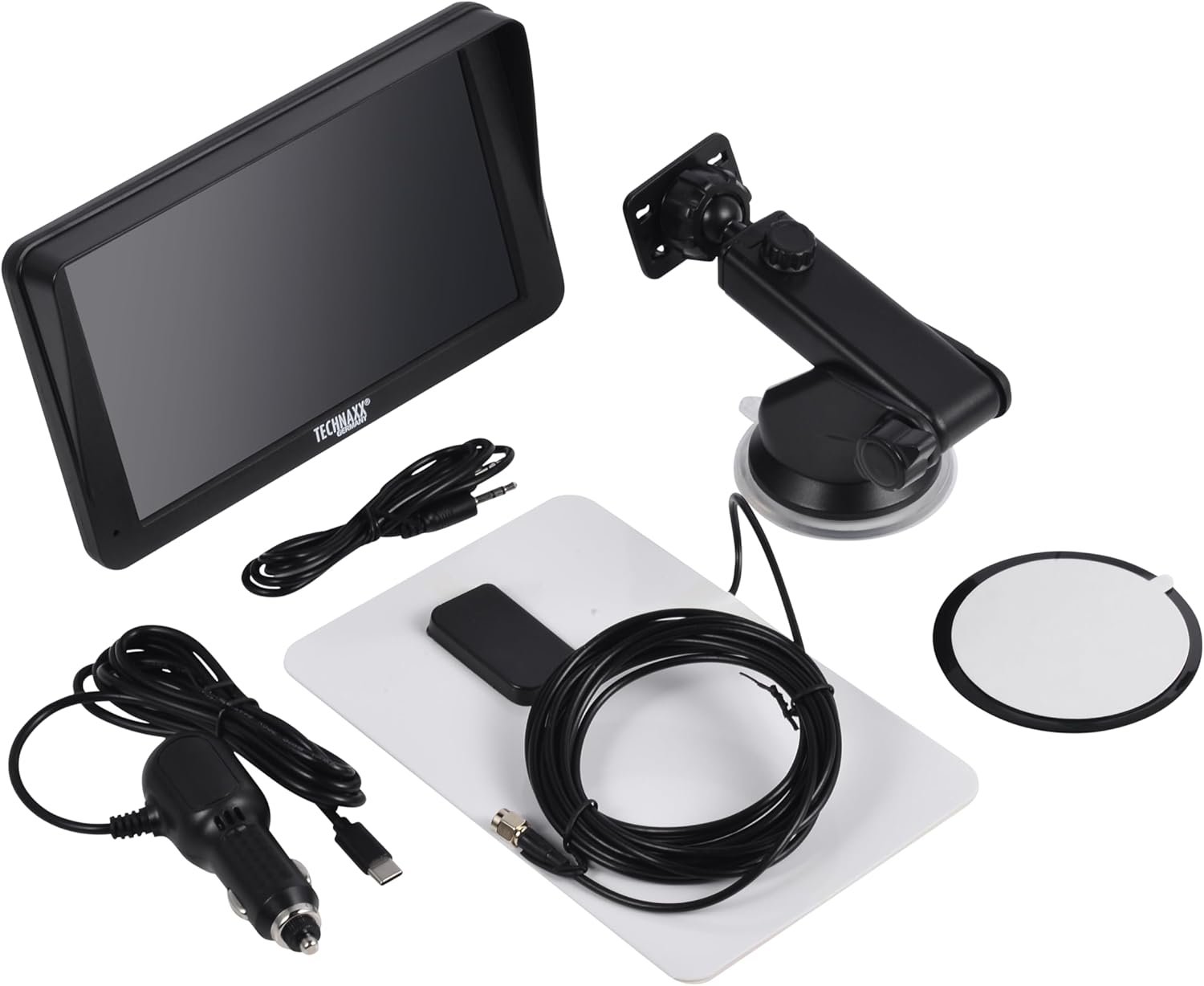
Image: All components included in the Technaxx TX-361 package, neatly laid out.
4. Produk Lebihview
Familiarize yourself with the main components of your TX-361 monitor.
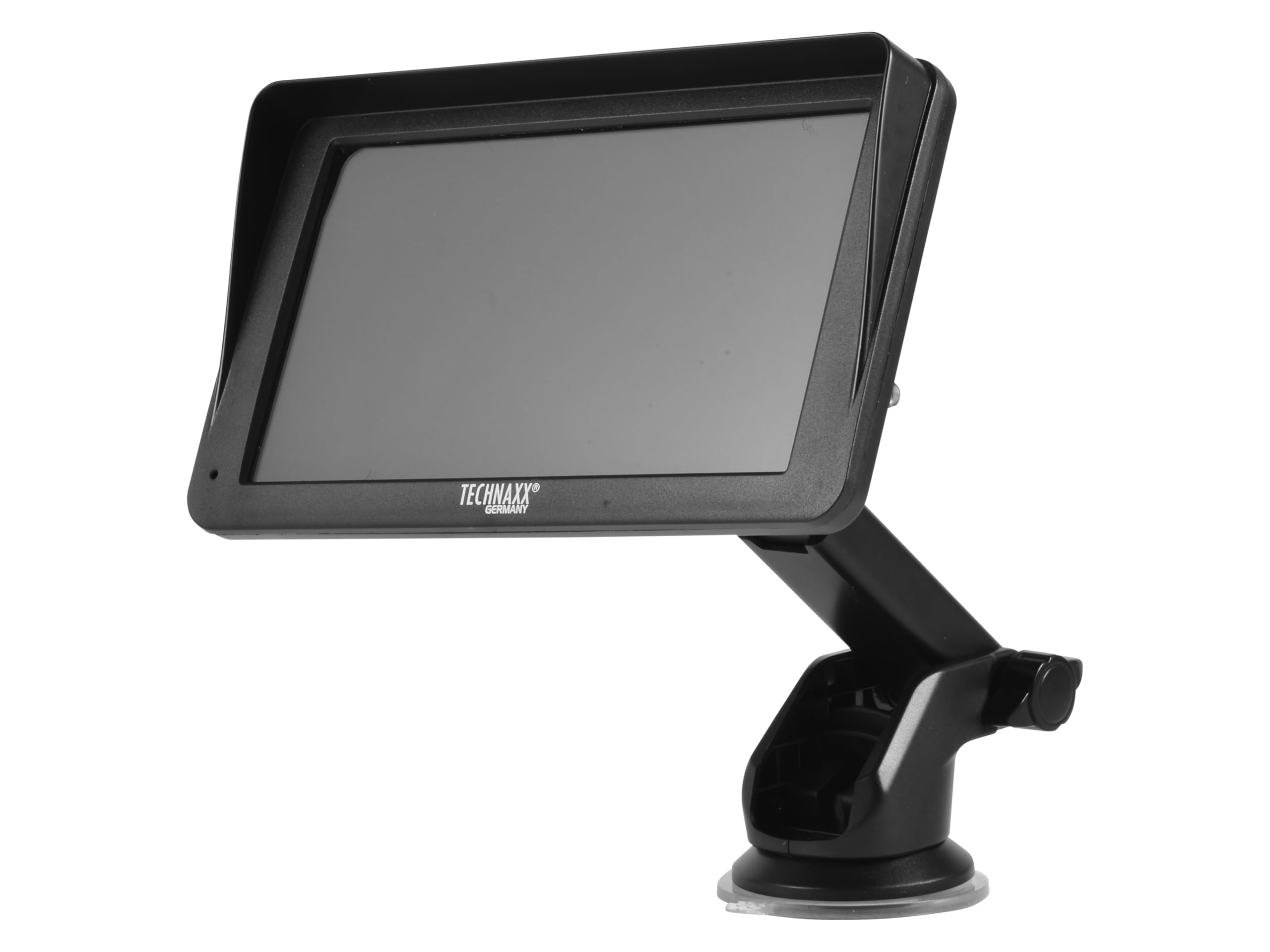
Imej: Depan view of the TX-361 monitor with its 7-inch display and 'TECHN AXX GERMANY' branding, attached to the adjustable mounting stand.

Imej: Belakang view of the TX-361 monitor, highlighting the ventilation grilles and the attachment point for the mounting bracket.

Imej: Terperinci view of the right side of the TX-361 monitor, showing the power button, reset button, USB-C power input, AUX output, and USB-A port.
4.1. Komponen Peranti
- Skrin Sentuh Kapasitif 7 inci: Main display for all functions.
- Butang Kuasa: Terletak di bahagian atas sebelah kanan.
- Butang Tetapkan Semula: Small pinhole button for system reset.
- Port USB-C: Untuk input kuasa.
- Output AUX: 3.5mm jack for wired audio transmission.
- Port USB-A: For media playback or charging external devices.
- DAB Antenna Input: Connector for the external DAB antenna.
- Penceramah Bersepadu: For direct audio playback.
5. Persediaan
5.1. Memasang Peranti
The TX-361 can be mounted on your vehicle's windscreen or dashboard using the provided holder.
- Attach the monitor to the mounting bracket.
- For Windscreen Mounting: Clean the desired area on the windscreen. Press the suction cup firmly against the glass and engage the lever to secure it.
- For Dashboard Mounting: Clean the desired area on the dashboard. If necessary, use the adhesive disc provided for a more secure attachment point for the suction cup. Press the suction cup firmly and engage the lever.
- Laraskan sudut monitor untuk optimum viewtanpa menghalang pemanduan anda view.

Image: The TX-361 monitor securely mounted on a car dashboard, showing its position relative to the driver's view.

Image: The TX-361 monitor mounted on a car windscreen, demonstrating an alternative placement option.
5.2. Sambungan Kuasa
- Connect the USB-C end of the power cable to the USB-C port on the monitor.
- Plug the USB-A end of the power cable into the provided 12V/24V cigarette lighter adapter.
- Insert the cigarette lighter adapter into your vehicle's 12V/24V power socket. The device will power on automatically or can be turned on using the power button.
5.3. DAB Antenna Connection
For optimal DAB radio reception, connect the included DAB antenna:
- Connect the DAB antenna cable to the dedicated DAB antenna input on the monitor.
- Mount the DAB antenna on your windscreen or another suitable location, ensuring it has clear line of sight for best signal reception.
6. Arahan Operasi
6.1. Menghidupkan/Mematikan
- Hidupkan kuasa: The device typically powers on automatically when connected to the vehicle's power. If not, press and hold the power button on the top right side.
- Matikan: Press and hold the power button until the device shuts down. A short press will turn the screen off/on.
6.2. Initial Setup and Smartphone Connection
The TX-361 supports wireless Apple CarPlay and Android Auto via Wi-Fi and Bluetooth 5.0.
- Pastikan Wi-Fi dan Bluetooth telefon pintar anda didayakan.
- On the TX-361 monitor, navigate to the CarPlay or Android Auto section.
- The monitor will display a Bluetooth name. On your smartphone, search for and connect to this Bluetooth device.
- Once connected via Bluetooth, the device will prompt you to enable Wi-Fi for CarPlay/Android Auto functionality. Confirm the connection on your phone.
- After successful pairing, Apple CarPlay or Android Auto will launch automatically on the monitor.
6.3. Operasi skrin sentuh
The 7-inch capacitive touchscreen allows for intuitive control:
- Ketik: Pilih item atau sahkan tindakan.
- Leret: Navigate through menus or lists.
- Cubit-untuk-Zum: (Where supported, e.g., in navigation apps) Adjust map zoom levels.
6.4. DAB Digital Radio
To use the integrated DAB digital radio:
- Ensure the DAB antenna is properly connected.
- From the main menu, select the 'DAB Radio' option.
- The device will automatically scan for available DAB stations.
- Pilih stesen yang anda inginkan daripada senarai.
6.5. Radio FM
For traditional FM radio reception:
- From the main menu, select the 'FM Radio' option.
- Gunakan kawalan pada skrin untuk mengimbas stesen atau menala frekuensi secara manual.
6.6. Pilihan Output Audio
The TX-361 offers several ways to transmit audio to your vehicle's sound system:
- Penceramah Bersepadu: Audio will play directly from the monitor's built-in speaker.
- Kabel AUX: Connect the provided 3.5mm AUX cable from the monitor's AUX output to your car's AUX input. Select 'AUX' as the input source on your car radio.
- Penghantaran FM: Select an unused FM frequency on the TX-361 and tune your car radio to the same frequency. Audio will be transmitted wirelessly to your car's speakers.
7. Penyelenggaraan
- Pembersihan: Gunakan kain lembut dan kering untuk membersihkan skrin dan bahagian luar peranti. Jangan gunakan pembersih atau pelarut yang melelas.
- Storan: Jika menyimpan peranti untuk tempoh yang lama, putuskan sambungannya daripada kuasa dan simpan di tempat yang sejuk dan kering.
- Kemas Kini Perisian: Periksa pengeluar secara berkala webtapak untuk sebarang kemas kini perisian tegar yang tersedia untuk memastikan prestasi optimum.
8. Penyelesaian masalah
| Masalah | Penyelesaian yang Mungkin |
|---|---|
| Peranti tidak dihidupkan. |
|
| Cannot connect to CarPlay/Android Auto. |
|
| Poor DAB/FM radio reception. |
|
| Tiada output audio. |
|
9. Spesifikasi
| Ciri | Spesifikasi |
|---|---|
| Nombor Model | 5361 |
| Paparan | Skrin Sentuh Kapasitif 7-inci |
| Teknologi Ketersambungan | Wi-Fi (Dual-band 2.4 / 5 GHz), Bluetooth 5.0 |
| Ciri Khas | Wireless CarPlay & Android Auto, DAB Digital Radio, FM Radio, Touchscreen Display |
| Julat Kekerapan DAB | Band III: 174-240 MHz |
| Output Audio | AUX, FM Transmission, Integrated Speaker |
| Bekalan Kuasa | 12V/24V via Cigarette Lighter |
| Dimensi Produk (D x W x H) | 18.8D x 10.8W x 3.5H sentimeter |
| Berat Barang | 0.58 Paun (lebih kurang 263 gram) |
10. Waranti dan Sokongan
Technaxx products are covered by a manufacturer's warranty. For detailed warranty information, please refer to the warranty card included with your product or visit the official Technaxx website. For technical support, troubleshooting assistance, or service inquiries, please contact Technaxx customer support through their official channels.
You can often find additional resources, FAQs, and contact information on the Technaxx official webtapak.