
1. Produk Lebihview
The JUNG AS581WW is a single frame designed for use with JUNG electrical inserts, such as switches or sockets. This white, powder-coated iron frame provides a clean and secure mounting solution for your electrical installations, ensuring a consistent aesthetic in any room. It is a component of the JUNG electrical system, known for its quality and timeless design, and is manufactured in Germany.
Ciri-ciri utama termasuk:
- Designed for single electrical inserts.
- Durable iron construction with a white powder-coated finish.
- Suitable for screw-in installation.
- Part of the JUNG AS series, offering a cohesive design.
2. Maklumat Keselamatan
Sila baca dan fahami semua arahan keselamatan sebelum pemasangan dan penggunaan. Kegagalan mematuhi arahan ini boleh mengakibatkan renjatan elektrik, kebakaran atau kecederaan serius.
- Putuskan Kuasa: Always ensure the main power supply to the installation area is turned off at the circuit breaker before beginning any electrical work.
- Kakitangan Berkelayakan: Installation should only be performed by a qualified electrician or competent person in accordance with local electrical codes and regulations.
- Alat yang Betul: Gunakan alat penebat yang sesuai untuk kerja elektrik.
- Periksa Kerosakan: Jangan pasang jika produk kelihatan rosak.
- Penggunaan yang Dimaksudkan: This frame is designed for specific JUNG electrical inserts. Do not attempt to modify it for other purposes.
3. Kandungan Pakej
Sahkan bahawa semua komponen hadir sebelum meneruskan pemasangan:
- 1 x JUNG AS581WW Frame for 1 Socket
Note: Electrical inserts (switches, sockets) and mounting screws are sold separately.
4. Arahan Pemasangan
Follow these steps to install the JUNG AS581WW frame:
- Sediakan Kawasan Pemasangan: Ensure the power supply to the relevant circuit is turned off at the main breaker. Confirm with a voltage tester that the power is off.
- Install the Electrical Insert: First, install your chosen JUNG electrical insert (e.g., switch mechanism, socket outlet) into the flush-mounted box according to its specific instructions. Secure it with the provided screws.
- Letakkan Bingkai: Align the AS581WW frame over the installed electrical insert. The frame is designed to snap or screw into place over the insert's mounting plate.
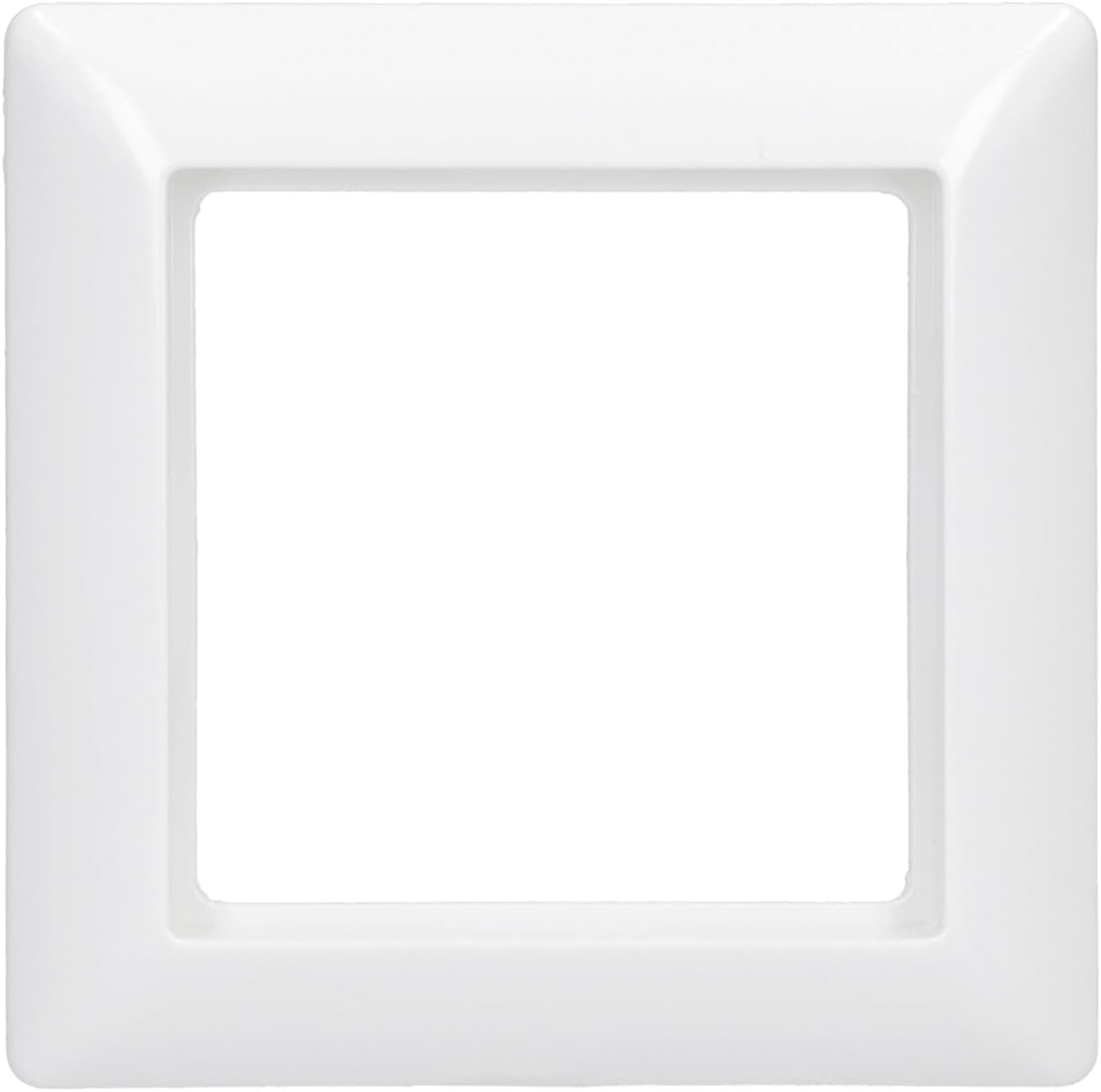
Imej: Depan view of the JUNG AS581WW single socket frame. This image shows the clean, white finish and the central opening for an electrical insert.
- Selamatkan Bingkai: Depending on the specific JUNG insert and mounting system, the frame will either clip securely into place or be held by the cover plate of the insert. Ensure it is flush with the wall and firmly attached.

Imej: Sisi view of the JUNG AS581WW single socket frame. This view menonjolkan pro langsingfile and the slight curvature of the frame.

Imej: Belakang view of the JUNG AS581WW single socket frame. This image shows the internal structure and mounting points designed for compatibility with JUNG inserts.
- Pasang Plat Penutup: Finally, install the cover plate (rocker, central plate) onto the electrical insert, which will complete the assembly and hold the frame firmly in place.
- Pulihkan Kuasa: Once installation is complete and all components are securely in place, restore power at the main circuit breaker.
5. Arahan Operasi
The JUNG AS581WW frame itself is a passive component and does not have operational functions. Its purpose is to aesthetically cover and secure the active electrical insert (switch, socket) within the wall. Operation of the electrical function is dependent on the specific insert installed within the frame.
6. Penyelenggaraan
To ensure the longevity and appearance of your JUNG AS581WW frame, follow these simple maintenance guidelines:
- Pembersihan: Wipe the frame regularly with a soft, damp cloth. For stubborn dirt, a mild, non-abrasive cleaning solution can be used. Avoid harsh chemicals, abrasive cleaners, or solvents, as these can damage the finish.
- Pemeriksaan: Periodically inspect the frame for any signs of damage, cracks, or discoloration. If any damage is observed, consider replacing the frame to maintain safety and aesthetics.
- Tiada Pembongkaran: Do not attempt to disassemble the frame unless necessary for replacement or access to the electrical insert, and always ensure power is disconnected first.
7. Penyelesaian masalah
If you encounter issues with your JUNG AS581WW frame, consider the following:
- Frame Not Fitting Flush: Ensure the electrical insert is correctly seated and secured within the flush-mounted box. Check for any obstructions behind the frame.
- Frame Appears Loose: Verify that the electrical insert's cover plate is properly installed and tightened, as it often secures the frame in place.
- Damage to Frame: If the frame is cracked or broken, it should be replaced. Do not attempt to repair damaged electrical components or accessories.
For issues related to the electrical insert itself (e.g., switch not working, socket not providing power), refer to the instruction manual for that specific insert or consult a qualified electrician.
8. Spesifikasi
| Atribut | Spesifikasi |
|---|---|
| Jenama | JUNG |
| Nombor Model | AS581WW |
| Konfigurasi | Bujang |
| bahan | besi |
| warna | putih |
| Jenis Selesai | Bersalut Serbuk |
| Jenis Pemasangan | Skru Masuk |
| Berat Barang | 18 Gram |
| Negara Asal | Jerman |
9. Waranti dan Sokongan
JUNG products are manufactured to high-quality standards and typically come with a manufacturer's warranty against defects in materials and workmanship. For specific warranty details, please refer to the documentation provided with your purchase or visit the official JUNG webtapak.
If you require technical assistance, have questions about installation, or need to report a defect, please contact JUNG customer support or your local distributor. Contact information can usually be found on the manufacturer's webtapak atau pembungkusan produk.