
Casio TQ-140-1EF
Manual Pengguna Jam Penggera Analog Casio TQ-140-1EF
Model: TQ-140-1EF | Brand: Casio
pengenalan
Thank you for choosing the Casio TQ-140-1EF Analog Alarm Clock. This compact and reliable alarm clock is designed for simplicity and ease of use, providing accurate timekeeping and a clear alarm function. This manual will guide you through the setup, operation, and maintenance of your new alarm clock.
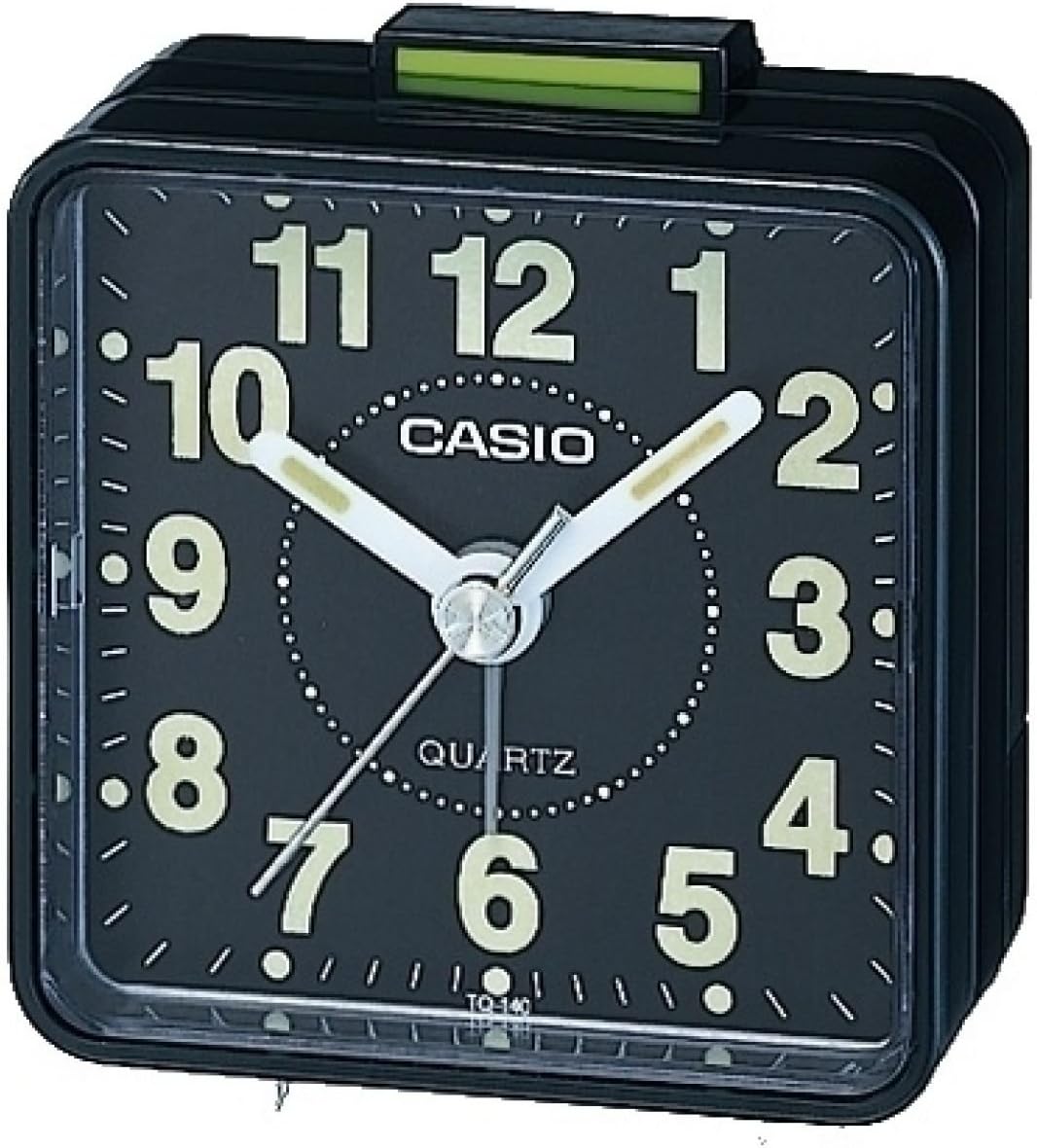
Rajah 1: Depan view of the Casio TQ-140-1EF Analog Alarm Clock. It features a black square body, a black dial with large white luminous Arabic numerals, and white luminous hour and minute hands. A thin white second hand is also visible. The alarm on/off switch is located on top, colored green.
Produk Selesaiview
The Casio TQ-140-1EF is a compact analog alarm clock with a simple, functional design. Key components include:
- Tombol Tetapan Masa: Located at the back, used to adjust the current time.
- Tombol Tetapan Penggera: Located at the back, used to set the desired alarm time.
- Suis HIDUP/MATI penggera: Located on the top, slides to activate or deactivate the alarm.
- Petak Bateri: Located at the back, holds one AA battery.
- Luminous Hands and Numbers: Allow for visibility in low-light conditions.
Persediaan
1. Pemasangan Bateri
- Buka penutup petak bateri yang terletak di bahagian belakang jam loceng.
- Insert one AA battery (included) into the compartment, ensuring the correct polarity (+/-) as indicated inside the compartment.
- Tutup penutup petak bateri dengan selamat.
2. Menetapkan Masa Semasa
- Cari tombol tetapan masa di bahagian belakang jam.
- Rotate the knob in either direction to move the hour and minute hands until the correct current time is displayed.
Arahan Operasi
Menetapkan Masa Penggera
- Cari tombol tetapan penggera di bahagian belakang jam.
- Putar tombol ini untuk menggerakkan jarum penggera kecil ke waktu bangun yang anda inginkan.
Mengaktifkan/Menyahaktifkan Penggera
- To activate the alarm, slide the alarm ON/OFF switch (green tab) on the top of the clock upwards.
- To deactivate the alarm, slide the alarm ON/OFF switch downwards. The alarm will sound at the set time if activated.
Penyelenggaraan
Pembersihan
Wipe the clock with a soft, dry cloth. Do not use abrasive cleaners or solvents, as they may damage the finish.
Penggantian Bateri
When the clock starts to lose time or the alarm sound weakens, it is time to replace the battery. Follow the battery installation steps in the "Setup" section.
Menyelesaikan masalah
| Masalah | Penyelesaian |
|---|---|
| Jam tidak berjalan atau berjalan perlahan. | Check if the battery is inserted correctly. Replace the battery with a new AA battery. |
| Penggera tidak berbunyi. | Ensure the alarm ON/OFF switch is in the 'ON' (upwards) position. Verify the alarm time is set correctly. Replace the battery if the alarm sound is weak. |
| Luminous hands/numbers are not glowing. | The luminous material requires exposure to light to charge. Expose the clock to bright light for a period to recharge the glow. Note that the glow intensity may diminish over time. |
Spesifikasi
| Ciri | Perincian |
|---|---|
| Nombor Model | TQ-140-1EF |
| Jenama | Casio |
| warna | Hitam |
| Dimensi (L x W x H) | 6 x 3 x 6 cm (lebih kurang 2.36 x 1.18 x 2.36 inci) |
| Berat badan | 64 gram (lebih kurang 2.26 oz) |
| bahan | damar |
| Jenis Paparan | Analog |
| Sumber Kuasa | 1 x Bateri AA |
| Ciri Khas | Neo-display (luminous hands/numbers), Acoustic alarm sound |
Waranti dan Sokongan
Your Casio TQ-140-1EF Alarm Clock comes with a Waranti 2 tahun dari tarikh pembelian. Sila simpan bukti pembelian anda untuk tuntutan waranti.
For technical support or warranty service, please contact your local Casio authorized service center or visit the official Casio webtapak untuk maklumat hubungan.
You can find more information and support on the official Casio webtapak: www.casio.com
Ask a question about this manual
Ask about setup, troubleshooting, compatibility, parts, safety, or missing instructions. Manuals+ will review the question and use this page’s manual context to help answer it.