
Casio A-158WA-1
Casio A158WA Series Digital Watch User Manual
Model: A-158WA-1
Jenama: Casio
1. Pengenalan
Thank you for choosing the Casio A158WA-1 Digital Watch. This classic timepiece combines vintage aesthetics with practical digital functions, including a stopwatch, daily alarm, and LED light. Designed for everyday wear, it offers reliable timekeeping and water resistance for daily splashes. This manual provides detailed instructions to help you get the most out of your watch.
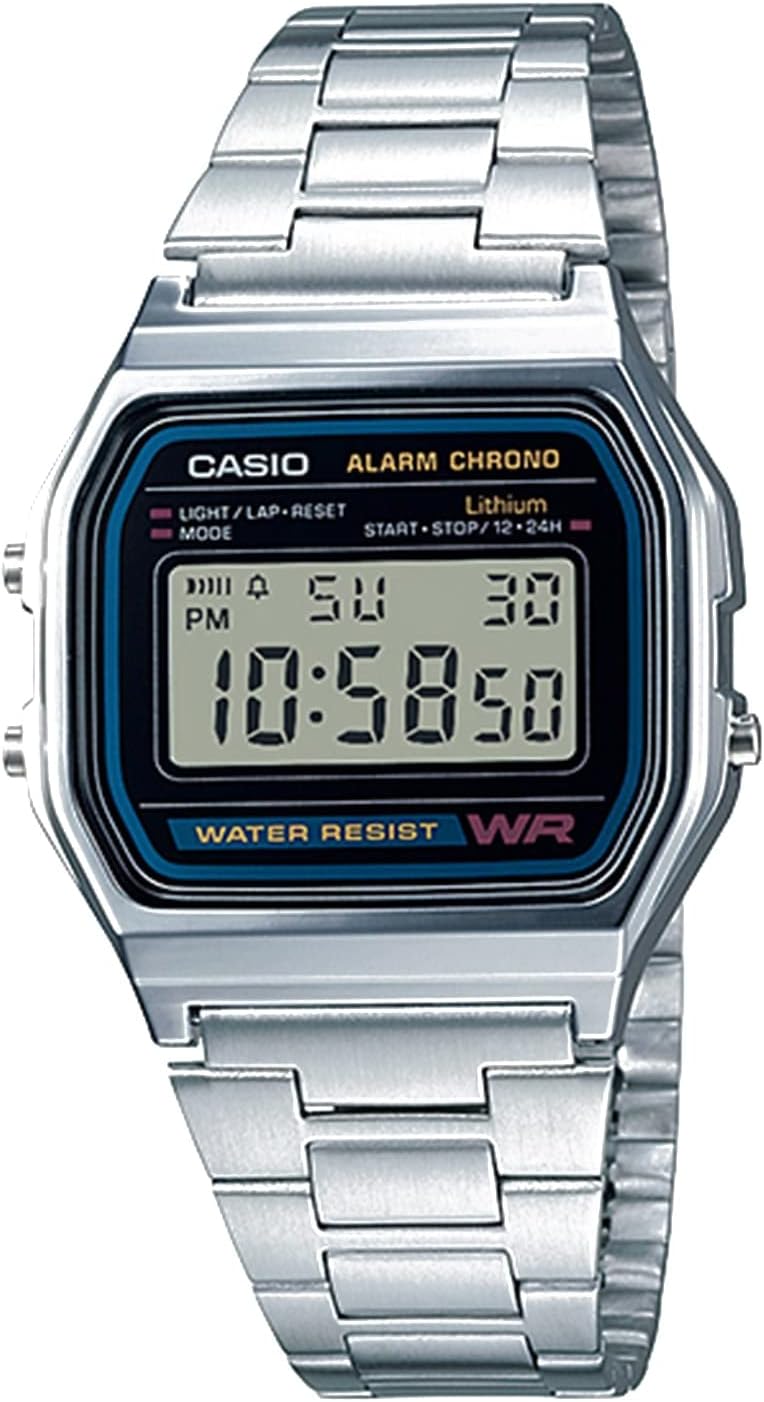
Rajah 1: Depan view of the Casio A158WA-1 Digital Watch, showcasing its digital display and classic silver-tone design.
2. Persediaan
2.1 Menetapkan Masa dan Tarikh
- In the normal timekeeping mode, press the Mod button (bottom left) repeatedly until the seconds start flashing.
- Tekan ke Light/Lap/Reset button (top left) to reset the seconds to 00.
- Tekan ke Mod butang sekali lagi untuk beralih ke tetapan jam. Gunakan Start/Stop/12-24h button (top right) to adjust the hour. Note the 'P' indicator for PM.
- Repeat the process for minutes, month, date, and day of the week.
- Setelah semua tetapan betul, tekan butang Mod button to return to normal timekeeping.
2.2 Melaraskan Gelang
The stainless steel bracelet can be adjusted to fit your wrist. Locate the clasp and lift the small lever. Slide the clasp along the bracelet to the desired position and press the lever down firmly to secure it. Ensure it clicks into place to prevent accidental opening.

Figure 2: The Casio A158WA-1 Digital Watch in a lifestyle setting, highlighting its compact size and classic appeal.
3. Arahan Operasi
3.1 Fungsi Jam randik
- From normal timekeeping mode, press the Mod button twice to enter stopwatch mode. The display will show '00:00:00'.
- Tekan ke Start/Stop/12-24h butang (kanan atas) untuk memulakan jam randik.
- Tekan ke Start/Stop/12-24h butang sekali lagi untuk menghentikan jam randik.
- Tekan ke Light/Lap/Reset button (top left) to reset the stopwatch to '00:00:00'.
3.2 Penggera Harian
- From normal timekeeping mode, press the Mod button once to enter alarm mode. The display will show the alarm time.
- Tekan ke Light/Lap/Reset button (top left) to turn the alarm ON/OFF. An alarm indicator will appear when the alarm is active.
- Untuk menetapkan masa penggera, tekan butang Start/Stop/12-24h button (top right) to adjust the hour, then press Mod to move to minutes and adjust.
- Tekan ke Mod button to return to normal timekeeping.
3.3 Lampu LED
Tekan ke Light/Lap/Reset button (top left) in any mode to illuminate the display. The light is designed for low-light conditions and may appear dim in bright environments.
4. Penyelenggaraan
4.1 Tahan Air
The Casio A158WA-1 is water resistant. This means it can withstand splashes, rain, or brief immersion in water. It is tidak sesuai for swimming, showering, or diving. Avoid operating buttons while the watch is wet to prevent water ingress.
4.2 Pembersihan
Untuk membersihkan jam tangan anda, lap dengan kain lembut dan kering. Untuk kotoran degil, lap dengan sedikit kainamp kain boleh digunakan, diikuti dengan pengeringan segera. Elakkan menggunakan pembersih kimia atau bahan kasar, kerana ini boleh merosakkan kemasan jam tangan.
4.3 Hayat Bateri
The watch is equipped with a long-life battery, typically lasting up to 7 years. When the display becomes dim or functions become erratic, it may be time for a battery replacement. It is recommended to have the battery replaced by a qualified watch technician to ensure water resistance is maintained.
5. Penyelesaian masalah
- Paparan kosong atau malap: Bateri mungkin lemah atau habis. Gantikan bateri.
- Masa tidak tepat: Re-set the time and date following the instructions in Section 2.1. Ensure AM/PM is correctly set.
- Penggera tidak berbunyi: Check if the alarm is activated (alarm indicator on display). Ensure the alarm time is set correctly.
- Butang tidak bertindak balas: Ensure the watch is not wet. If the issue persists, a reset may be required (consult a service center) or the battery may be low.
6. Spesifikasi
| Ciri | Perincian |
|---|---|
| Nombor Model | A158W-1 (A-158WA-1 variant) |
| Jenis Paparan | digital |
| Dimensi Kes | 33 mm |
| Tahan Air | Yes (splashes/brief immersion) |
| Fungsi | Time, Date, Day, Daily Alarm, 1/100 Sec Stopwatch, LED Light |
| Hayat Bateri | lebih kurang 7 tahun |
| Ketepatan | ±30 saat sebulan |
| bahan | Resin (case), Stainless Steel (band) |
7. Waranti dan Sokongan
7.1 Maklumat Waranti
Your Casio A158WA-1 Digital Watch comes with a manufacturer's warranty covering defects in materials and workmanship. Please refer to the warranty card included with your purchase for specific terms, conditions, and duration. Keep your proof of purchase for warranty claims.
7.2 Sokongan Pelanggan
Untuk bantuan lanjut, sokongan teknikal atau pertanyaan perkhidmatan, sila lawati laman web rasmi Casio webtapak atau hubungi bahagian perkhidmatan pelanggan mereka. Anda juga boleh merujuk kepada yang komprehensif Manual Pengguna (PDF) untuk butiran tambahan.
Ask a question about this manual
Ask about setup, troubleshooting, compatibility, parts, safety, or missing instructions. Manuals+ will review the question and use this page’s manual context to help answer it.