
pengenalan
This manual provides essential instructions for the safe and efficient use of your Olympus Note Corder 100 digital voice recorder. Please read this manual thoroughly before operating the device and retain it for future reference.
Produk Selesaiview
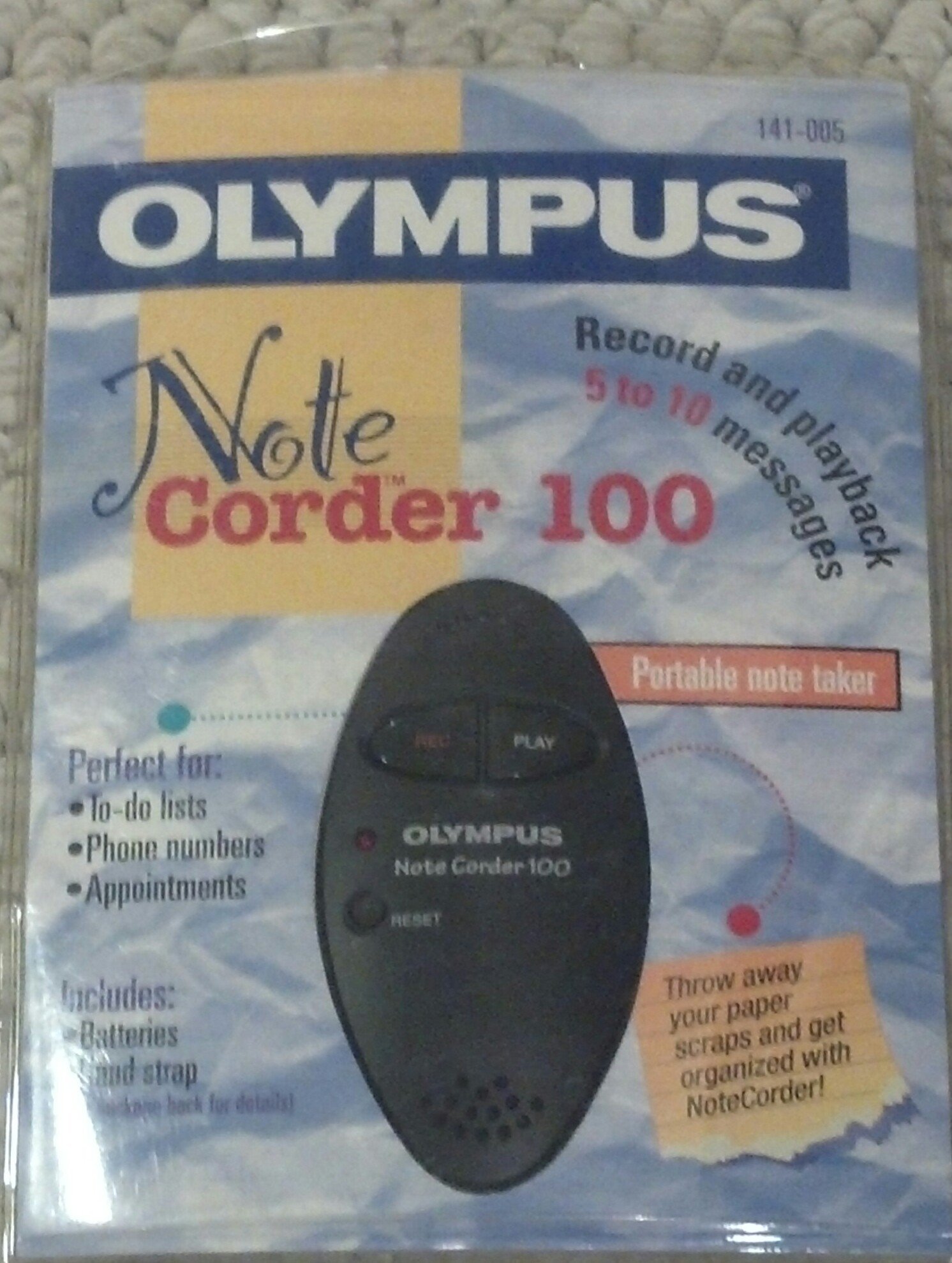
Image: The Olympus Note Corder 100 digital voice recorder, packaged. This image illustrates the product's compact design and highlights its primary features such as ergonomic design, 20-second recording time, and an LED indicator.
The Olympus Note Corder 100 is a compact, portable digital voice recorder designed for quick and convenient voice memos. Its ergonomic design ensures comfortable handling, making it ideal for recording short notes on the go.
Ciri-ciri Utama:
- Reka bentuk ergonomik: Fits comfortably in the palm of your hand.
- 20-Second Recording Time: Ideal for short, concise messages.
- Penunjuk LED: Menyediakan maklum balas visual tentang status peranti.
- Memori Terbina dalam: Stores recordings internally.
- Portable Format: Mudah dibawa dan digunakan ke mana-mana.
Persediaan
1. Pemasangan Bateri
The Note Corder 100 requires two (2) CR2032 1.5V batteries for operation. Ensure correct polarity when inserting the batteries.
- Cari penutup petak bateri pada peranti.
- Open the cover by sliding or lifting it according to the markings.
- Insert two CR2032 batteries, observing the positive (+) and negative (-) terminals.
- Tutup penutup petak bateri dengan selamat.
2. Memasang Tali Tangan
Attach the included hand strap to prevent accidental drops and for convenient carrying.
- Locate the strap attachment point on the device.
- Thread the thin loop of the hand strap through the attachment point.
- Pass the main strap through the loop and pull firmly to secure it.
Arahan Operasi
1. Recording Messages
The Note Corder 100 allows for quick voice recordings up to 20 seconds in length.
- Tekan dan tahan butang Rekod button. The LED indicator will illuminate.
- Bercakap dengan jelas ke dalam mikrofon terbina dalam.
- Lepaskan Rekod button to stop recording. The LED indicator will turn off.
- If the recording exceeds 20 seconds, the device will automatically stop recording.
2. Playing Back Messages
To listen to your recorded messages:
- Tekan ke Main button. The device will play back the last recorded message.
- Untuk menghentikan main balik, tekan Main butang lagi.
3. Penunjuk LED
The LED indicator provides visual cues for the device's status:
- Illuminated during Record: Indicates active recording.
- Mati: Indicates standby or stopped recording/playback.
Penyelenggaraan
1. Penggantian Bateri
Replace batteries when the device's performance degrades or the LED indicator suggests low power.
- Follow the battery installation steps outlined in the Setup section.
- Always use two new CR2032 1.5V batteries.
- Buang bateri lama secara bertanggungjawab mengikut peraturan tempatan.
2. Pembersihan
Keep your Note Corder 100 clean to ensure optimal performance.
- Lap bahagian luar peranti dengan kain lembut dan kering.
- Jangan gunakan pembersih cecair, pelarut atau bahan yang melelas.
- Elakkan mendapatkan kelembapan ke dalam mana-mana bukaan.
Menyelesaikan masalah
| Masalah | Kemungkinan Punca | Penyelesaian |
|---|---|---|
| Peranti tidak dihidupkan. | Bateri habis atau salah dimasukkan. | Replace batteries with new CR2032 cells, ensuring correct polarity. |
| Cannot record messages. | Record button not held down, or batteries are low. | Ensure the Record button is pressed and held during recording. Check and replace batteries if necessary. |
| Tiada bunyi semasa main balik. | No message recorded, or low battery. | Verify a message has been recorded. Replace batteries. |
Spesifikasi
- model: Olympus Note Corder 100 (Model No. 141-005)
- Masa Rakaman: Up to 20 seconds per message
- Sumber Kuasa: 2 x CR2032 1.5V Lithium Batteries
- Ingatan: Built-in (non-expandable)
- mikrofon: Bersepadu
- Sambungan PC: Tidak disokong
- Pengaktifan Suara: Tidak disokong
- Year of Introduction: 1996
Waranti dan Sokongan
The Olympus Note Corder 100 comes with a Waranti terhad 90 hari dari tarikh pembelian. Waranti ini meliputi kecacatan pembuatan di bawah penggunaan biasa.
For warranty claims or technical support, please contact Olympus America Inc. at the address below. Please have your proof of purchase and product model number ready.
Olympus America Inc.Two Corporate Center Drive
Melville, NY 11747-3157 USA
Nota: This product was manufactured in China.